
Card Testing on Shopify: How to Spot It and Stop It Before It Costs You
Card testing is bots running stolen cards through your checkout. How it shows up in Shopify admin, what Shopify Payments blocks, and what to do first.
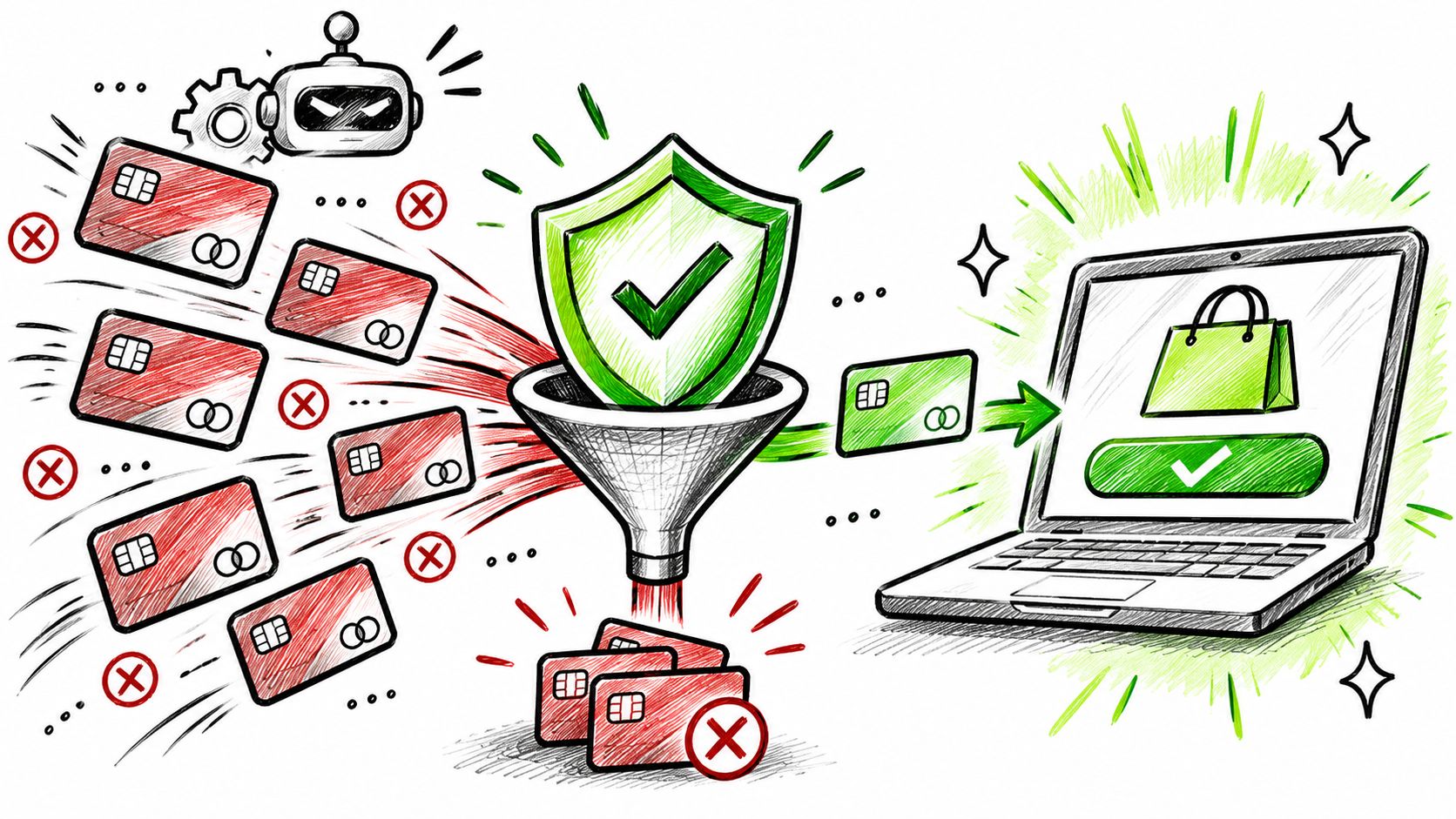
You open Shopify admin before your first coffee and see a string of tiny orders for your cheapest accessory, mixed with bursts of declined payments and gibberish email addresses. If someone is running stolen credit cards through your checkout, that's card testing.
Shopify defines card testing (also called carding, account testing, or card enumeration) as automated scripts submitting many small payment attempts to find stolen cards that still work, so fraudsters can use or resell them later. Don't confuse this with credit card testing using test card numbers, which only work in test mode when you place your own Shopify test orders.
Table of Contents
- What Card Testing Is and Why They Chose Your Store
- How Card Testing Shows Up in Shopify Admin
- What Card Testing Costs Even When Nothing Ships
- What Shopify Payments and Stripe Do About Card Testing
- What to Do in the Next Hour
- Which Fixes Deny the Authorization and Which Only Clean Up
- Where Securify Fits
- Card Testing FAQ
- What is card testing?
- How do I know if my Shopify store is being card tested?
- Does Shopify stop card testing?
- How do I read the Blocked view?
- Does canceling the orders stop the attack?
- Should I set a minimum order amount?
- What should I tell Shopify Support?
- Is credit card testing the same as Shopify test card numbers?
What Card Testing Is and Why They Chose Your Store
Say a US apparel store sells a $3 sticker pack alongside $90 jackets, leaves guest checkout on, and offers local pickup at its warehouse. To a real buyer, that's frictionless shopping. To an automated script testing a batch of stolen card numbers, that checkout is a free validation tool.
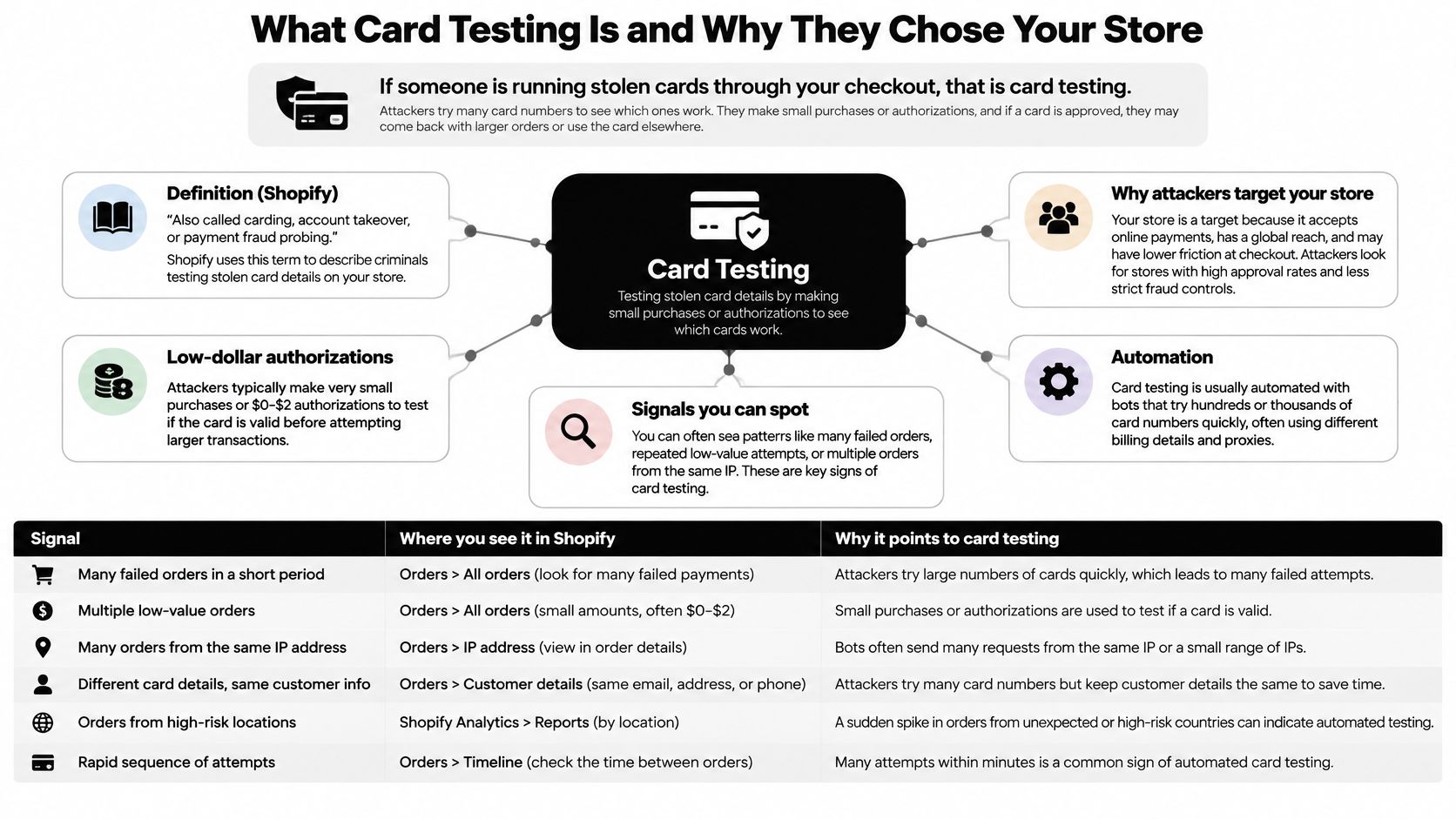
A card testing attack and a carding attack are the exact same thing. According to PCI Security Standards Council account-testing guidance, attackers run automated scripts through checkout flows using two core techniques: testing complete stolen card numbers, or brute-forcing incomplete datasets by varying fields like expiration dates, CVV2 codes, or postal codes. They read the issuer's response (approval, decline, authentication challenge, or field-specific error) to separate live cards from dead ones, often using low-value authorizations.
Card testing fraud stays low-dollar on purpose. Small charges slip past cardholders who don't scrutinize every line on a statement, and Shopify notes that some attacks only save card details without charging anything at all, which may never show up on a statement. The attacker doesn't want your product. They only need one thing from your checkout: an authorization answer.
Three store setups make a Shopify checkout an easy target for automated validation:
- Guest checkout with low friction: Scripts can submit card fields repeatedly without creating verified accounts or solving login checks.
- A cheap add-on or low-priced SKU: An item of a few dollars lets testers validate cards with minimal risk of triggering a cardholder's bank alert.
- Local pickup or digital delivery: Skipping physical shipping removes address complexity and speeds up scripted checkout runs.
Practical rule: Treat card testing as an automation problem first and an order problem second. If a bot reaches your payment form and gets a decline or approval back from the card network, the attacker already got what they came for.
How Card Testing Shows Up in Shopify Admin
Merchants describing an active testing wave in Shopify Community threads report the same shape: a steady stream of small orders, each a few dollars at most, placed for local pickup under throwaway emails. Inside admin, the signals split across two layers. Some appear only after an order lands in your queue, others appear at the checkout itself, while the tester is still hunting for an authorization.
Where each signal sits tells you which layer caught it:
| Signal | Where you see it in Shopify | Why it points to card testing |
|---|---|---|
| Many orders for the cheapest item, a few dollars each | Orders | The tester only needs an authorization, not a real purchase |
| Bursts of declined payments | Order timeline and Payments | Shopify says attacks cause many declined payments |
| Pickup orders nobody collects | Delivery method on the order | No shipping address is needed to test a card |
| Random or nonsense emails and customer names | Customer details | Scripted runs rotate throwaway identities to avoid repeating patterns |
| Hosting or proxy IP, or "tried more than one credit card" | Order risk, fraud indicators | Both appear on Shopify's fraud indicator list |
| "Blocked due to high risk of fraud", IP on the temporary blocklist | Orders, then Abandoned checkouts, Blocked | Shopify Payments stopped it before an order existed |
The last row is the one you want. An entry in the Blocked view under Abandoned checkouts means Shopify Payments stopped the payment before an order ever existed. Everything above it in the table is cleanup evidence from orders that already exist: the tester already got an answer from your checkout.
One admin quirk catches merchants off guard. As Shopify's ecommerce security guide notes, bots run card tests and target checkout flows, and Shopify's abandoned checkouts help page says checkout attempts identified as suspected card testing or bot activity aren't included in your Abandoned checkouts list. Because Shopify filters suspected card-testing checkouts out of that list, your Abandoned checkouts screen can understate how heavy an active attack really is.
When an order does slip through, open the order's fraud analysis panel to check the indicators and review how Shopify Fraud Analysis rates an order. You can pull the buyer's IP address directly from that panel when available; if you're not sure where to look, see how to find a customer's IP address on Shopify to spot hosting providers, proxies, or repeating network patterns.
What Card Testing Costs Even When Nothing Ships
It's tempting to shrug off a $3 fake order if you cancel it before anything leaves the warehouse. Unfortunately, the bill arrives even when zero boxes ship.
First, you face authorization holds and chargebacks. Shopify points out that an authorization hold can appear on the cardholder's bank statement even if you never capture the funds, and that hold can still turn into a dispute. Every dispute counts toward your chargeback rate whether you win or lose it. Card networks and Shopify monitor that rate closely, so you want to keep it as low as possible. If you're unsure how the dispute lifecycle works on the platform, review what a chargeback is on Shopify alongside how Shopify chargeback fees hit your payout balance.
Second, a decline surge hurts your real buyers after the bots leave. Shopify warns that a surge of declines during an attack can raise your decline rate for legitimate customers, even after the attack stops.
Third, you absorb processing costs and broken reporting. Third-party gateway fees aren't returned when you issue a refund, meaning every refunded $3 test order still costs you money out of pocket. As Stripe's State of Online Fraud guide explains, card testing brings higher payment processing costs, and issuers and card networks can penalize businesses that allow these attacks.
Cancelling a suspect order or switching to manual capture cleans up your fulfillment queue, but it never undoes the card authorization and never guarantees you won't receive a chargeback.
What Shopify Payments and Stripe Do About Card Testing
Your payment processor already runs automated screening, but knowing exactly where that screening stops keeps you from assuming you're covered when you're not.
Shopify Payments Card Testing Protection
Stores on Shopify Payments get built-in checkout protection that screens automated card-testing activity before an order is created. According to Shopify's fraud-prevention manual, that layer operates at checkout while order review governs what happens after an order exists, which is why Shopify still advises canceling high-risk orders before fulfillment rather than trusting an approved authorization alone.
In practice, here is what Shopify Payments does in admin:
- Blocks high-risk checkouts pre-order: Attempts it catches appear under Orders > Abandoned checkouts > Blocked instead of creating paid orders.
- Applies a temporary IP blocklist: After many orders or failed payments from a single IP, Shopify temporarily blocks that IP, usually lifting the block within a day.
- Detects proxies and re-scores every submit: Proxy detection helps flag masked traffic, though Shopify re-checks risk on each submission, meaning a retry with fresh card details can still pass.
The honest limit is that Shopify Payments catches some attacks, not all of them. Distributed bots rotating fresh details and residential IPs still get through.
Stripe Card Testing Guidance
Merchants searching for stripe card testing often land on Stripe's card testing prevention documentation and wonder where those settings live in Shopify. They don't. Stripe's guidance is written for developers building directly on Stripe's API, where engineers can add server-side CAPTCHA on every request that validates a card or starts a payment, enforce rate limits on customer creation and checkout attempts, and restrict access to the payment form. Even there, Stripe notes that one rule like IP blocking is rarely enough because scripts shift paths.
If your store runs on a third-party gateway instead of Shopify Payments, ask that provider two direct questions: what it blocks before an authorization hits the card network, and what it only flags afterward. If you're reviewing gateway-level protections across providers, you can compare Shopify Payments alternatives to see how different processors handle payment-layer screening. Keep one operational truth in mind regardless of gateway: a declined transaction still means the attempt reached the processor. Declines are evidence of an attack, not protection from one.
What to Do in the Next Hour
When an attack is live, don't spend an afternoon tweaking broad storefront settings. Run these eight steps in order to isolate the pattern, tighten checkout checks, and contain exposure while you sort out how to stop fake orders on Shopify long term.
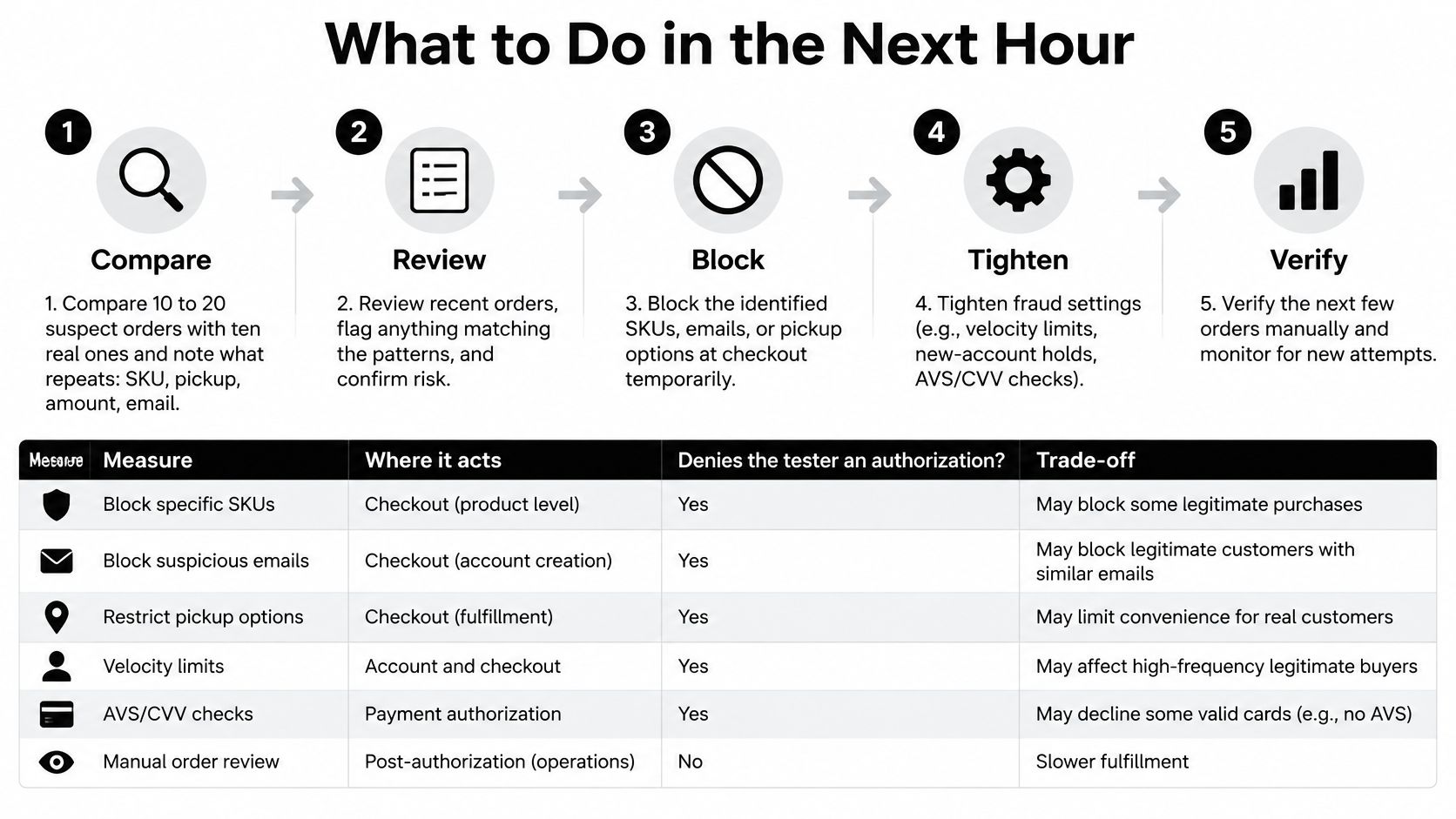
- Pull a side-by-side sample. Compare 10 to 20 suspect orders against ten real orders and list every repeating attribute: SKU, pickup option, order total, email structure, and IP address.
- Stop fulfillment and cancel immediately. Don't ship a single suspect order; cancel and refund or void each one right away. Shopify states this lowers chargeback risk, though it doesn't remove it completely.
- Switch to manual capture. Go to Settings > Payments and enable manual payment capture so funds stop settling automatically. Remember that the card authorization still runs when the buyer submits checkout.
- Turn on strict CVV and AVS declines. Go to Settings > Payments, click Manage in the Shopify Payments section, then Reduce credit and debit card fraud under Fraud prevention. Turn off "Use automated settings", then enable "Decline charges that fail CVV verification" and "Decline charges that fail AVS postal code verification". Shopify warns that AVS checks can increase failed transactions for real customers, so watch your decline volume right after enabling it.
- Add checkout rules in the Fraud Control app. Block the specific repeating emails, IPs, street addresses, or ZIP codes you logged in step one. Any blocked buyer sees a generic checkout error instead of completing an order.
- Turn on Shopify Flow cleanup templates. Activate "Cancel orders from bad email addresses" and "Restrict orders from customers to five a day" in Shopify Flow. Both templates fire only after an order already exists.
- Remove the easy bait temporarily. Hide the cheap target SKU from the Online Store sales channel and pause local pickup while the wave is active. Don't rely on a minimum order amount as a permanent fix, since scripts raise the cart total.
- Escalate with the right label. Contact Shopify Support and call the incident "card testing", not "fraudulent orders," so your ticket reaches the right review process. For orders sitting in manual review while you wait, follow a clear checklist for what to do with high-risk orders on Shopify.
Because automated scripts often return from new IPs after a short pause, pair these emergency steps with an upstream plan for how to block bots before they reach your checkout form.
Which Fixes Deny the Authorization and Which Only Clean Up
Every defense should be judged against the one thing a card tester wants: an authorization response from the card network. Read the table below from top to bottom as a checkout timeline. The first three rows can deny the tester that answer before or during payment; the next two only clean up after an order already exists; minimum order value only slows things down partly.
| Measure | Where it acts | Denies the tester an authorization | Trade-off |
|---|---|---|---|
| Blocking bot, datacenter, VPN, and proxy traffic | Before checkout | Yes, for the traffic it catches | Residential IPs can slip through |
| Fraud Control checkout rules | At checkout submit | Yes, if a rule matches | Only the conditions you define |
| CVV and AVS declines with Shopify Payments protection | At payment | Yes, as a decline | Declines still pile up, and AVS can fail real buyers |
| Manual capture | After authorization | No | Holds still reach statements and can become chargebacks |
| Flow cancel or restrict rules | After the order exists | No | Cleanup only |
| Minimum order value | At checkout | Partly | Blocks real small orders, and testers raise the amount |
Tightening every rule to the maximum isn't free. In Mastercard's 2025 card fraud defenses report, 69% of surveyed fraud leaders cited high false-positive rates as a major pain point, while card testing ranked as the third-most encountered attack vector leading to card fraud, cited by 48% of respondents. Crank AVS rules or country blocks too hard without watching approval rates, and you'll turn away real customers faster than you stop bots.
Watch the trade-off: Measure every new rule against approval rate, checkout completion, and customer support tickets, not just how many sessions got blocked.
No single row in that table is the whole fix. IP blocking alone breaks down against rotating proxies, and a minimum order value hurts legitimate low-ticket buyers without stopping scripts that add two items to the cart. The strongest setup stacks early Shopify bot protection before checkout with targeted Fraud Control rules and CVV/AVS checks at payment, then keeps manual capture and Flow strictly for post-order cleanup. Balancing those upstream traffic signals with payment-layer checks is the foundation of reliable ecommerce fraud detection.
Where Securify Fits
Securify does not replace checkout or payment fraud tools. It covers the earlier storefront traffic layer before checkout or payment tools see the visitor, and it can sit alongside Shopify Fraud Analysis. That matters when traffic spikes compress decision time: filtering suspicious traffic earlier gives your team cleaner signals to work with.
Securify blocks bots and datacenter, VPN, proxy and Tor traffic, which card-testing scripts run from, before they reach checkout. It blocks fake and risky emails at checkout as a Shopify checkout validation, so no order is created, and it sends real-time alerts on suspicious spikes and on high-risk orders so you can hold or cancel them. A live visitor log shows each visitor's IP, country, browser and referrer. It never sees card numbers and does not decide an authorization; Shopify Payments or your gateway does. See how to stop bots with Securify for setup.
Securify is built for Shopify and rated 4.6 from 109 reviews. Securify has a free plan; current plans are on the Shopify App Store listing: see Securify on the Shopify App Store.
Card Testing FAQ
What is card testing?
Card testing is a form of payment fraud where fraudsters run stolen card numbers through an online checkout in many small attempts to find which cards are still active. Once they confirm a live card, they use it for larger purchases elsewhere or resell the validated credentials.
How do I know if my Shopify store is being card tested?
Look for sudden clusters of tiny orders on your cheapest item, bursts of declined payments in your order timeline, random or gibberish customer emails, and blocked attempts under the Blocked view of Abandoned checkouts. Unclaimed local pickup orders and hosting or proxy IPs in fraud analysis point to the same pattern.
Does Shopify stop card testing?
Shopify Payments has built-in card testing protection that blocks some high-risk checkouts, not all of them. Add CVV and AVS declines and Fraud Control checkout rules on top.
How do I read the Blocked view?
Open Orders, then Abandoned checkouts, and switch to the Blocked view. Each entry is a checkout that was stopped before an order was created, so a run of blocked attempts on one low-priced item inside a short window, especially with gibberish emails attached, reads as a testing script rather than shoppers browsing.
Does canceling the orders stop the attack?
No. Canceling cleans up the order, but the tester already got their answer from the authorization response before you acted. Cancel anyway so nothing ships or drains stock, then tighten checkout-layer declines, CVV, AVS, and Fraud Control rules, so the next attempt is denied before an order exists.
Should I set a minimum order amount?
Only briefly, during an active wave. Testers raise the amount, and a minimum blocks your real small orders.
What should I tell Shopify Support?
Give them the order numbers from the cluster, the timeline entries showing the burst of declines, and any hosting or proxy IPs you pulled from fraud analysis. Ask them to confirm whether the card-testing protection on Shopify Payments flagged the attempts and whether anything else in the account was touched.
Is credit card testing the same as Shopify test card numbers?
No. Shopify test card numbers only work when your store is in test mode so you can verify your own checkout flow safely, whereas card testing uses real stolen credit cards against your live payment processor.