
How to Find Customer IP Address on Shopify: Orders Only
how to find customer IP address on Shopify: where the order shows it, why visitors have none, what an IP proves, and how to block one at checkout.
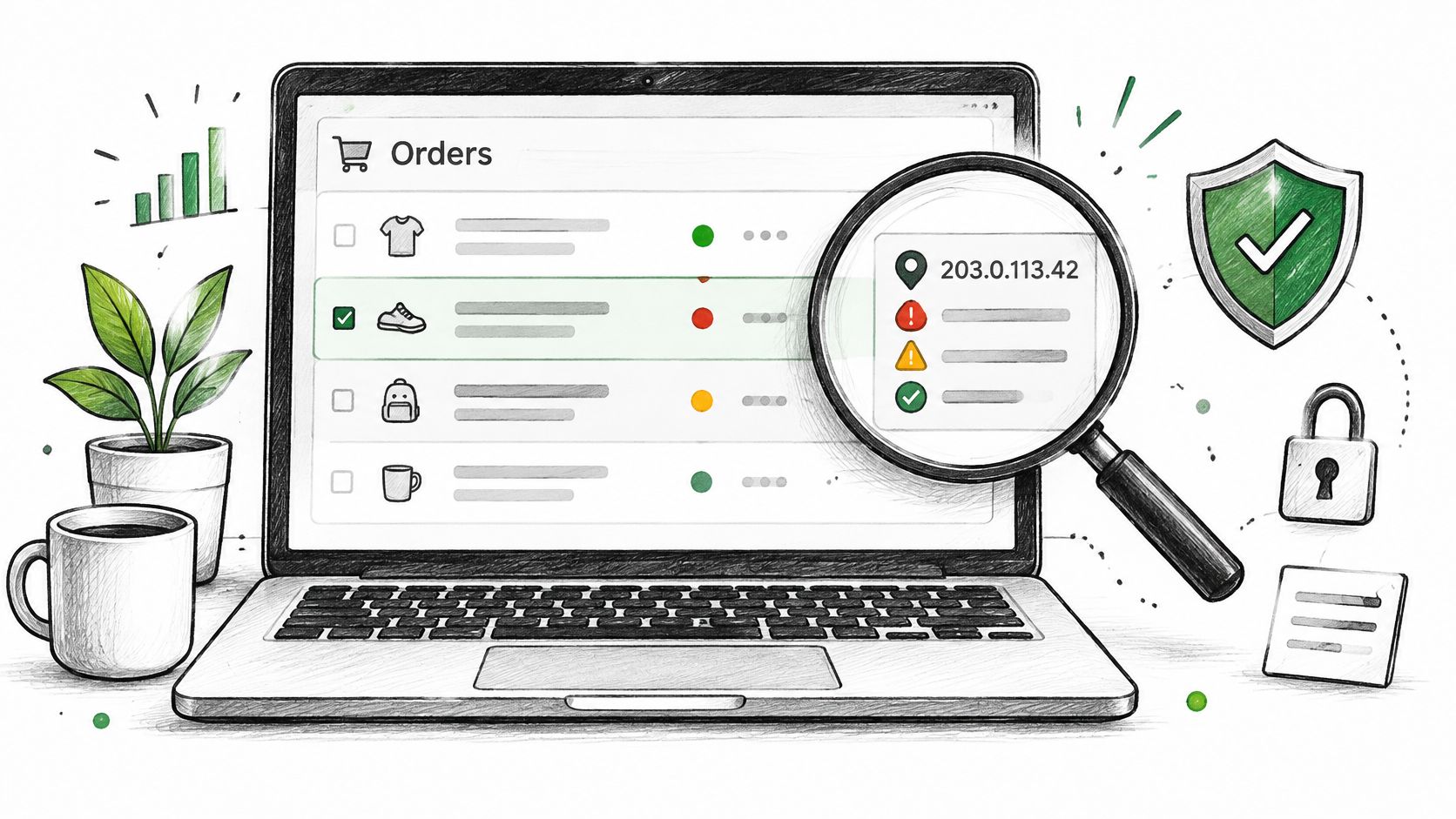
Shopify records a customer's IP address on orders and nowhere else, which means the visitor you want to trace may have left nothing behind. When an order exists, you will find the IP on that order's risk panel. The bigger limit is the one most guides skip: a visitor who browsed, abandoned checkout, or created an account without buying has no IP anywhere in admin. What you find is the buyer's address. Your store's own IP for DNS lives under Settings, Domains.
Table of Contents
- Where Shopify Shows a Customer's IP Address
- What a Customer IP Address Tells You and What It Doesn't
- What to Do With a Customer IP Address, Including Blocking It
- Handling Customer IP Addresses Without Over-Collecting
- Where Securify fits
- Frequently Asked Questions About Customer IP Addresses
Where Shopify Shows a Customer's IP Address
Say a dispute lands on an order from last month and you need the buyer's IP. It lives in one place: the order's fraud panel, labeled Order risk evaluation under Order risk on current admin. Older admin views called the same panel Fraud analysis, View analysis. When Shopify can't confirm an IP for the order, the panel shows a location description in its place.
That panel is the only spot in admin where a customer IP appears.
The Shopify fraud analysis help page says fraud analysis applies to online credit-card orders Shopify can verify, producing a low, medium, or high recommendation plus indicators covering address verification, the CVV check, whether the customer's location matches the payment method, unusual device or network activity, and whether the customer tried more than one credit card.
| Where | What you see | When it is there |
|---|---|---|
| Order, Order risk, Order risk evaluation | IP, or a location description when none is available, plus indicators and a recommendation | Online card orders Shopify can analyze. Test, free, gift-card, POS, B2B, and subscription-renewal orders may get no recommendation |
| Orders CSV export | No IP column. Risk Level is the closest field | Never |
| Customer profile, account creation | No IP in admin | Never in admin |
| Storefront visitors, Live View and Sessions | Locations, not addresses | Never |
| Abandoned checkouts | Risk notices and temporary blocking information, not a reliable customer IP view | No standard IP field |
| App visitor log, or Admin API clientIp | IP, country, browser, and referrer per visit, or the order IP for apps | While an app is installed, or through API access |
Every row after the first is the visitor gap. Live View gives you a dot on a map, an abandoned checkout gives you a warning banner, and a customer account created without a purchase gives you nothing at all. Merchants usually hit that wall after bad traffic has already arrived, which is when they start reading up on VPN detection. Until then, treat the order IP as one line in the risk panel, read alongside the indicators and payment details before you fulfill, hold, or cancel.
What a Customer IP Address Tells You and What It Doesn't
An IP can show approximate location, usually country and sometimes region, plus the network owner, such as an internet provider, mobile carrier, or hosting company. Shopify guidance on preventing fraud flags a location that doesn't match the customer's details, a hosting company, or a proxy service as reasons to look closer. An IP reputation check adds context about the network, but it still doesn't name a person.
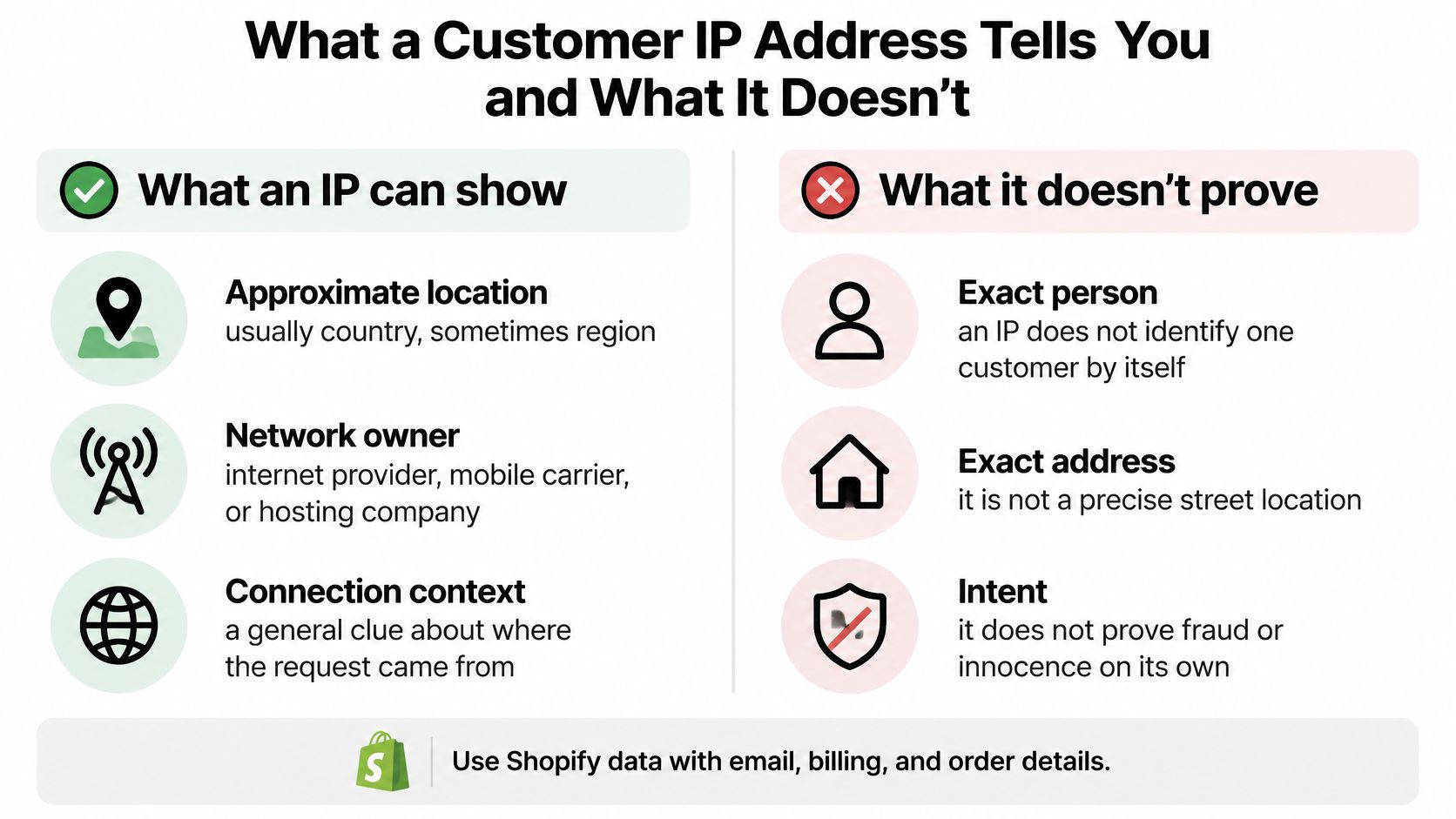
A VPN or proxy moves the apparent location, carriers put many phones behind one address, and households and offices share one connection. If you want background on the masking side, explore VPN usage trends before treating a masked address as hostile. Say the shipping address is in Ohio and the IP sits in a hosting range in another state. The buyer could be a freelancer on a cloud desktop, not a thief.
"An IP address or location description by itself isn't a fraud recommendation."
The address may come from the customer's device, a proxy, an app, a payment processor, or a server. Pair it with order velocity, payment signals, and address consistency. Blocking on geography alone creates false positives for travelers and legitimate international shoppers.
What to Do With a Customer IP Address, Including Blocking It
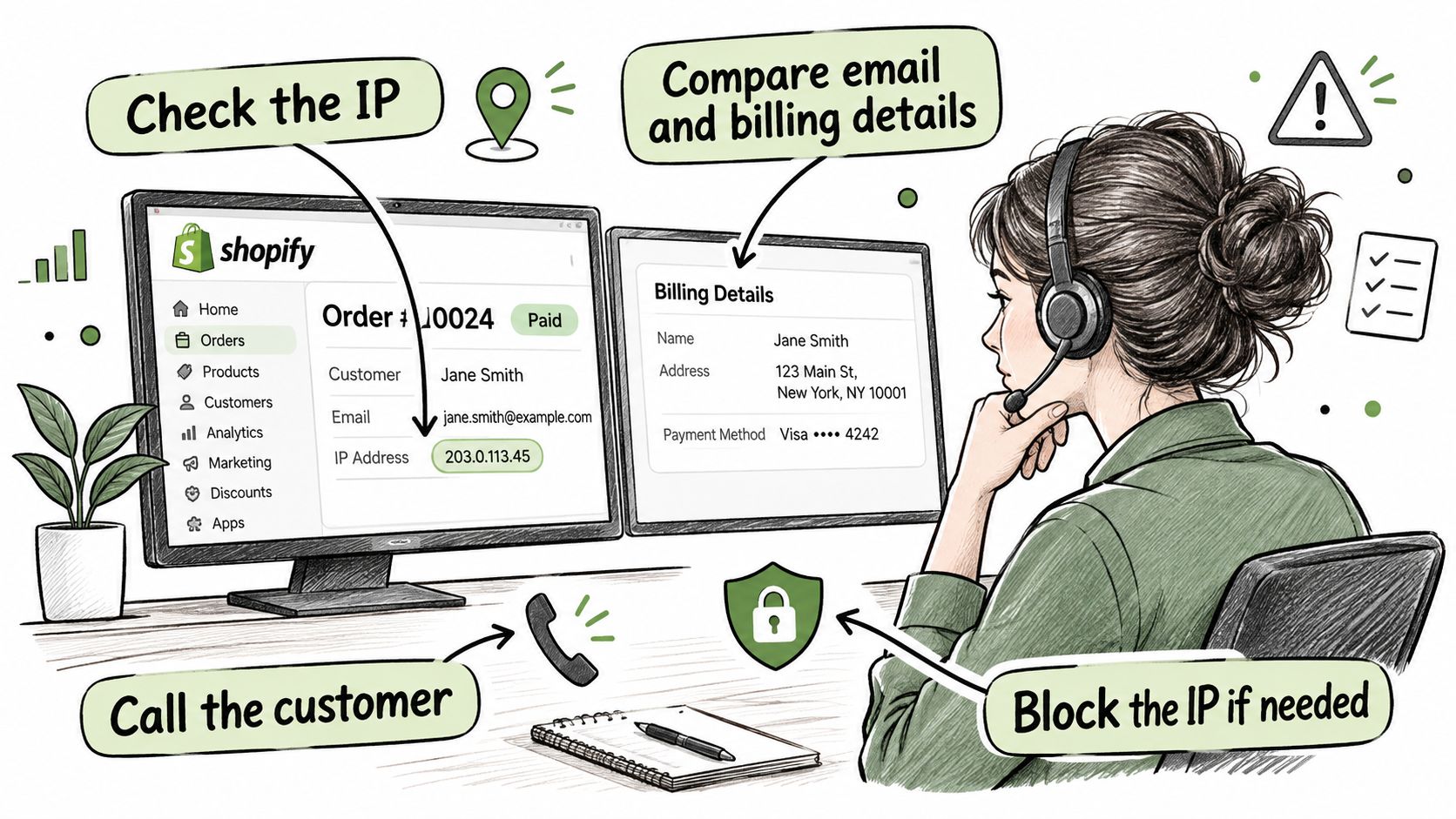
Start from the limit: an IP exists in admin only after an order exists, so a visitor who browsed and left gives you nothing to check.
- Compare it with the order. Check the IP against the email, billing details, and shipping address. Call the number on the order, compare billing-to-shipping distance, and watch for one address used with many names. See how Shopify Fraud Analysis rates an order before you act on a single signal.
- Know what Shopify does alone. Shopify can temporarily blocklist an IP after many orders or failed payments in a short time. Treat that as an automatic safeguard outside your manual rules.
- Block it at checkout with a rule. In Shopify admin, where checkout rules are available, create a rule on the IP address condition, optionally add ZIP or email, then save. Matching attempts fail at checkout and land in Abandoned checkouts, and the buyer isn't told why. Rules match only what you write and depend on the checkout tools your plan makes available.
- Block it at the storefront. IP blocking through an app stops the visitor before the store loads and can cover ranges and VPN traffic. Addresses rotate, so pair the IP with the email or street address. The wider workflow is in how to block a customer on Shopify.
Handling Customer IP Addresses Without Over-Collecting
Treat an IP as potentially personal information, not just a technical number. California's CCPA lists Internet Protocol address among identifiers, in Civil Code §1798.140(v)(1)(A). The Shopify merchant privacy documentation also identifies IP address, browser, and network connection as data collected in connection with platform use.
Fraud prevention is a legitimate reason to look, and the IP belongs with the order it relates to. Copy it only when a decision needs it. Don't paste it into spreadsheets, support tickets, CRM notes, or public review replies. Limit which staff can see raw addresses, name the system that's the authoritative record, and write down when you delete or aggregate old records. Exposure grows when an IP sits next to an email or customer ID.
An app reading an order IP needs protected customer data access for the scope it uses, and uninstalling revokes that access. This is general information, not legal advice. Check your own privacy policy and talk to counsel for the jurisdictions you serve.
Where Securify fits
Shopify ties an IP to a completed checkout, so the visitor who never orders stays invisible in admin. Securify screens every visitor in real time as they browse, flagging bots and high-risk traffic before they touch your numbers or orders, while real shoppers pass straight through.
The Free plan includes unlimited visitor logs with IP, country, browser and referrer, unlimited country and IP blocking, IP ranges and whitelists, and high-risk order alerts. Securify also blocks VPN, proxy and Tor visits, which catches masked traffic that a raw IP on an order will not expose.
For regions you do not serve, country blocking cuts off traffic from countries you do not ship to. The App Store listing shows a Free plan, rated 4.6 from 99 reviews. See Securify on the Shopify App Store.
Frequently Asked Questions About Customer IP Addresses
What If the IP Address Is Missing From a Shopify Order
Some orders show no IP at all. Orders created manually in admin or through certain apps have no storefront checkout session behind them, so there is no client IP for Shopify to record.
Can I See the IP Address of Visitors Who Didn't Buy
There is nothing to retrieve. A visitor who browsed and left never wrote an IP to your admin, so the practical move is logging visits going forward rather than searching for a record that was never created.
Can I Export Customer IP Addresses From Shopify
The orders CSV has no IP column, so spreadsheet exports won't include it. Apps can read an order's IP through the Admin API field clientIp, subject to protected-data access approval.
What Are the Limits of Blocking an IP on Shopify
The built-in Fraud Control rule only stops the checkout. The visitor can still load pages and skew your session data, so keeping them off the storefront entirely, or blocking a whole range, requires an IP-blocking app.
Is a Customer's IP Address Personal Data
Treat it that way wherever you sell. The safe default is collecting IPs only for fraud screening and naming that purpose in your privacy policy.
Can Two Customers Have the Same IP Address
Yes, and it cuts both ways: unrelated shoppers can share one address while a repeat fraudster rotates through several. Act on the full order pattern rather than the IP in isolation.