
Shopify High Risk Orders Fulfill Verify or Cancel Guide
Shopify high risk orders flagged? Learn when to cancel, verify, or fulfill, how to verify safely, and how to get fewer flags.
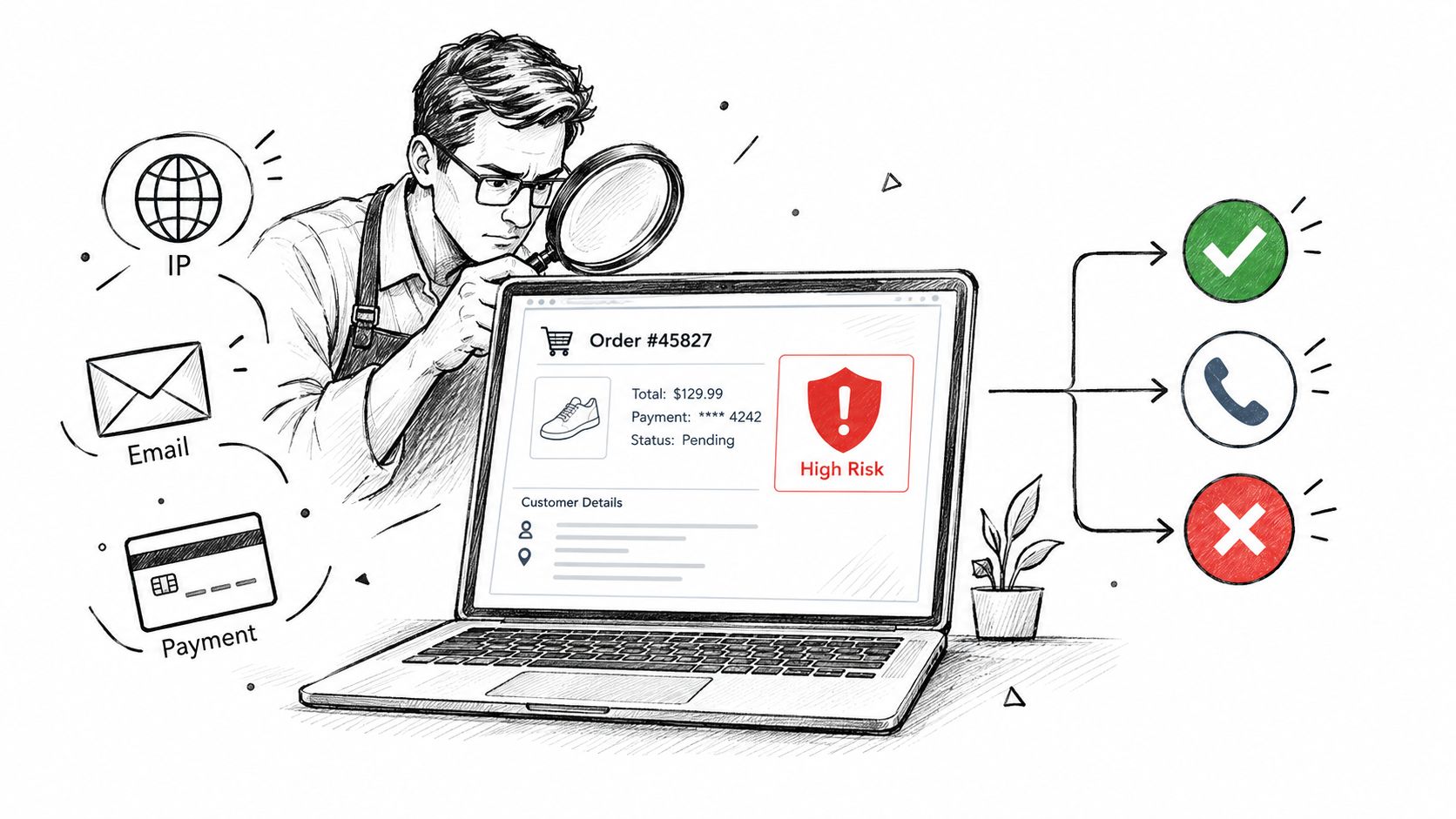
High risk means cancel by default and only fulfill after every verification check passes. Medium risk means verify. Low risk means fulfill.
You're probably staring at a Shopify order with a red badge in admin, wondering whether you're about to cancel a real customer or ship inventory to a chargeback. If it's your first flagged order, the temptation is to overthink it. Don't.
For Shopify high risk orders, the safest rule is simple: high equals cancel unless you can clearly verify it, medium gets reviewed, low ships. That rule is boring. It also saves money, time, and payment processing headaches. If you need help reading the warning signals themselves, start with what each indicator means in Shopify fraud analysis.
Table of Contents
- Introduction
- What Fulfilling Shopify High Risk Orders Can Really Cost
- The Decision Tree for Shopify High Risk Orders
- How to Verify a High Risk Order Step by Step
- How to Cancel and Automate High Risk Orders Correctly
- High Risk Signals and What to Do Next
- How to Get Fewer Shopify High Risk Orders in the First Place
- Frequently Asked Questions About Shopify High Risk Orders
Introduction
A red fraud warning feels bigger than it is. One order lands, the badge says high risk, and suddenly a normal fulfillment task turns into a risk decision.
Here's the rule I'd use in a live store today. High risk = cancel by default. Medium = verify. Low = fulfill. If you do choose to review a high-risk order, treat it like a pass or fail process, not a vibe check.
Most merchants searching for high risk orders Shopify or Shopify high risk orders want the same thing. A clear yes or no. You'll get that here, plus the exact verification steps, the right way to cancel, and the upstream fix that reduces how many of these orders show up in the first place.
Practical rule: If you're unsure, don't ship. A canceled good order is one recoverable sale. A shipped bad order turns into a dispute, lost product, and a payment risk problem.
What Fulfilling Shopify High Risk Orders Can Really Cost
The cost isn't the order sitting in front of you. It's what happens after you ship it.
Shopify's own guidance is blunt. It classifies orders as low, medium, or high risk based on chargeback-likelihood signals, and warns that fulfilling high-risk orders can raise chargeback rates enough to affect payment processing access, including removal from Shopify Payments.
That's the part many merchants miss. A bad order is not just one bad order. It pushes on your store's chargeback rate.
The loss is asymmetric
If you ship a fraudulent order, the damage usually arrives later. You lose the goods, the shipping cost, the order value, and the operational time spent on the dispute. As explained in this guide on chargeback costs and fraud prevention, a chargeback usually costs more than the order itself.
By contrast, canceling a legitimate order hurts once. You lose a sale. That customer may reorder if you handle the message well.
Shopify Protect is not blanket coverage
Some merchants assume protection means they can ship risky orders freely. That's wrong. Shopify Protect only covers eligible Shop Pay orders, not every risky order in your queue. If you need the details, read what Shopify Protect actually covers.
The Decision Tree for Shopify High Risk Orders
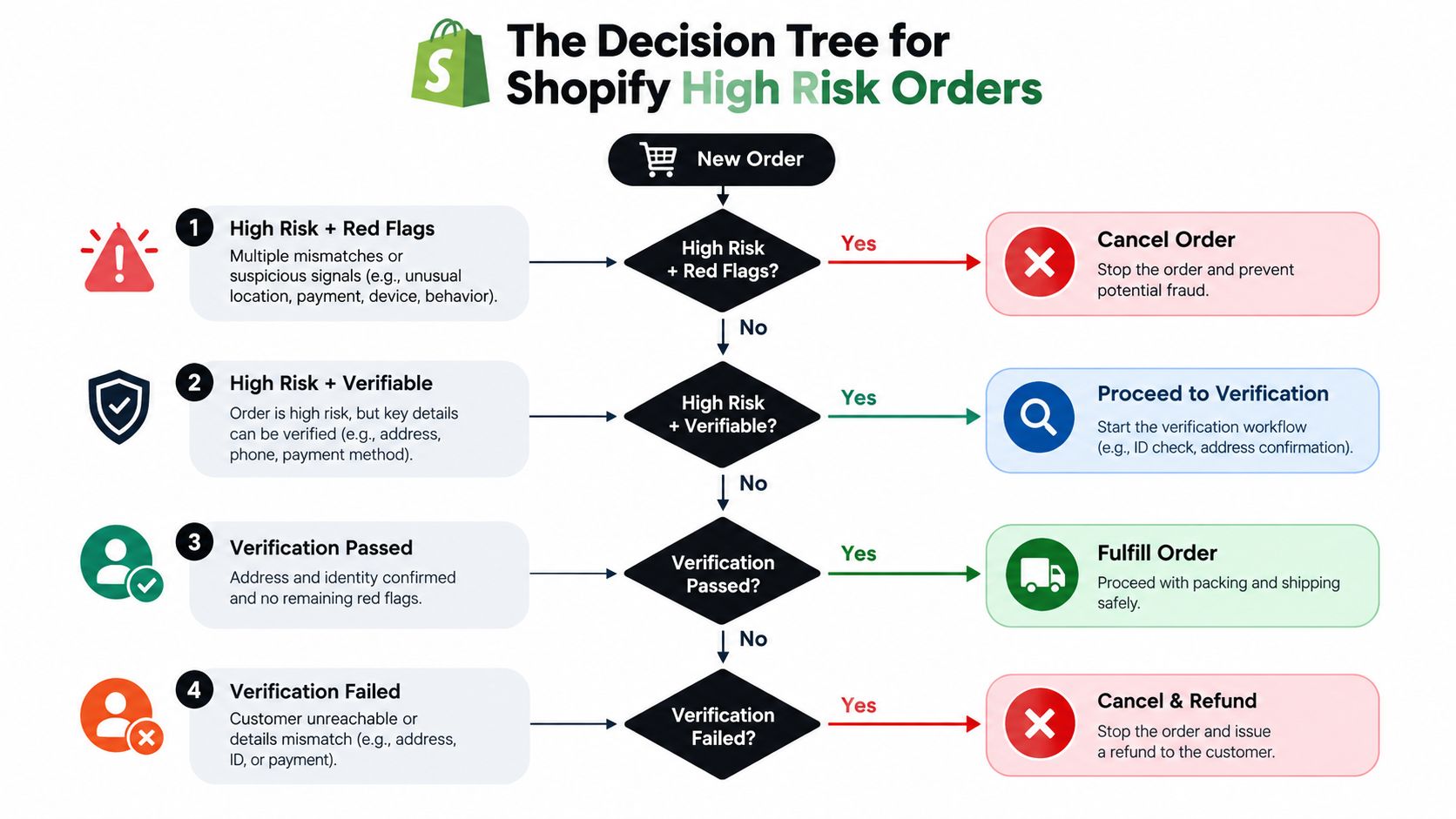
Here's the working rule set. It's simple because it needs to be usable.
Cancel now
If a Shopify high risk order includes any of these signals, cancel it:
- Proxy, VPN, Tor, or datacenter connection
- IP country doesn't match the shipping country
- Multiple failed payment attempts
- Disposable email
- Freight forwarder or reshipping address
- Several orders in minutes from the same IP
Those are not “maybe” signals. They usually mean the buyer is hiding location, testing cards, or routing goods through an address that won't help you in a dispute.
Verify only if the flags are explainable
There are cases where a high-risk order can still be real. Gift shipments. A business buyer shipping to an office. A traveler ordering from a hotel or mobile network. A new customer with a larger basket than usual.
That's where you verify. But be strict. Fulfill only if every check passes. If one key check fails, or you can't reach the customer, cancel.
Experienced merchants often automate the obvious ones. They don't spend time arguing with a red badge that comes with several bad signals at once.
Medium means review
A medium-risk order is where manual review earns its keep. Verify it, document what you checked, and ship if the buyer is reachable and the story is consistent.
Low means fulfill
Low-risk orders should move. Reviewing low-risk orders burns staff time and slows fulfillment for no reason. If your team is drowning in manual checks, read why manual fraud review becomes an ops burden.
How to Verify a High Risk Order Step by Step
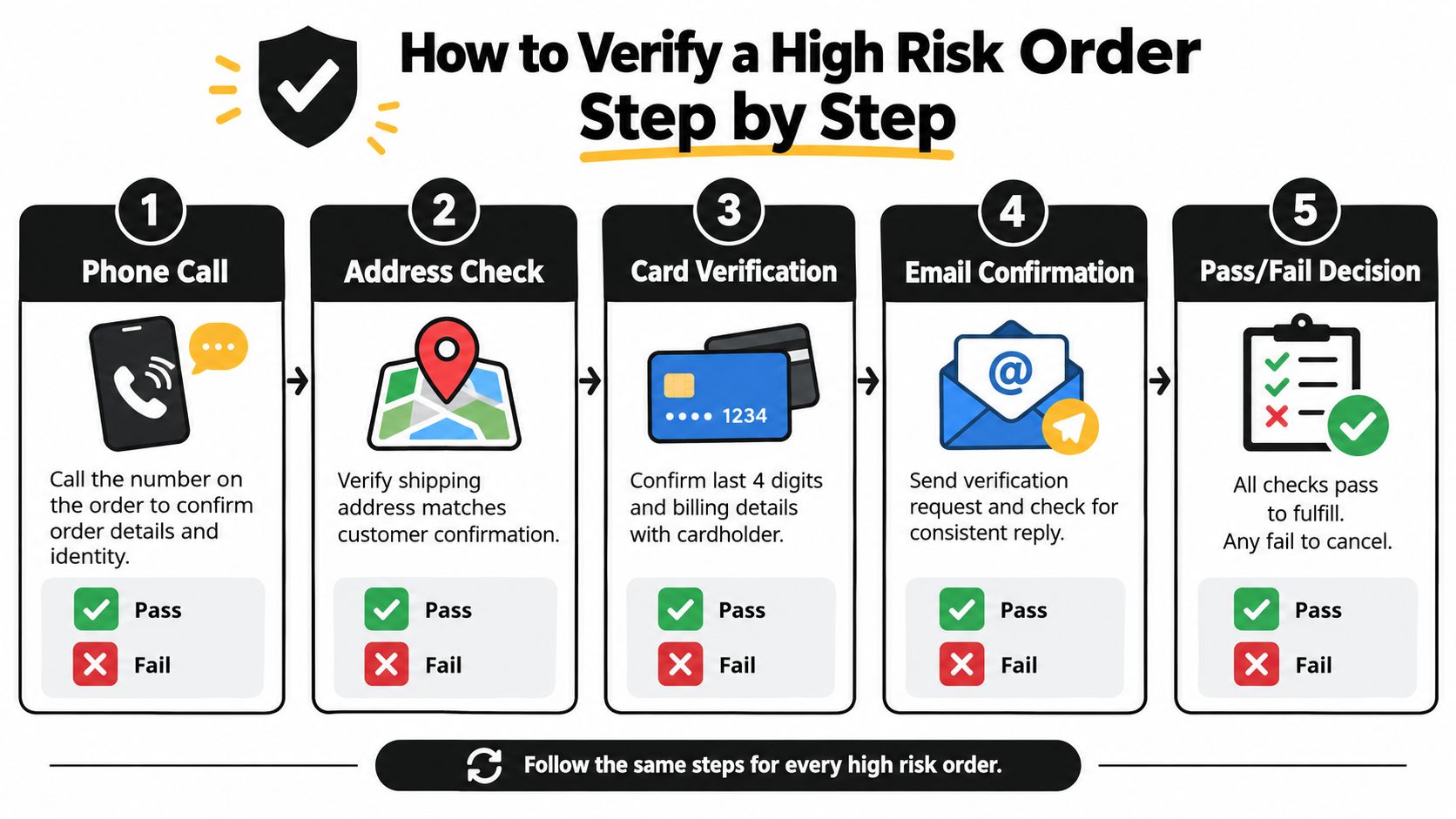
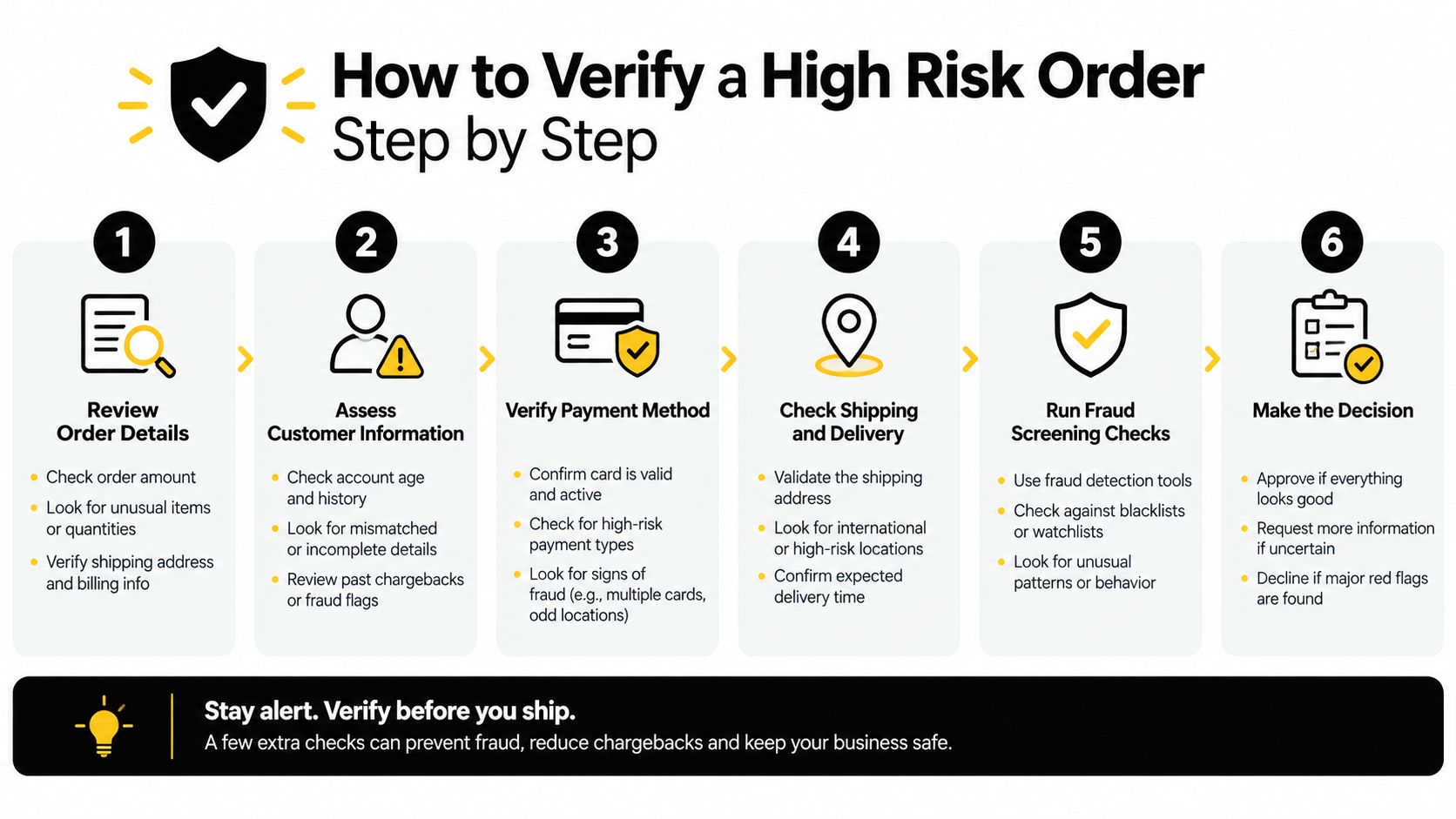
Verification needs a script. If you improvise, you'll either miss obvious problems or talk yourself into shipping.
Call the phone number on the order
Start with a phone call. Not chat. Not just email.
Ask the customer to confirm:
- The items ordered
- The shipping address
- The cardholder name
- The last four digits of the card
You're listening for confidence and consistency. Real buyers usually know what they bought and where it's going. Fraud attempts often fall apart on the call. The number may be disconnected, routed through a generic VoIP line, or answered by someone who has no idea an order exists.
Send a fresh verification email
Replying inside the order thread isn't enough. Send a new email and ask the customer to confirm the shipping address and explain any mismatch between billing and shipping.
A reply alone proves very little. Fraudsters can answer email. What matters is whether the response matches the phone conversation and the order details.
Cross-check the basic facts
Look for consistency, not perfection.
Check these:
- Area code vs billing location
- IP location vs billing or shipping address
- Shipping address type, meaning residence, business, or likely forwarder
- Email footprint, meaning whether it looks like a real long-term address or a throwaway identity
One mismatch can be normal. A stack of mismatches usually isn't.
If the customer has a clean explanation and every other detail lines up, verification can pass. If the story keeps changing, stop.
Use ID only as a last resort
Request redacted photo ID only on higher-value orders and only if the order is worth the work. Ask for the name to match the cardholder and allow nonessential details to be covered.
This step creates friction. Use it sparingly.
Know what a pass looks like
Verification passed means all of this is true:
- You reached the customer by phone
- Their explanation was consistent
- They confirmed the shipping address
- You did not see a hidden-location signal you can't explain
- The cardholder name matches the buyer story
No response within 24 to 48 hours should count as a fail. Same for a vague story, mismatch on key details, or a phone call that goes nowhere.
That's the answer to the common “Shopify high risk of fraud detected, what do I do” question. Verify if there's a plausible reason to verify. Otherwise, cancel.
How to Cancel and Automate High Risk Orders Correctly
Once the decision is no, act quickly and cleanly.
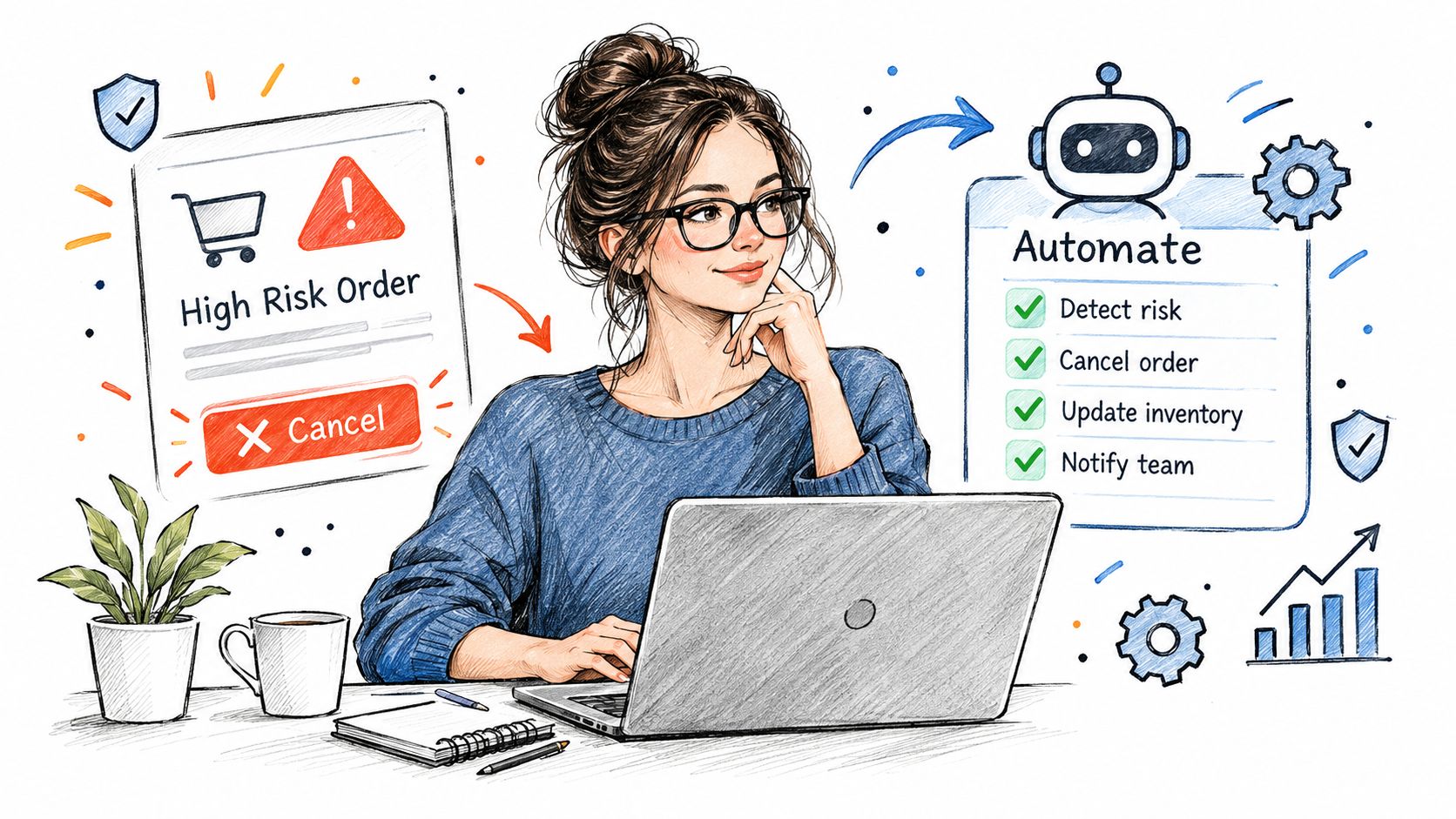
Cancel the order the right way
In Shopify admin, go to:
Orders > open the order > More actions > Cancel order
Choose Fraudulent as the reason. Keep the customer message neutral. Use something like: We couldn't verify this order, so it has been canceled. Please place a new order with matching billing and shipping details or contact us.
Don't accuse anyone of fraud. You gain nothing by escalating the tone.
Manual capture gives you cleaner control
If you use manual capture, canceling voids the authorization instead of refunding a captured payment. That's cleaner operationally. Shopify documents that payment authorizations are time-limited, with the exact window depending on the payment method and provider in its payment authorization help.
If payment was already captured, then you refund and restock.
Automate the obvious cases with Shopify Flow
Shopify explicitly recommends using the fraud result as a workflow trigger because fraud scoring finishes asynchronously after the order is placed. The right trigger is Order risk analyzed, not Order created. Shopify also notes that this trigger fires only after Shopify's own fraud analysis is complete (fraud analysis workflow guidance).
Use the free Flow templates for:
- Cancel and restock high risk orders
- Capture payment if order is not high fraud risk
That second one is especially useful if you use manual capture and want to avoid charging before the order clears review.
High Risk Signals and What to Do Next
Keep this table next to the order screen. If you want the deeper meaning behind each flag, read Shopify fraud analysis explained.
| Signal | What It Usually Means | Do This |
|---|---|---|
| Proxy, VPN, Tor, or datacenter IP | Buyer is hiding or masking location | Cancel |
| IP country differs from shipping country | Could be a traveler, could be a mule or forwarder | Verify by phone |
| Billing address differs from shipping | Could be a gift or work address, could be stolen card use | Verify |
| Failed payment attempts | Card testing or multiple tries with bad details | Cancel |
| New customer plus large basket plus express shipping | Higher urgency and risk pattern | Verify by phone |
| Disposable email | Throwaway identity | Cancel |
| Several orders in minutes from one IP | Bot or scripted abuse | Cancel all and block the IP |
How to Get Fewer Shopify High Risk Orders in the First Place
Every high-risk order started as a visitor.
That matters because Shopify's fraud analysis speaks after an order is placed and the payment is authorized. It is useful, but it is downstream. If bad traffic reaches checkout, your team still has to review, cancel, refund, or dispute it later.
Control what reaches checkout
The practical controls are straightforward:
- Restrict shipping countries to the markets you serve
- Block masked traffic such as VPN, proxy, Tor, and datacenter sessions
- Filter obvious bot patterns before they hit checkout
- Validate email, phone, and name inputs so fake identities don't become orders
Shopify's own fraud tooling separates chargeback rate from high-risk orders rate, which is the percentage of total orders flagged as high-risk by Shopify's analysis. That distinction matters. You can reduce review volume even before chargebacks show up if you stop junk traffic from becoming orders.
For a broader operating view, read why Shopify fraud problems usually start before checkout and how to stop fake orders on Shopify.
Where Securify fits
Shopify's fraud analysis tells you an order looks risky after payment authorization. Securify works earlier, at the traffic and checkout layer, alongside that process. The Shopify app Country Blocker Fraud Securify is listed as Built for Shopify, has a free plan, and shows 4.6 stars from 95 reviews on the App Store. It can block by country, IP, and IP range; block bots, datacenter, VPN, proxy, and Tor traffic before checkout; and use checkout validation to block risky email, phone, or name inputs so the order is never created. It also supports auto-hold or auto-cancel workflows for fraudulent orders. If you need to cut off repeat abuse, this guide on how to block a customer on Shopify is the operational next step.
Frequently Asked Questions About Shopify High Risk Orders
Should I fulfill a high-risk order on Shopify?
By default, no. Cancel unless you reach the customer by phone and every red flag has a clear, verified explanation.
What if I cancel a high-risk order that was legitimate?
You lose one sale. Send a polite note saying you couldn't verify the order and invite them to reorder.
Does Shopify automatically cancel high-risk orders?
Not by default. Use Shopify Flow and the free Cancel and restock high risk orders template.
Will canceling high-risk orders cost me processing fees?
With manual capture, canceling voids the authorization rather than refunding a captured payment. If already captured, you refund it. Regional fee handling depends on Shopify's payment rules.
How do I stop getting high-risk orders?
Restrict checkout to countries you serve, block VPN and proxy traffic, and validate buyer details before checkout so risky orders never get created.