
· shopify bot protection · shopify bots · shopify bot traffic · shopify captcha · bot blocking
Shopify Bot Protection: What Stops and What Doesn't
A clear look at Shopify bot protection: what Shopify blocks natively, where gaps remain, and how merchants stop the bots that get through
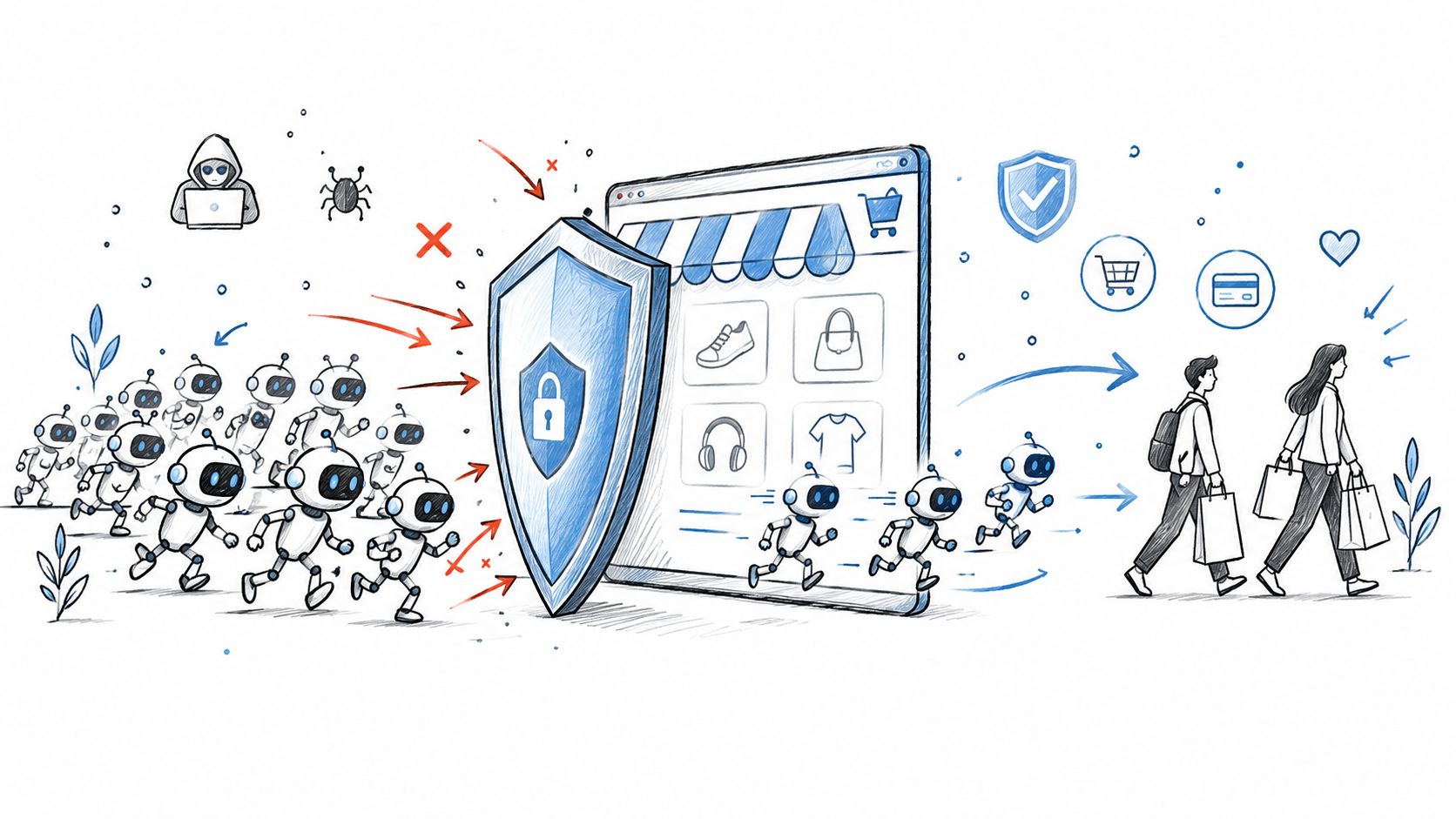
You usually notice the problem before you can name it. Sessions jump, sales don't, and the orders that do come through look wrong, like John Doe at odd hours or a launch SKU disappearing before real shoppers even load the page. Shopify already blocks a lot of automated traffic, but the bots that get through are the ones that behave enough like shoppers to blur the line, and that's where a small DTC store gets squeezed.
The right response is to separate the problem by stage. Some bots hit the edge, some abuse forms, some pressure checkout, and some only show up after an order exists. Shopify covers those stages unevenly, so shopify bot protection is partly built in and partly something you still have to close yourself.
Table of Contents
- Why this matters when your traffic looks wrong
- What Shopify bot protection includes out of the box
- The four kinds of Shopify bots and what each costs you
- Where the native protection stops
- How to measure it with the Human or bot session filter
- The free Shopify setup that blocks most bots
- When you need an app
- Where Securify fits
- Frequently asked questions
Why this matters when your traffic looks wrong
A traffic spike with flat revenue is a warning sign. When product pages get hammered, fresh-email checkouts pile up, or a limited drop disappears before real shoppers even load the page, automation is often the cause.
The problem is visibility. Those requests can look normal in your dashboard, so they inflate sessions, skew channel reporting, and make marketing look stronger while the store gets noisier. Shopify's analytics help you separate people from automated sessions with the Human or bot session dimension, which is useful for measurement, but it does not block anything on its own Shopify bot traffic detection.
Practical rule: if sessions rise and product velocity does not, treat it like a bot problem until the data proves otherwise.
The pressure shows up in four places. Card testers hit checkout, scrapers pull catalog data, inventory bots clear limited stock at the storefront stage, and signup spam pollutes forms and support queues. Wait for chargebacks or customer complaints, and you are already behind.
What Shopify bot protection includes out of the box
Shopify's built-in protection starts at the request layer, where suspicious traffic can be challenged before a storefront fully loads. In practice, that means some automated requests never reach the page experience at all. A visitor with odd behavior or masked routing may hit a verification step instead of the store itself.
That early filtering matters because it cuts down broad bot noise before it reaches the storefront. It gives a live store some protection without any extra setup, but it does not stop every kind of abuse.
Forms and account flows have their own controls. Shopify uses a form CAPTCHA to reduce spam, fake signups, and account abuse Shopify bot filtering help.
Checkout and order review are separate stages, and Shopify treats them differently. Card-testing protection helps with repeated payment probing, while fraud review flags risky behavior after an order is created Shopify fraud prevention help. There is also a checkout checkpoint for stores that have access to that feature, which helps during launch spikes and flash-sale pressure.
| Native Shopify bot protection controls at a glance | Location in Shopify | What it stops |
|---|---|---|
| Request-layer filtering | Storefront request layer | Broad automated traffic and challengeable requests |
| Form CAPTCHA | Forms and account pages | Spam, fake signups, and some automated form abuse |
| Card-testing protection | Checkout and payments | Repeated payment probing |
| Checkout checkpoint | Checkout protection settings | High-volume automated checkout pressure |
| Fraud review signals | Order review and payments tools | Orders that look risky after creation |
The limit is simple. Shopify's native layer covers parts of the journey, but it does not give merchants full control over edge filtering, storefront access, checkout pressure, and post-order review as one system. That leaves gaps between detection and actual blocking, especially when bots move from catalog scraping to fake checkout attempts in the same campaign.
The four kinds of Shopify bots and what each costs you
A small DTC store can look healthy on the surface while the wrong traffic is eating margin underneath. One bot type distorts analytics, another probes payments, a third clears out limited stock, and a fourth fills your list with junk. The fix depends on which stage of the funnel is under attack.
| Bot type | What it looks like | Business cost | Native Shopify control | Gap that remains |
|---|---|---|---|---|
| Scrapers | Sessions rise, conversion falls, and the Human or bot session mix shifts toward bot traffic | Clean analytics get polluted, pricing and inventory signals get distorted | Edge filtering and the session filter in reports | Blocking automation before storefront access. For catalog scraping patterns, see evaluating StockX scraping APIs. |
| Card testers | Bursts of failed payments and strange checkout activity | Payment abuse, gateway noise, later dispute risk | Card-testing protection on Shopify Payments | Blocking risky traffic before it reaches checkout |
| Checkout and restock bots | Limited items disappear before real shoppers can move | Lost margin, angry customers, false sold-out signals | Checkout checkpoint on Plus | Faster storefront-side controls for non-Plus stores |
| Signup spam bots | Fake accounts, junk emails, bounced follow-ups | Dirty lists, support noise, wasted marketing sends | hCaptcha on forms and accounts | Better pre-form filtering and identity checks |
The pattern matters more than the label. Scrapers hit the edge and storefront, card testers hit checkout, restock bots hit the checkout race, and signup spam hits forms before a sale ever happens. A merchant who only watches failed payments can miss the scrape that caused the traffic spike in the first place.
Only the card-testing row usually turns into chargebacks. The others still cost real money, because they distort reporting, waste inventory, and burn team time. That is why a practical response starts with the attack stage, then matches it to the control Shopify already gives you.
If fake orders are already showing up in your queue, separate the symptom from the response first, then work through how to stop fake orders on Shopify. The right fix depends on whether you are dealing with scraping, payment probing, stock grabbing, or form abuse.
Operational takeaway: the bot type tells you which stage to defend, not just which order to cancel.
Where the native protection stops
The gap starts at the edge and the storefront. Shopify can challenge some traffic, but there is no simple merchant setting that blocks a product page before the request is made, which leaves scraping and mass browsing partly exposed.
Checkout is the next limit on non-Plus stores. Shopify's card-testing protection and fraud signals help when abuse is obvious, but they are tied to inputs and flows the system already understands. Weird values, small variations, and mixed signals can slip through longer than merchants expect.
After the order exists, the control shifts again. Shopify Fraud Analysis helps you score risk after creation, so a bad order can still be placed, paid, and moved far enough to trigger downstream work. For analytics-side detection context, see MetricsWatch detects bot traffic. If you want a practical guide to post-order review, see how Securify handles Shopify fraud protection.
That is the limit of the native stack. It covers parts of the path, not the whole path, and it does not act as a full pre-order filter. Merchants who only look at the order queue often find the damage late, after traffic, inventory, and support time have already been spent.
How to measure it with the Human or bot session filter
A sudden spike in sessions can look like demand, then turn out to be crawl noise, signup spam, or checkout abuse. Open Analytics > Reports, then add the Human or bot session dimension. That view helps you separate real shopping traffic from automated sessions, as described in the Shopify bot filtering help.
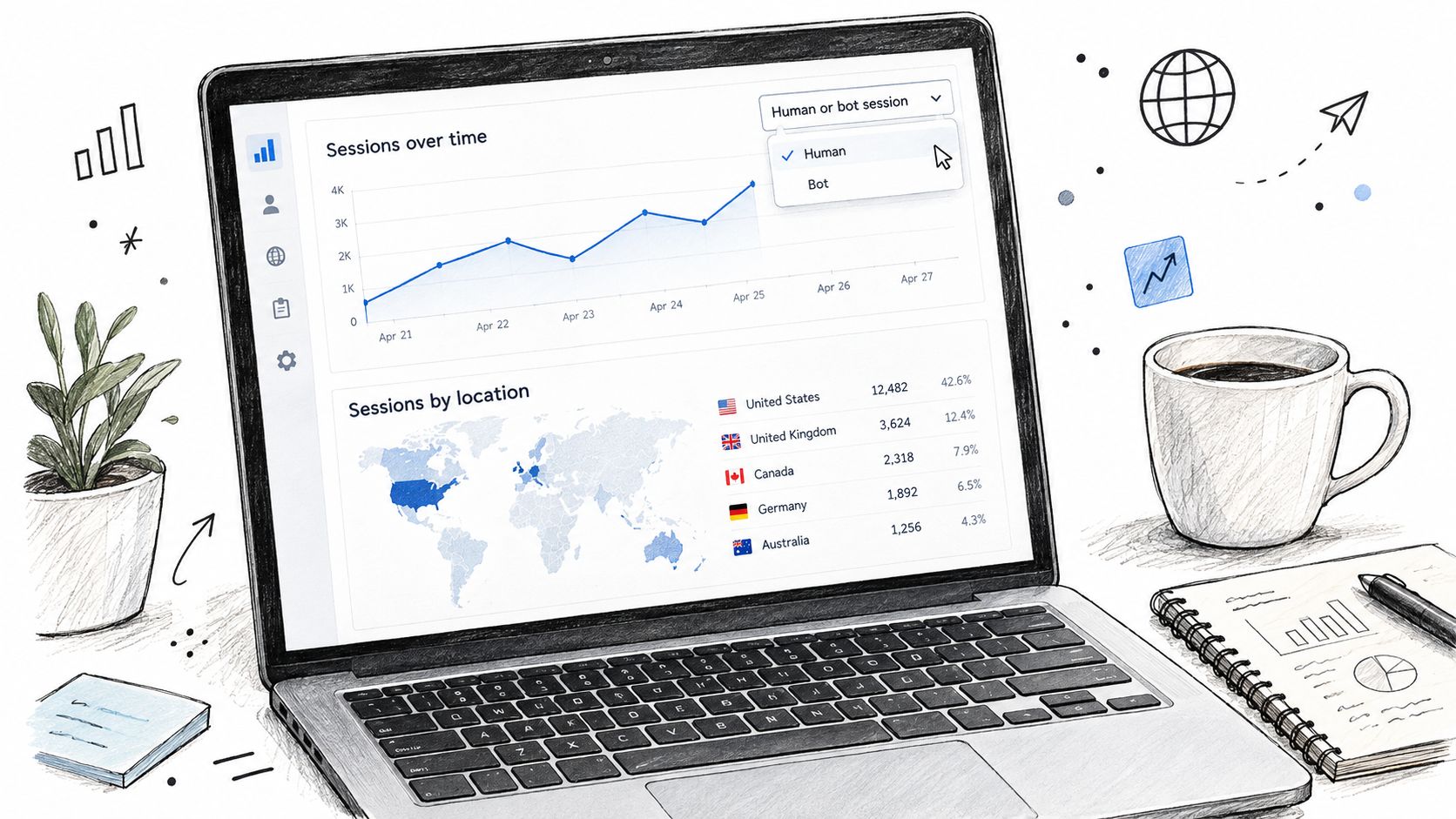
Compare human and bot sessions by landing page for the last 7 days, then isolate product pages with a bot share above 60% to decide where to tighten controls first. If the noise clusters on collection pages, the fix is usually storefront-side. If it concentrates near checkout, you need a different rule set. A practical breakdown of the reporting problem is in bot traffic makes your analytics lie.
The limit is simple. This dimension shows exposure in your reports, not blocked requests, so it tells you how noisy the store is after Shopify counts the traffic, not what was stopped before it reached analytics.
The free Shopify setup that blocks most bots
Start with the controls you already have. Turn on hCaptcha where Shopify allows it, keep AVS and CVV checks active in Payments, and use manual capture if you need more review time on suspicious orders. Then add Fraud Control rules for known bad patterns, and use Flow to limit repeated abuse.
A few settings are worth keeping in place on day one.
- hCaptcha on forms and accounts: reduce signup spam before it reaches your lists.
- Manual payment capture: avoid auto-charging orders you haven't reviewed.
- Fraud Control rules: block repeat email, IP, or ZIP patterns that keep showing up.
- Flow limits: stop repetitive order patterns from the same source.
- Pause abandoned-checkout emails during an attack: don't nurture junk addresses.
- Plus checkout scheduling: if you have it, time the drop when you can watch it.
If you need a practical reminder for the customer side of this, the guide on how to block a customer on Shopify is a useful reference point. It's the same mindset, stop the abuse early so it doesn't keep repeating.
When you need an app
You need more than native Shopify when the bad traffic hits before checkout, not after it. That usually means one of three things. First, scrapers are chewing on product or collection pages and ruining the signal in your reports. Second, a non-Plus store is getting hit during a drop and you need something that acts before checkout. Third, risky inputs keep reaching the order form and you want to reject them before an order exists.
That's the point where a merchant-controlled layer between the edge and Fraud Analysis makes sense. It's not about replacing Shopify's native protections. It's about handling the gap that Shopify doesn't fully cover on its own.
If your team is also dealing with proxy-heavy traffic, the broader pattern is worth reading in VPN and bot traffic. The same logic applies across storefront noise, masked access, and checkout abuse.
Where Securify fits
Securify is one option for merchants who want to act before bad traffic becomes an order. It sits in the traffic and checkout layers, with controls for bot, datacenter, proxy, and Tor detection before checkout, plus checkout validation on risky email, phone, and name fields so an order never gets created in the first place. The App Store listing is Securify on the Shopify App Store.
That positioning matters because Shopify's edge filtering and Fraud Analysis already run automatically. Securify is the merchant-controlled layer between those two points, so it can stop obvious abuse earlier and keep the rest of your review stack cleaner. For stores that need traffic controls, checkout validation, or basic country and IP rules, it fits alongside the native Shopify layer rather than trying to replace it.
Frequently asked questions
Does Shopify have built-in bot protection?
Yes. Shopify uses Cloudflare at the edge, hCaptcha on forms and account pages, card-testing protection in Shopify Payments, and a checkout checkpoint on Shopify Plus Shopify bot traffic detection Shopify bot filtering help.
How do I stop bots on my Shopify store?
Confirm hCaptcha is on where available, keep AVS and CVV checks enabled, use manual capture if your review process needs it, apply Fraud Control rules, and use an app if you need to block bot traffic before checkout.
Why does my Shopify traffic spike but sales don't?
A bot mix is the usual reason. Scrapers, signup spam, and checkout probing can all raise sessions without creating buyers, which is why the Human or bot session report matters Shopify bot filtering help.
Can I get checkout bot protection without Shopify Plus?
Not natively. The checkpoint is a Plus feature, so non-Plus stores rely on card-testing protection, fraud rules, Flow limits, and outside controls that act before checkout.
Does Shopify's CAPTCHA stop card-testing bots?
No. hCaptcha helps on forms and account pages, while card-testing protection deals with checkout abuse. They solve different parts of the problem.
If your traffic looks wrong, the next step is to separate storefront noise from checkout abuse and act on the stage that's failing. Securify gives Shopify merchants a way to filter bot traffic, validate risky checkout inputs, and keep fake sessions from muddying the rest of the store.