
Shopify Address Verification: Billing, Shipping, or the Buyer? The Right Tool for Each
Address Verification Shopify means three checks: billing vs card, a deliverable address, a real buyer. What Shopify does natively, and what needs an app.
An order lands with a yellow icon beside the shipping address. A parcel comes back stamped "insufficient address." A weekend brings forty orders with street lines like "test" and "n/a." All three send a merchant to the same search, address verification on Shopify, and all three tend to get the same answer: install a validator. That's how stores end up paying for the wrong tool. Three separate checks sit under that phrase, each with its own job. Here's the comparison, then how to fix a bad address, what a wrong one costs, and how to keep the obviously fake ones from becoming orders at all.
Table of Contents
- Three Checks Behind Address Verification on Shopify
- What Shopify Already Checks in Shipping Addresses
- Confirming a Real Person Behind the Order
- How to Fix an Address Before It Ships
- Stop Fake Addresses Before Checkout
- Where Securify and OTP+ fit
- Common Questions About Shopify Address Checks
Three Checks Behind Address Verification on Shopify
Address verification on Shopify is three checks, not one, and each is answered by a different tool. The first is whether the billing address matches the card, which is the card issuer's match at payment time. The second is whether the shipping address can physically be delivered, which is a format and carrier question. The third is whether a real person placed the order, which is an identity question and the one neither of the other two can answer.
| What you want to verify | Native Shopify | App or service | What it stops |
|---|---|---|---|
| Billing address matches the card (AVS) | Fraud Analysis indicator; optional Shopify Payments ZIP decline | Gateway AVS filters | Stolen cards with a wrong billing address |
| Deliverable shipping address at checkout | Autocomplete; validation suggestions; field checks | Validation app; Checkout Blocks rules (Plus) | Typos and bad formats before the order exists |
| Shipping address flagged after the order | Admin warnings and errors; carrier check at label purchase | Carrier address checkers | Shipping to an undeliverable address |
| A real person behind the order | Call or email the customer | SMS-code confirmation (OTP+) | Fake COD, bot and risky prepaid orders |
Read the rows in order and the pricing question answers itself. Most merchants searching for an address validator have a problem in the bottom row.
The billing check deserves one paragraph, because it's the piece people confuse with address validation. The Address Verification System (AVS) compares the numeric portion of a customer's billing address and ZIP or postal code with what the card issuer holds. It is not a complete identity check, and Shopify says it is deactivated by default with Shopify Payments because Shopify's broader fraud analysis authenticates high-risk transactions during payment processing, then uses AVS information in additional post-order analysis. You can switch on an option to decline charges that fail AVS postal-code verification, but it only applies when the issuing bank supports AVS; if the bank doesn't, the payment still processes and the missing check isn't flagged as risk. A failed AVS result justifies a review. An unavailable one should never be read as a pass. For the mechanics, see how the Address Verification System works.
AVS is also only one indicator inside Fraud Analysis, which flags each order as low, medium or high risk for merchant review. That is why a matching address on its own never proves an order is genuine, as Shopify's order protection guidance makes clear.
What Shopify Already Checks in Shipping Addresses
Many merchants have never opened the Settings › Checkout address section, so work Shopify already does tends to get credited to apps. A buyer meets five layers in sequence, and each one does a narrower job than its name suggests.
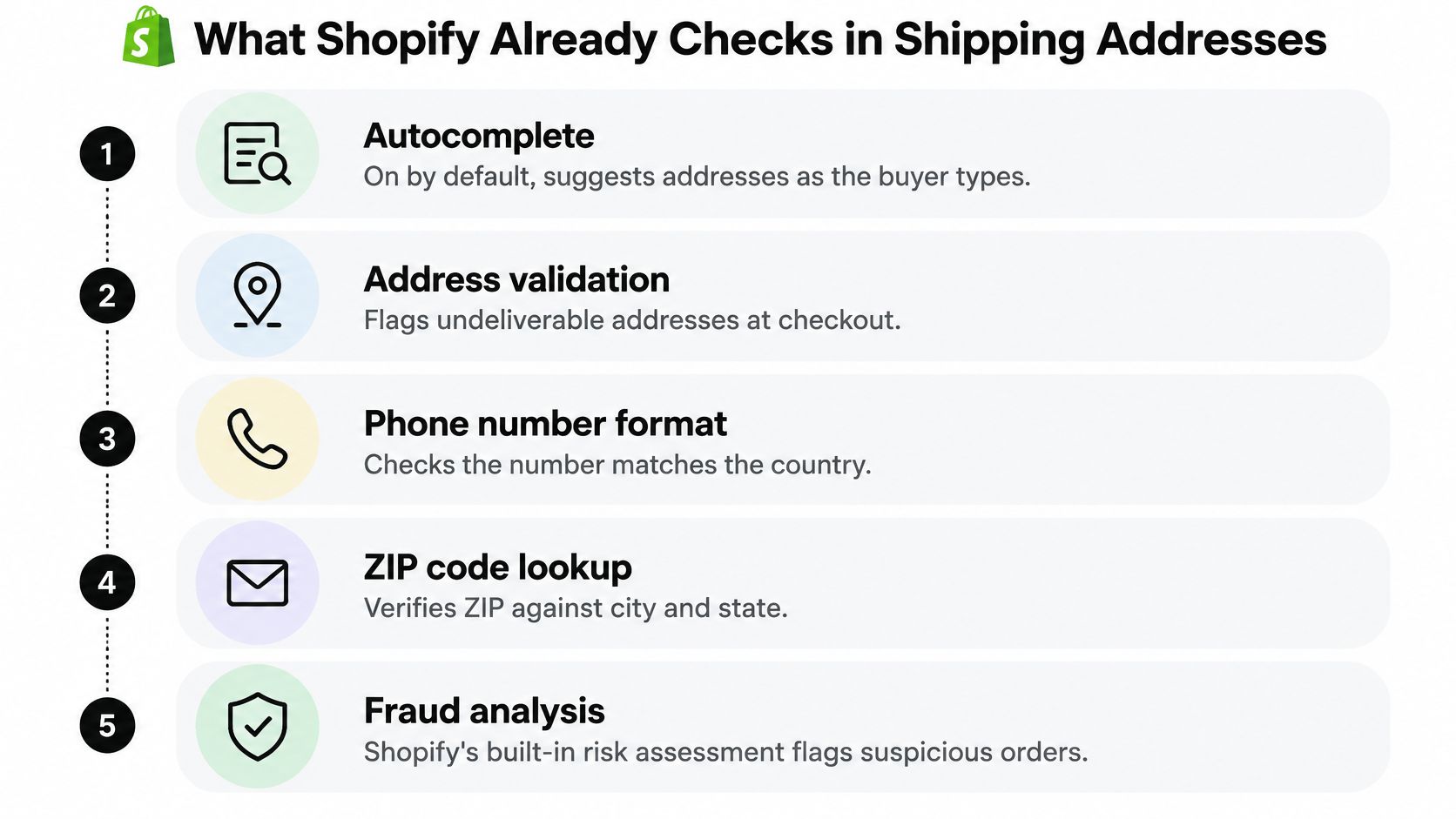
- Autocomplete. On by default. As the buyer types, Shopify offers matching addresses. It shortens checkout and reduces typos. It does not guarantee the address is deliverable.
- Field checks. Format, state and ZIP matching run on every checkout and can't be switched off below Plus. This catches structural nonsense, not a valid-looking address that doesn't exist.
- "Validate shipping address." Found under Settings › Checkout, in the address collection section. When Shopify is highly confident an address is wrong, it raises a suggestion before the order is placed. Suggestions run in the US, Canada and a defined set of other markets rather than worldwide, so stores shipping broadly will hit uncovered destinations.
- Admin validation. Every order, every plan, always on. A yellow warning means delivery may be delayed or fail, and you can mark it valid. A red error means failure is very likely and can't be overridden the same way. Both live behind "Review address issues" on the order.
- Carrier check at label purchase. A yellow banner means the format is valid but the carrier found no match, so fix it or ship at your own risk. A red banner means the format itself is wrong and no label will print.
The limit to keep in mind: every layer above lets the order through. Suggestions offer a correction the buyer is free to ignore, format checks reject only malformed entries, and a standard-plan checkout accepts whatever survives. A hard refusal comes from Checkout Blocks address rules on Plus, which can turn away PO boxes, military, parcel-locker and diplomatic addresses, or from an app.
Overblocking is a real failure mode on the other side. Shopify warns that overly strict patterns can block valid addresses and advises leaving enough room for longer international addresses, according to Shopify's address format validation documentation. Treat address2 as optional unless the carrier needs a unit number.
Practical rule: Let a suggestion do the correcting. Only block at checkout when a destination can't be served.
When a Validation App Earns Its Fee
Three situations, and only three. You ship to countries outside Shopify's suggestion coverage. You need checkout to refuse an address outright, which on Plus means Checkout Blocks and elsewhere means an app. Or you need carrier-grade deliverability, which in the US means checking against USPS delivery-point data through CASS-certified software. The USPS is explicit that an address must be standardized before it can be certified deliverable, and that Delivery Point Validation is used with CASS-certified matching software to validate delivery points, per USPS address quality guidance.
Coverage is the quieter reason to pay. Carrier requirements vary by destination, including line-length limits, postal-code rules and countries that don't use postal codes at all, as Shopify's shipping label troubleshooting notes describe. Whatever you choose, run one validator, never two. They disagree, and the buyer gets two different corrections for the same order.
Confirming a Real Person Behind the Order
A valid shipping address proves nothing about the buyer. Someone running a card-testing script can paste a real street, a correct ZIP and a working phone number and still never intend to pay or receive. This is the row merchants most often try to solve with a validator, and the one a validator can't touch. Confirming the person takes a different check entirely: one SMS code sent to the phone number already on the order.
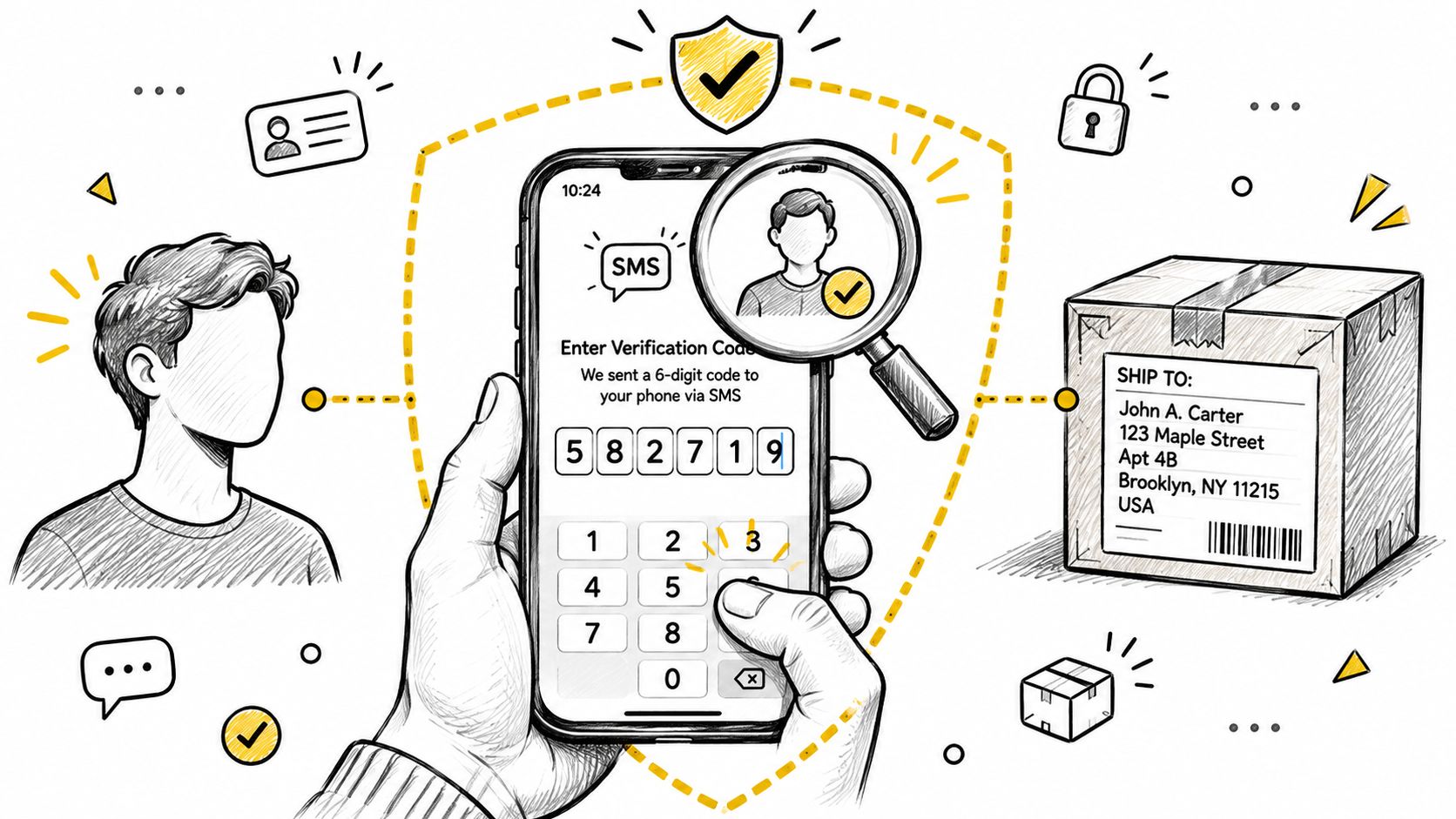
Start with cash on delivery, because that's where the loss is largest. OTP+ asks the buyer for a code on the thank-you page, and you then make one decision: hold fulfillment until the code is confirmed, which I'd recommend for COD, or tag the order and keep shipping as usual. Verified and unverified orders get separate tags, and a Shopify Flow template can cancel orders that stay unverified once the grace period you set ends, so the cancellation rule stays in your hands. Tag names, the grace-period window and the Flow setup are all in the COD order verification guide.
A missing phone number means no code can be sent, so treat the order as a risk signal.
If an order is COD, high value, or already carrying a risk flag, the SMS code is the cheapest confirmation available to you.
For prepaid orders that Fraud Analysis rates medium or high, post-purchase verification gates hold the order until the buyer enters the code. Three order types need this check: COD orders, risky prepaid orders, and anything your other checks already flagged.
How to Fix an Address Before It Ships
What a Wrong Address Costs
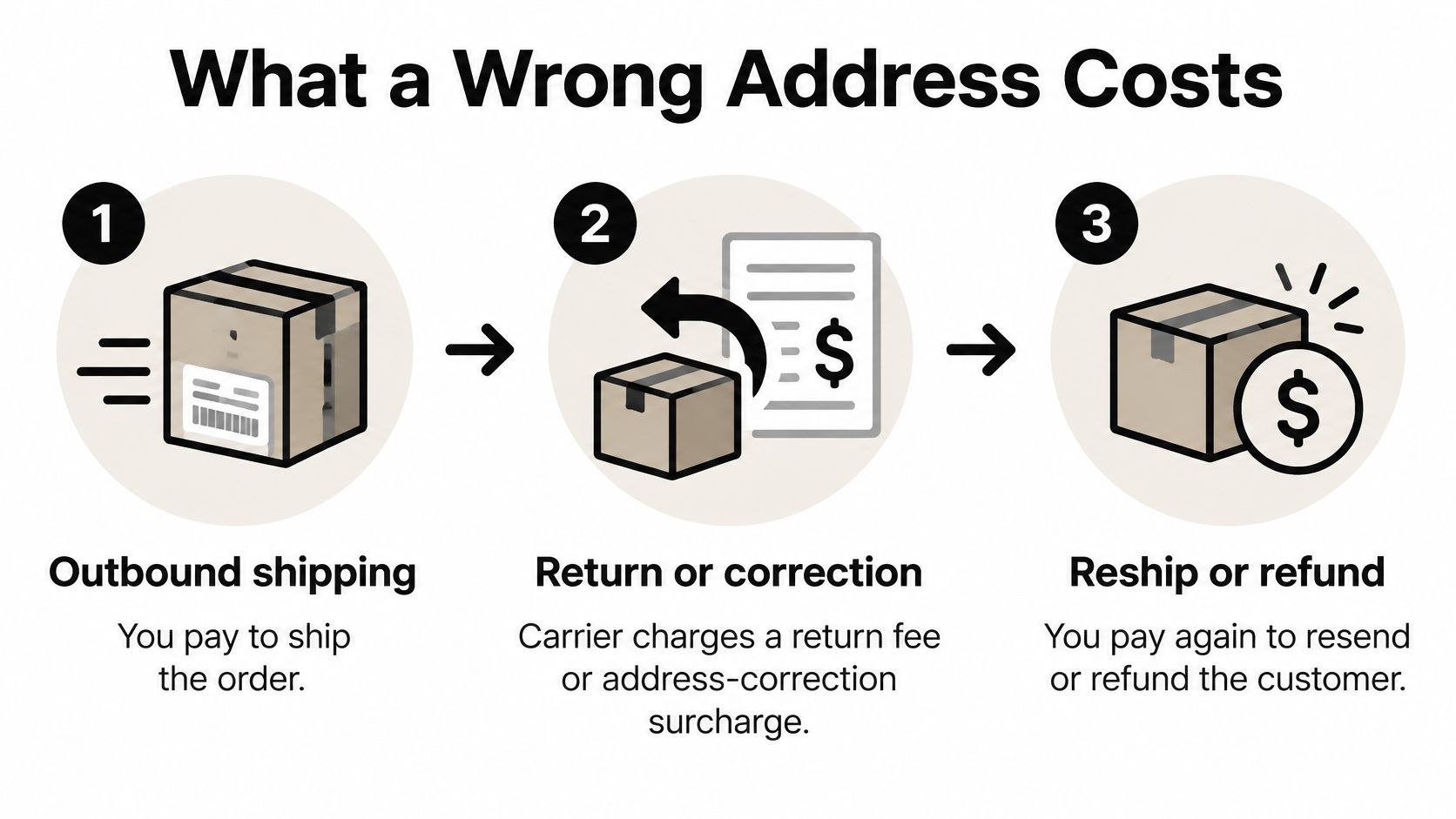
You pay three times. Once for outbound shipping. Once for the return or the carrier's address-correction surcharge. And once more for the reship or the refund. Carriers publish those correction surcharges per package in their own rate schedules, so read the current FedEx schedule rather than quoting a figure you remember from last year.
In cash-on-delivery markets the bill is heavier, because the parcel comes back and the order is written off entirely. What RTO costs in e-commerce covers that arithmetic.
The Fix, in Order
- Open the order and click "Review address issues." Choose Use suggestion, or edit the address by hand if the suggestion is wrong. Shopify's suggestion is its own match, so it's the fastest correction you have.
- Contact the customer when the address still doesn't resolve. Email or call, then note the answer on the order. A written record is what protects the decision if the parcel later goes missing.
- Edit under the Customer section. On the order, find Customer, open the ⋯ menu, choose Edit shipping address. The billing address can't be changed after the order is placed; a wrong one is handled with a cancellation or refund.
- Handle labels separately. If a label is bought, has no tracking events and is under 30 days old, void it, correct the order and buy a new one. Once the parcel is moving, you're into an intercept request or a reship.
Steps one and three take a minute. Step four depends on the carrier, and that's where the cost lands. One more caution: a change-of-address request on a high-value order that already carries other risk signals is worth a second look before you accommodate it. Shopify high-risk orders explains what those indicators mean together.
Stop Fake Addresses Before Checkout
Fake addresses are usually a symptom, not the root problem. They arrive with the traffic that produces them: automated sessions, datacenter IPs, VPN and proxy visitors, and card testers who never intend to receive a parcel. Shopify describes financial-fraud bots as automated actors that create fraudulent orders, test cards to see whether details are valid, or issue chargebacks to damage a business, alongside signup bots that buy products, run click fraud and distort return-on-ad-spend, per Shopify's guide to bot types and intents. Validation reacts after the buyer submits the form. A traffic rule stops the session before it reaches checkout.
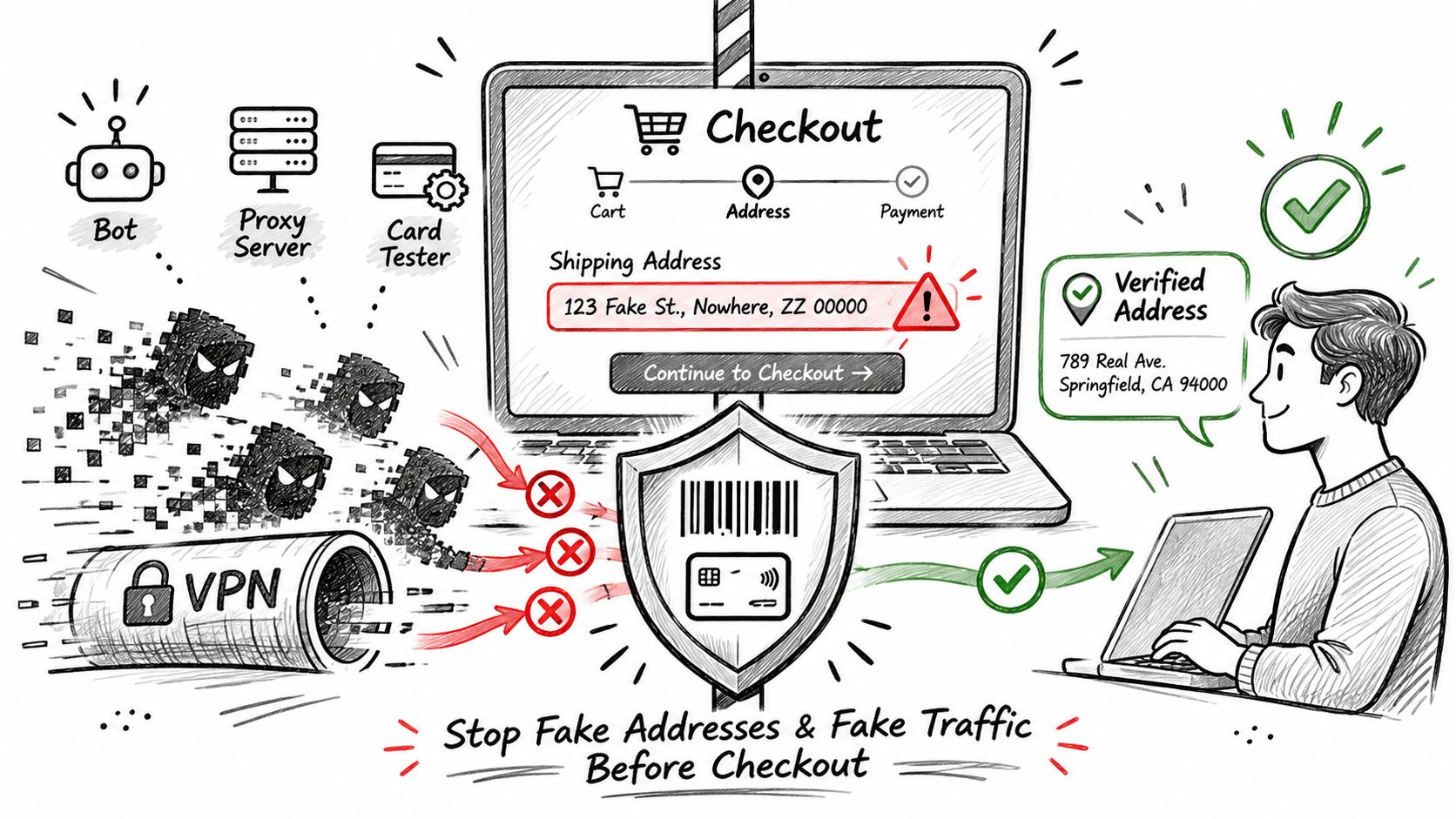
The practical version, in four steps:
- Pull 30 days of orders with address warnings or errors. Group them by destination country and by traffic source. A pattern tells you where the fake orders enter.
- Check where those sessions came from. VPN, proxy, datacenter IP, or a country you don't ship to. That's a traffic decision, not an address decision.
- Write country or IP rules for the sources that repeat. Note the date and the reason next to each rule.
- Recount warnings and errors after two weeks. If the number hasn't moved, the rule is aimed at the wrong source.
Those rules need upkeep, and they can catch real customers on shared networks, so review them each quarter rather than setting them and walking away. How to stop fake orders on Shopify goes deeper on the traffic side.
Where Securify and OTP+ fit
Securify's job is the storefront traffic layer covered just above, so the detail that matters here is what it does when a risky order still gets through: high-risk order alerts, with hold and cancel from the alert email, are unlimited on the Free plan. Securify does not validate addresses, verify phone numbers or edit orders. The work happens before Shopify's Fraud Analysis, on the visit instead of the order.
OTP+ covers the other half of the gap, confirming that a real person placed the order. COD order verification is free on every plan, and verification gates hold a risky prepaid order until the buyer enters an SMS code; setup is in the COD order verification guide. OTP+ never cancels an order by itself, so a buyer who fails the check still needs a manual cancellation or a support contact. Plan tiers and current pricing are listed on OTP+ on the Shopify App Store.
Securify has one plan, Free, on Securify on the Shopify App Store, rated 4.6 from 108 reviews.
Common Questions About Shopify Address Checks
If an address passes Shopify's checks, is the order safe to ship?
It means the address is deliverable enough to keep moving, not that a genuine buyer placed the order, so still weigh fraud signals before you fulfill.
Can a fake order use a real address?
Yes. A stolen card or bot can ship to a valid street, pickup point, or freight forwarder, which is why address quality and visitor quality stay separate checks.
When should I pause fulfillment instead of correcting the typo myself?
Pause when the address is technically fixable but the order also carries risk signals, because editing the destination does not settle who approved the purchase.
What is the simplest rule for choosing tools?
Use Shopify's built-in checks for formatting, an address app only for a gap Shopify leaves open, and storefront filtering when bad traffic is creating the bad orders in the first place.