Spam Signups on Shopify: How to Stop Fake Customer Accounts and Bot Newsletter Signups
Spam signups on Shopify: why bots create fake customer accounts and newsletter signups, what they cost your email list, and how to stop and clean them up.
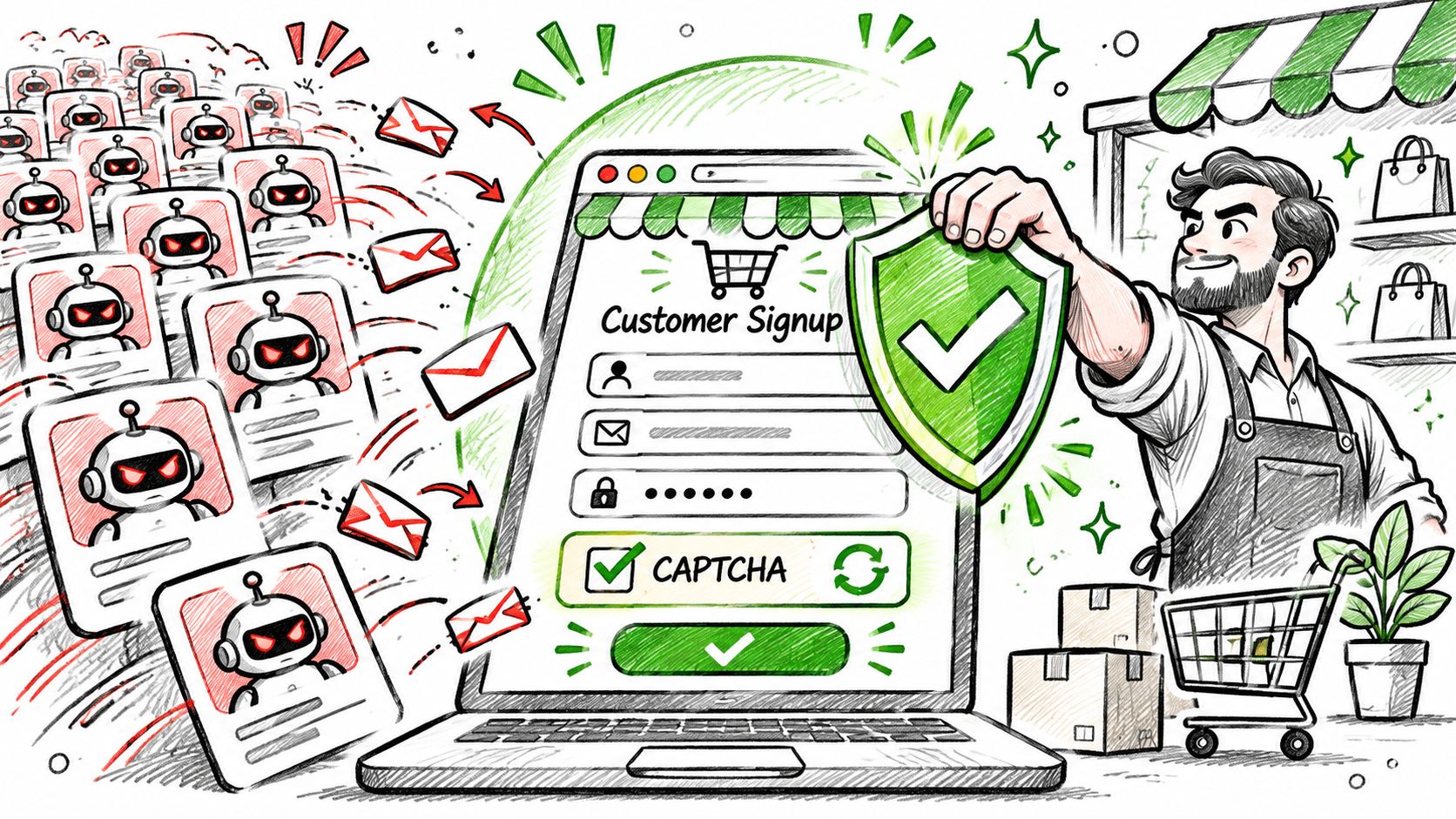
You open Shopify admin on a Monday and the customer count has jumped overnight. The names are gibberish, a few have abandoned checkouts sitting behind them, and none of them will ever buy anything.
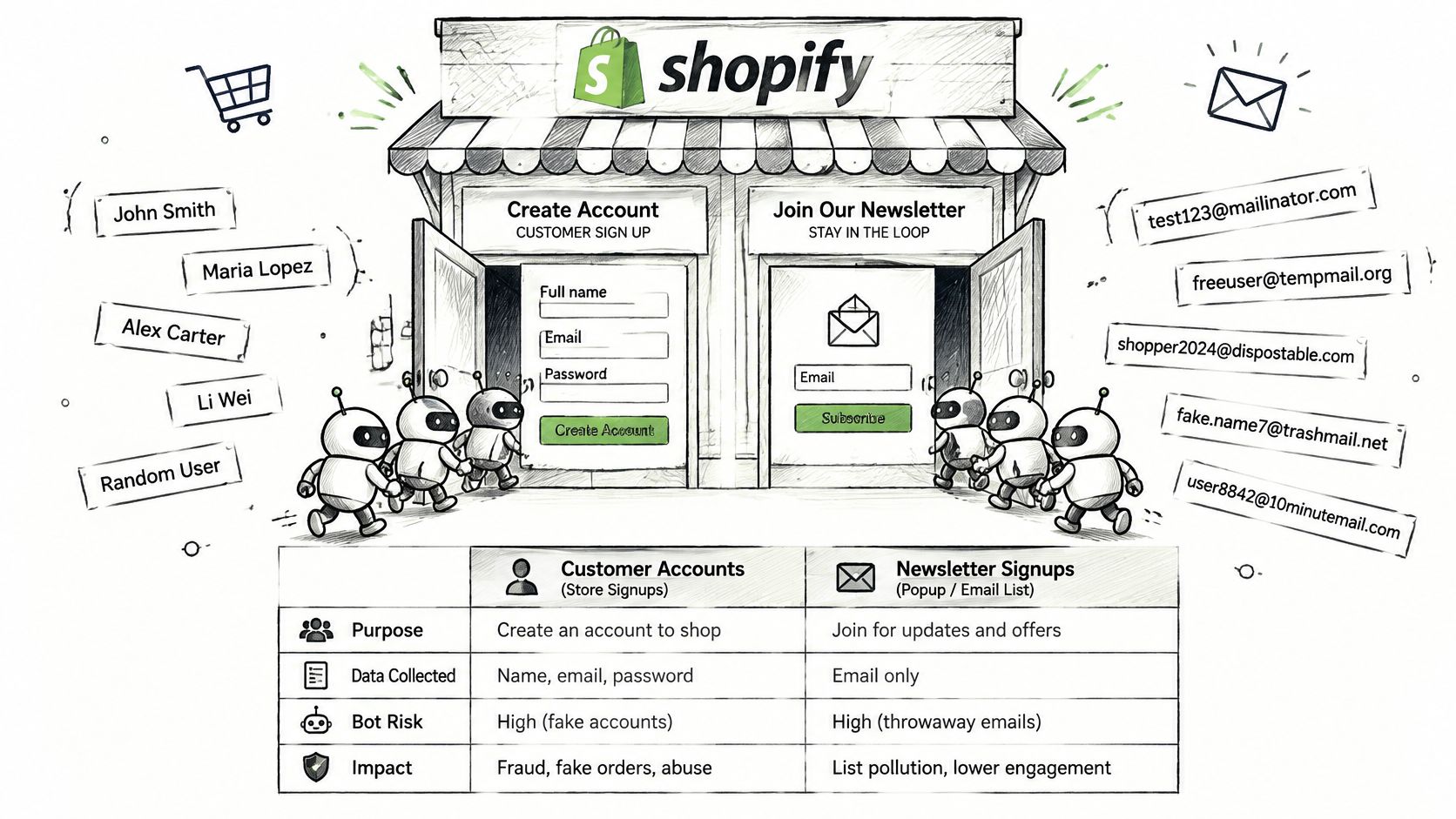
Those are spam signups: fake customer accounts and newsletter subscriptions submitted by bots, filled with random names and throwaway or stolen email addresses. They come through two doors, the customer account form and the newsletter or popup form, and each door needs its own control. This is rarely a break-in. Shopify's bot documentation notes that activity like this "doesn't necessarily mean that your online store is insecure or broken." What it does mean is that your email list, your analytics and your support queue are collecting noise you never asked for.
Table of Contents
- How to Stop Spam Signups on Shopify
- Why Bots Create Fake Customer Accounts and List Bombing on Shopify
- Subscription Bombing Uses Your Signup Form Against Someone Else
- What Spam Signups Cost a Shopify Store
- How to Clean Up Fake Customer Accounts Without Losing Real Ones
- Where Securify and OTP+ fit
- Frequently Asked Questions About Spam Signups
How to Stop Spam Signups on Shopify
Work from the form inward. Close the customer account door, close the newsletter or popup door, then filter the traffic feeding both. Reversing that order leaves the forms open and makes every later cleanup temporary.
The first two steps do not need a security budget. Confirm the protections Shopify already enables are still on, then add the controls Shopify leaves to you.
| Signup door | Control | Where to set it | Limit |
|---|---|---|---|
| Contact, newsletter and comment forms | hCaptcha, on by default | Online Store, Preferences, Spam protection | Reduces bots, does not stop every spam signup |
| Classic customer account pages | hCaptcha on create account, login and password recovery | Online Store, Preferences, Spam protection | Not compatible with third-party CAPTCHA apps |
| New customer accounts | One-time 6-digit email code, no password | Part of the new customer account sign-in flow | Legacy accounts are deprecated |
| Checkout | Require customers to sign in before checkout | Settings, Checkout | Adds friction for real buyers |
| Klaviyo signup forms | Auto-enabled CAPTCHA, double opt-in per list, honeypot on custom forms | Klaviyo form settings and list Settings, Consent | IP blocking only works after an attack starts |
| Checkout bot blocking | Shopify bot protection | Checkout settings | Available to Shopify Plus merchants only |
Check hCaptcha on both form types
Go to Online Store > Preferences > Spam protection. Two checkboxes live there: Enable hCaptcha on contact and comment forms and Enable hCaptcha on login, create account, and password recovery pages. Both ship switched on, and Shopify's guide to dealing with bots confirms hCaptcha "is activated by default on all stores" and covers contact forms, comment forms and customer-account pages.
hCaptcha analyzes visitor behavior, so it blocks scripted submissions while most real shoppers pass without a puzzle. It is not a wall, and it will not coexist with a third-party CAPTCHA app, so pick one. Shopify's other advice in that guide is to watch Shopify Analytics or Google Analytics for traffic spikes and automated patterns instead of waiting for a complaint. For the contact side specifically, see Shopify contact form spam.
Move to new customer accounts
Classic accounts ask for a password and lean on hCaptcha. New customer accounts replace that with a one-time 6-digit verification code sent by email. Shopify says this flow does not require hCaptcha, because the inbox does the verification. Legacy customer accounts are deprecated, so the switch is a question of when.
For one more layer, Settings > Checkout carries Require customers to sign in to their account before checkout. A bot that cannot complete a sign-in cannot reach the payment step. Real buyers get an extra step, and that is the trade.
Bot signups on Klaviyo and app forms
Klaviyo turns CAPTCHA on automatically for any form that collects email or SMS or offers a unique coupon, so a stock popup is already covered. Check anyway, because a custom embedded form can sit outside that protection.
Then set double opt-in per list under the list's Settings > Consent. An address that never confirms never enters a welcome flow and never bounces. Add a honeypot field to forms you code yourself: a hidden input that only a script fills in.
Klaviyo's own documentation is blunt that IP blocking only occurs after an attack has already started, which makes it cleanup rather than prevention.
If you build landing pages with a form builder outside Shopify's native forms, check what that tool screens. lead generation forms for marketers vary widely in whether they offer CAPTCHA, honeypots or domain filtering, and an unprotected form is another open door into the same list.
Block the traffic before it reaches a form
Scripted signups usually arrive from datacenter, VPN and proxy connections rather than home networks. Shopify lists a high volume of sessions from Google Cloud Platform or Amazon Web Services data center locations as one sign of bot activity.
Filtering that traffic before it reaches a form leaves fewer junk submissions to clean up later and keeps analytics closer to real shopper behavior. For the options and their trade-offs, see how to block bots; how to stop bots walks through the settings in order.
When hCaptcha is on and spam still gets through
A Shopify Community merchant reported between 20 and 50 fake account abandoned carts per day, with "garbled" names and some declined cards attached. The same report said, "I have the capcha thing turned on, and nothing helps."
Work through it in this order. First, rule out a breach, because it almost never is one. Second, accept that a single CAPTCHA may not stop a distributed campaign. Third, one merchant in that thread required the email code at checkout and reported the result: "If an automation program can't check an email inbox to get the code, it can't get to the checkout screen." Fourth, know that abandoned checkouts cannot be deleted by hand, and Shopify already screens some automated checkouts out of that report. Shopify's checkout bot protection for scarce launches is limited to Plus merchants, so do not count on it as a general fix. What Shopify's own tools do and don't cover is in Shopify bot protection. Fifth, delete the junk profiles once the flow slows.
Why Bots Create Fake Customer Accounts and List Bombing on Shopify
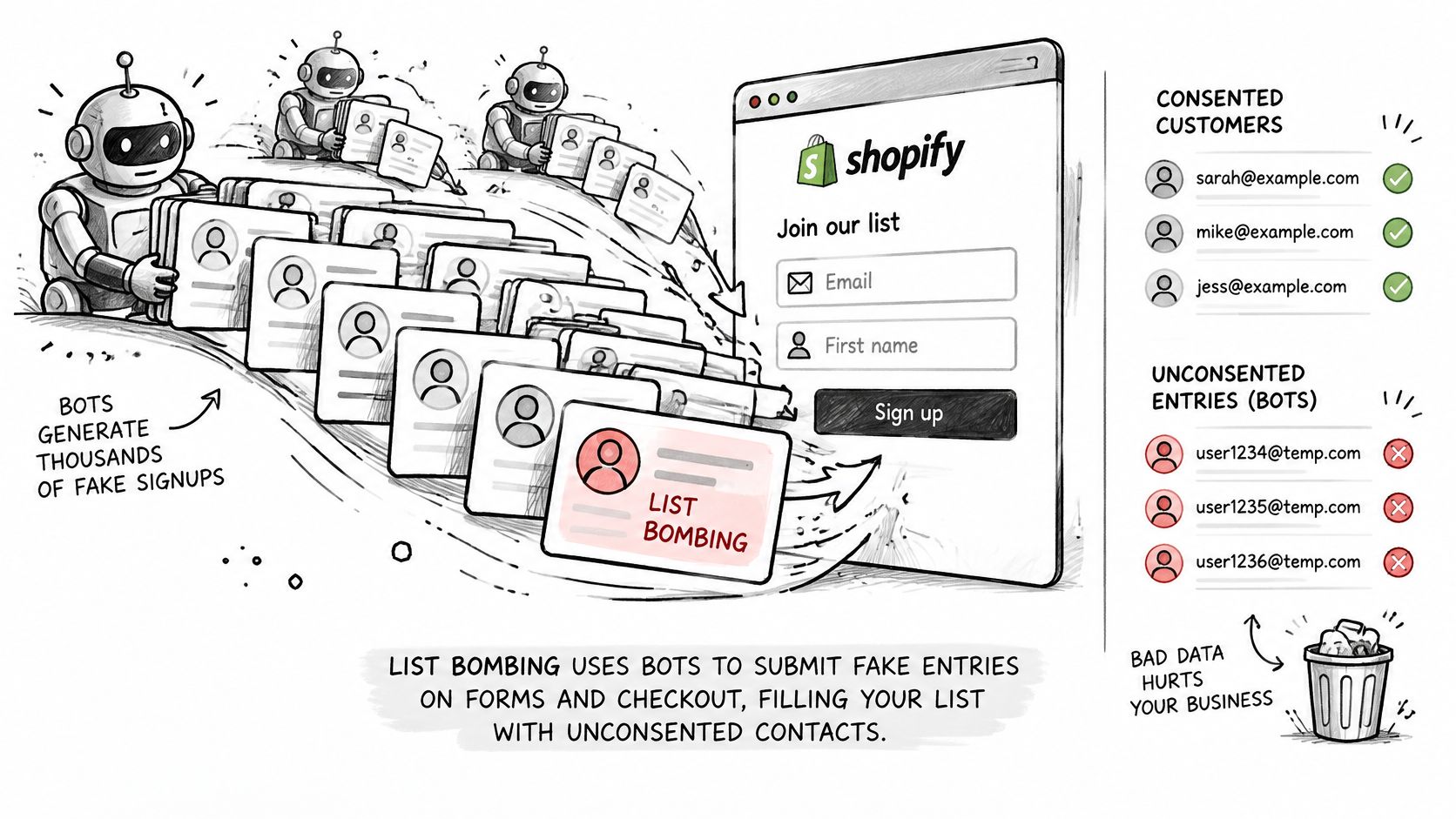
List bombing is the most common motive, and it leaves its mess in your email platform. Klaviyo defines it as a malicious attack where the attacker exploits a signup form or checkout page to fill a list with addresses that never consented or don't exist. The attacker wants volume. Your customer list is the container.
Card testing is the second motive. Some fake accounts arrive with a card attached and the payment declined, which suggests the form is being used to check whether stolen numbers are live. That problem runs well past your customer list, and card testing explains what the traffic looks like.
Fake ad clicks appear in one Shopify Community thread as a merchant's theory about why signup volume jumped. Treat it as a hypothesis, not a finding. A bot that clicks a paid ad and then registers inflates your cost per acquisition without producing a customer.
Subscription bombing is a fourth motive, and it targets someone else entirely.
Telling a bot pattern from real growth comes down to shape. Shopify lists a high volume of customer profiles with unexpected, strangely formatted names as a potential bot signal, alongside spikes in online store sessions and a sudden spike or drop in conversion rate (Shopify on identifying bot activity). Read that as permission to treat the account-creation pattern itself as evidence.
Pull profile creation by hour. Look for bursts that don't match a campaign, gibberish or repeated names, shared email domains, and traffic from countries you don't ship to. Check the account form and the newsletter form separately, because different bots often hit only one.
Subscription Bombing Uses Your Signup Form Against Someone Else
An attacker takes one victim's email address and submits it to hundreds of signup forms across many stores. The victim's inbox fills with confirmation emails, and the flood can bury a genuine fraud alert from their bank or email provider. Klaviyo notes that the people receiving these emails "have no knowledge of this."
The target is the victim's inbox. Your store only supplies the mail. What lands on you is complaints and abuse reports from people who never signed up, and those complaints damage your sending reputation in a way that fake profiles never do.
Secure the email door first. Confirmation and welcome messages go out through the newsletter or popup form, so that is the form this attack needs. The customer account form produces fake profiles, which is a different problem with different controls. One setting on the wrong door leaves you exposed.
Three defenses, in order. Double opt-in on the list, so the victim receives a single confirmation request instead of a stream of welcome emails, and the address never enters your active sending list. CAPTCHA on the form, which slows scripted submissions. And a periodic look at confirmation-email volume grouped by address, which surfaces a burst before the complaints arrive. One address generating many sends in a short window is the signature.
When a complaint does land, work backward. Find the address in your customer list, check whether it was submitted as part of a burst, suppress it so no further mail goes out, and confirm the form's CAPTCHA and double opt-in are active. A complaint from someone who never signed up is a message about your form. Fix the form before you answer the complaint.
What Spam Signups Cost a Shopify Store
The damage rarely shows up as one line item. It spreads across deliverability, billing, wasted sends, analytics and your own working hours, which is why it gets under-prioritized until the numbers stop making sense.
| Cost | What happens | Where you see it |
|---|---|---|
| Deliverability | Hard bounces, spam complaints, spam traps and possible blocklisting | Email provider bounce and complaint rates |
| ESP bill | Fake profiles count until suppressed | Klaviyo billing |
| Wasted sends | Welcome and abandoned-checkout flows hit fake addresses; bot subscribers increase bounces, spam complaints and costs | Flow reports |
| Polluted analytics | Customer counts, abandoned checkouts and conversion rate skewed | Shopify analytics |
| Admin noise | Junk profiles to review and remove | Customers |
Start with deliverability. Fake addresses hard bounce, real people hit "report spam," and some of those addresses are spam traps that never belonged to a person. Sustained volume can get a sending domain blocklisted, so open your email provider's bounce and complaint rates first. If you want an outside read on inbox placement, check where your emails land before you blame the copy.
The bill comes next. Fake profiles count against your plan until they're suppressed. Klaviyo says suppressed profiles don't count toward the email active-profile limit, with one exception under Advanced KDP billing, so read your own billing terms before assuming cleanup is free.
Wasted sends are the quiet cost. Welcome series and abandoned-checkout flows fire at addresses that will never open anything, and Shopify notes that bot subscribers increase bounces, spam complaints and costs. Check the flow reports, not the campaign reports.
Then analytics. Inflated customer counts and abandoned checkouts distort conversion rate, and the distortion feeds your next budget decision. Bot traffic in your Shopify analytics explains how far the skew reaches. Last is admin noise: profiles to review, one at a time.
Before you change anything, write down your current bounce rate, complaint rate and active profile count. Without a baseline, you can't tell which fix worked.
How to Clean Up Fake Customer Accounts Without Losing Real Ones
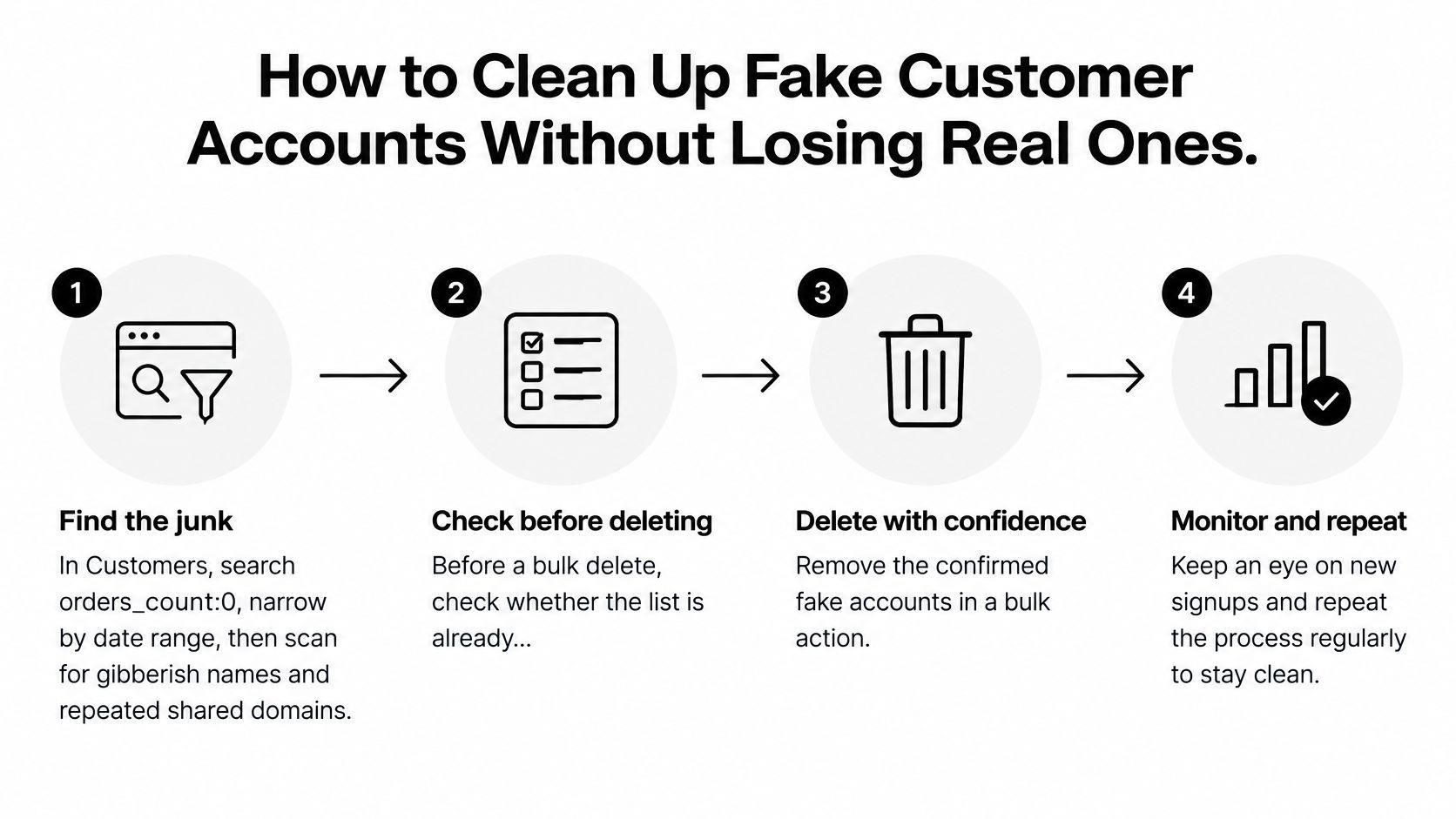
- Find the junk. In Customers, search for orders_count:0, narrow by date range, then scan for gibberish names and repeated shared domains. Before you select anything, check whether the list is already filtered by a segment or a search, so you don't act on the wrong set.
- Delete in bulk. Select the profiles, then choose the ellipsis next to Bulk edit and Delete customers. Profiles with orders are skipped, and the action can't be undone, so export the list first if you want a record.
- Know the limits of new customer accounts. You can't deactivate profiles one by one, and a deleted profile returns if that email signs in again. If an address keeps coming back, block it at the source. The differences are set out in new vs classic customer accounts.
- Suppress in Klaviyo rather than delete. Build a segment on the attack pattern, using entry point, timeframe, domain and IP where you have it. Review a sample, then suppress. Suppression stops further mail and keeps your record intact.
Keep those suppression records. The FTC's CAN-SPAM compliance guide requires opt-out requests to be honored within 10 business days, and the opt-out mechanism has to keep working for at least 30 days after a message goes out. It also requires truthful headers and non-deceptive subject lines. Treating every new profile as a valid subscriber without consent or list-quality controls is how merchants end up on the wrong side of that.
After cleanup, confirm that your customer count, bounce rate and abandoned-checkout numbers match what you expect. Repeat the review in 30 days to catch the next wave.
Where Securify and OTP+ fit
Fix the settings above first. Apps earn their place where those settings run out.
For the traffic feeding both forms, Securify on the Shopify App Store blocks bots, datacenter, VPN and proxy traffic before it reaches your forms and checkout, while good bots such as Google and Bing stay allowed. At checkout it blocks fake and risky email addresses as a checkout validation, so the order is never created. Securify's Klaviyo integration checks each signup before Klaviyo sees it for disposable domains, non-deliverable addresses and bot patterns, with VPN or proxy origin as an option. It connects through OAuth with no send or delete access and is included on every Securify plan, the free one too. Securify has a free plan; current plans are on the Shopify App Store listing.
For the account door, OTP+ on the Shopify App Store adds sign-in with Google, Apple or a 6-digit SMS code, and email and password stay available (OTP+ login methods). Its Guest checkout protection and Session phone verification ask for a phone code before checkout, as the verification gates guide shows, on classic and new customer accounts. The COD order verification guide covers confirming cash-on-delivery orders before you ship. OTP+ is free to install.
Frequently Asked Questions About Spam Signups
Why am I getting so many spam signups on Shopify?
Bots submit your account and newsletter forms to fill lists with fake addresses (list bombing), to flood someone else's inbox (subscription bombing), or while probing your checkout. None of those motives require your store to be interesting. Any public form will do.
The volume also tends to come in bursts rather than a steady trickle, because scripts run in batches against thousands of storefronts at once. A store can go weeks with nothing and then collect a few hundred fake accounts in a weekend. That pattern is a sign the traffic is automated, not that something about your products changed.
Are Shopify spam customer accounts dangerous?
Usually not. Shopify says bot activity doesn't necessarily mean the store is insecure or broken. The main damage is to email deliverability, analytics accuracy and your email platform bill.
The practical risk is quiet rather than dramatic. Fake profiles inflate your customer count, so conversion and signup rates look worse than they are. Junk addresses that do reach your email list generate bounces, and enough bounces push mailbox providers to route your real campaigns to spam. If your email platform bills by profile count, you also pay for contacts that will never open anything. None of that locks you out of your store, but all of it costs money and distorts the numbers you use to make decisions.
Which form are the bots actually hitting?
Worth checking before you change any settings. Shopify stores expose two separate doors: the customer account form and the newsletter or popup form, and they often attract different junk. Look at whether the fake profiles are full customer accounts or list subscribers with no account behind them. If the junk lands in one place and not the other, you can focus your fix on that door instead of tightening everything at once and adding friction for real shoppers.
Does Shopify have CAPTCHA on signup forms?
Yes. Shopify turns hCaptcha on by default for contact, newsletter and comment forms and for the classic account pages: login, create account and password recovery. New customer accounts use a one-time email code instead, and Shopify says that flow doesn't require hCaptcha.
How do I delete fake customer accounts in bulk?
In Customers, filter the junk profiles, select them, then choose the ellipsis next to Bulk edit and Delete customers. Customers with orders can't be deleted, and the deletion can't be undone.
What is subscription bombing?
An attacker signs one victim's email address up to many sites at once so the flood of confirmation emails hides a fraud alert. Your signup form is the tool, not the target.
Does double opt-in stop list bombing?
It keeps unconfirmed addresses off the list and out of welcome flows, so fake entries never get mailed past the confirmation request. It does not stop the submissions themselves. In Klaviyo, opt-in is set per list.