
How to Stop Fake Orders on Shopify: A Merchant Playbook
How to stop fake orders on Shopify with six type-specific fixes. Recognize card testing, bot bursts, and phishing, then block them
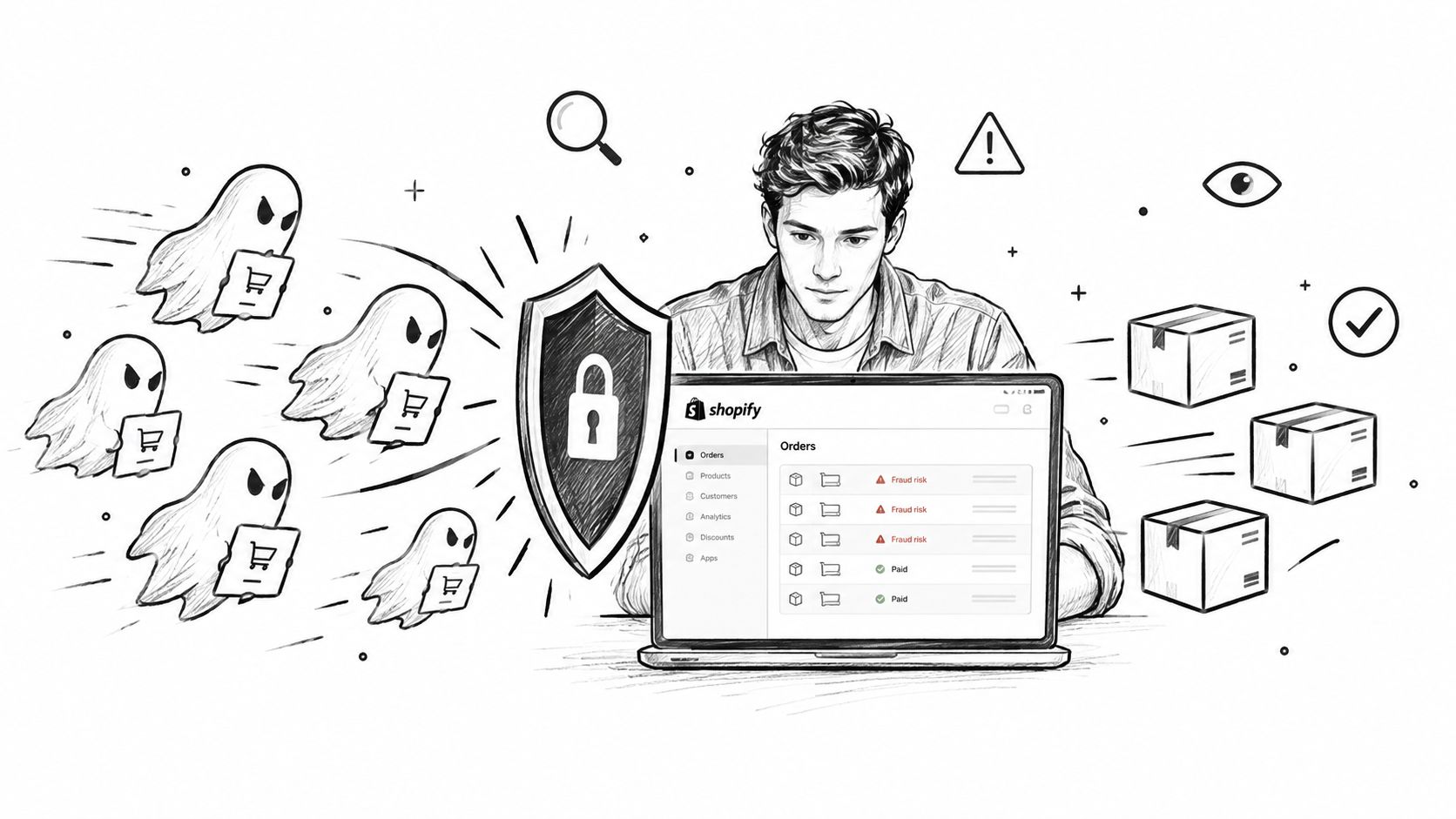
Your Orders page filled up overnight with checkouts that don't look like customers. Payments are failing or sitting pending, email addresses follow strange patterns, shipping details don't map cleanly, and the order count jumps far above normal. That's a fake-order attack, but fake orders on Shopify aren't one problem. Card testing, bot orders, cash-on-delivery abuse, discount misuse, repeat grudge orders, and phishing notifications need different fixes. Start with free Shopify controls, then move upstream when order-stage review keeps you busy. Shopify Fraud Analysis rates an order after it exists, so classification comes first.
Table of Contents
- What Fake Orders on Shopify Actually Look Like
- Figure Out Which Type of Fake Order You Have
- How to Stop Each Type of Fake Order on Shopify
- The Free Shopify Setup That Stops Most Fake Orders
- Why Cancel and Refund Does Not Fix Fake Orders
- Where Securify Fits
- FAQ on Fake Orders on Shopify
What Fake Orders on Shopify Actually Look Like
A fake order is an order placed without genuine intent to buy. That makes it different from a real customer whose order happens to receive a high-risk recommendation. The distinction matters because canceling a legitimate order damages revenue, while shipping an abusive order creates avoidable fulfillment and payment exposure.
In the admin, look for failed or pending payments, repeated names, rotating or patterned emails, incomplete phone numbers, and addresses that don't validate. One suspicious order may be noise. A sudden cluster is a signal.
The six patterns show up differently:
- Card-testing bursts: Small or unusual orders, repeated failed payments, and many checkout attempts in a short period.
- Bot orders on free products: $0 orders, disposable email addresses, and multiple submissions close together.
- Fake COD orders: Invalid phones, incomplete addresses, and parcels likely to be refused.
- Discount-code abuse: New accounts repeatedly using a first-order promotion.
- Competitor or grudge orders: One person places orders, then cancels them or creates operational work.
- Phishing notifications: A message claims an order exists, but no matching order appears in Shopify admin.
Operational rule: Classify the attack before changing settings. A country block won't solve discount abuse, and a refund won't stop a bot that never intended to keep the order.
Native Shopify settings should come first. Once you know which pattern you're facing, the right control is much easier to choose.
Figure Out Which Type of Fake Order You Have
Run a quick four-signal check in Shopify admin: order value, email pattern, payment status, and orders per hour.
A cluster around zero value or a very small amount points toward card testing or free-product abuse. Sequential handles, randomized strings, and repeated disposable domains suggest automation. Failed or pending payments strengthen that conclusion. A sudden jump from your normal order flow to a dense burst indicates bot activity rather than ordinary customer demand.
Use Shopify's fraud analysis to review the order-level recommendation and its indicators, but don't treat the score as a pre-checkout barrier. The order already exists by the time Shopify analyzes it.
| Fake order type | Admin signals | Native Shopify fix | App-level fix |
|---|---|---|---|
| Card-testing burst | Bursts, rotating emails or IPs, failed payments | Card-testing protection, manual capture, AVS/CVV, Fraud Control rule, pause abandoned-checkout emails | Block datacenter, VPN, proxy, or Tor traffic. Validate name, email, and phone before order creation |
| Bot orders on $0 products | $0 orders, disposable emails, same-second activity | Reprice or unpublish $0 items, require login, use bad-email and daily-cap Flow templates | Block bot traffic and email domains. Validate checkout emails |
| Fake COD | Dead phones, incomplete addresses, refused parcels | Restrict COD by region, require phone, hold with Flow | Apply country and IP rules, validate phone and name, auto-hold |
| Discount-code abuse | Many accounts, patterned emails, repeated first-order codes | Limit code use, set a minimum order, use Flow for email patterns | Block domains, allowlist VIPs, tag or block repeat patterns |
| Competitor or grudge | One buyer repeatedly places and cancels orders | Fraud Control rule for email, address, or IP, Flow auto-cancel, disable account | Block email, IP, or country and add a custom message |
| Phishing notification | No order in admin, urgency, phone number to call | Verify directly in admin and inspect the sender | None. Report the message |
Two signals together usually give you a reliable working classification. Don't wait for a perfect diagnosis before placing a temporary hold on fulfillment.
How to Stop Each Type of Fake Order on Shopify
Card-testing bursts
These appear as repeated checkouts with small or unusual values, rotating emails, placeholder names such as “John Doe,” and mostly failed payments. Shopify's own community has documented this pattern in reports of widespread failed-payment activity, including placeholder customer details (Shopify Community discussion on John Doe failed payments).
Start with manual payment capture. Turn on available AVS and CVV filters, create a Fraud Control rule for repeated address or phone mismatches, and pause abandoned-checkout emails while the attack is active. Those emails can bounce or create more noise when the addresses are fabricated.
The hard limit is structural. Bots can go straight to checkout, so a storefront CAPTCHA may never reach the abusive session. Canceling an order also doesn't eliminate payment-network exposure. Shopify says canceling reduces the chance of a chargeback but doesn't prevent the cardholder's bank from filing one on the authorization hold (Shopify's fraud-prevention guidance).
Free controls aren't enough when the same attack keeps returning through masked traffic. You need checkout validation or traffic-source blocking so the attempt stops before it becomes an order.
Bot orders on $0 or free products
Check for $0 orders, disposable addresses, and several orders created at nearly the same time. Shopify Community merchants have described examples involving 20 orders in one second and 700 or more orders in three hours (Shopify Community discussion of bot orders). Those examples show why a normal order review queue can become unusable during a burst.
Remove the trigger first. Reprice or unpublish products that can be interpreted as free, require customer login where it fits your buying experience, and activate Flow templates that cancel orders from bad email addresses or restrict orders to a daily limit. Review whether an app-priced variant or hidden product is exposing a zero-value checkout path.
If the attack reaches checkout faster than your workflows can respond, native order cancellation is late. Block bot traffic and validate email addresses before Shopify creates the order.
Fake cash-on-delivery orders
These orders usually contain a dead phone number, a partial address, or delivery details that the customer won't confirm. Keep this control simple: call before shipping when the order carries meaningful delivery risk.
Restrict COD to the regions you serve, require a phone number, and use Flow to place questionable orders on hold. Check the address before booking a parcel, especially where a missing apartment, invalid postal detail, or unreachable recipient would create a return.
Free controls can reduce waste, but they won't reliably identify every fabricated phone or address at checkout. Add country and IP rules, validate phone and name fields, and hold orders that fail your minimum delivery checks.
Discount-code and promo abuse
Look for many new accounts using the same first-order code, with email patterns such as name+1@ or mail01@. The problem isn't always a stolen card. It's a promotion being treated as an unlimited acquisition channel.
Set the code for one use per customer and add a minimum order value. Use Flow to hold or cancel orders matching a defined email pattern, then rotate the code if it has spread beyond the intended audience. Don't block every repeated pattern blindly. Allowlist real VIPs and established customers so your controls don't punish buyers who have earned the offer.
Free rules stop obvious repetition, but they struggle when someone changes the email address on every attempt. Domain blocking, customer tagging, and checkout email validation provide a cleaner escalation path.
Competitor or grudge orders from one person
This pattern is smaller but personally disruptive. One buyer repeatedly places and cancels orders, uses the same address, or generates support work without a credible purchasing pattern.
Create a Fraud Control rule using the known email, address, or IP where the available rule supports it. Use Flow to auto-cancel matching orders, disable the customer account when appropriate, and document the behavior internally. Don't ship while a known repeat pattern is unresolved.
Shopify doesn't provide a universal native “block customer” button, so use a controlled combination of rules and account actions. For a focused walkthrough, read how to block a customer on Shopify.
Free controls are usually adequate for one known offender. They become cumbersome when the same person changes email addresses, networks, or locations.
Fake Shopify order notification
A fake Shopify order notification isn't an order. It's usually a lookalike-domain email or a notification designed to make you call a number, click a link, or reveal account information. Open Shopify admin directly, not through the message, and search for the order number.
The Shop app has also been abused in a more complicated variant. Scammers set up a fake or compromised Shopify account, place a fake order on it, and list the victim's phone number or email as the recipient, which triggers a legitimate-looking receipt and push notification in the victim's Shop app, complete with a callback number (Huntress's report on the Shop app fake-refund scam). That means a customer may see a convincing notification even when the merchant didn't create the supposed transaction.
Check the sender domain, confirm the order in admin, and never call a number or click a payment or refund link from the notification. Report suspected messages through Shopify's phishing guidance. No merchant-side setting can prevent an upstream phishing message from reaching someone.
The Free Shopify Setup That Stops Most Fake Orders
Use this checklist while the attack is active. Apply the controls that match your store's payment and fulfillment model.
- Manual payment capture: Review suspicious transactions before capturing funds, especially during a card-testing burst.
- AVS and CVV filters: Reject or review transactions with billing and security-code mismatches where your payment setup supports those filters.
- Fraud Control rules: Block known repeat email, address, or IP patterns at checkout using rules you can describe precisely.
- Bad-email Flow: Use the template that cancels orders from email addresses or domains you've identified as abusive.
- Daily-cap Flow: Use the template that restricts orders to a defined daily limit for products vulnerable to automated abuse.
- Manual-capture high-risk Flow: Route high-risk orders to manual capture rather than allowing automatic payment collection.
- Cancel-and-restock high-risk Flow: Cancel qualifying orders and return inventory when the risk decision is clear.
- No $0 products: Reprice or unpublish any product, variant, or hidden item that creates an unintended free checkout.
- Phone required: Require a usable phone number for orders that need delivery confirmation or COD verification.
- Abandoned-checkout pause: Temporarily pause abandoned-checkout emails when bots are generating large volumes of invalid addresses.
- Fraud Analysis review: Check the recommendation and full indicator list before fulfillment, as Shopify advises in its fraud analysis workflow.
For automation, build high-risk workflows from the Order risk analyzed trigger, not Order created. Shopify explains that the fraud signal appears after the order exists, so the trigger has to match the analysis event. Before shipping, use this guide to decide what to do with high-risk orders on Shopify.
Why Cancel and Refund Does Not Fix Fake Orders
Canceling is cleanup, not prevention. The order has already consumed review time, may have triggered inventory changes, and may have created payment or notification noise. A refund can reduce the chance of a dispute, but it doesn't close the traffic source that produced the order.
Shopify's Fraud Control app is the native pre-order control. It can block a checkout that matches rules you write in advance, such as a known email, address, or IP pattern. That's useful for one repeat offender, but it doesn't identify every bot session, VPN, proxy, datacenter visit, or new fake email before checkout.
The distinction is simple. Order-stage controls decide what to do after creation. Checkout controls decide whether the order should exist at all. Shopify also says merchants using most third-party payment processors on Grow, Advanced, or Shopify Plus can use fraud analysis when deciding which orders to fulfill, so the review workflow isn't limited to Shopify Payments users (Shopify's fraud-prevention help page). Shopify Protect applies to eligible Shop Pay fraud chargebacks, not fake orders generally.
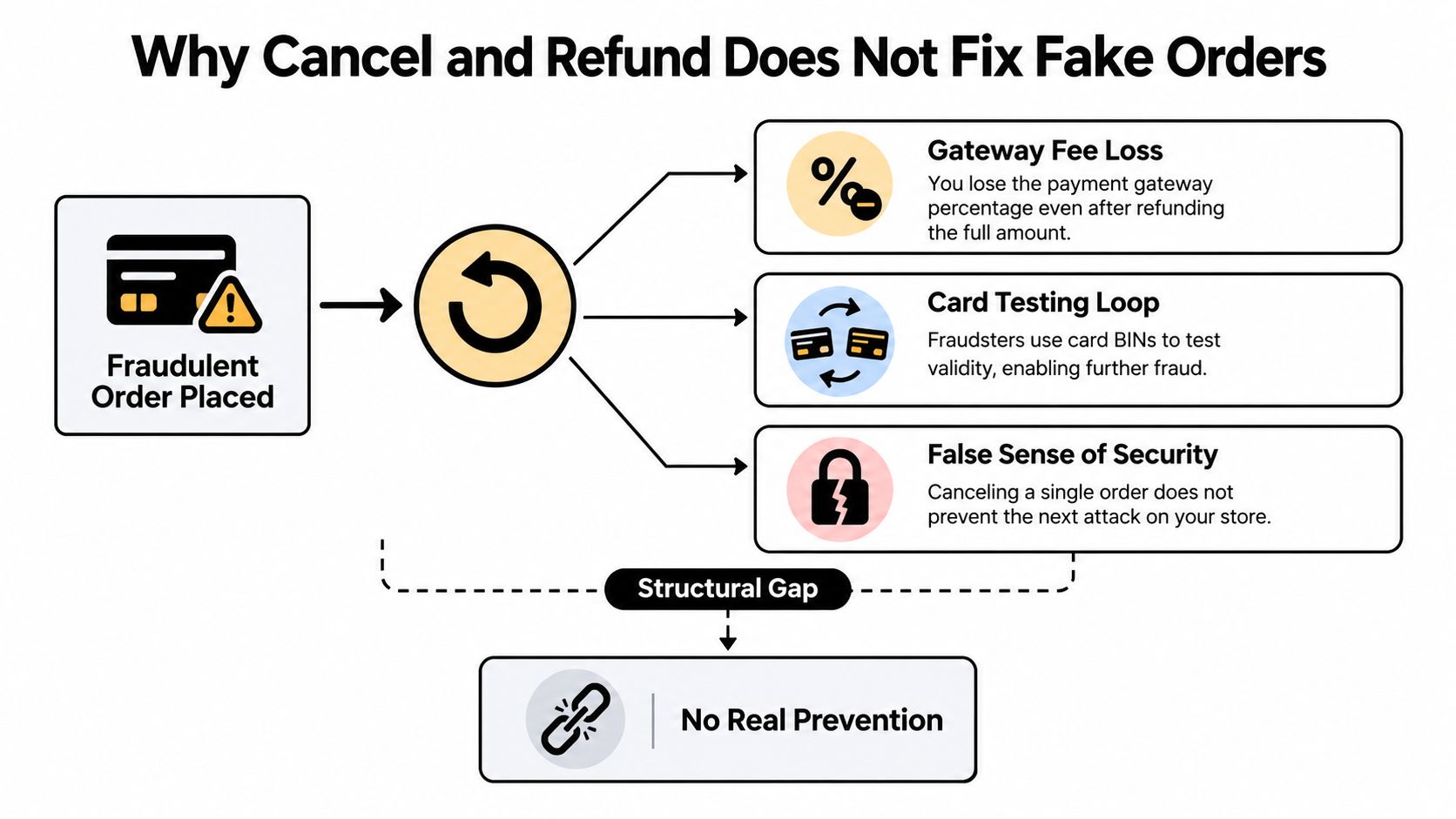
Use how Shopify Fraud Analysis rates an order to understand the review layer, then add upstream traffic and checkout controls when the same pattern keeps producing new orders.
Where Securify Fits
Securify belongs before or alongside Shopify Fraud Analysis, not in place of it. Its role is to stop it before it becomes an order when traffic or checkout data already looks abusive.
For card-testing bursts and bot activity around free products, its traffic controls can block bots, datacenter traffic, VPNs, proxies, and Tor before checkout. Country, IP, IP-range, scheduled, and allowlisted-country rules let you restrict traffic without relying only on an order's later risk recommendation. A live visitor log shows IP, country, browser, referrer, and block history, which helps you confirm whether the attack is still active.
At checkout, Securify can validate risky email, phone, and name fields. If the validation fails, the order isn't created, so there's no order record, abandoned-checkout email, or authorization hold. For uncertain cases, auto-hold gives your team a review queue instead of an automatic shipment or capture.
Run native Fraud Control and Securify in parallel. Use Shopify's rules for known identifiers, and use upstream traffic and checkout filters for patterns native order review can't see. Review Shopify fraud protection options alongside your operating rules before enabling broad blocks.
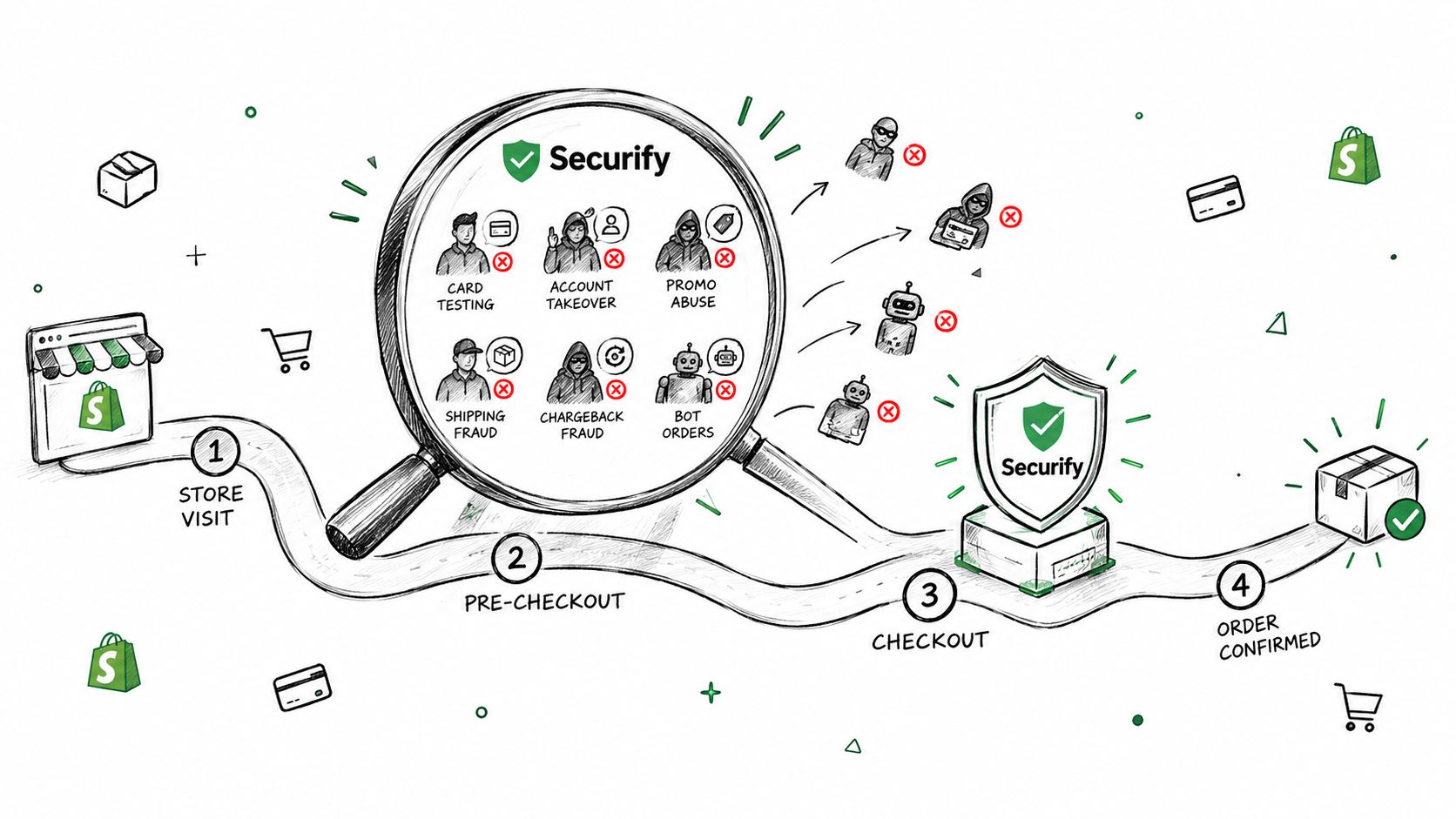
View Securify on the Shopify App Store to review the available traffic, checkout, and order-handling controls.
FAQ on Fake Orders on Shopify
Why am I suddenly getting fake orders on Shopify?
A sudden wave is usually a card-testing bot or a bot targeting a $0 or free product. Compare order values, payment status, email patterns, and orders per hour. Failed payments in a dense burst point to card testing, while same-second $0 orders point to product or checkout abuse.
Does Shopify Fraud Control stop card testing?
Not completely. Fraud Control can block checkouts that match rules you wrote in advance, which is useful for a known email, address, or IP. It can't identify every bot, VPN, datacenter visit, or newly generated fake email, and the order-level fraud signal appears after the order exists.
What settings stop fake orders without an app?
Start by removing unintended $0 products, requiring a phone number, using manual payment capture, and reviewing high-risk orders before fulfillment. Add Fraud Control rules for known patterns and use Flow to hold or cancel orders that match bad email addresses or a daily order cap. Blocking specific countries under Markets can help when your shipping policy supports it, but don't use broad geography rules without checking legitimate demand.
Will refunding a fraudulent order prevent a chargeback?
Not always. Shopify says canceling reduces the chance of a chargeback but doesn't prevent the cardholder's bank from filing one on the authorization hold. Refund through Shopify admin, keep the order and payment records, and don't assume a canceled order closes the payment risk.
How long do fake order bursts usually last?
There isn't a reliable duration for every attack. A burst can stop quickly and return later, so monitor orders per hour, payment failures, and repeated customer data during and after the incident. Keep temporary controls active until the pattern has clearly stopped, then narrow rules to avoid blocking genuine shoppers.