
· ecommerce fraud · Shopify fraud · chargebacks · card testing · account takeover
Ecommerce Fraud on Shopify: A Practical Guide
Ecommerce fraud hits Shopify stores as card testing, chargebacks, account takeover, and bots. See the real cost, the signals, and what to do before you ship.
Consumers in the United States reported losing more than $12.5 billion to fraud in 2024, a 25% increase from 2023, according to the Federal Trade Commission. The FTC also recorded about 2.6 million fraud reports that year, and online shopping problems ranked second among reported fraud categories. Consumers lost more than $3 billion to scams that began online, according to the Federal Trade Commission.
For a Shopify merchant, fraud can start before a shopper reaches checkout and continue through refunds after an order ships. Ecommerce fraud includes attempts to take your money, goods, or data. Stolen cards are one example; card testing, hijacked logins, dishonest refund claims, and bot visits that never become orders are others.
Start with the Shopify order screen you already use. For eligible online credit-card orders, open Fraud analysis to see a low, medium, or high recommendation for potential fraud-related chargebacks, along with separate indicators. Use the recommendation to inform fulfillment. A single warning is a reason to review the order, not an automatic reason to cancel it, especially when the buyer is international.
That screen covers an order, but the funnel begins earlier and extends beyond delivery. Junk visits can distort storefront activity before an order exists; refund disputes can arise after fulfillment. Card networks and Shopify monitor chargeback rates, so investigate suspicious cases while leaving genuine customers alone. The goal is to distinguish shoppers from abuse at each point, without treating every unusual visit or order as fraud.
Table of Contents
- What Ecommerce Fraud Costs a Shopify Store
- The Four Ecommerce Fraud Types on a DTC Store
- Signals That Mark Ecommerce Fraud Before You Ship
- An Ecommerce Fraud Workflow From Visit to Dispute
- Shopify Fraud Tools and Where They Stop
- Where Securify Fits
- Ecommerce Fraud Questions Merchants Still Ask
What Ecommerce Fraud Costs a Shopify Store
U.S. merchants lose $4.61 for every $1 of fraud, once the costs beyond the stolen amount are counted, according to J.P. Morgan. A fraud loss is more like a stack than a single charge: it can include dispute fees, payment-processing consequences, investigation labor, fulfillment, customer service, and replacement or reshipping.
| Measure | Figure | What it counts | Source |
|---|---|---|---|
| US merchant loss per fraud dollar | $4.61 per $1 | Fees, labor, fulfillment, service, reshipping | J.P. Morgan |
| US and Canada retail multiplier | $3.00 per $1 | Costs beyond the stolen amount | LexisNexis Risk Solutions, 2023 study |
| Revenue lost to payment fraud | 3.2% of annual ecommerce revenue | Global merchant payment fraud, 2025 | Merchant Risk Council |
| Spend on fraud management | 11% of annual ecommerce revenue | Global ecommerce merchants, 2023 | Federal Reserve Bank of Atlanta |
| US online shopping fraud losses | $432 million | Consumer-reported losses, 2024 | Federal Trade Commission |
The figures describe different parts of the cost. The $4.61 and $3.00 multipliers include costs beyond the initial fraud amount, while the 3.2% figure measures payment-fraud losses against global ecommerce revenue. The 11% figure covers what global ecommerce merchants spent on fraud management, including people and tools. The $432 million figure is consumer-reported loss from online shopping fraud in the United States. Use each as context for its stated measure, not as a forecast for one order.
Two effects you can see this week
A fake order that ships leaves more than a dispute to handle. Your team picks, packs, and sends the goods. If the cardholder disputes the payment, the product may be gone while staff spend time collecting tracking details and emails. The operational cost can outlast the checkout event.
Fraud can also distort the funnel before an order exists. Repeated visits to product pages and checkout can consume hosting resources, skew ad attribution, and add non-buyers to remarketing lists. That noise makes it harder to read whether conversion is rising or falling among actual shoppers. For a closer look at traffic costs alongside disputes, see the Shopify chargeback costs and early traffic control guide.
Say a skincare brand ships a $48 serum, and the cardholder later disputes the payment. The merchant has lost the serum and must handle the dispute, fee, and support work. Meanwhile, three overnight checkout retries from the same pattern never became orders. Count both effects: one shows up in the dispute process, while the other adds friction and noise before a purchase. For how disputes affect a store's rate, read this guide to the Shopify chargeback rate.
The Four Ecommerce Fraud Types on a DTC Store
Ecommerce fraud covers several points in a store's funnel, from the first visit to a refund dispute. The introduction defines the broader term. Here, focus on which type you are seeing and what to do next.
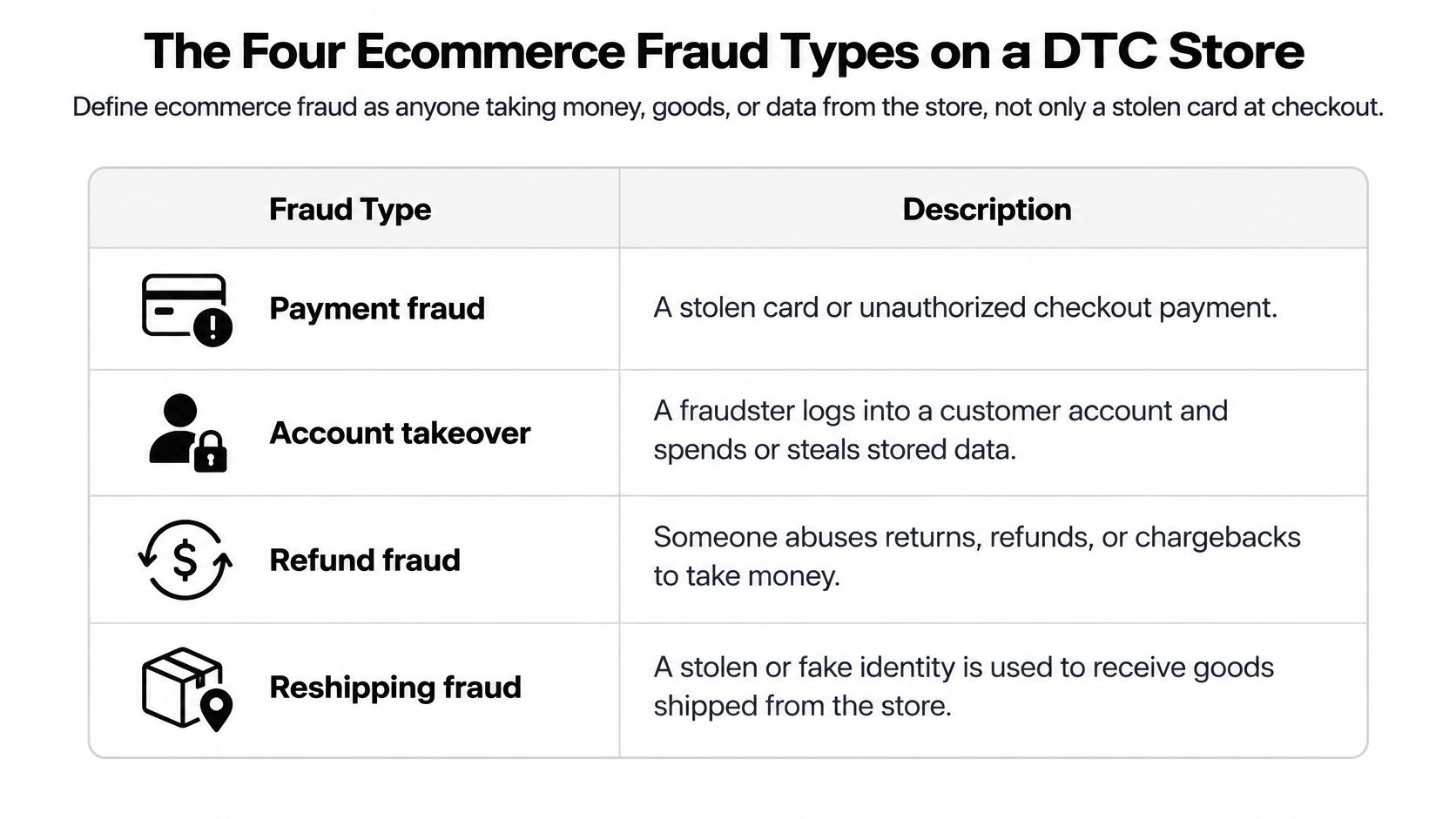
| Type | Aim | When it shows | First move |
|---|---|---|---|
| Card testing | Probe stolen cards with small charges | Checkout, many cards or declines | Do not fulfill; watch repeat attempts |
| Friendly fraud and refund abuse | Keep the goods or the refund and dispute | After delivery or a return | Save tracking, photos, and messages |
| Account takeover | Spend a real customer's account | Login then a new device or ship-to | Verify with the account holder before shipping |
| Bot-driven abuse | Scrape, fake checkout, promos, or junk traffic | Browse and checkout, often no paid order | Filter the session before it becomes an order or a metric |
Card testing is trying keys in a lock. Small authorizations across many cards can show an attacker which numbers still work. Friendly fraud often starts after delivery: a buyer keeps the package, then says it never arrived or disputes a refund. The first pattern probes payment details. The second concerns an order that has already reached the customer.
Why refund abuse is not a failed AVS check
Ravelin reported that 43% of merchants saw customer fraud increase. Its research also found that refund abuse was one of the two costliest fraud types for 28% of respondents, up from 21% the prior year. In these cases, the payment may have cleared and the delivery label may have been scanned. The dispute can begin later, through email or weeks after the order.
For friendly fraud and refund abuse, preserve tracking, delivery proof, and the message thread before responding to a claim. Check the order record in Shopify, then decide whether to request photos, issue a partial refund, or challenge the dispute based on the evidence. The chargeback fraud prevention guide explains how evidence can support a dispute response.
Account takeover starts with access to a real customer account. A new device, a recently changed shipping address, and a rushed order are reasons to verify, not proof on their own. Contact the account holder through a channel already on file before shipping. If they confirm the purchase, leave the order alone; if they do not, cancel it and secure the account.
Bot-driven abuse can begin at the visit and never become a paid order. Scrapers, promo abuse, and fake checkouts can still clutter store activity and analytics. Filter suspicious sessions so they do not pass into checkout or distort funnel data. The Shopify bot traffic and VPN abuse guide covers automated visits and VPN-related patterns.
Reducing losses does not mean declining every unusual order. A gift, a corporate purchase, or a traveler's order can look different and still belong to a real customer.
Signals That Mark Ecommerce Fraud Before You Ship
Shopify's fraud analysis evaluates eligible online credit-card orders and assigns a low-, medium-, or high-risk recommendation for a potential fraud-related chargeback. Shopify's fraud analysis help is explicit that this recommendation is separate from the individual indicators. Do not decide from one indicator, and do not decide from how many indicators you see. The overall recommendation guides the fulfillment decision.
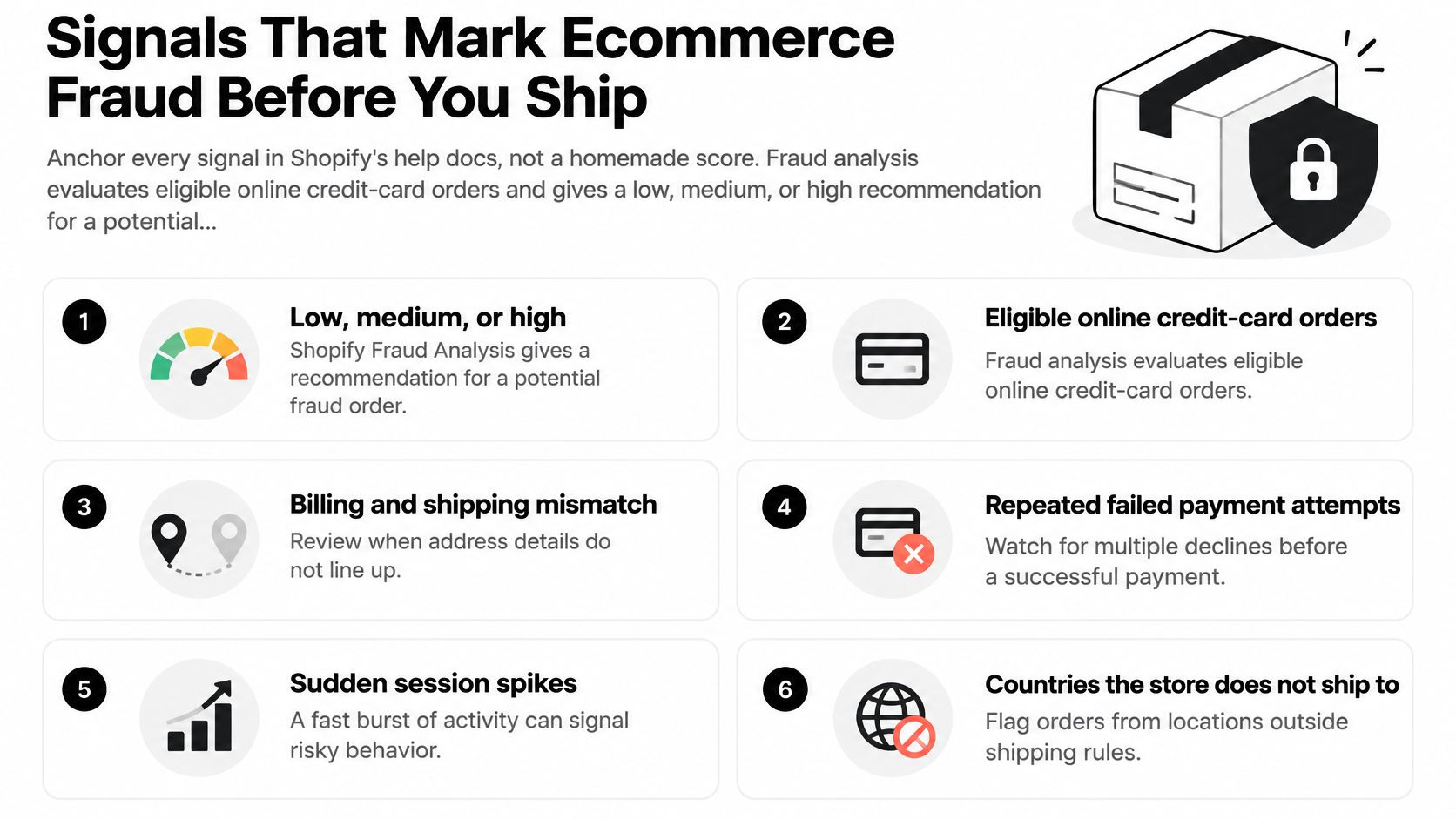
Open that recommendation on the order before you read the rows below. The Shopify fraud analysis walkthrough is the screen itself. If the recommendation is already high, the high-risk orders path is where fulfillment choices belong. The table is for reading indicators, not for inventing a second score.
| Signal | Source | Pattern it can point to | Legitimate case |
|---|---|---|---|
| AVS result | Shopify fraud analysis indicator | Billing details that do not match the card on file | Gifts and recent address moves |
| CVV entered correctly | Shopify fraud analysis indicator | Stored or guessed card data | Mistyped code on a mobile device |
| Location matches payment method | Shopify fraud analysis indicator | Card issued far from the buyer's location | Travelers and expats |
| Unusual device or network activity | Shopify fraud analysis indicator | Session reused across accounts | Shared office or corporate network |
| More than one credit card tried | Shopify fraud analysis indicator | Card testing in one session | Customer who had a card decline |
| IP in a different general area | Shopify fraud-prevention check | IP does not match claimed location | Traveler or gift buyer |
| IP from a web-hosting company or proxy | Shopify fraud-prevention check | Masked origin | Privacy-conscious buyer; verify, do not decline |
How a cluster points without proving it
Several cards in one session fit card testing, especially when the amounts stay small and the declines stack. A familiar email with a new device and a distant rush address fits a taken-over account more than a first-time guest. A clean AVS result followed later by an item-not-received claim fits post-purchase abuse, which you will not see on this screen at all, because the order already looked fine.
An IP in a different general area from the claimed location, an IP that belongs to a web-hosting company, or an IP that belongs to a proxy service is a reason to verify with the customer. It is not automatic proof. A privacy-conscious buyer, a hotel network, and a gift shipped across the country can all trip those rows.
Say the recommendation is medium, AVS is a partial match, and the buyer tried a second card after a decline. That can be a tired customer on a phone, or it can be testing. You still follow the recommendation, then you check whether the same device is hammering other orders. You do not cancel because the indicator count hit three.
Fulfilling a high-risk order without review can increase chargebacks and may put payment processing at risk, including possible removal from Shopify Payments. The verify, cancel, or refund choice is a workflow step, not a shortcut from a single row in this table.
An Ecommerce Fraud Workflow From Visit to Dispute
Fraud can start before checkout and continue after delivery. Work through the order in sequence, from the first suspicious visit to any later refund or dispute. The steps below give each decision a place in the workflow.
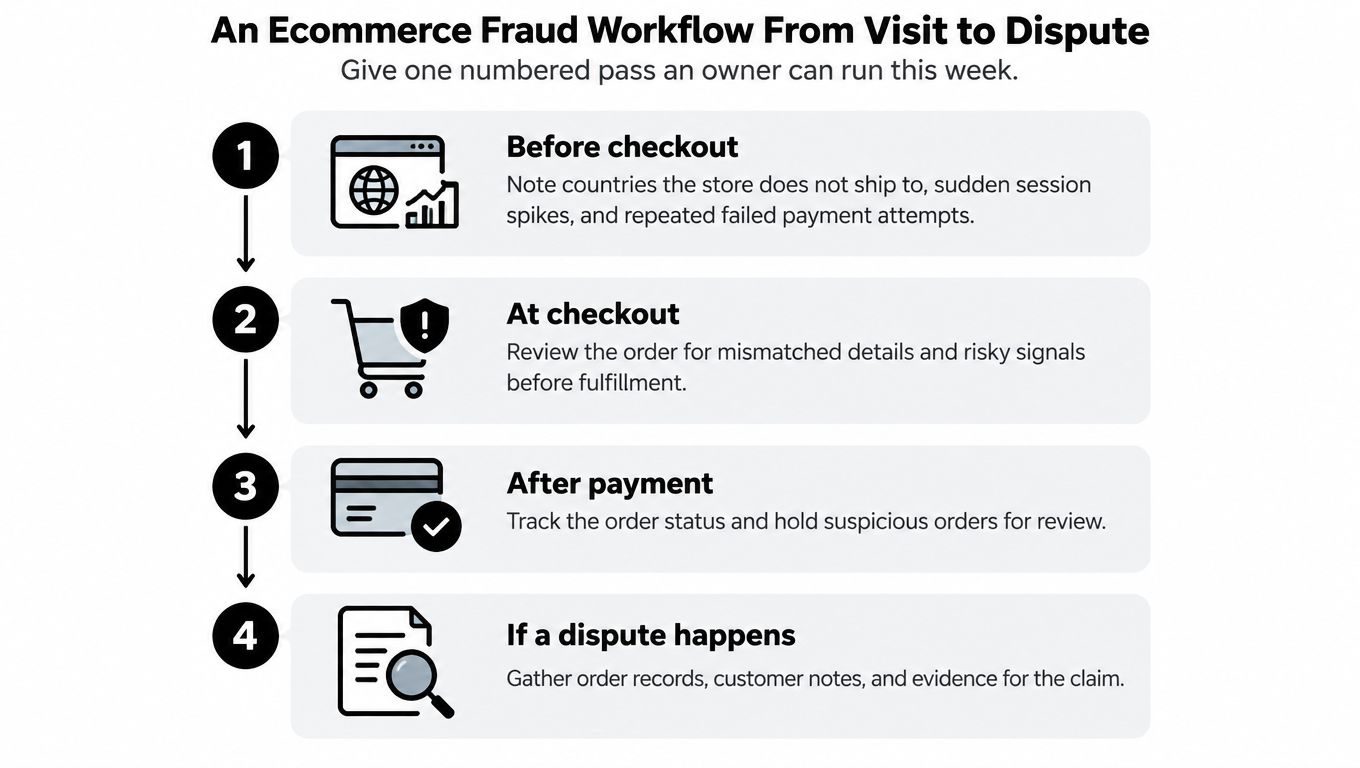
- Before checkout, note countries the store does not ship to, sudden session spikes, and repeated failed payment attempts. Use the Shopify fraud and bad traffic guide to organize what you monitor at the traffic stage.
- On a paid card order, open the Shopify order and read the overall fraud recommendation alongside AVS, CVV, and the IP note. The recommendation sets the starting point; the indicators give context for the decision.
- If the recommendation is high risk, review the order before fulfillment. Verify it, cancel it, or refund it based on what you find. Keep the earlier warning about fulfilling a high-risk order in mind.
- If the IP is in a different area, belongs to a hosting provider, or uses a proxy, contact the customer to confirm the order, as described in Shopify's fraud prevention guidance. A masked network alone is not a reason to cancel.
- If you ship, save the tracking, delivery confirmation, and customer support thread. If the customer later disputes a delivery or refund, these records show what happened without relying on memory.
- Record the decision and its outcome so a similar order does not require starting from scratch. For repeated fake orders rather than an isolated case, see how to stop fake orders on Shopify.
What you leave alone
A billing and shipping mismatch can have an ordinary explanation, such as a gift. A large geographic gap or several orders with different names and billing addresses going to one destination deserves review, but neither proves fraud on its own. Verify the circumstances before treating the order as card testing.
Use the order details to choose a clear next step. If the recommendation is high risk, contact the customer and verify the purchase; cancel or refund if you cannot confirm it. If the recommendation is low and the only unusual detail is a gift address you have checked, shipping may be reasonable.
A short outcome note makes the record useful later: “high risk, customer confirmed on the phone, shipped” or “proxy IP, no reply, cancelled and refunded.” That captures the decision and result, rather than forcing the next reviewer to reconstruct the case from each indicator.
Shopify Fraud Tools and Where They Stop
Shopify Fraud Analysis cannot assess a bot that never pays. That leaves a gap before checkout: a clean authorization confirms the payment passed, not that the visit came from a real shopper. Scraping and failed card-testing attempts can still add noise and review work.
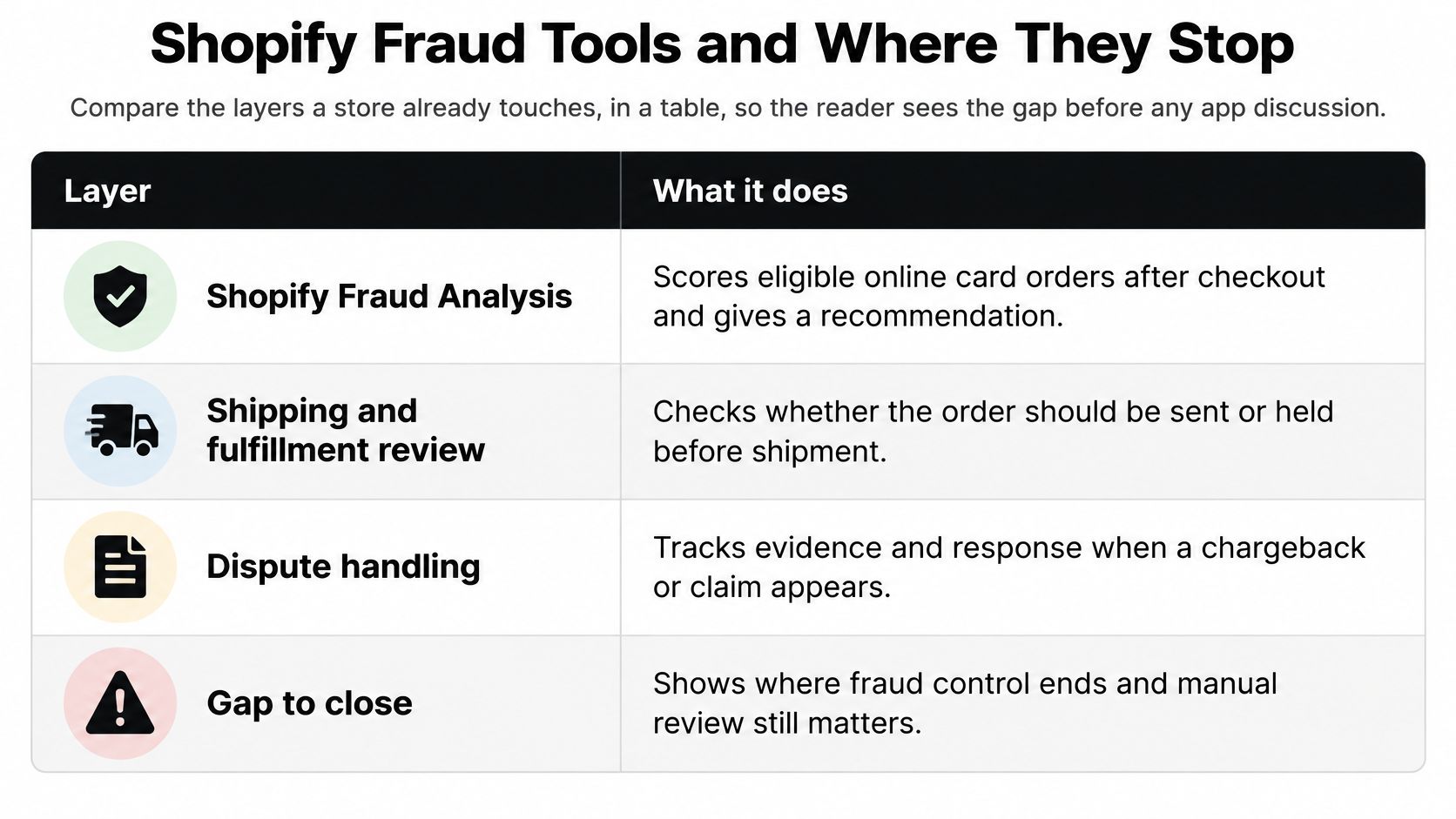
| Layer | When it runs | What it covers | What it leaves open |
|---|---|---|---|
| Shopify Fraud Analysis | After an eligible card checkout | Low, medium, or high recommendation and risk indicators | Unpaid bots, scrapers, and orders that are not eligible |
| Manual prevention checks | During review | IP area, proxy, hosting, and unusual address patterns | A person still decides; one flag is not proof |
| Shopify Protect | On eligible orders | Protection described in Shopify's current documentation | Check eligibility and limits on Shopify's help pages |
| Payment provider | At authorization and during a later dispute | Approving or declining a charge, plus dispute handling | Storefront abuse before a charge exists |
| Storefront traffic controls | While a visitor browses | Country, VPN or proxy, and automated sessions | Does not assess checkout risk |
The gap after the card clears
Card-not-present commerce is a growing share of transactions, and published projections expect chargeback volume to keep rising through 2028, based on Mastercard and Datos Insights figures reported by Sift. Dispute handling starts late in the funnel. By then, the goods may have shipped and the support conversation may already be underway.
Shopify Fraud Analysis provides a recommendation for eligible online card orders after checkout. It does not cover every order type. Manual prevention checks for IP area, proxy, hosting, and unusual addresses still require a person to review the context. The payment provider handles authorization and later dispute processing. Storefront controls address a different point in the journey by filtering country, VPN or proxy, and automated visits before an order exists.
For Shopify Protect, check the current eligibility requirements and coverage on Shopify's help pages before relying on it for an order. If a dispute has already been filed, Shopify chargeback protection options concern the claim itself, not the visit that led to it. For an overview of how Shopify's fraud protections fit together, read this guide to Shopify fraud protection.
The layers call for different decisions. Keep a medium-risk gift order in review until the buyer confirms the details. Leave a low-risk repeat customer alone when there is no other reason to intervene. Filter an automated session before it reaches checkout. Treating those cases alike can cancel a good order while leaving the traffic problem untouched.
Where Securify Fits
Fraud pressure can start before checkout. Securify screens Shopify storefront visitors in real time as they browse, using country, IP, and fraud signals to identify suspicious activity. Real shoppers pass through, while bots, VPNs, and high-risk traffic can be blocked before reaching an order.
Geo-Blocking can restrict visits from countries a merchant does not ship to. Filtering suspicious traffic earlier can also reduce the review burden and keep fake sessions from distorting funnel data. Scraping creates costs before a fake order appears too, as competitors can harvest catalog and pricing data.
Securify's controls operate at the storefront traffic layer, while checkout and payment tools assess activity later in the purchase process. Securify on the Shopify App Store
Ecommerce Fraud Questions Merchants Still Ask
Is ecommerce fraud the same as a chargeback?
A chargeback is one possible result of fraud after a payment has been made. Card testing, account takeover, refund abuse, and bot traffic can also create losses without a dispute on the order. The funnel starts at the visit and can continue through refunds, so chargebacks show only part of the problem.
What should I do with a gift order that looks unusual?
Check the order details and customer context before deciding. A gift order with an unfamiliar shipping address calls for careful verification, not an automatic cancellation. A burst of repeated checkout attempts is a different pattern: pause fulfillment for affected orders and review whether they are connected before releasing anything. Leave unrelated orders alone.
How can bots cause losses without a stolen card?
Fake sessions can distort conversion figures, while scraping exposes catalog and pricing data. Repeated suspicious visits also create review work, even when no payment succeeds. The practical question is whether the activity is affecting your store's numbers, operations, or products, not only whether a card was stolen.
Where does Shopify Fraud Analysis fit?
Use the recommendation and order details together when reviewing eligible online credit-card orders. Shopify Fraud Analysis supports that decision, while storefront traffic screening addresses suspicious activity earlier, before it becomes an order. Each step covers a different point in the funnel.
Securify screens storefront traffic by country, IP, and fraud signal, helping reduce bot, VPN, and other suspicious visits before checkout. It does not replace order or payment fraud tools. If suspicious traffic is affecting your store before anyone pays, visit Securify to see how its earlier traffic layer works.