
· ip blocking · shopify ip blocking · shopify geo blocking · shopify fraud prevention · block ip shopify
IP Blocking on Shopify: Setup, Geo Rules and Pitfalls
Set up IP blocking on Shopify step by step, choose between geo and dynamic rules, and avoid blocking real customers on shared IPs and VPNs.
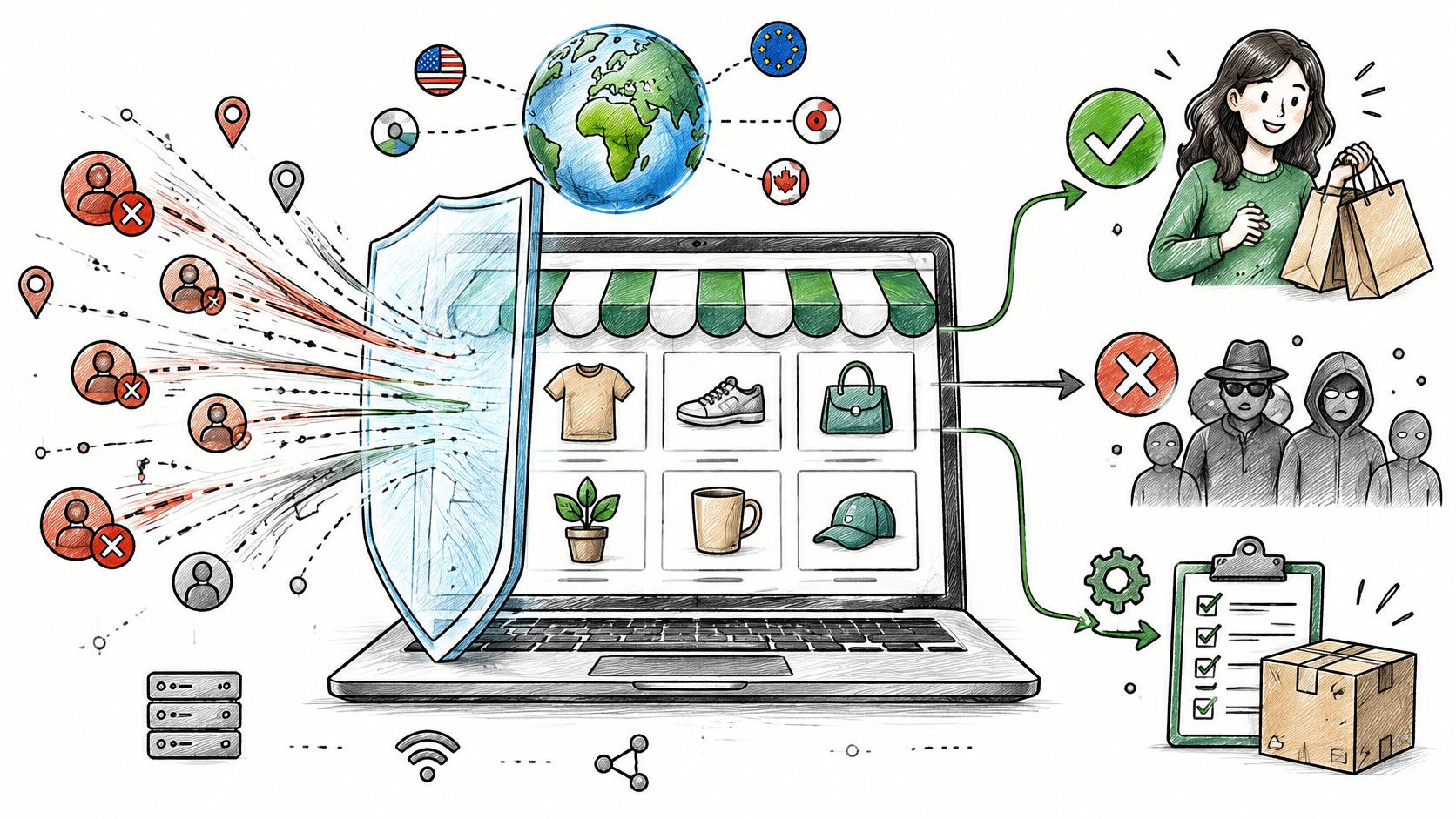
Say you open your orders list and find a run of risky checkouts from one provider's range, or a burst of sessions from a country you don't ship to. You want that traffic stopped today. You also don't want a paying customer on a shared mobile network to hit a wall because you blocked too broadly.
Table of Contents
- Where IP Blocking Fits in Your Shopify Setup
- How to Set Up IP Blocking in Shopify Step by Step
- Geo Blocking or Dynamic IP Rules, and When to Use Each
- Keeping Real Customers Off Your Block List
- Confirm Each Block Is Working Before You Add Another
- Where Securify fits
- Frequently Asked Questions About IP Blocking on Shopify
Where IP Blocking Fits in Your Shopify Setup
IP blocking isn't one switch. It's a set of controls that act at different points, from the first page view to the order review. Blocking at the wrong point either misses the abuse or stops shoppers who could've been verified.
| Layer | What it can block | Where it is set | Main limit |
|---|---|---|---|
| Storefront traffic screening | Bots, VPN and proxy sessions, and high-risk visits before they reach analytics or checkout | Third-party storefront screening app | Needs tuning so real visitors are not flagged |
| Country restrictions | Visitors or shipments from countries you do not serve | Shopify Markets and shipping settings | Country is approximate, and VPN users can mask it |
| Per-customer record | One known account or email address | Customer record in Shopify admin | Does not stop a new account or a different IP |
| Order filter | Orders that match an IP condition, alone or combined with another attribute | Shopify Fraud Control app | Acts after the order is placed |
| Payment and fraud review | Order risk from AVS, CVV, location and purchase patterns | Shopify Fraud Analysis | Reviews orders, does not stop visits |
Shopify's fraud analysis documentation treats an order's IP address as one signal alongside AVS, CVV, location information, and unusual purchase patterns, and warns that an IP address or location by itself is not a fraud recommendation. A hosting-company or proxy address can justify contacting the customer. It doesn't prove the order is fraudulent. Read Shopify fraud analysis for how those signals combine.
Practical rule: Block earlier when bad traffic is polluting your numbers. Block later, at the order, when one buyer can still be verified.
For overall site hygiene alongside IP rules, the 10-point website security checklist from MD TECH TEAM is a useful baseline. Good bot detection at the storefront layer does the earliest work in that stack.
How to Set Up IP Blocking in Shopify Step by Step
Don't start by typing an address into a filter. Start with the evidence, pick the layer that matches the problem, and give every rule an expiry date. A rule you can't explain in six months is a rule that'll block the wrong person in six months.
Gather Evidence and Pick the Layer
-
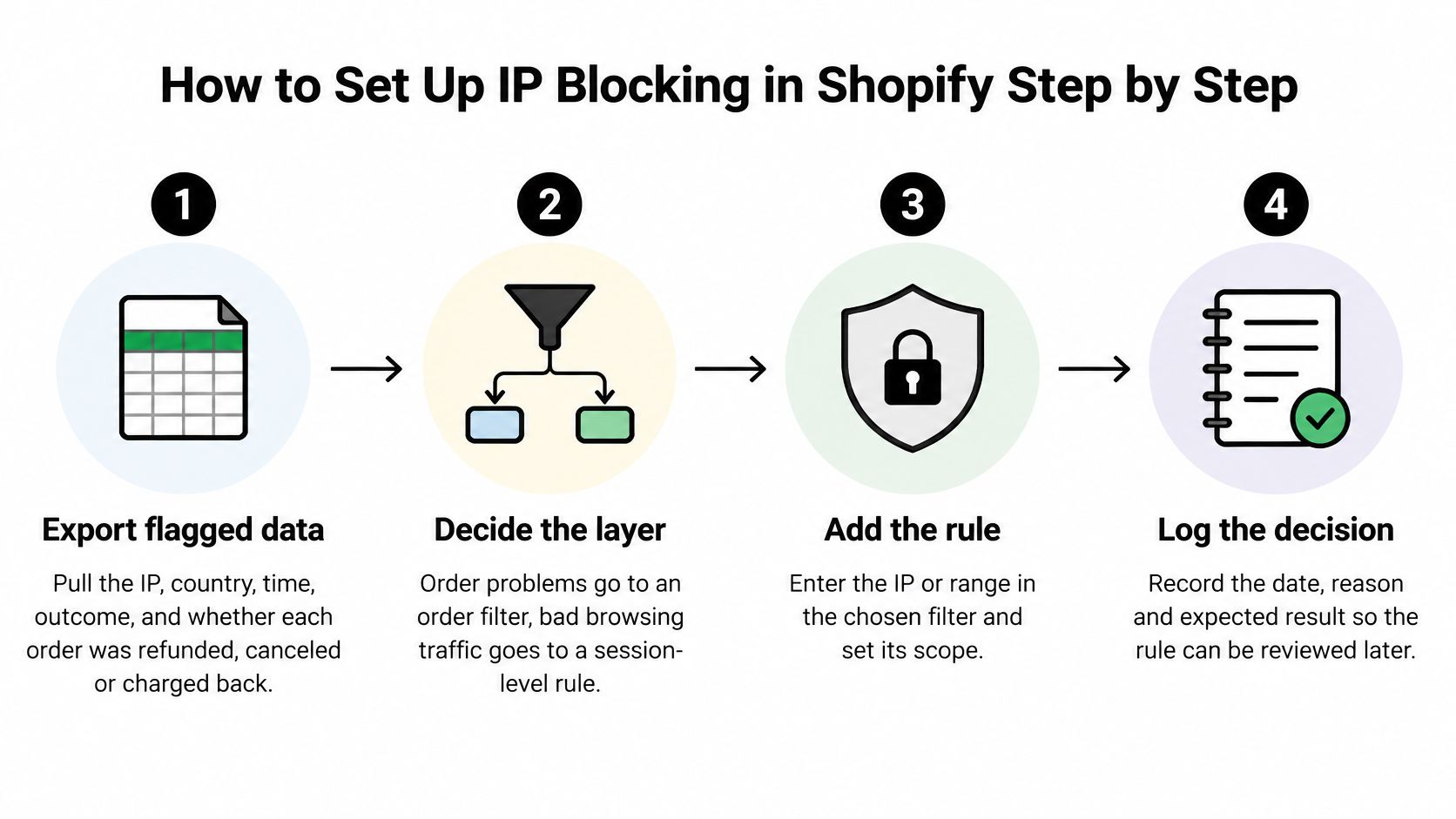
Export the flagged orders or sessions. Pull IP, country, time, outcome, and whether each order was refunded, canceled or charged back. Without outcomes, you're guessing which addresses cost you money. The common mistake is copying an address from one bad order and blocking it on sight. Decision: yes, you have a repeat pattern, or no, you keep monitoring.
-
Decide the layer before you write the rule. Order problems belong in an order filter. Browsing traffic that never buys but skews sessions belongs at the storefront. One known repeat buyer belongs in a customer-level block. Using an order filter against scrapers won't work, because scrapers don't place orders. Decision: does this layer act where the harm happens, yes or no?
Write the Narrowest Rule That Works
-
In Shopify Fraud Control, add a second condition. Shopify's Fraud Control documentation shows merchants can create order-blocking filters using IP addresses and combine an IP condition with another condition such as ZIP code, blocking only when both match. That pairing matters on shared networks, mobile carriers, offices, schools, or VPN services. Decision: can a second attribute narrow this rule, yes or no?
-
Test on the narrowest scope first. Start with one IPv4 address. Move to a small range only when your export shows one operator controlling it. Ranges feel efficient and create the worst false positives. Decision: does the evidence support a range, yes or no?
Watch, Log, and Review
-
Watch matched orders for three to seven days. Note any real buyers caught and check whether the abuse stopped. Abusers rotate addresses, so a quiet week can mean they moved, not that they're gone. Decision: keep, narrow, or remove.
-
Log every rule. Record the date, reason, owner and expiry date in a shared sheet. Old rules outlive the threat they targeted because nobody remembers writing them. Decision: is this rule documented well enough for a teammate to defend, yes or no?
-
Review monthly, weekly during a spike. Each review ends the same way. Keep it, narrow it, or remove it. Stores still building their setup can cross-check these steps against guides on Shopify websites for small retailers from Baikou.
Geo Blocking or Dynamic IP Rules, and When to Use Each
The two rule types answer different questions. A geo rule asks whether you sell to a market at all. A dynamic rule asks whether a specific source is actively abusing the store. Picking the wrong one either blocks shoppers you wanted or leaves a stale rule standing after the incident ends.
| Criterion | Geo rule (country) | Dynamic rule (IP, subnet or behavior) |
|---|---|---|
| What it matches | Country derived from IP location | A specific IP, subnet, or repeated behavior signal |
| Accuracy | Approximate, because IP location can shift | Precise while signals are fresh, stale once addresses change hands |
| Main false-positive risk | Blocks real shoppers in the excluded country | Overblocks shared CGNAT or broad IPv6 prefixes |
| Main bypass risk | VPNs and proxies mask the country | Address rotation and residential proxies |
| Maintenance | Review when shipping countries change | Set expiry dates and review during traffic spikes |
| Best use | Markets you do not ship to | Repeat abuse from one identifiable source |
| Compliance role | Supports regional sales policy only | Operational control; carries no screening function |
Country rules suit standing policy; dynamic rules suit incidents. If you don't ship to a market, write that list down, match it to your published shipping countries, and review it when your markets change. A country rule written in anger after one bad order usually costs more in lost shoppers than the order did.
Dynamic rules earn their place on evidence. Repeat abuse from one identifiable source gets a scoped rule with an expiry date, because addresses change hands, and the rule should already be scheduled to stop when the abuse does. Judge it by the orders it matches and the genuine buyers it catches, not by how many addresses it covers. If you cannot give a rule an expiry date, I would not write it. A VPN hit is also not proof of abuse on its own; VPN detection becomes useful paired with other signals and repeated patterns.
The Compliance Limit and IPv6
OFAC's guidance on IP geolocation blocking describes it as useful but incomplete, cautions that IP location is dynamic because address blocks get reassigned, and states it cannot replace sanctions screening against the Specially Designated Nationals and Blocked Persons list. Country rules still need order, customer and payment review behind them.
IPv6 sharpens the scoping problem. A /48 or /56 prefix can cover many unrelated users, while a /128 address may stop working once the device rotates its temporary address. Give each IPv6 rule the narrowest prefix the evidence supports and a firm expiry; where the prefix math gets too broad, match on behavior instead.
Neither rule type fixes a chargeback problem by itself. Keeping yours low takes layered chargeback fraud prevention, with blocking as one layer rather than the whole defense.
Keeping Real Customers Off Your Block List
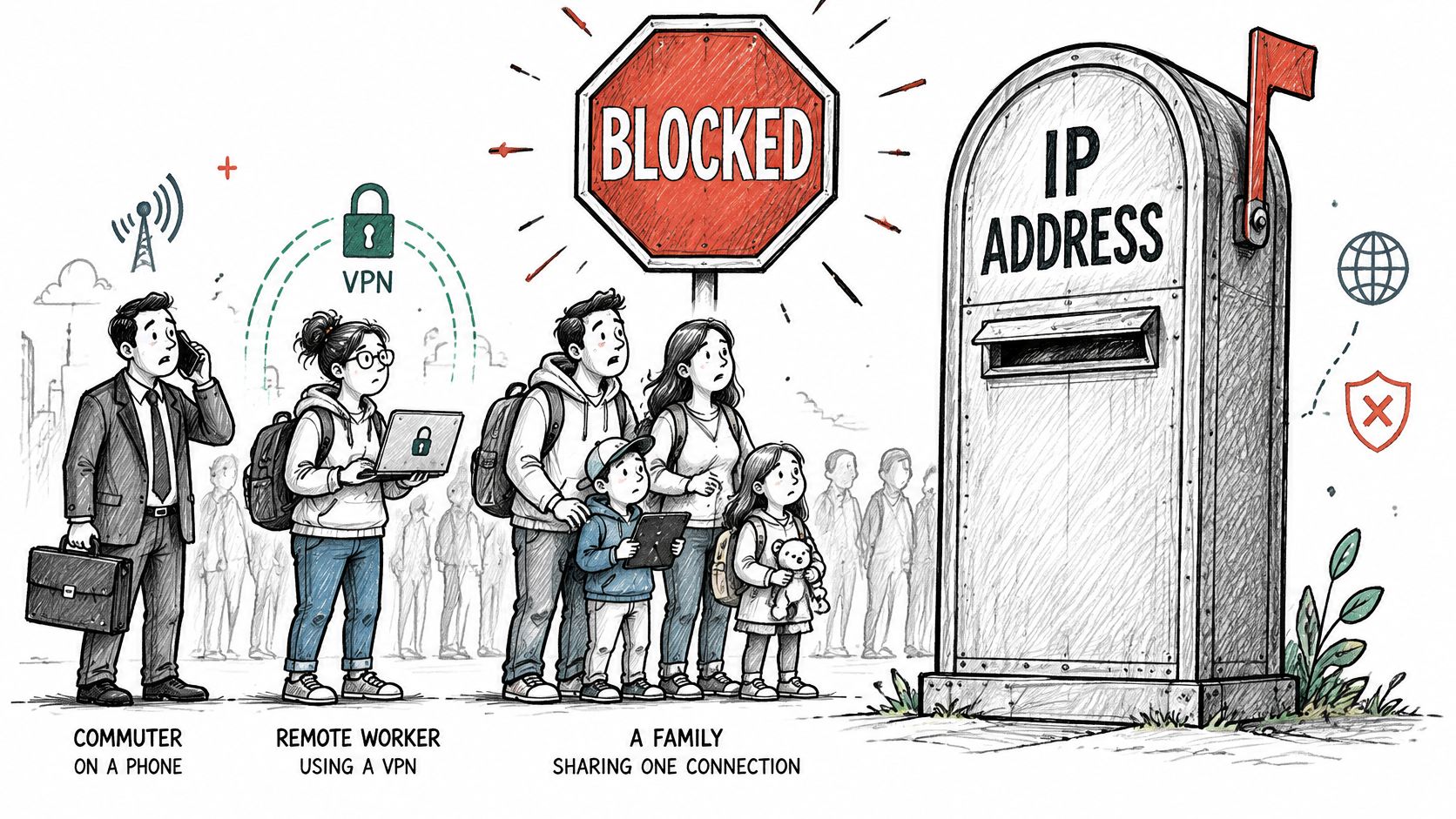
A single IP address usually represents many people. Carrier-grade NAT puts hundreds or thousands of mobile users behind one public IPv4 address. VPN exits carry remote workers and people on public Wi-Fi next to whoever else uses that service.
Shared addresses draw rate limits and blocks far more often than their actual bot traffic warrants. A hard block on a CGNAT range punishes mobile shoppers without catching more bots. That is the trade you make every time you block a shared address outright.
Allowlist First, Block Last
Before any block, allowlist payment providers, verified search and social crawlers, your office egress addresses, and known customers. Verify crawlers through their published address ranges rather than trusting a user agent string, which any scraper can copy. I would treat an unallowlisted store as unready for IP blocking at all.
| Traffic source | Why it looks suspicious | Safer handling |
|---|---|---|
| Payment providers and webhooks | Server-to-server calls from data-center addresses | Allowlist the published address ranges |
| Verified search and social crawlers | Fast, repeated requests from one range | Allowlist verified crawlers, not user agent alone |
| Mobile carrier users behind CGNAT | One IPv4 address shared by many phones | Challenge or throttle rather than hard block |
| Office and corporate networks | Many staff on one address, unusual hours | Allowlist known office egress addresses |
| VPN and privacy-tool users | Foreign or data-center address | Monitor; block only with other signals |
| IPv6 devices with rotating addresses | A new address each session | Scope to a prefix with an expiry date, or rely on behavior signals |
Block only when IP evidence sits next to anomalous request velocity, checkout risk, repeated account creation, or scraping behavior. When the address is the only signal, use friction or throttling instead.
Every rule that survives that test still needs boundaries. Scope it, log it, give it an expiry date, and judge it by real buyers caught per matched order rather than by how many addresses it covers. A rule that sweeps up a paying customer while stopping abuse is a losing rule, whatever its block count says.
Residential proxies cut the other way.
They make abusive traffic look like ordinary household browsing, so a clean address carries little weight on its own either. That is why bot traffic and VPN abuse need combined signals, and why an IP reputation check works best as one input among several. IPv6 rotation raises the same prefix-scoping problem covered under dynamic rules in the previous section, so apply that guidance here rather than writing address rules that expire without anyone noticing or never expire at all.
Confirm Each Block Is Working Before You Add Another
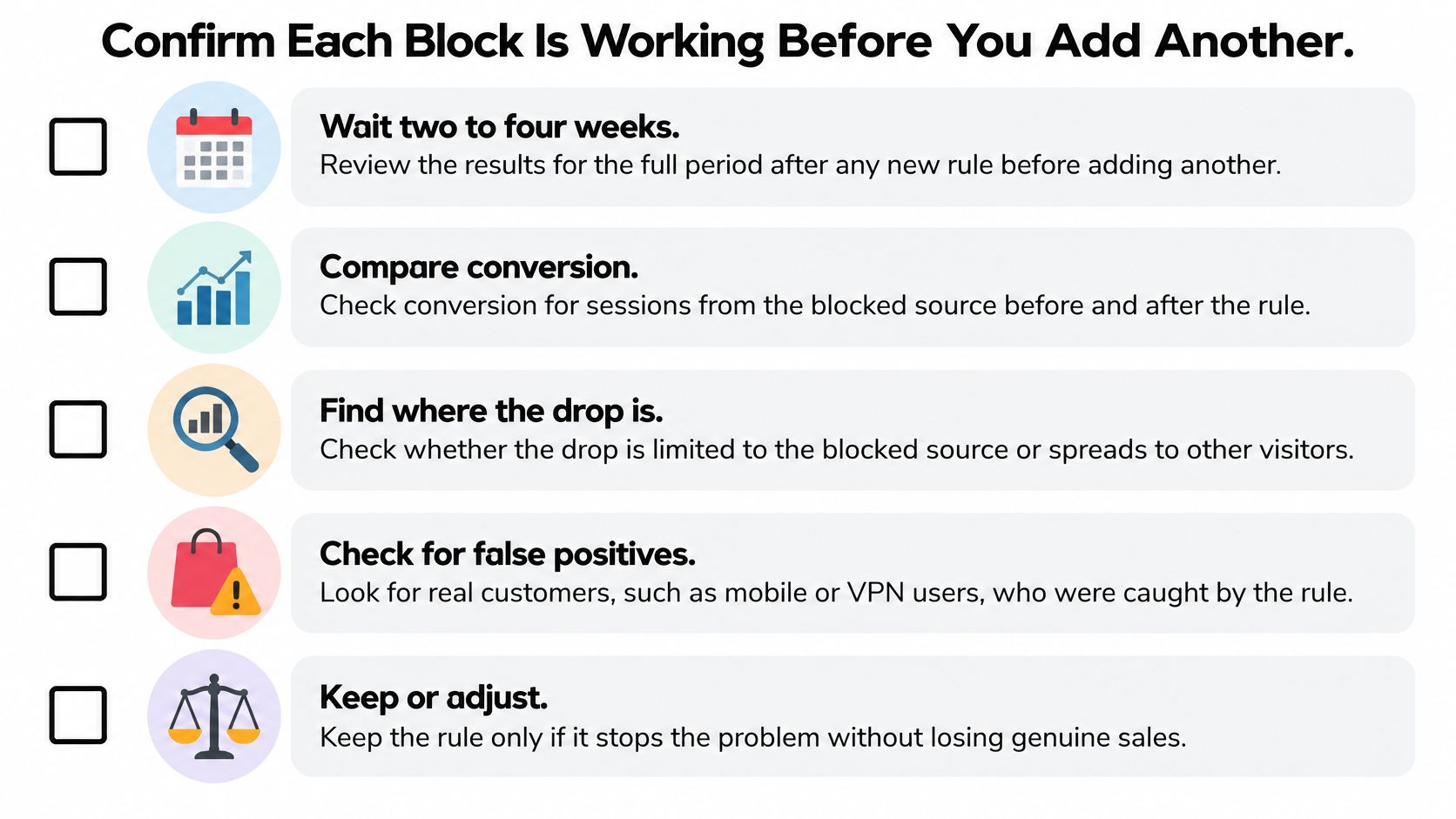
A new rule proves nothing on day one. Give it two to four weeks, then run the same checklist every time. Stacking a second rule on an unmeasured first one means you'll never know which one helped or which one is costing sales.
The Two to Four Week Review
- Compare conversion from the blocked source: Check sessions before and after the rule, and work out whether the drop sits in bad sessions or real ones.
- Check checkout failures and support tickets: A real buyer who hits a wall often writes to support before anyone checks a dashboard.
- Track refunds and chargebacks: Card networks and Shopify monitor chargeback rates, so keep them as low as possible over the same window.
- Watch the targeted country and review queue: Order volume from that market and the share still needing manual review should both shrink if the block works.
To make those comparisons honest, build a network traffic baseline before the rule goes live, as RDE Technologies outlines. Blocked bots also leave analytics noise in the dashboards you're judging from, so clean sessions matter twice.
Keep, Narrow, or Remove
Score each rule with one ratio: real buyers caught divided by orders or sessions matched. A rising ratio means narrow the rule now, by shrinking the range or adding a second signal, not at the end of the window.
The decision: Keep a rule that caught abuse and cost no real buyers. Narrow one that caught real buyers. Remove one whose source has gone quiet past its expiry date.
Where Securify fits
Securify screens storefront traffic before it reaches checkout, orders or analytics. The Shopify integration checks each visitor in real time as they browse, so genuine shoppers pass through while bot, VPN/proxy and fraud-pattern signals are flagged earlier. Geo-Blocking covers countries you do not ship to, and bot screening catches repeat automated visits that a single address rule would miss or overblock.
Use it as the earlier layer with a narrow net. Scope each rule, log why it exists, give it an expiry date, then judge it by real buyers caught per matched order rather than addresses blocked. If that holds, install it from its Shopify App Store listing.
Frequently Asked Questions About IP Blocking on Shopify
What should I do when a blocked customer writes to support
Treat it as an appeal. Pull the log entry, confirm which signal matched, check the order they were trying to place, then add the narrowest exception that resolves that buyer. Leave the original scope, note and expiry in place; widen it only if the same appeal pattern repeats.
Should one bad order trigger an IP block
Usually no. One order is weak identity evidence by itself; log it and look for the same signal across sessions or orders. Block when the pattern repeats, when the address is clearly automated infrastructure, or when it keeps pairing with checkout risk.
How long should a block stay active
Give every rule an expiry date and review the hits at that date. Renew it only when it is still matching abuse; retire it when matches stop or when real buyers are getting caught. A permanent rule with no owner tends to outlive the reason it was written.
How do I judge a block after it goes live
Count real buyers affected per matched order, then compare orders, chargebacks and analytics noise before and after. If appeals rise while bad traffic still lands, narrow the match or disable it. If Securify is logging the storefront layer, use those flags to spot repeat bot, VPN or high-risk country patterns without punishing one shared address.