
· scalper bots · bot traffic · Shopify fraud · limited drops · bot detection
Scalper Bots Explained: Types, Costs and How to Stop Them
Scalper bots hit limited SKUs, skew analytics and scrape prices. Learn how they work, how to spot them and which countermeasures protect a Shopify store.
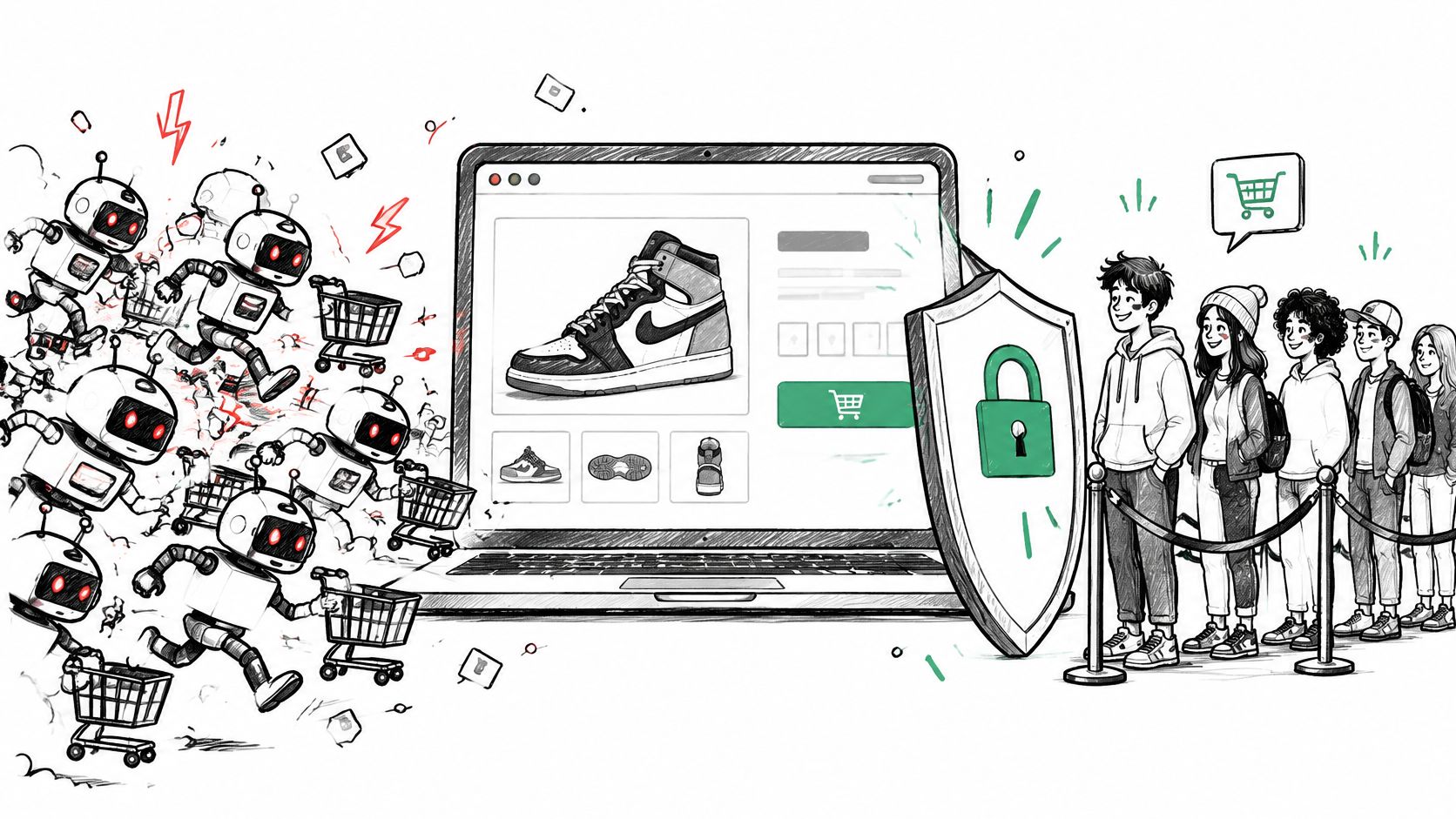
Your drop went live at noon. By 12:01 the best sizes were gone, carts spiked, checkout completion fell, and support filled with shoppers who swear the product was never actually available. Your analytics say demand was huge. Your orders say something else.
That's the pattern store owners usually notice first. Scalper bots don't always leave a neat fraudulent order behind. They can take stock, hold it, scrape your prices, or make a launch look far bigger than your real customer demand. Judging the problem by blocked requests alone misses that damage.
Table of Contents
- What Scalper Bots Are and How They Work
- Which Products Scalper Bots Target and the Symptoms They Leave
- What Scalper Bots Cost a DTC Store
- How to Spot Scalper Bot Traffic
- Countermeasures That Protect Stock and Pricing
- Deciding Whether to Block, Challenge or Only Measure
- Where Securify fits
- Scalper Bot Questions Merchants Ask
What Scalper Bots Are and How They Work
A scalper bot is a pipeline: separate automated components handle separate stages, from watching a product page to sending checkout requests to carrying the result into resale or data collection. For a Shopify merchant, the order attempt is only the part you can see. Polling can start before launch, catalog scraping can run beside it, and carts can be held without leaving a clean fraudulent order.
That is why the damage has to be read in the funnel, not only in blocks. A bot that never buys can still take units out of reach, distort add-to-cart and checkout completion, harvest prices, and leave support explaining a sellout that real shoppers experienced as a bug.
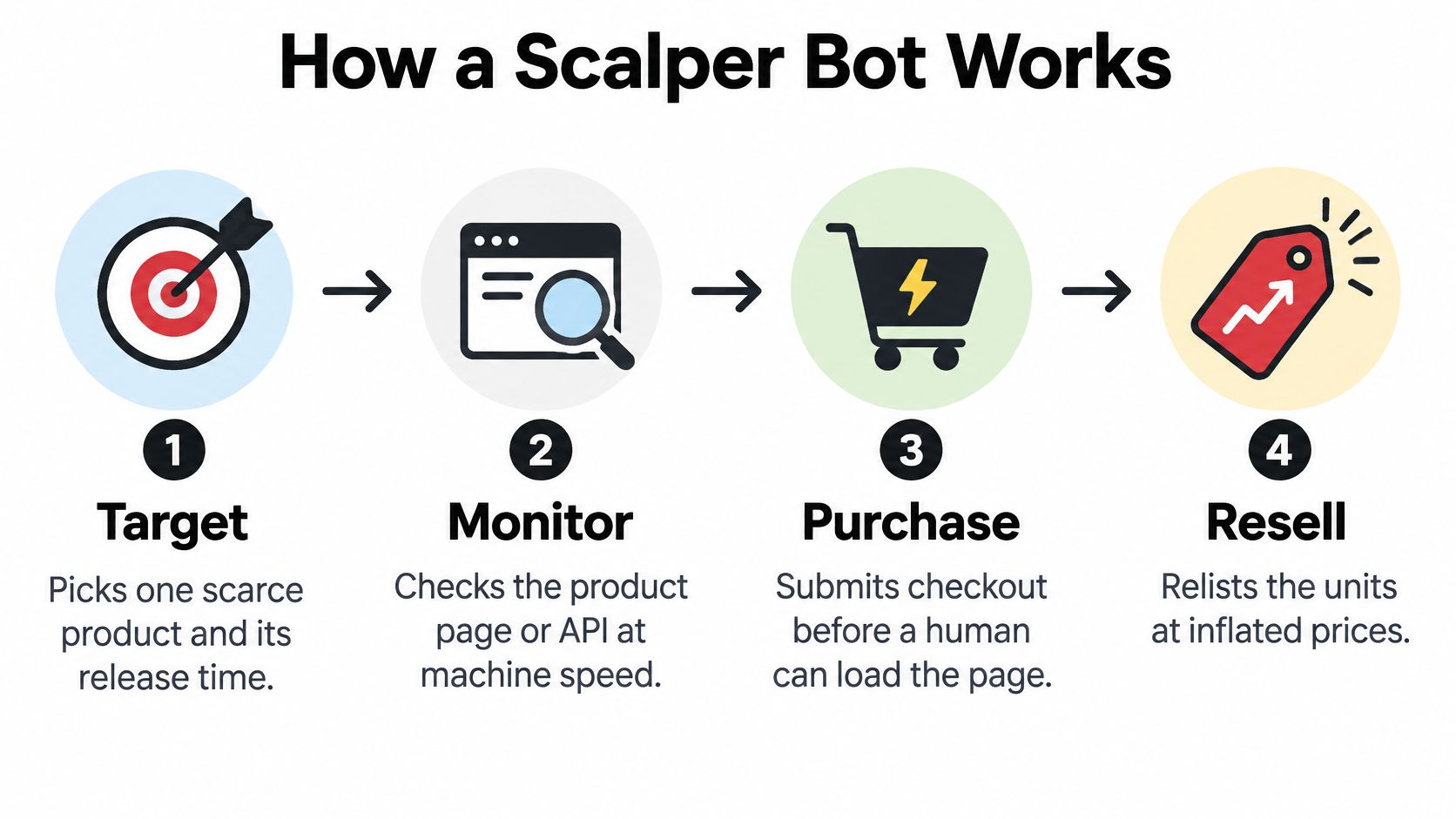
The four stages in order
- Monitor stock: Spinner or drop-checker scripts poll a product page or inventory endpoint at fixed, very short intervals. At your end, this looks like repeated product or inventory hits before the drop is public.
- Submit fast requests: When stock appears, another component sends reservation, add-to-cart, or checkout requests immediately. In analytics, those events arrive in a burst too tight for normal browsing.
- Defeat checks: The system attempts to get past CAPTCHA, login steps, and purchase limits. The store sees sessions that pass one step while sharing networks, devices, accounts, or payment patterns.
- Resell or reuse the data: Successful units get relisted elsewhere at higher prices. Even failed runs can leave copied prices, variants, launch timing, and a demand curve that overstates real shoppers.
A technical analysis of ticketing automation tracking 180 ticketing domains covering 26.3 billion requests over 105 days found bad bots generated 39.9% of all traffic, and primary-market ticketing sites saw 42.2%. A Shopify drop is smaller, but the sequence is the same: monitoring first, machine-speed requests second, check bypass third, resale or reusable data last.
Reporting on major ticket investigations described one operation acquiring 1,012 tickets to a U2 concert in New York in less than one minute in 2014, according to KGW reporting on ticket scalping investigations. Scale that down to a 300-unit restock and the outcome is familiar: visible stock can clear before loyal shoppers finish the first page.
A scalper bot that never completes a purchase can still hold carts, scrape prices, load checkout, and distort the numbers you use to judge the launch.
Checkout fraud is only the last stage. The earlier stages create cost even when no order is placed.
Which Products Scalper Bots Target and the Symptoms They Leave
Scarcity is the target, not the product itself. Scalper bots go after limited-run SKUs, product drops, small restocks, gift items, and collectibles, along with anything where a few units create a rush. Tight supply is what produces the resale margin.
Your catalog is a second target. Scrapers working for competitors or aggregators don't need your inventory. They need your prices, variants, launch timing, and product copy, refreshed often enough to undercut or copy you.
Match the bot type to the symptom
| Bot type | Goal | Symptom in your data | Where it shows up |
|---|---|---|---|
| Inventory hoarder | Buy limited stock before shoppers | Stock disappears within seconds of a drop | Product pages, cart and checkout |
| Card tester | Confirm stolen card numbers work | Many failed, low-value checkout attempts | Checkout and payment declines |
| Price and catalog scraper | Copy prices and product data | Repeated product-page requests with no normal browsing | Catalog pages and product feeds |
| Cart holder | Hold stock without buying | Carts created and abandoned, with false low-stock signals | Cart and inventory counts |
| Account and payment farm | Create accounts and payment instruments at scale | Many new accounts tied to shared devices or networks | Sign-up, customer records and email lists |
Read the table left to right. The first two columns describe the attacker's goal, and the last two describe what your store records. A card tester and a catalog scraper can both spike traffic on launch day, yet one shows up in your payment declines and the other shows up in your product-page logs. Treat them as one incident and your team searches the wrong reports.
The confusing part is that several of these symptoms look like success. A sold-out page looks like strong demand. Inflated sessions look like reach. Category structure gives you a way to tell them apart: a page where shoppers shop SIM-free Apple phones shows demand spread across models and storage sizes, so genuine scarcity drains one or two variants while siblings keep selling normally. A bot-driven spike concentrates on a single product page, with sessions that skip the rest of the catalog entirely. The same reading applies in apparel, beauty, supplements, and accessories when bots hit one variant hard.
Don't investigate completed orders only. Check storefront traffic and order behavior together, because card testing, analytics pollution, and catalog scraping can continue while your order queue looks clean. If sessions look inflated after a drop, the guide to Shopify bot traffic analytics noise helps separate reporting damage from order damage.
Start with a simple test. Take your last spike and match it to one row of the table. If you can't, you don't yet know what you're blocking. Count what each row costs in stock, prices, support time, and polluted numbers, and the blocked-request total becomes the least interesting figure on the page.
What Scalper Bots Cost a DTC Store
Scalper bot activity costs a DTC store in five places, and the first is stock. A bot that buys the last units leaves real shoppers facing a sold-out page. Your team may then read false demand as a reason to reorder heavily or increase ad spend behind a product real customers barely saw.
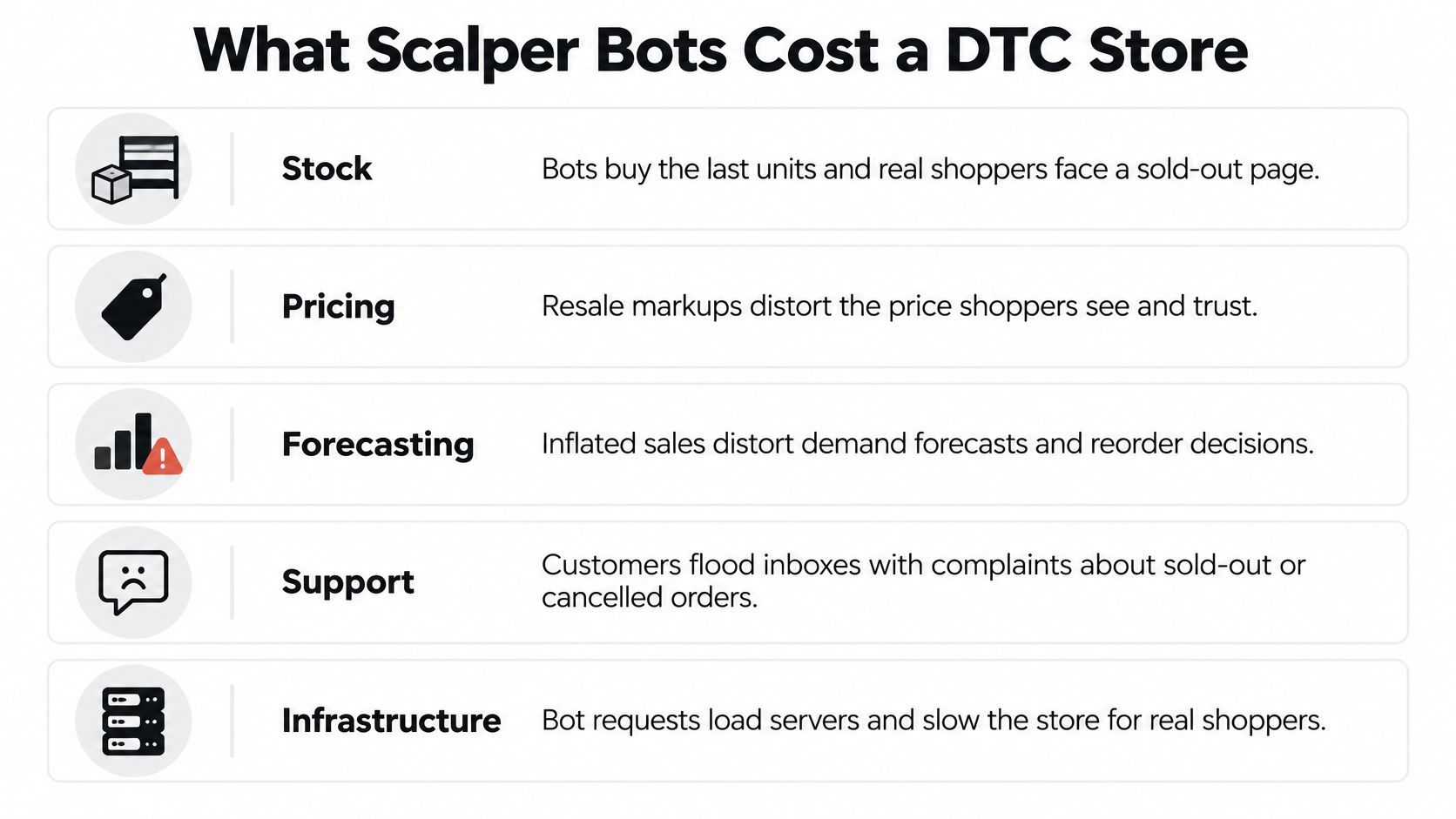
The second cost is support. Buyers who hit a sold-out page, get a cancelled order, or lose a cart during a drop contact your team. Agents spend launch day explaining access instead of helping customers who are able to buy.
The third cost is pricing. A competitor or aggregator copies your prices, undercuts you during a planned sale, and forces a cut you didn't choose. Scraping, noise, and repeated suspicious visits create cost even before a fake order appears.
The fourth cost is analytics. Fake sessions inflate the top of the funnel, so conversion looks lower than it is and paid campaigns get judged on the wrong numbers. In one example scan of a jewelry store, 57% of funnel traffic was fake, or 7,980 bots out of 14,000 total traffic. Judging that store on raw sessions would misstate demand badly. Read our page on traffic quality for how to separate real shoppers from funnel noise before you change budgets.
The fifth cost is disputes. Card testing and bot-placed orders can turn into chargebacks weeks later, long after launch reporting is closed. Card networks and Shopify monitor chargeback rates, and you should keep yours as low as possible. The guide to shopify chargeback costs and early traffic control explains why catching the pattern at the visit is cheaper than disputing it later.
Check your last launch against this list.
- Stock: Units gone in seconds, uneven variant sellouts
- Support: Sold-out and cancelled-order tickets
- Price: Copies or undercuts appearing quickly
- Reporting: Sessions up, real conversion unclear
- Disputes: Failed payments now, chargebacks later
How to Spot Scalper Bot Traffic
No single signal settles the question. Modern scalper bots copy ordinary browsers and rotate infrastructure, so a familiar user agent or a clean-looking session doesn't clear a visitor.
Practical rule: Require several independent signals before you block anyone. One flag is a reason to measure, not a reason to reject a shopper.
Behavior across a session is more useful than any one fingerprint. A University of Virginia technical report on detecting anomalous ticket purchases points to request frequency and timing, repeated URL-navigation sequences, transaction volume, purchase velocity, session reuse, and interaction variability. It also describes graph-based analysis that links accounts, transactions, and resale listings to expose coordinated activity isolated checks miss.
Six signals to compare
| Signal | Typical shopper | Scalper bot pattern |
|---|---|---|
| Request timing | Irregular gaps between page views | Bursts at fixed, very short intervals |
| Navigation path | Varied browsing across collections | The same path repeated across many sessions |
| Accounts per SKU | One buyer, one account | Several accounts converging on one SKU in the same window |
| Cart to checkout | Minutes of comparison and thought | Seconds from add-to-cart to checkout start |
| Payment attempts | One card, maybe one retry | Repeated failures, then a success on a different card |
| Network and device | One device on a familiar network | Rotating IPs, devices, VPN or proxy use |
Score the session, don't guess
Build a per-session and per-account risk score. Raise it for bursty polling, identical navigation paths across many sessions, several accounts converging on the same SKU, cart-to-checkout movement in seconds, and repeated payment failures followed by a success. Lower your confidence when a session shows varied browsing, normal reading time, and a consistent account history.
A multi-account pattern on one SKU is the clearest sign of coordinated buying. One fast checkout can be a returning customer with saved details. Twenty new accounts hitting the same variant in the same minute, on similar devices, is a different claim and needs stronger evidence in your log.
Don't punish shoppers for one shared trait. Real customers use VPNs, shared workplace networks, privacy tools, and international payment methods. That's why several signals must agree before a challenge or block. Our guide on bot detection explains the wider signal set, and the shopify bot traffic vpn abuse guide covers the network side without treating every VPN user as hostile.
Keep suspicious events in a separate analytics stream. That way, your true conversion rate stays measurable while high-risk sessions are challenged, throttled, or denied access to scarce inventory and pricing data. If you delete the sessions entirely, you lose the record you need to tune thresholds.
For each spike, ask one question. Does it match one row, several rows, or nothing? Your answer decides the response, not the headline session count.
Countermeasures That Protect Stock and Pricing
A scalper bot does not have to complete a purchase to hurt your store. One that polls your inventory endpoint is already harvesting stock levels and prices, and one that floods a drop still warps the funnel numbers you judge demand by. The controls below target that damage directly: stock stays available to real buyers, pricing data stays out of scraper hands, and your sellout headlines reflect real shoppers.
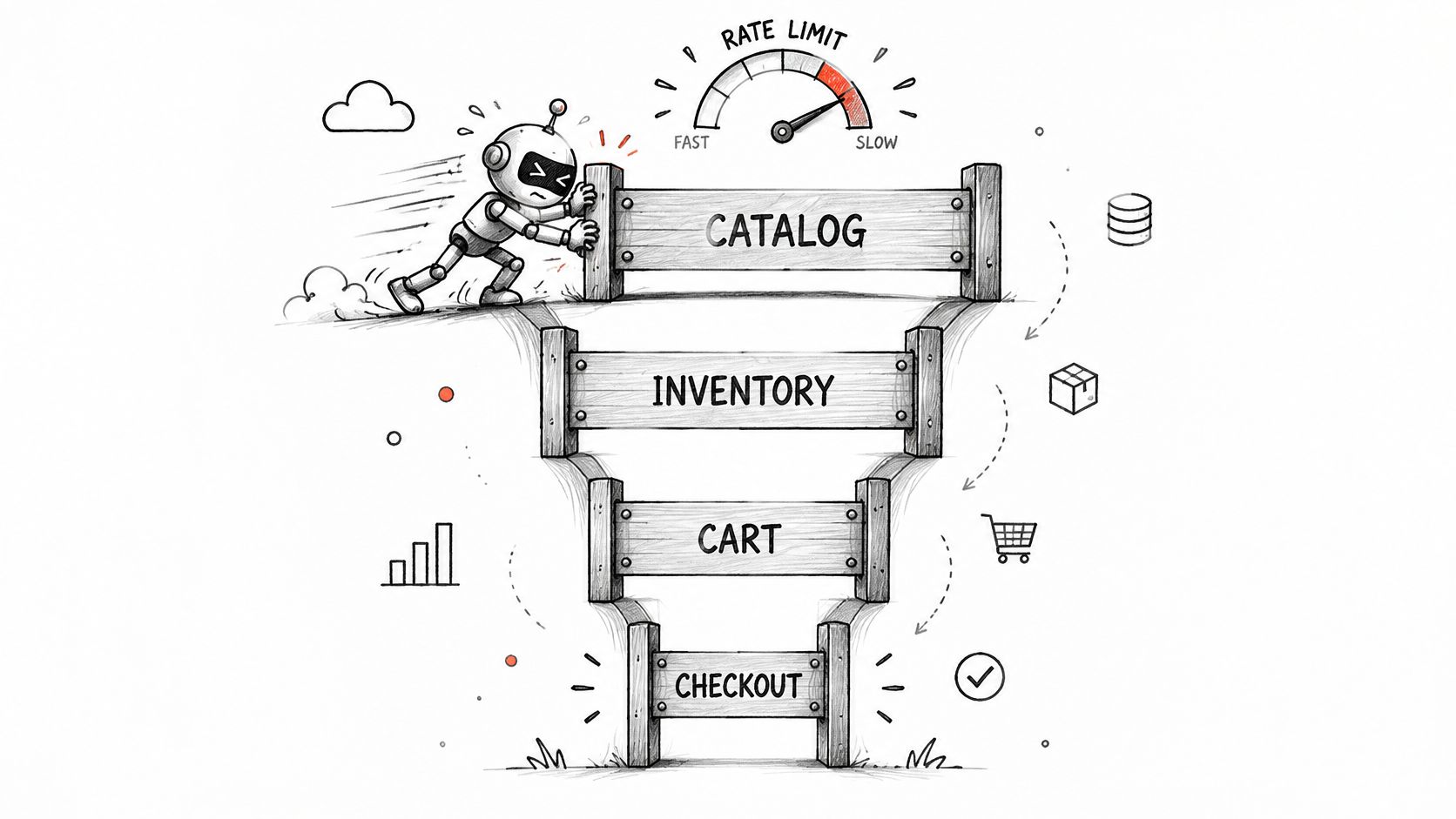
Apply rate limits separately to catalog, inventory, cart, and checkout endpoints. A scraper works the catalog long before anyone reaches checkout, so one storewide limit either misses the early abuse or slows real buyers at the wrong moment. Set thresholds from session age, request regularity, account history, and fulfillment geography rather than IP address alone. A new session polling inventory every second earns a tighter limit than a loyal account browsing a sale.
Six controls and what they cost you
| Countermeasure | What it stops | Trade-off |
|---|---|---|
| Per-endpoint rate limits for catalog, inventory, cart and checkout | Bursty polling and checkout floods | Tight limits can slow fast real buyers, so set them per endpoint |
| Purchase limits per customer and per SKU | One buyer taking the whole drop | Gift and bulk buyers hit limits, so publish the rule |
| Extra verification on flagged sessions | Scripted checkout that cannot pass a challenge | Adds friction, so limit it to sessions with several signals |
| Queue or throttle at drop time | Launch-minute floods | Needs a planned waiting approach and clear messaging |
| Hide exact stock counts | Inventory polling for precise levels | Shoppers see less about how many units remain |
| Geo, VPN and proxy controls | Traffic from regions you do not ship to | Real travelers and privacy users can be caught, so review blocks |
Start with the cheapest controls first. Rate limits and purchase limits protect stock without asking every shopper to prove they are human. Reserve verification for sessions that cross your scoring threshold, since each added step at checkout costs real orders too.
Variant-level caps matter more than many owners expect. Say a launch goes live and medium sells out in under a minute while the rest of the size run sits untouched: to shoppers the product looks gone, and your sellout number hides dead stock on the shelf. A merchant keeping mystery jerseys available across sizes faces the same math, and the fix is the same too. Limit purchases per variant, not just per product.
Shopify's built-in reporting and order-risk tools still have a place. They help you review orders and catch fraud patterns, but they operate on order data, usually after a visitor has reached checkout or paid. The controls above act earlier, at the storefront, before a bot can touch stock counts or pricing. For the order-level view, see Shopify fraud analysis.
Deciding Whether to Block, Challenge or Only Measure
More blocking isn't automatically better. Ticketmaster reported blocking 8.7 billion automated bot attempts in April 2025 and more than 180 billion since 2022, while a UK government paper cited a major primary seller intercepting over 40 million bot attempts in one month, according to a submission filed in a US federal docket on ticket bot enforcement. Even at that scale, enforcement remains difficult because of limited resources, technological constraints, and cross-border jurisdictional problems.
Your store can't rely on blocking alone either. A strict rule can cut automated traffic and also cut legitimate conversion, overseas demand, or support goodwill.
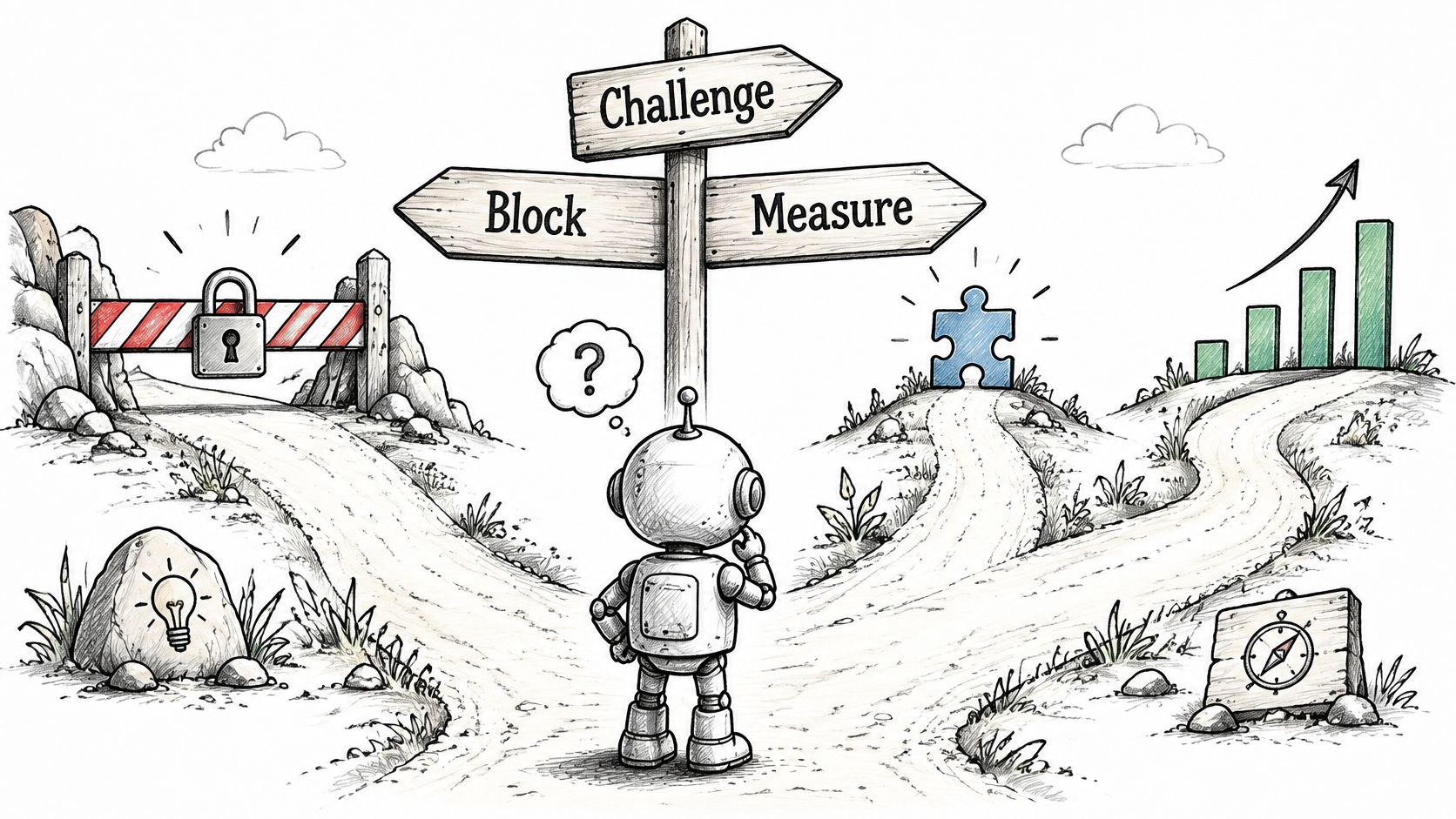
Use a four-rung ladder
- Measure only: Use this when a signal is weak. Exclude the session from clean analytics, keep the event record, and let the shopper browse.
- Rate-limit: Use this when a burst hits one endpoint. Slow catalog, inventory, cart, or checkout requests without rejecting the visitor.
- Challenge: Use this when several independent signals agree. Ask for extra verification before scarce stock or checkout access.
- Block: Use this when abuse is clear, such as confirmed card testing or repeated failed payments from a region you don't ship to.
Don't block on VPN use alone. Read about vpn detection before you treat masked traffic as proof of abuse, because VPN users, shared networks, and privacy-tool users include real customers. For confirmed cases that need a customer-level action, follow how to block a customer on shopify.
Compare the same measures before and after you change a control. Track suspicious-session rate, checkout completion, false-positive reviews from support, geographic mix, and revenue per verified-human session. If blocked requests rise but verified-human revenue falls, your control is too broad.
Bot volume alone is a weak success metric. Clean stock, clean reporting, and steady real conversion tell you whether the control worked.
Where Securify fits
Securify is a Shopify app for bot blocking, VPN and proxy detection, geo-blocking, and price protection. Its three main protection features are Block Bots, Geo-Blocking, and Price Protection.
Price Protection targets the scrapers covered earlier, stopping competitors from harvesting your catalog and pricing data. Geo-Blocking restricts visits from countries you do not ship to, while Block Bots filters automated sessions before they touch stock, funnel numbers, or orders. Screening runs in real time as visitors browse, so it acts upstream of Shopify's order-level tools rather than inside them.
Real shoppers pass straight through. Screening reads bot, VPN and proxy signals and fraud patterns, not shoppers who browse, compare, or use a privacy tool. For stores running paid campaigns, that keeps bot visits out of acquisition numbers and catches risky visits before they become disputed orders weeks later.
Scalper Bot Questions Merchants Ask
Can robots.txt stop scalper bots
Robots.txt is a request, not a block. It asks well-behaved crawlers to stay out, and compliant crawlers honor it. Scalper bots are built to ignore exactly that kind of instruction, so rate limits and session scoring do the actual work.
Does Shopify stop scalper bots on its own
Shopify ships bot-related reporting and order-risk tools, and they help you review and flag orders after they come in. Scalper damage starts earlier: a bot can hold stock, scrape prices, and inflate sessions before any order exists. Check the current scope on help.shopify.com, then decide which layers cover the visit itself rather than only the order.
What do scalper bots cost if they never check out
A bot that never buys still costs you. Scraping pulls prices and catalog data, repeated suspicious visits add noise, and those sessions pile into your funnel numbers. Securify's internal business-case evidence ties bot-related pain to 22.6% of support volume, 21 refund requests, and 26 explicit bot-blocking requests. In one jewelry store scan, 57% of funnel traffic was fake: 7,980 bots out of 14,000 visits.
How do I measure whether protection works
Count outcomes, not blocked requests. The signals that matter are business damage going down: fewer bad cases reaching manual review, less support time spent on bot noise, cleaner campaign and funnel numbers on paid traffic, and a conversion rate calculated on real shoppers. If blocked-request counts climb while reviews, refunds, and funnel inflation stay flat, the bots you stopped were not the ones hurting you.
If scalper bots are taking stock, scraping prices, or inflating your funnel before real shoppers get a fair chance, Securify can screen bot, VPN, and proxy traffic at the storefront and protect your catalog pricing. Visit the site to scan your store and see how much of your recent traffic is real.