
Shopify Fraud Protection Built in vs Apps Compared
Shopify fraud protection covers orders and chargebacks, not traffic. Compare native tools vs apps and see where gaps remain.
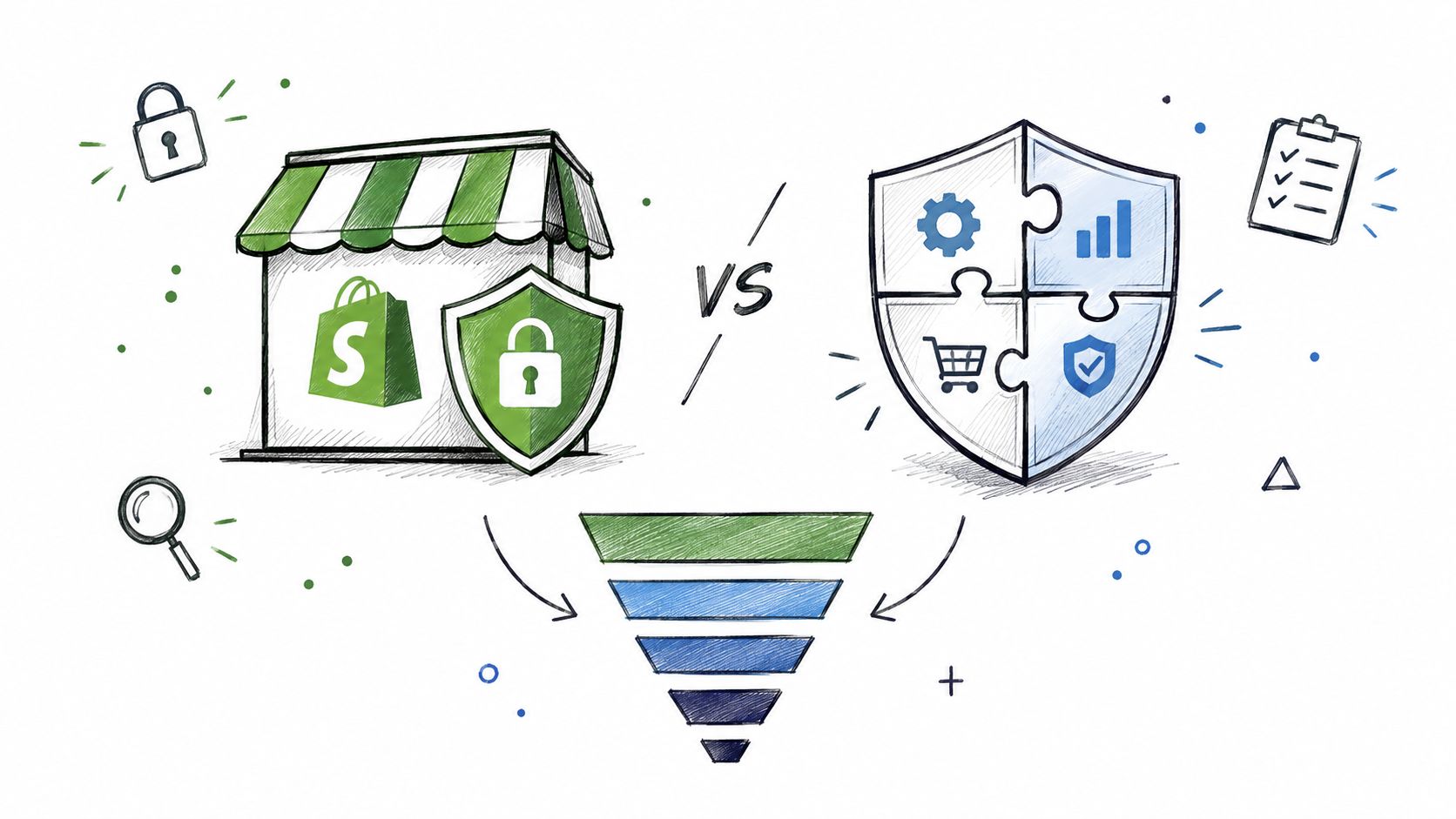
Shopify's built-in fraud protection is good at orders and chargebacks, not traffic. That still doesn't give you merchant-controlled blocking for bots, VPNs, proxies, Tor traffic, or unwanted visitors before checkout.
That's the part most advice gets wrong. It starts at the risky order screen, as if fraud begins after payment. It doesn't. A lot of the mess starts earlier with junk sessions, card testers, masked visitors, and repeat offenders hitting your store before an order exists. If you want a straight answer on Shopify fraud protection, map it by funnel stage. This is the clean way to do it. You'll see what Shopify covers well, where native tools stop, and when an app is worth adding.
Table of Contents
- Introduction
- What Shopify Fraud Protection Includes Out of the Box
- The Four Layers of Shopify Fraud Prevention and Which Ones Shopify Covers
- Shopify Native vs Fraud Filter App vs Securify Side by Side
- What a Shopify Fraud Prevention App Adds and Where Securify Fits
- How to Decide Which Shopify Fraud Protection You Need
- Frequently Asked Questions About Shopify Fraud Protection
Introduction
Most merchants asking about Shopify fraud protection are really asking one of two things: “Is native enough?” and “What kind of app do I need?”
The short answer is simple. If your problem is post-payment order review or eligible fraud chargebacks, Shopify gives you solid native coverage. If your problem is who reaches the storefront, who can attempt checkout, or which masked visitors keep coming back, native Shopify doesn't give you much direct control.
That distinction matters because the cheapest place to stop fraud is upstream. A blocked visitor costs less than a refunded order. A stopped card tester costs less than a dispute. A filtered bot session also keeps your analytics cleaner, which changes how you read conversion, traffic quality, and paid acquisition.
What Shopify Fraud Protection Includes Out of the Box
Shopify gives you useful fraud coverage after a shopper reaches checkout and after an order is placed. It does far less at the traffic layer, which is why merchants often overestimate what “native fraud protection” means.
Out of the box, the native stack is strongest in the bottom half of the funnel: order review and eligible chargeback coverage. Upstream controls are narrower.
Shopify Fraud Analysis
Fraud Analysis is Shopify's native order review tool. Your team checks the Order risk section inside an order and decides whether to capture, hold, cancel, or investigate, based on the signals Shopify surfaces in admin, according to Shopify's fraud analysis help doc. If you want the full field-by-field breakdown, read Shopify Fraud Analysis explained.
That matters because it creates a pre-fulfillment checkpoint. You can stop bad orders before inventory leaves the warehouse.
Fraud Control app
Fraud Control adds reporting and rule-based controls for merchants on Shopify Payments. Shopify says the dashboard tracks high-risk orders, fraudulent chargebacks, and orders canceled due to fraud, with reporting delayed to account for fulfillment timing, as described on Shopify fraud solutions.
Use this as a monitoring and workflow layer. Do not treat it as storefront access control or bot blocking.
Shopify Protect
Shopify Protect is chargeback coverage for a specific slice of orders, not a store-wide fraud shield. Coverage applies to eligible Shop Pay orders processed through Shopify Payments for physical goods, and the order must meet fulfillment requirements to qualify. For the eligibility details, see what Shopify Protect covers.
This is the strongest native protection Shopify offers. It also has the narrowest scope. If your fraud problem starts before payment, Protect does nothing there.
Shopify Flow templates
Shopify Flow helps you automate order handling after risk is identified. The practical use case is simple: auto-cancel or tag clearly high-risk orders, restock inventory, notify ops, and keep edge cases for manual review.
That saves time. It does not improve who gets into the funnel in the first place.
Checkout protections in Shopify Payments
Shopify Payments includes checkout-side controls such as card-testing defenses and dynamic 3D Secure. Shopify's bot guidance also points merchants to form-level captcha challenges, but that applies to forms and login use cases, not broad storefront visitor control or a native “block this customer” tool, based on Shopify's bot traffic guidance.
The practical read is straightforward. Native Shopify covers checkout friction, order review, and some chargeback risk. If you need control over suspicious sessions before checkout, repeat visitor blocking, proxy and VPN filtering, or country-level storefront access rules, you need something outside the default stack.
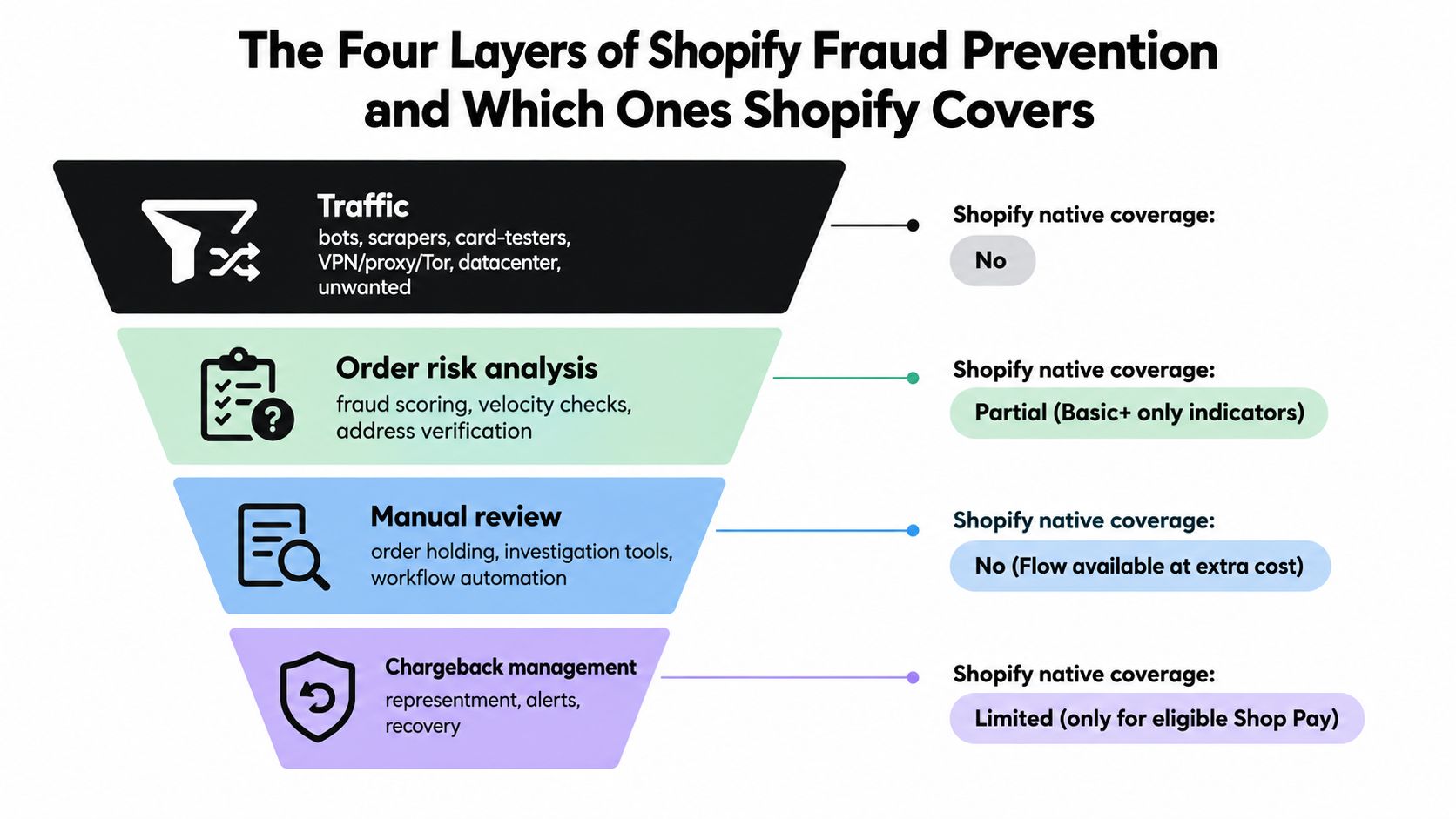
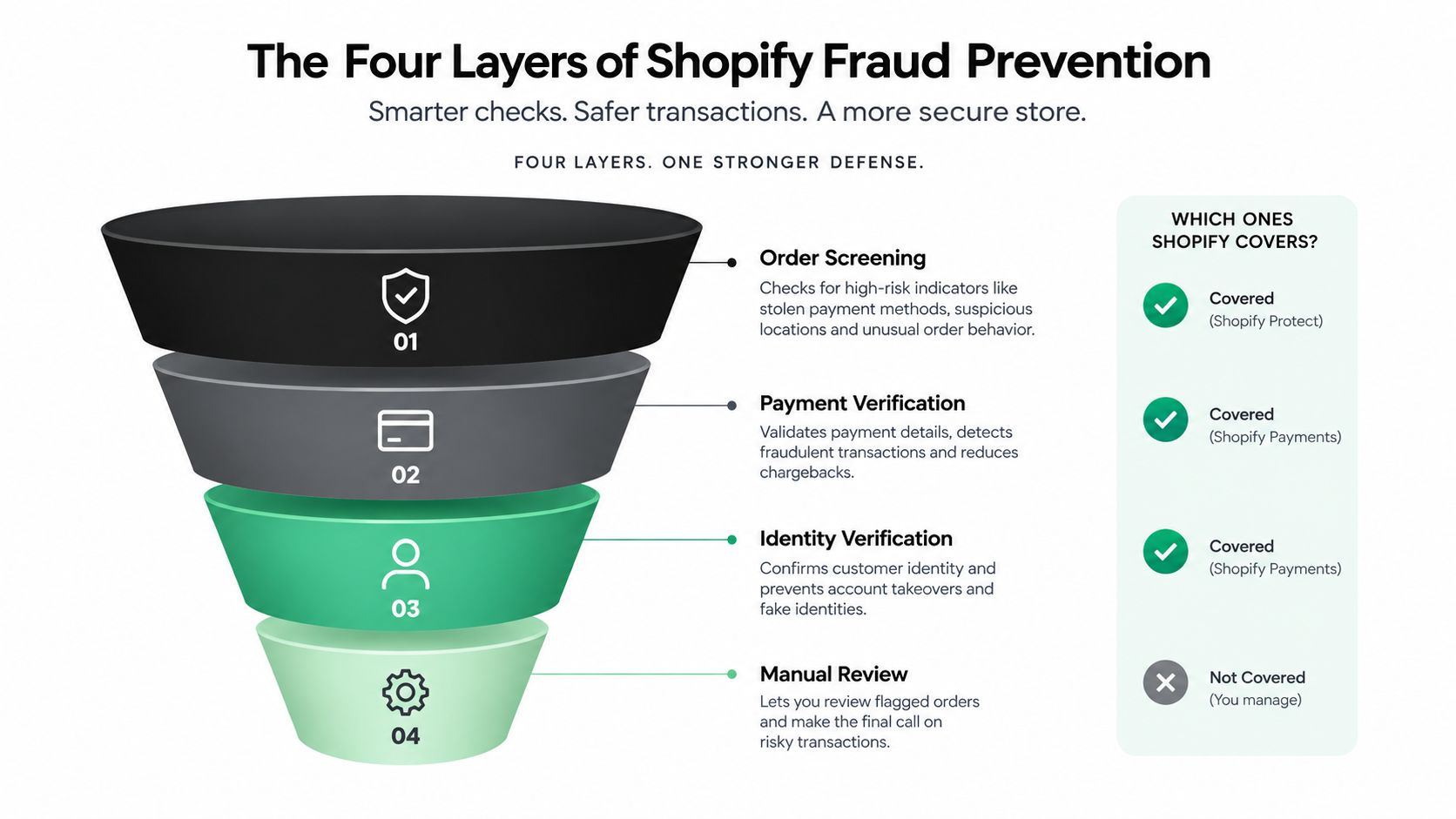
The Four Layers of Shopify Fraud Prevention and Which Ones Shopify Covers
The cheapest fraud fix usually is not at the chargeback stage. It is upstream, before the visitor reaches checkout.
That is the gap merchants miss. Shopify's native stack is strongest after an order exists and when a dispute hits. It is much thinner at the top of the funnel, where bot traffic, VPNs, proxies, and repeat bad actors start the problem.
Layer 1 Traffic
This is pre-checkout abuse. Bots, scrapers, card testers warming up, proxy and VPN traffic, Tor exits, datacenter IPs, and visitors from countries you do not want to serve all sit here.
Shopify gives you ways to spot some of this. Its bot traffic guidance points merchants to the Human or bot session dimension in analytics, GA4 internal-traffic rules, rate limits tied to checkout abuse, and operational steps like blocking datacenter ranges in the right setup. That helps you diagnose the spike and clean up reporting. It does not give most merchants direct, native storefront-level visitor blocking across the full traffic layer.
Use a simple ops checklist when traffic looks off: very short sessions, one-page visits, no scroll, no add-to-cart activity, repeated hits from the same network pattern, and a source that sends volume without any revenue. Those are the patterns to investigate first.
Native coverage: weak.
Layer 2 Checkout
This layer starts when the visitor tries to place an order.
Shopify does have real controls here. Shopify Payments can trigger 3D Secure in some cases, and some stores can use rule-based controls tied to fields like email, address, or IP. That helps with checkout abuse. It still does not solve the full repeat-abuser problem. Native Shopify is not built around a simple merchant-controlled system for stopping the same bad actor across future sessions before they place another attempt.
If your problem is repeated fake checkouts, card testing attempts, or users cycling through VPN and proxy exits, you need more than native checkout friction.
Native coverage: partial.
Layer 3 Order
Shopify is strongest. Once the order exists in admin, native tools become useful.
Fraud Analysis gives your team a risk surface to review. Flow handles the obvious operational work such as tagging, holding, canceling, and routing exceptions. If you need a refresher on how those signals work, review this breakdown of Shopify Fraud Analysis indicators and risk checks.
This is why many stores feel covered until they trace the problem backward. Native Shopify is good at helping you decide what to do with an order that already got through.
Native coverage: strong.
Layer 4 Chargeback
This is the cleanup layer. It is also the most expensive one to rely on.
Once a dispute is filed, the team is working against deadlines, pulling evidence, and hoping the order met the right eligibility rules. Shopify documents that merchants often have a short window to respond, and the admin deadline is final, according to Shopify's chargeback process documentation.
Shopify also warns that fulfilling orders flagged as high risk can create payment processing consequences. That matters. Chargeback protection is valuable, but it is still the last layer. By the time you are using it, ad spend, support time, and inventory exposure may already be gone.
Native coverage: strong within eligibility.
Shopify Native vs Fraud Filter App vs Securify Side by Side
If you're comparing categories, don't compare marketing pages. Compare by job. This is the table that matters.
| Need | Shopify native | Typical fraud-filter app | Securify |
|---|---|---|---|
| Block visitors by country | No, Markets controls shipping not visiting | Yes | Yes, Free + allowlist |
| Block IP or range | Partial, via Fraud Control rules in some cases | Yes | Yes, Free |
| Block VPN, proxy, Tor, datacenter before checkout | No, proxy use is surfaced later | Often | Yes, Pro+ |
| Stop bots and card-testing at checkout | Partial, mostly through Shopify Payments protections | Varies | Yes, Advanced+ |
| Block a specific customer | No native button | Yes | Yes, IP Free, email Growth |
| Block fake orders by risky email, phone, name | Partial | Some | Yes, order never created |
| Per-order risk indicators | Yes, via Fraud Analysis | Many do | Not a replacement, fake-email scan in Growth |
| Auto-hold or cancel high-risk orders | Yes, with Flow | Yes | Yes + Flow triggers |
| Scheduled blocks and country redirects | No | Some | Yes |
| Live visitor log and alerts | No | Some | Yes |
| Content protection | No | Separate category | Yes |
| Fraud risk in support or email tools | No | Rare | Yes, Gorgias, Klaviyo, Judge.me |
| Chargeback reimbursement | Yes, Shopify Protect on eligible orders | No | No |
| Dispute representment | Yes, through Shopify Payments dispute flow | No | No, shows disputes only |
| Cost | Free | Free to monthly app pricing or revenue-share models | Free, $5.99, $9.49, $49 |
A lot of merchants don't need more “fraud software.” They need the right layer covered. Start with where the tool acts in the funnel, not whether it says “AI” on the landing page.
Most stores end up with native Shopify for L3 and L4, plus one app category for L1 or L2.
What a Shopify Fraud Prevention App Adds and Where Securify Fits
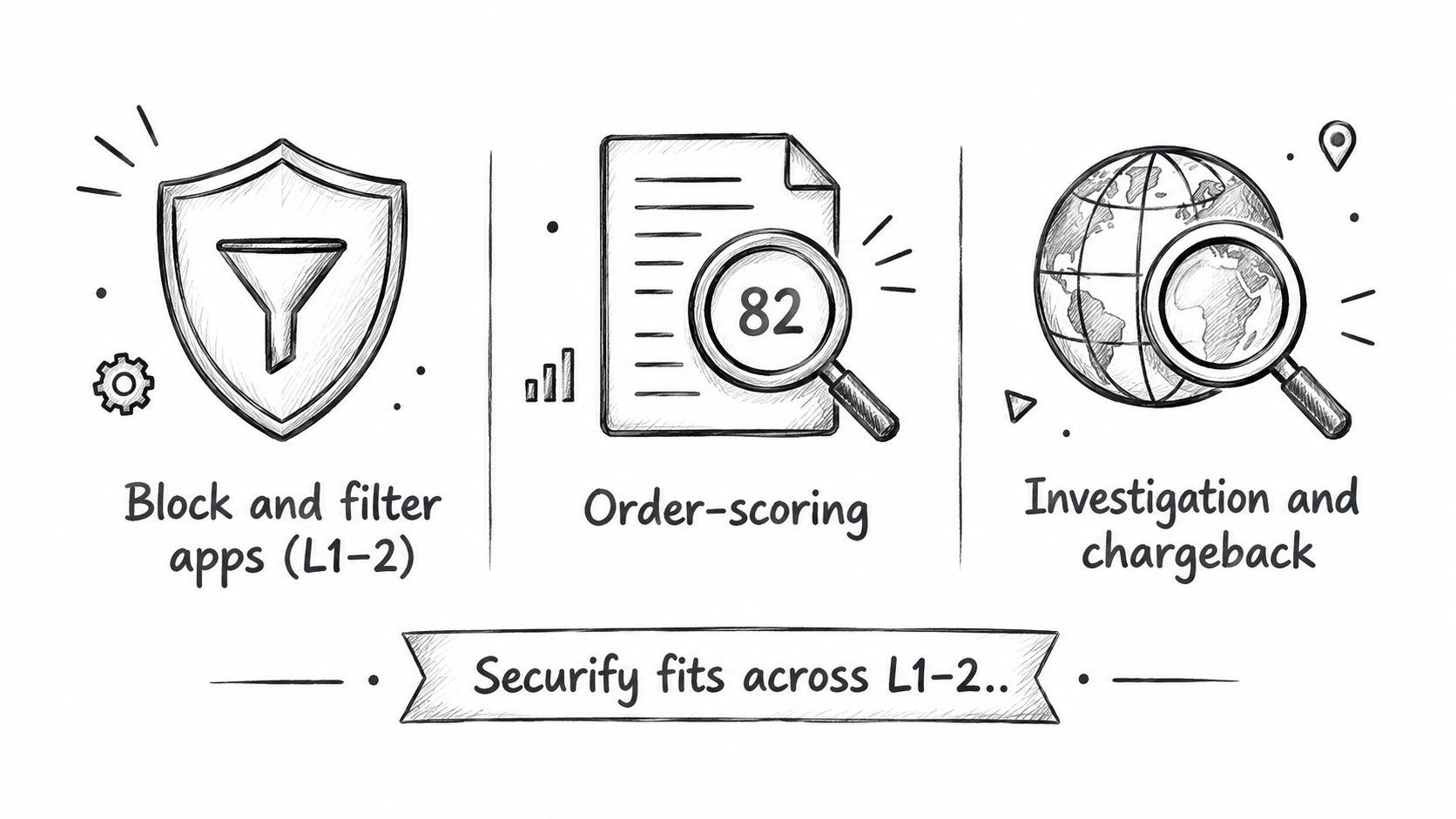
Apps fall into three useful buckets. Don't mix them up.
Block and filter apps
These sit at Layer 1 and Layer 2. Their job is to control access before the order exists. That means country blocks, IP rules, VPN and proxy filtering, bot suppression, checkout validation, and repeat-offender blocking. If your fraud problems usually start before checkout, this is the category to look at. The best mental model is simple: fraud problems usually start before checkout.
Order scoring and guarantee services
These sit around Layer 3. Their job is to make approve, reject, or review decisions on orders. That's useful if your team is drowning in manual review or if your business model needs stronger order-level decisioning than native Fraud Analysis gives you.
Chargeback and dispute services
These sit at Layer 4. Their job is dispute handling after the order exists and the chargeback process has started. If your biggest issue is disputes outside Protect eligibility, we recommend looking here. For the native side of that problem, see chargeback fraud prevention.
Where Securify fits
Securify belongs in the block-and-filter category. It acts at traffic and checkout, before or alongside Fraud Analysis, Flow, and Protect. That matters because some merchants don't need another scoring layer. They need a way to stop it before it becomes an order.
Its Shopify app, Country Blocker Fraud Securify, covers unlimited countries, IPs, and ranges on the free plan, plus country allowlists, scheduled blocks, and redirects. Higher tiers add VPN controls, bot, data-center, proxy, and Tor detection before checkout, and email-based controls like block by email or domain, allowlists, and fake-email risk scan. It also supports checkout validation for risky email, phone, or name so the order never gets created, Flow triggers, a visitor log with alerts, content protection, and related signals in Gorgias, Klaviyo, and Judge.me. If your issue is masked traffic, repeat abuse, or “how do I block a customer on Shopify,” start with VPN and bot traffic and how to block a customer.
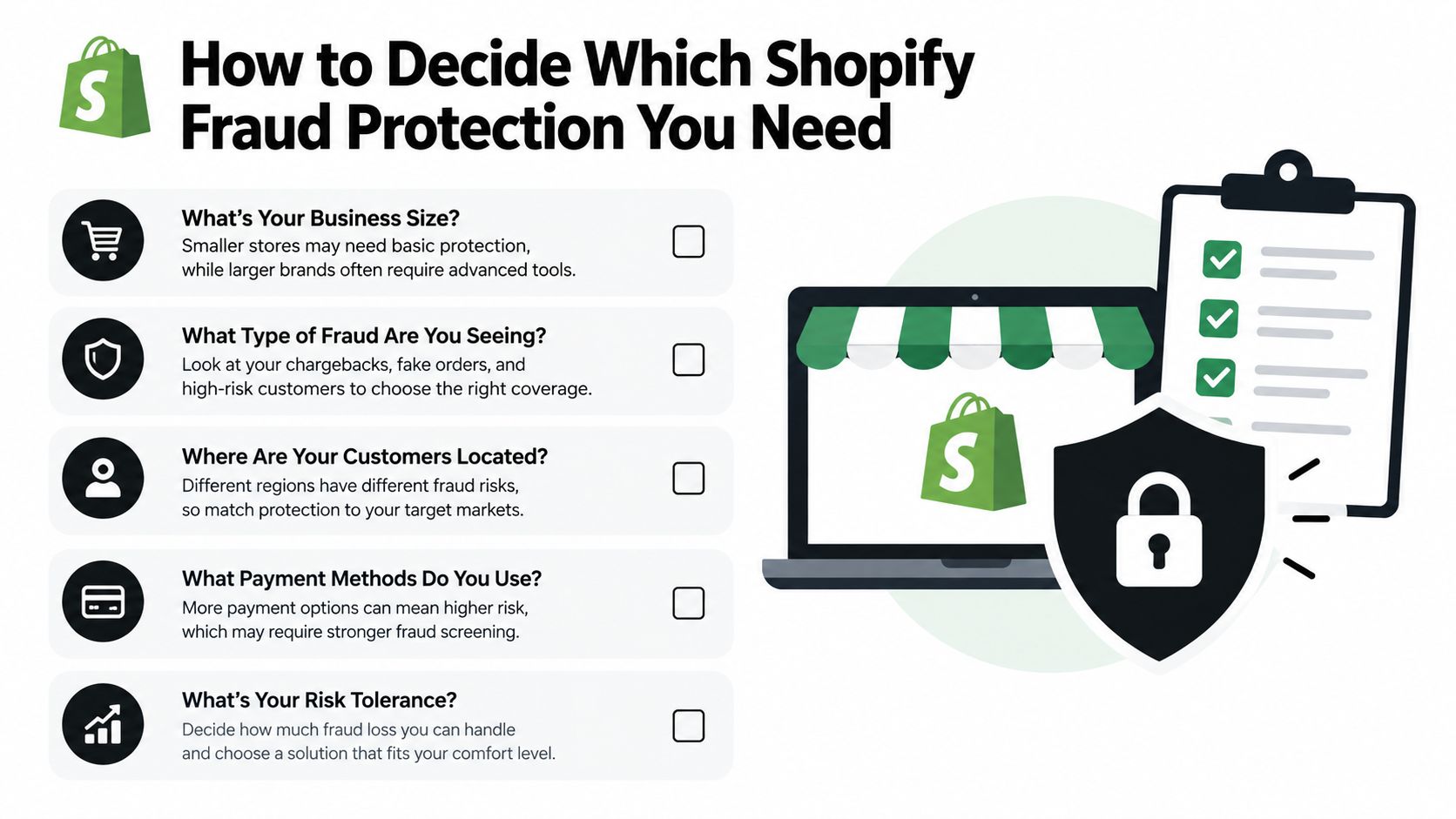
How to Decide Which Shopify Fraud Protection You Need
Start with where the loss enters the funnel. That is the decision.
Shopify's native stack is strongest at the order and chargeback layers. If your losses start earlier, at traffic or checkout, adding more order review will not fix the root problem. The cheapest fix is usually upstream, before a risky visitor becomes a risky order.
If your main issue is eligible Shop Pay card fraud, keep it simple. Use Shopify's native tools first. Review Fraud Analysis, automate the obvious high-risk actions with Flow, and measure whether your team can keep up without building a large manual queue.
If your issue starts before the order exists, choose a filter app. That includes bot spikes, VPN or proxy traffic, card testing, unwanted countries, fake signups, and analytics pollution. Those are traffic and checkout problems. Treat them there.
If your issue is a repeat abuser, use controls that can block or validate earlier in the process. If your issue is chargebacks outside Protect coverage, use a chargeback-focused service.
A simple way to choose:
- Traffic problem: block or challenge by country, IP, VPN, proxy, Tor, or bot signals
- Checkout problem: validate email, phone, name, and other patterns before the order is created
- Order problem: use Shopify Fraud Analysis, rules, and review workflows
- Chargeback problem: use Protect where eligible, then close the gaps with dispute-specific controls
Watch the metric that changes the decision. Shopify defines chargeback rate as the percentage of total payments that have received a chargeback of any kind in Shopify's fraud reports documentation. If that number is stable but your team is still buried, your real problem may be bad traffic and false positives, not chargebacks alone.
Margin matters here. Shopify's ecommerce fraud management guide makes the same point clearly. Fraud costs more than the stolen order. It also adds review time, support work, inventory risk, and reporting noise.
Manual review is where many stores waste money. Every bad session you stop at traffic or checkout is one less order to review, cancel, refund, or defend later.
If manual review is eating your team, read manual fraud review burden.
Frequently Asked Questions About Shopify Fraud Protection
Does Shopify have built-in fraud protection
Yes. Shopify includes Fraud Analysis, Fraud Control, Flow automation, and Shopify Protect for eligible orders. What it doesn't natively give merchants is strong control over who reaches the storefront and which VPN or bot sessions get stopped before checkout.
Is Shopify fraud protection free
Mostly, yes. The native tools are part of Shopify, though some features depend on your plan or on using Shopify Payments. App costs range from free filtering tools to services that price by order volume or dispute volume.
Does Shopify block VPN or proxy users
Not in the way most merchants mean. Shopify can surface proxy-related risk signals around orders, but native Shopify doesn't give you broad storefront controls to stop VPN, proxy, or Tor users from visiting or attempting checkout.
Can I block a customer from ordering on Shopify
Not with one native button. You can use rules, disable an account in some cases, or use checkout validation and traffic filtering to block the repeat offender earlier.
Do I need a fraud app with Shopify Payments and Shop Pay
Sometimes no. If your fraud is mostly eligible Shop Pay card abuse and your ops team can handle the order queue, native plus automation may do the job. If the problem is traffic quality, repeat abuse, unwanted geographies, or disputes outside native protection, then yes, you probably do.