
· invalid traffic · Shopify analytics · bot traffic · VPN abuse · ad fraud
Invalid Traffic: What Shopify Stores Should Know
Invalid traffic is non-genuine clicks and sessions that skew Shopify ads and analytics. See the types, detection signals, and what to do.
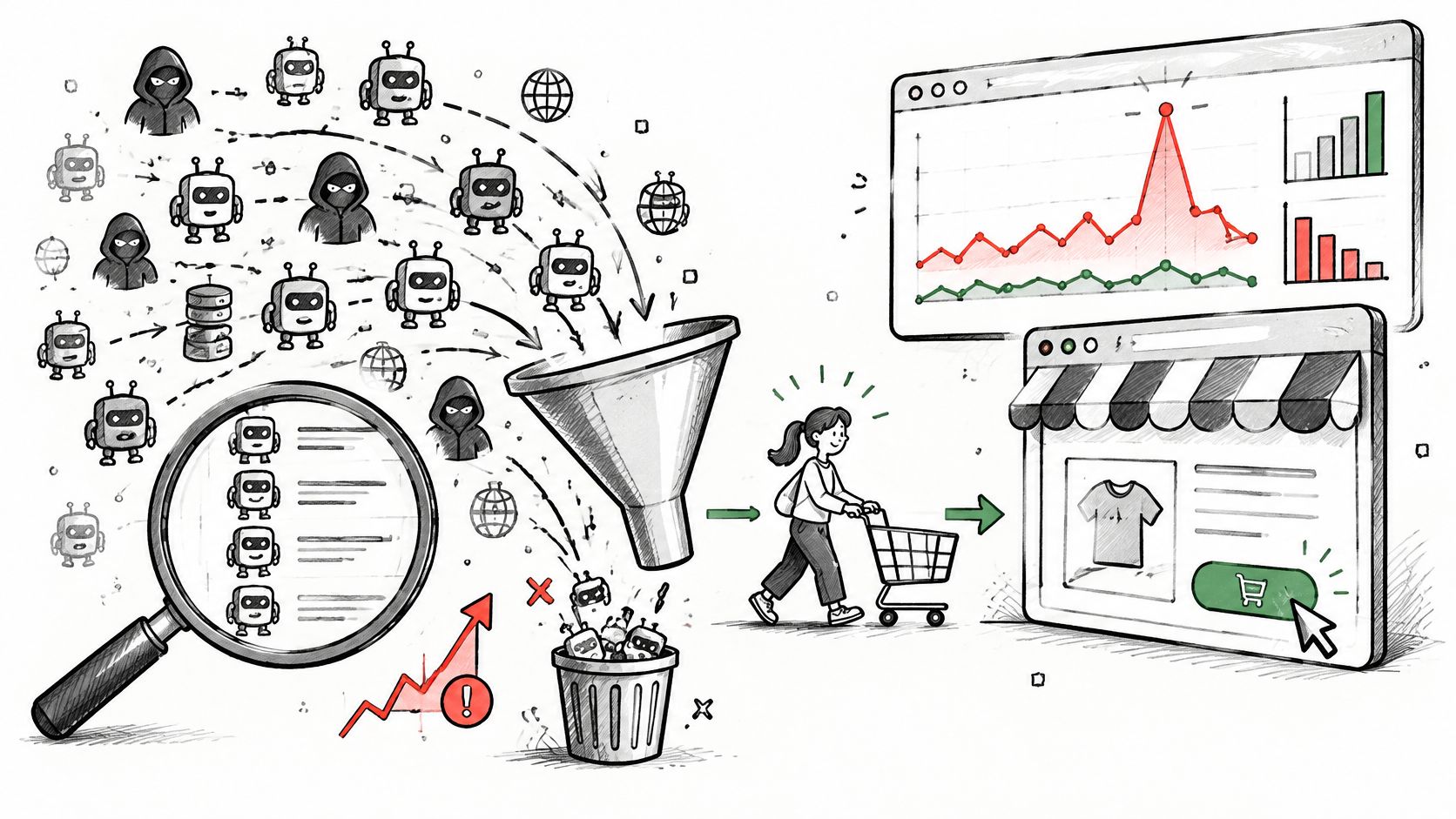
A chunk of your store's traffic was never a shopper. Sessions, clicks, and impressions can inflate advertising costs or publisher earnings whether the activity is deliberate or accidental, and MediaPost has reported on ad-market analyses finding a meaningful share of unfiltered U.S. display and video inventory invalid. Treat that as a warning about unfiltered traffic in general, not as a benchmark for your store.
A session count records a visit; it doesn't measure shopper demand. A counted session can't prove a person wanted to buy, that an ad reached a potential customer, or that a visit belongs in your conversion math. Those are separate questions, and the session count only answers the first one: something arrived.
So classify before you block. Decide whether each kind of visit should be allowed, excluded from measurement, verified, or blocked. A crawler indexing your catalog fails the measurement test and still helps shoppers find you. A scraper pulling your prices fails both.
Table of Contents
- What Invalid Traffic Means for a Store
- Types of Invalid Traffic Merchants Actually See
- How Invalid Traffic Skews Ads and Analytics
- How to Detect Invalid Traffic Without Overblocking
- How Shopify Merchants Limit Invalid Traffic
- Where Securify fits
- Invalid Traffic Questions Merchants Still Ask
What Invalid Traffic Means for a Store
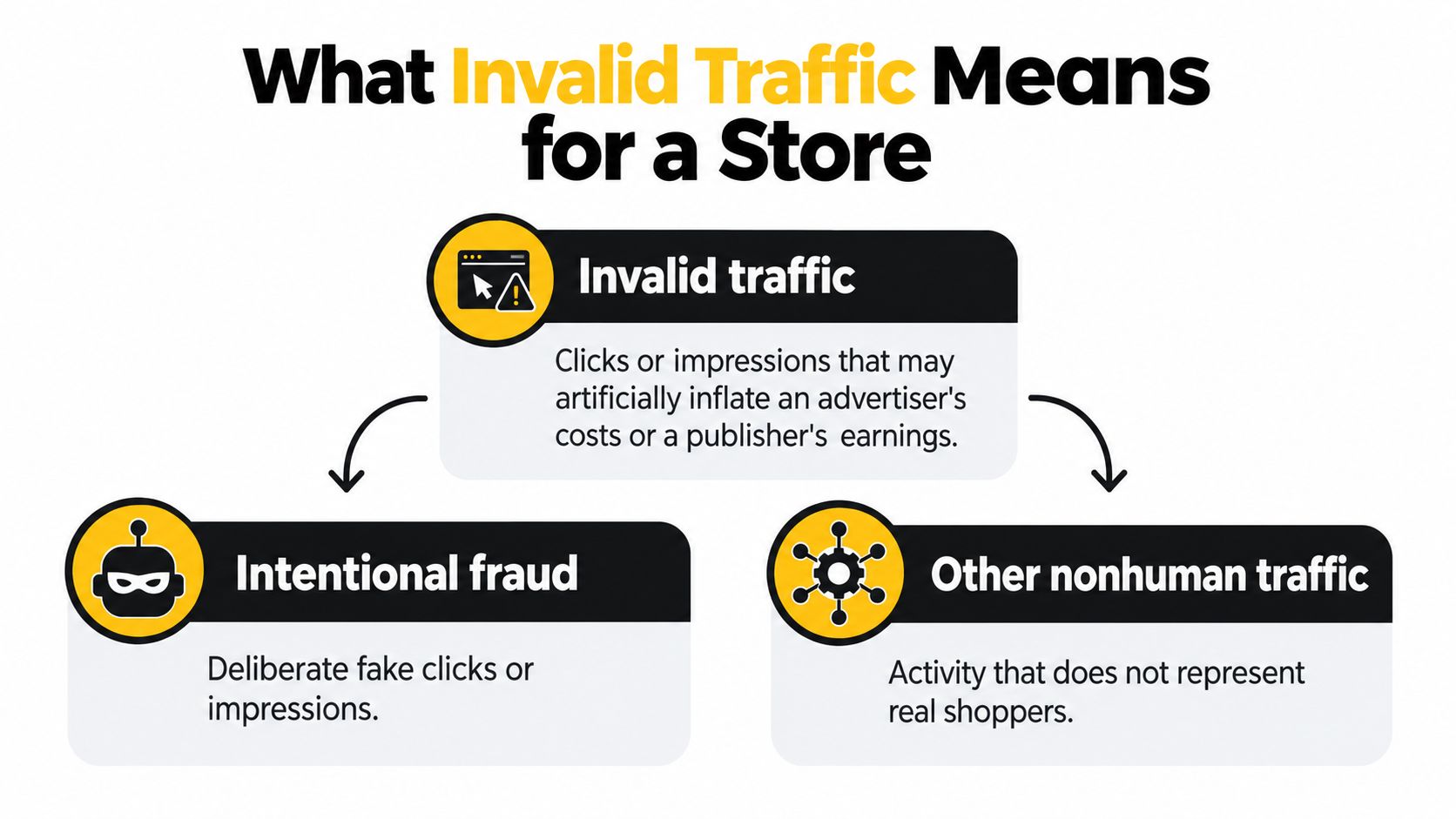
A Shopify session, click, or add-to-cart event doesn't automatically represent a prospective customer. Invalid traffic is activity that fails quality or completeness criteria, or that doesn't represent legitimate activity that belongs in a measurement count. Google defines invalid traffic as clicks or impressions that may artificially inflate an advertiser's costs or a publisher's earnings, including intentional fraud and accidental activity such as repeated clicks, automated clicking tools, robots, and other deceptive software. Google's explanation of invalid traffic also says ad clicks should reflect genuine user interest.
Consider a crawler visiting product pages to index a store's catalog. It's automated, and it may be useful for discovery, but its visits aren't evidence of shopper demand. Now consider a person browsing from a VPN. That person may be a real buyer, even though the masked network connection creates a risk signal that may call for verification.
Those examples point to a distinction worth keeping throughout your traffic review: validity for measurement isn't the same as usefulness to the store. A crawler may be useful to the business but should be kept out of shopper conversion math. A VPN session may be valid human activity but deserve closer scrutiny in an order review. Traffic classification helps you make those separate judgments.
What a session count can and can't tell you
Your session count can show that a visit was recorded. On its own, it can't tell you whether the visitor was human, whether they had purchase intent, or whether an ad interaction reflects genuine interest. A sudden rise in sessions could come from real demand, automation, or a mix of both.
For a store buying ads, that distinction matters beyond reporting. Google says it may suspend or close an account with high levels of invalid traffic, or limit ad serving when it can't verify traffic quality. A spike isn't automatically a win because it produces more clicks or storefront activity.
Practical rule: Use classified traffic, not the blended total, to guide campaign, merchandising, and staffing decisions.
Types of Invalid Traffic Merchants Actually See
A crawler indexing your catalog at 3 a.m. and a script hammering your inventory page are both automated visits. Only one of them is a problem. Invalid traffic covers several distinct patterns, and each calls for a different response.
| Traffic class | What it looks like | Effect on measurement | Fitting response |
|---|---|---|---|
| General invalid bots | Scripted page loads, clicks, or events with no shopping intent | Inflated sessions, clicks, and funnel steps | Block high-confidence automation; exclude it from conversion math |
| Coordinated bots with rotating IPs | Browser mimicry, shifting addresses, and distributed, plausible events | Looks like demand while hiding coordination | Combine behavior signals; don't rely on one IP or user-agent rule |
| Known crawlers and monitors | Search spiders, uptime checks, accessibility tools | Sessions with no purchase intent | Allow access to needed pages; keep visits out of shopper cohorts |
| Scrapers and hoarders | Repeated catalog, price, or inventory hits | Skewed product views and exposed pricing | Rate-limit or block the abusive pattern |
| Proxy and VPN masking | A hosting-range or proxy IP, or a location far from the stated one | Distorted geographic and acquisition reports | Verify with other signals; don't automatically cancel |
| Accidental invalid activity | A person or broken tool repeatedly clicking or reloading | Inflated ad activity without new customers | Rely on platform filters; don't treat activity as an order |
Evaluate each session on intent, endpoint, frequency, and downstream effect. A bot reading a public page inflates a session count and nothing more. A script repeatedly hitting inventory or checkout can expose stock data and create work your team has to undo. Same category on a report, very different cost to the business.
Non-human traffic also isn't one uniform threat. Search crawlers, monitoring services, accessibility tools, and some price-comparison agents help a store operate or get discovered. Credential-stuffing attempts, scraping, inventory hoarding, and automated checkout activity create analytics noise or operational harm. A Pixalate report on global ad-fraud benchmarks discusses the need to distinguish useful automation from harmful activity rather than treating every bot as malicious.
Match the response to the behavior
Rate-limit ambiguous automation so it can't overwhelm pages or distort reports. Verify a masked session against other order and payment details before acting, since a VPN connection on its own doesn't prove abuse. Reserve outright blocking for high-confidence patterns.
A blanket block can interfere with discovery or monitoring. Allowing every automated request inflates sessions, distorts conversion rates, and exposes catalog information. For more detail on bot and VPN patterns, see this guide to Shopify bot traffic and VPN abuse.
How Invalid Traffic Skews Ads and Analytics
The main analytics problem is a dirty denominator. Your conversion rate works like a fraction: sessions on the bottom, orders on top. When automated sessions get counted alongside human visits, the rate falls even if actual buyers are purchasing at the same rate. The same contamination can make a channel appear to drive more reach, clicks, or remarketing prospects than it really does.
A session count can tell you something arrived at the store. It cannot tell you whether that visit came from a person who might buy.
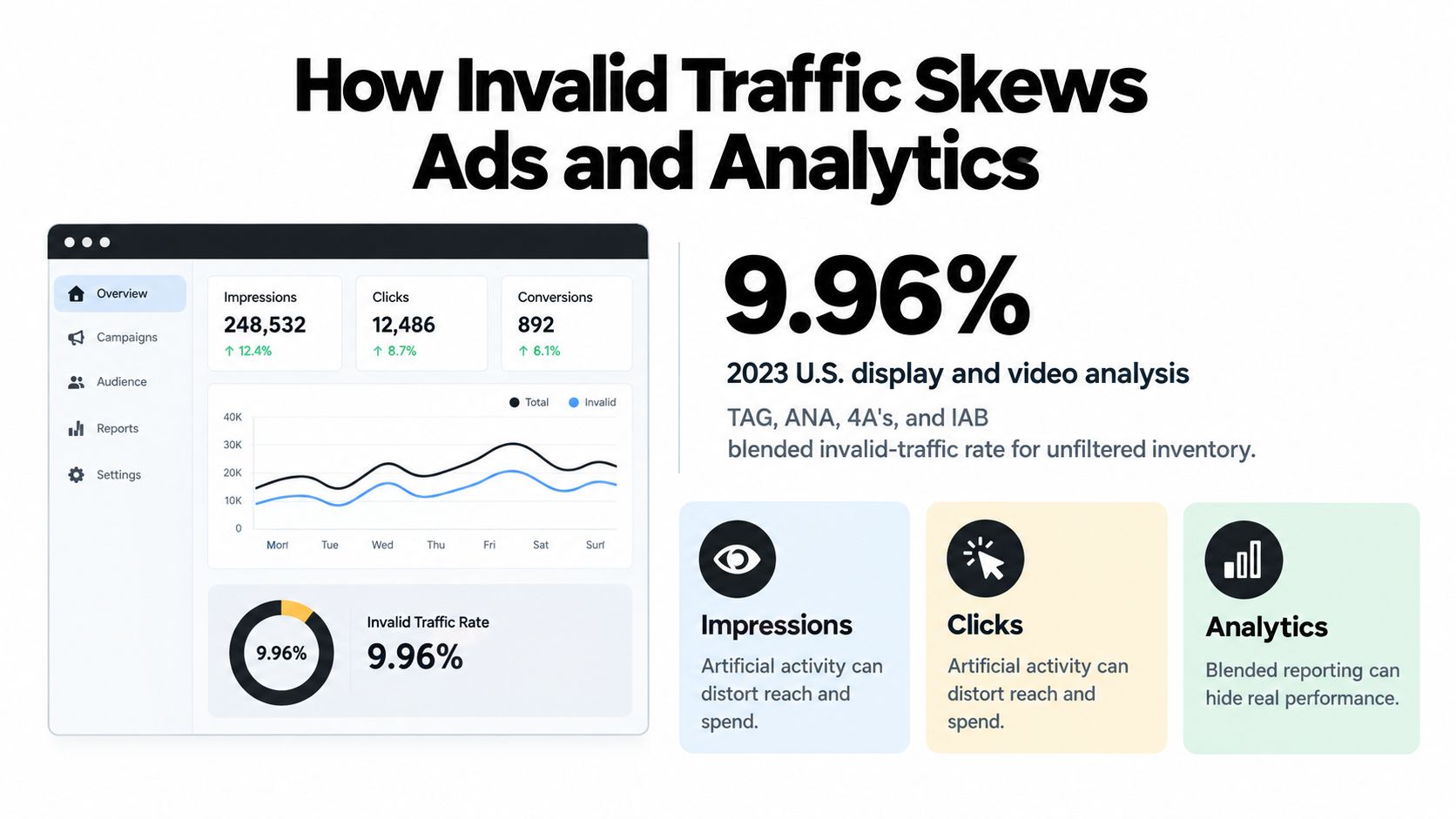
A joint TAG, ANA, 4A's, and IAB analysis estimated a 9.96% blended invalid-traffic rate for unfiltered inventory in the 2023 U.S. display and video market. That figure describes the ad market rather than any single storefront, so read it as evidence of how unfiltered activity bends reported performance. Industry groups treat IVT as a measurement-quality problem first.
For a store, the damage extends past the dashboard. Automated sessions can enter remarketing audiences, inflate email signups, submit forms that trigger support work, or create review activity without involving real customers. Each of those downstream events spends staff time and blurs which campaigns or products work.
Separate the kinds of damage
Keep lost revenue, measurement error, and operational workload distinct. Lost revenue means paid demand never became a customer. Measurement error means a metric is distorted by sessions that don't belong in its denominator. Operational workload means staff hours burned on suspicious orders, support requests, or other false signals. Each calls for a different response, so lumping them together leads to fixing the wrong problem.
Build separate cohorts for verified human traffic, known crawlers, suspicious automation, masked proxy or VPN traffic, and unresolved sessions. Compare conversion and revenue across those groups instead of deleting every visit that isn't obviously human. Known crawlers and monitoring tools can stay useful to the store; they're invalid for conversion math, which is a different question from whether they deserve blocking. Recalculate acquisition costs after removing suspicious sessions, and present a range when the classification isn't certain.
If your team is improving its attribution setup, this guide to understanding server-based conversion measurement offers useful context on how measurement choices affect reported conversions. For the storefront version of the same problem, see this guide to Shopify bot traffic and analytics noise.
Invalid traffic doesn't automatically become a chargeback, and a cleaner dashboard alone doesn't prove you've prevented fraud. Fixing the denominator fixes your reporting; the fraud question is a separate check.
How to Detect Invalid Traffic Without Overblocking
Start with confidence, not a verdict. One IP address or user-agent string cannot reliably separate a real shopper from coordinated automation. Google's published measurement methodology describes combining supervised models with multiple data sources, which is why static blocklists miss attackers who rotate IPs or imitate browsers. Google's description of its invalid-traffic measurement methodology details that layered approach.
A storefront team can apply the same principle without building the same modeling stack. Review request velocity, repetitive navigation, JavaScript execution, cookie and device continuity, checkout timing, proxy or network reputation, geographic mismatch, and unusually concentrated activity on a small group of product pages.
Classify before you block. A crawler loading product pages can be useful for discovery while still belonging outside conversion math; exclude it from metrics instead of treating it like a stolen card. A session that fails several checks is invalid for measurement even before it becomes an order problem.
Read the pattern as one signal
A few rapid page loads usually come from a real person moving quickly. Stronger evidence is the same navigation sequence repeated across many sessions, abnormal request speed, and missing normal browser events. Treat those clues as a cluster because any one clue is too weak.
Shopify's order review works the same way. Its fraud analysis can include Address Verification System results, whether the card-verification value matched, whether the customer's location matches the payment method, and unusual device or network activity. Shopify lists the order IP separately and says an IP address or location description alone is not a fraud recommendation. For a closer look at order signals, see this guide to Shopify fraud analysis.
A U.S. order arriving through a foreign-looking IP deserves review; that clue alone does not prove fraud. Weigh it beside AVS and card-verification results, billing and shipping consistency, and whether the same device or network has already produced normal orders.
Use confidence to set the action: Block high-confidence automation, rate-limit suspicious sessions, and observe ambiguous traffic while preserving the evidence.
When ad clicks look suspicious, record the campaign, placement, time, and resulting storefront behavior before changing settings. This resource on how to recover from fraudulent ad clicks can help frame the investigation. For a broader look at detecting automated behavior, see this guide to bot detection for Shopify stores.
How Shopify Merchants Limit Invalid Traffic
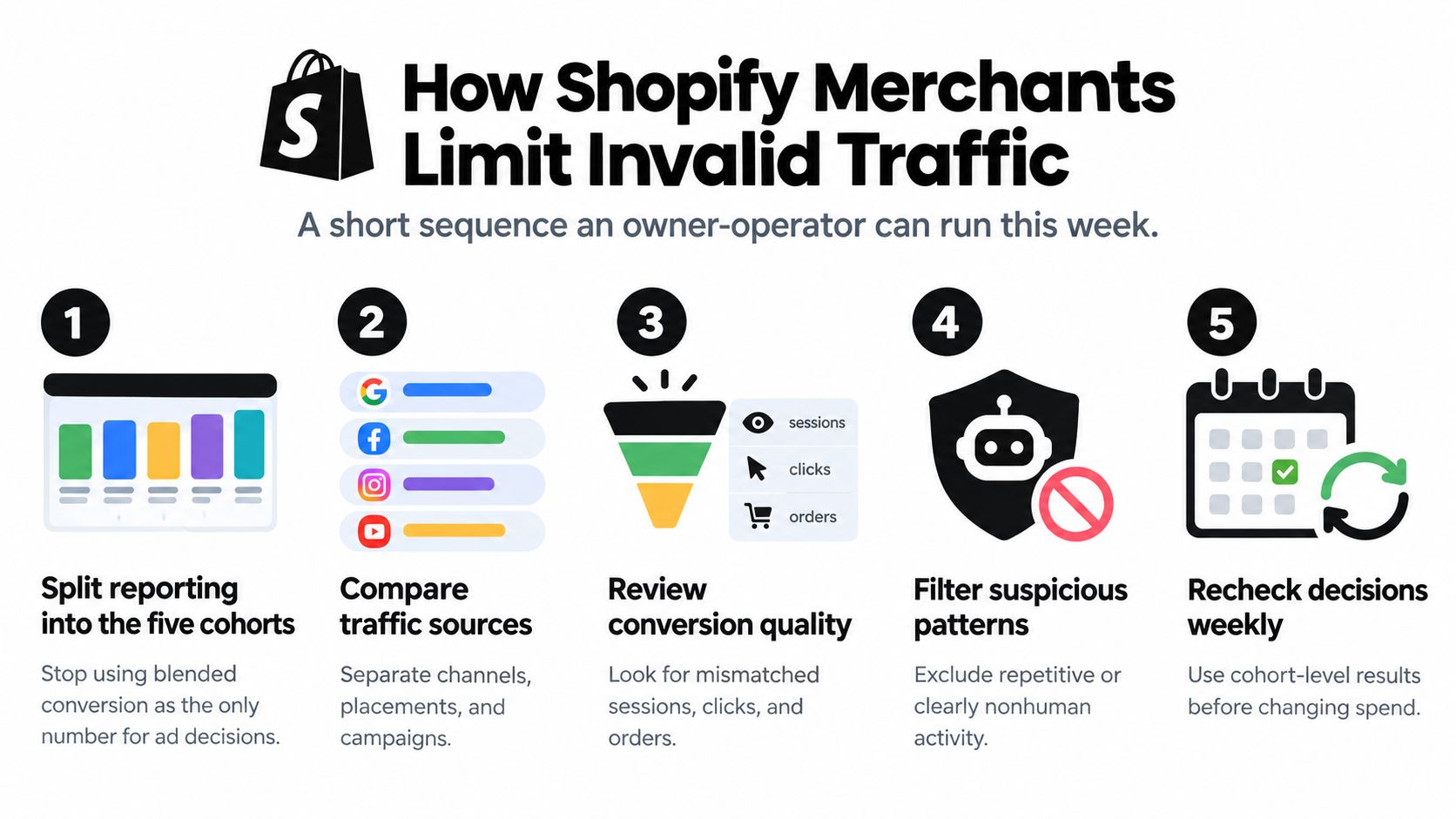
A jump in sessions is easy to spot in Shopify admin. Knowing whether those sessions were ever able to buy is the harder part, so start with a traffic pattern you can inspect rather than a single headline total.
-
Split the reporting. Apply the cohort model you already set up for measurement: real shoppers, automation, and unresolved sessions each get their own line. A single blended conversion rate cannot tell you which group is dragging the number down.
-
Check campaign quality. Look for repeated clicks, sudden traffic increases without matching orders, and placements that fail quality checks. A platform may limit ad serving when it cannot verify traffic quality, even if the suspicious activity never produces an obvious fraudulent order.
-
Set storefront controls selectively. Block or rate-limit high-confidence automation and obvious scraping at the edge. Leave ambiguous sessions observable so evidence keeps accumulating before you commit to a block that might catch a real buyer.
-
Make borderline calls consistent. Write down which signal combinations send an order to manual review, which trigger a customer contact, and which clear without action. The same evidence should produce the same decision no matter who is on shift, which matters most when a traffic spike compresses review time.
-
Stop questionable sessions from spreading. Review whether suspicious traffic is entering remarketing audiences, email enrollment, support-triggering forms, or review prompts. Recheck those rules after a sale or traffic spike, when high volume can leave less time for consistent review.
Use the traffic pattern to guide the next move
Say a paid campaign doubles sessions while orders stay flat, and many of the new visits share hosting-network signals and identical paths. Treat the change as possible measurement damage first. Inspect the placement and session behavior before rewriting a product page because the blended conversion rate fell.
A customer who checks out through a travel VPN, passes payment verification, and confirms the shipping address is a different case. The VPN is a reason to verify, not proof that the buyer is fraudulent. If the other signals make sense, the order may be legitimate, and blocking on the network signal alone would cost a sale.
Match the control to the confidence. Use IP blocking for Shopify stores when the evidence supports blocking a pattern, not because one customer's network looks unusual. Shopify's fraud-prevention guidance treats proxy use as a reason to investigate, not a standalone verdict. For broader prevention practices, see this guide to Shopify fraud protection. Cleaner traffic removes avoidable noise before checkout tools and manual review; it does not guarantee fewer chargebacks or remove the need to review risky cases.
Where Securify fits
Invalid traffic does its damage while it is still only a session: automated visits inflate campaign counts, distort funnel reports, and scrape catalog pages before any order exists. Checkout and payment fraud tools only see visitors who get that far, so the first pass has to happen at the storefront layer.
That first pass means classifying before blocking. Traffic that is only invalid for measurement, like scrapers inflating session counts, belongs outside your reports; hostile patterns justify hard limits. Treating both the same overblocks real shoppers or leaves the data dirty.
Securify screens storefront visitors in real time for bot, VPN or proxy, and high-risk patterns, with controls by country, IP, and fraud signal. Filtering earlier shrinks the review queue without removing it, and order-level decisions stay with checkout and payment fraud tools.
An independent traffic check measures how much paid traffic was never a real shopper, showing whether reported ROAS reflects buyers or bots. For that outside view, see third-party verification for better ROAS.
Invalid Traffic Questions Merchants Still Ask
Is all bot traffic invalid traffic?
No. Some automated visits are useful to the store: a known crawler or uptime monitor does its job even though its sessions should never count as shopper conversions. The practical split is classify first, block second. Securify's Store X-Ray scan, for example, sorts a store's funnel traffic into Real, Bad Bots, Suspicious Bots, and Bad, so measurement rules and blocking rules stay separate instead of treating every bot as fraud.
Does invalid traffic always become a chargeback?
No. Most of the cost shows up earlier. Bot visits on a paid campaign get counted as clicks and sessions, so the ad account reports activity that no real shopper generated. The same traffic distorts conversion rates, pollutes retargeting audiences, and eats staff review time without ever producing an order or dispute.
Should every VPN order be cancelled?
No. VPN use alone is not proof of abuse, and the detection section above shows how to weigh it against payment and address signals before deciding.
How is invalid traffic different from a high-risk order?
Invalid traffic is a session and measurement-quality problem that can exist even when no one places an order. A high-risk order is a checkout decision that should weigh payment, device, and location signals together. The two sit at different layers: storefront traffic filtering happens before checkout or payment fraud tools ever see the visitor. For the order-review question, see this guide to Shopify high-risk orders.
Use Securify to screen storefront traffic for suspicious bot, VPN or proxy, and fraud-pattern signals before it reaches checkout or pollutes your reporting. The Store X-Ray scan evaluates recent traffic quality in about 30 seconds, with no signup required.