
· VPN detection · Shopify fraud prevention · proxy detection · bot traffic · risky orders
VPN Detection for Shopify: Signals and Controls That Work
Learn how VPN detection works for Shopify stores, which risk signals matter, and how to challenge or restrict flows without blocking real shoppers.
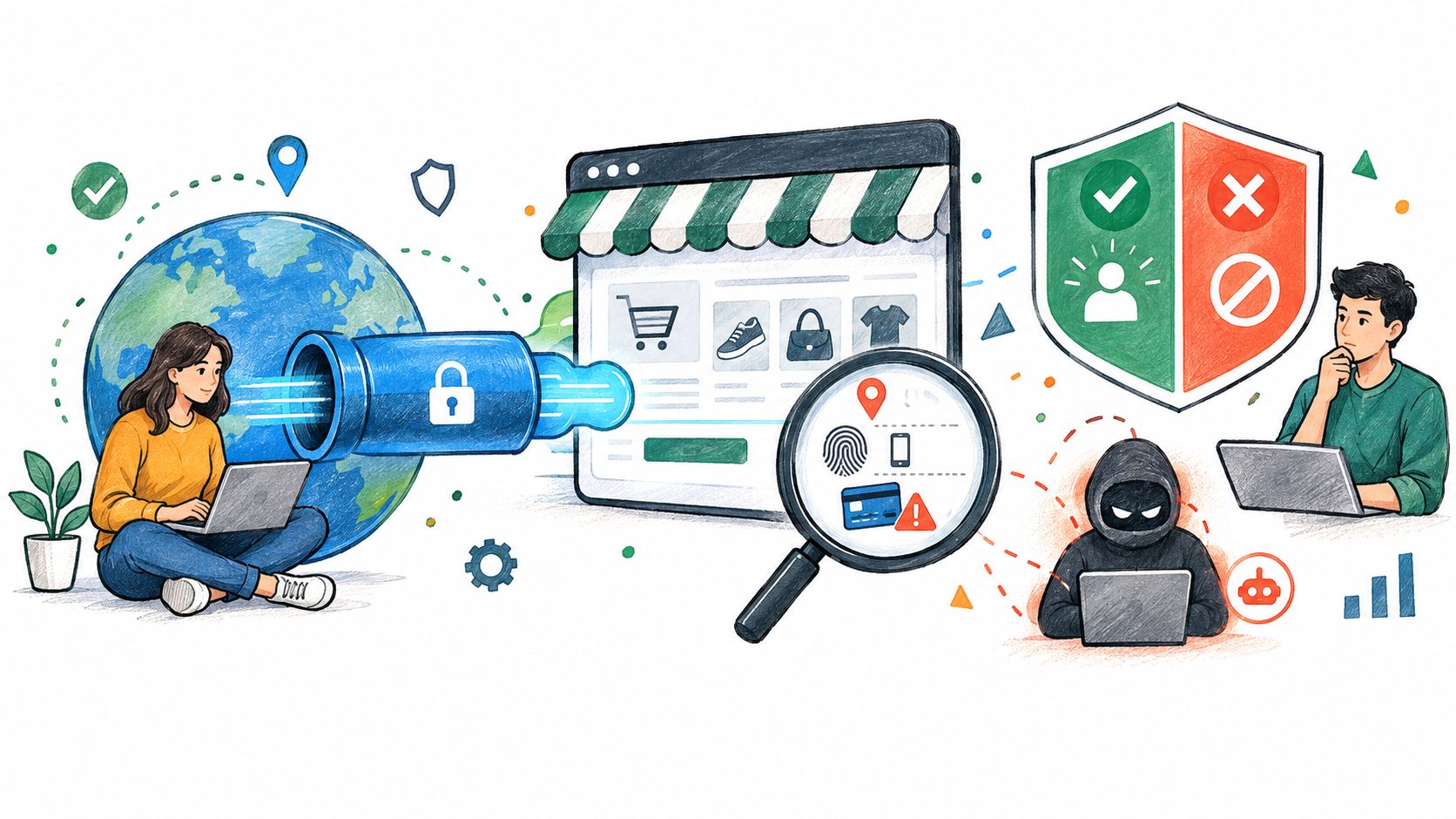
A VPN flag is not a fraud verdict. The popular advice to block every visitor using a VPN can remove real shoppers along with suspicious traffic, because the flag describes how someone connects, not what they intend. For a Shopify store, VPN detection works best as one input in a decision, weighed against what the visitor does and what happens at checkout.
Table of Contents
- Why a VPN Flag Alone Misleads Store Owners
- How VPN Detection Works Under the Hood
- Reading VPN and Proxy Signals Together
- Choosing Between Challenge, Limit, and Block
- Measuring False Positives Before You Tighten Rules
- Where Securify Fits
- Frequently Asked Questions About VPN Detection
Why a VPN Flag Alone Misleads Store Owners
Why IP-only checks miss the person behind the connection
An IP address shows where a connection appears to originate, not necessarily where a shopper is. VPNs route connections through intermediary servers, while proxy networks create similar gaps. Residential and mobile exit points can also resemble ordinary consumer connections, making location-based rules less certain.
Masked connections are common enough that an IP-only rule can catch legitimate buyers. A 2024 global survey estimated that 22.9% of internet users worldwide used a VPN. Reported usage varied by market, from 37.8% in Russia to 36.2% in the United Arab Emirates (VPN usage and security statistics). These figures cannot establish whether an individual visitor is trustworthy. They do show why stores with international traffic should not treat VPN use as a rare event that warrants automatic blocking.
What a VPN signal actually means
A VPN indicator suggests that a connection may be masked or routed through a service. It cannot establish whether the visitor is a traveler protecting their privacy, a remote worker, a buyer on public Wi-Fi, or someone attempting abuse. A customer perspective on privacy-first surveys offers an example of why people may value privacy and access across borders.
Traffic quality still deserves attention. Industry analysis from 2025 found that 53% of web traffic was automated (VPN usage and security statistics). For a merchant, the useful question is whether the connection comes with other signs of automated or abusive behavior, such as repeated requests, inconsistent devices, or unusual checkout activity.
What a store loses when it over-blocks
A blanket rule may stop a risky session, but it can also block a genuine buyer whose other behavior looks normal. That trade-off has a direct cost: the shopper may abandon a cart, contact support, or buy elsewhere. A VPN signal can be accurate while the decision to block is still wrong.
Practical rule: Treat VPN status as context. Escalate only when independent signals make the session look risky.
Screen masked traffic in proportion to the evidence. Review behavior across the session and order context before tightening a rule, then measure whether the intervention is stopping suspicious activity or turning away shoppers. VPN detection is a signal-weighing and measurement problem, not a switch to set once and forget.
How VPN Detection Works Under the Hood
What encrypted traffic reveals
When traffic is encrypted, a detector generally can't read the content of the messages passing between a browser and a site. It can still analyze network metadata and patterns, including packet sizes, timing, connection structure, and encapsulation behavior. Those clues support a probability-based classification, not direct proof of a visitor's identity or intent.
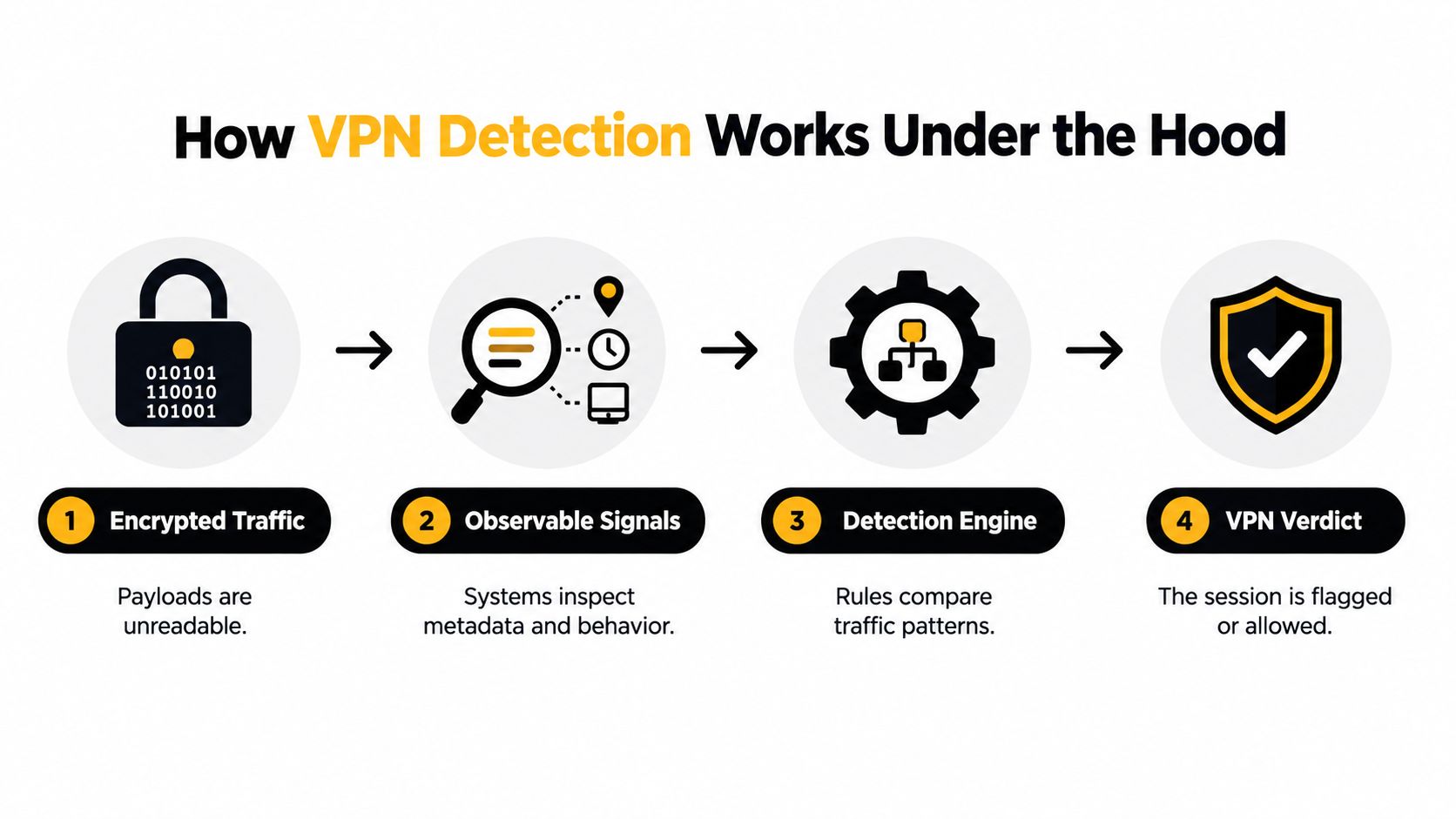
One research approach uses two stages. A passive filter first checks traffic flows for protocol fingerprints, then actively probes only destinations that were flagged to seek confirmation. For OpenVPN, researchers identified clues in byte patterns, packet sizes, server responses, and acknowledgment behavior. In a test involving a million-user internet service provider, the approach identified more than 85% of OpenVPN flows and estimated a 0.0039% false-positive rate (research on OpenVPN fingerprinting).
That result applies to the tested OpenVPN fingerprints, not every VPN or proxy. Active probing can add latency, and rotating or privately controlled endpoints may not respond in a way that confirms the initial suspicion. Teams handling sensitive customer data can also review Carti's tips for protecting customer information as they consider what to log and how to manage access.
Why lab accuracy overstates results
A 2020 study reported 93.71% overall accuracy when identifying OpenVPN traffic using TCP-header flow statistics, with results of 97.82% for Stunnel OpenVPN under 10-fold cross-validation (the study on machine-learning detection of VPN traffic). Those numbers show that traffic classification can work in a tested dataset. They don't promise the same performance on a live Shopify storefront.
Production traffic varies. Mobile connections, carrier-grade NAT, changing VPN protocols, and obfuscated tunnels can all shift the patterns a classifier sees. Ordinary applications may also resemble tunneled traffic. A detector trained or tested on a narrow dataset can therefore overstate how reliably it will classify unfamiliar sessions.
For operators, the practical takeaway is to treat model output as a risk signal. Measure how often flags are correct on your own traffic, and avoid converting a research accuracy number into a promise about real orders.
Where trusted edge logging fits
A proxy chain can hide the original source address from the storefront. The HTTP Forwarded header can carry information about addresses used across that chain, but a header is useful only when it's added by infrastructure the merchant trusts. A visitor can supply misleading forwarding information if the application treats client-provided values as authoritative (IETF RFC 7239).
Log the connection at a trusted edge or CDN, and preserve the observed address, forwarding chain, and request context together. For a broader Shopify-focused view of how masked sessions can overlap with automated traffic, see the bot traffic and VPN abuse guide.
Reading VPN and Proxy Signals Together
A VPN flag gains meaning from the session around it. Network details, browsing behavior, and order context can support a stronger risk assessment together, while any one signal alone can misclassify a genuine shopper.
Signals that carry the most weight
Network classification can identify an IP associated with a VPN, proxy, or data center. The network's autonomous system number (ASN) can show whether traffic comes from consumer infrastructure or a hosting provider. Neither reveals the shopper's intent.
Behavior adds context. Repeated actions in a short span, inconsistent device or cookie signals, and unusual account activity can raise concern. For checkout decisions, compare the payment country with the apparent network location, while allowing for travel, gifts, and privacy tools.
| Signal | What it indicates | Main limitation |
|---|---|---|
| IP classification | The address is associated with a VPN, proxy, or data center | Residential exits can look like ordinary home internet |
| Hosting ASN ownership | The connection may come from hosting or shared infrastructure | Network ownership doesn't establish user intent |
| Session velocity | Actions or requests are happening unusually fast or repeatedly | Legitimate shoppers can repeat actions after errors |
| Cookie and device consistency | Whether activity appears consistent across visits and actions | Privacy settings and browser changes can reduce continuity |
| Payment-country mismatch | The payment location differs from the apparent network location | Travel, gifts, and cross-border purchases can explain it |
| Account age | Whether the account is new or established | A new account can still belong to a genuine shopper |
Combinations that justify action
Published identity-risk guidance distinguishes ordinary VPN use from riskier combinations, such as a flagged residential proxy paired with bot-like behavior or a newly created email address. It also describes 50 signups from the same subnetwork in one hour as a potential velocity signal (Stripe's identity-risk scoring guidance). Treat that example as a pattern rather than a threshold, and look for correlated activity across infrastructure, behavior, and identity.
Early traffic screening can surface suspicious activity before it becomes an order problem. That gives operators time to check whether a burst reflects a real campaign, repeated customer activity, or automation, before it distorts funnel reporting or reaches checkout.
Single signals that should stay as context only
A VPN flag, a new account, or a location mismatch alone should guide review, not settle the decision. Each can have an ordinary explanation, and each can be wrong. The goal is to determine whether several independent clues point to the same risk, rather than to identify every masked connection.
For a separate view of checkout risk indicators, see Shopify Fraud Analysis. To assess the network signal itself, review this guide to IP reputation checks.
Choosing Between Challenge, Limit, and Block
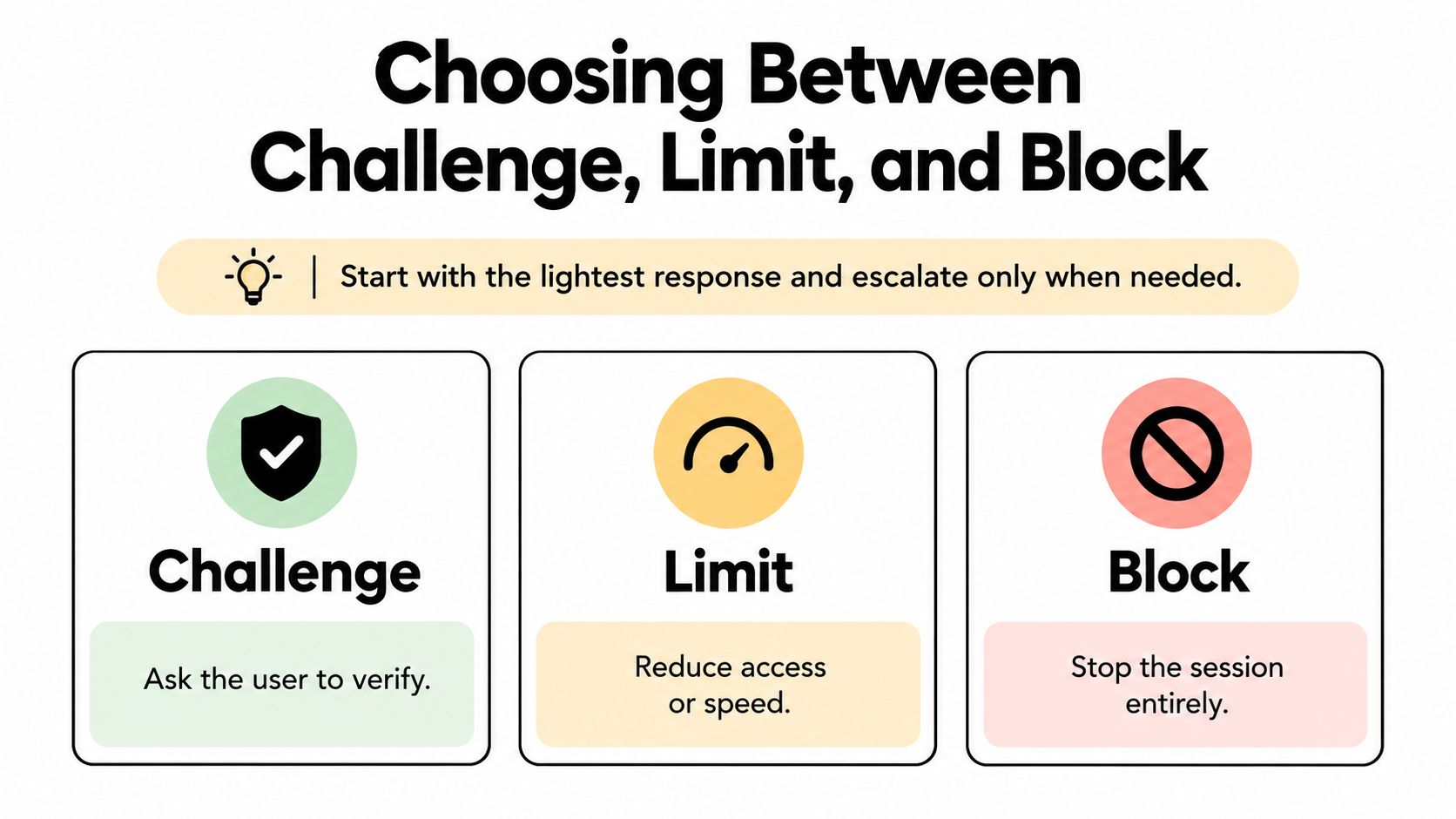
A VPN label is a reason to inspect a session, not a decision to reject it. Match the response to the combined evidence and the cost of a false positive. A challenge adds friction, a rate limit narrows or slows access, and a block ends the session. Start with the least restrictive measure that can address the observed behavior.
| Response | Friction for real shoppers | Cost of error | Best fit |
|---|---|---|---|
| Challenge | Adds a verification step | Can interrupt a legitimate purchase | Ambiguous sessions with some added risk |
| Limit | Restricts speed or repeated access | Can frustrate shoppers if set too tightly | Repeated high-cost actions or heavy endpoint traffic |
| Block | Prevents the session from continuing | Can remove genuine buyers and trigger support contacts | Multiple independent indicators strongly point to abuse |
Challenge flows
Challenge a session when its behavior warrants a closer check but the evidence remains uncertain. Keep the prompt brief and neutral. Ask the shopper to verify the session without accusing them of fraud or revealing that a VPN signal prompted the step. If they pass, let them continue without adding more friction to checkout.
Rate limits by endpoint
Apply controls where abuse can affect store operations. Account creation, repeated discount-code attempts, checkout starts on high-value carts, and heavy search or product-page traffic may each warrant limits when the activity is excessive.
Published bot management and anti-automation guidance describes per-IP rate limits as a coarse baseline. Residential proxy networks can defeat them, while limits based on multiple dimensions, such as identity and behavior, are harder to evade and less likely to disrupt unrelated shoppers. The guidance also recommends controls for risky endpoints, including catalog and search routes. If an individual customer needs attention, follow this guide to block a customer on Shopify. Store-level rules should remain proportionate: blocking by IP alone is weak against distributed activity. See Shopify risk management for related operational considerations.
When blocking is justified
Block only when independent indicators align, such as a suspicious network classification combined with repeated automated actions and inconsistent account or checkout details. A VPN label alone does not establish abuse. When signals conflict, challenge or limit first, then review the session's behavior and outcome.
Measuring False Positives Before You Tighten Rules
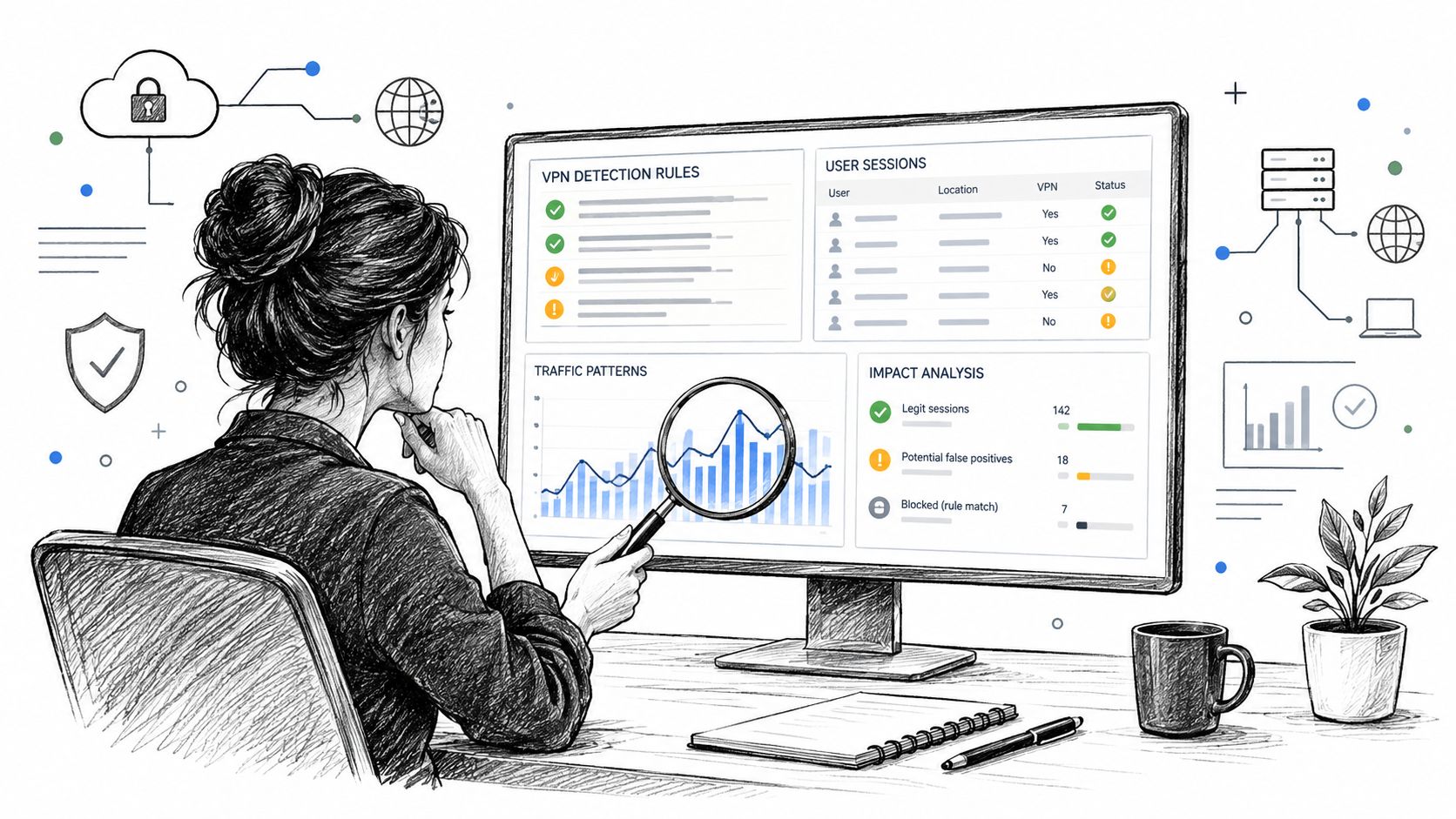
A detector can catch most abusive sessions and still disrupt legitimate shoppers when abuse is rare. Track precision, recall, false-positive rate, and calibration, not accuracy alone. Calibration shows whether a risk score corresponds meaningfully to the outcome you want to prevent.
An observe-only rollout
Run a new rule in observe-only mode before enforcing it. Record which sessions it would have challenged, limited, or blocked, without changing the shopper's experience. Review results by country, device, and traffic source to find segments where legitimate sessions are being flagged.
Then compare conversion, add-to-cart activity, and order outcomes before and after the rule. Separate the rule's effects from changes in campaigns, seasonality, or checkout operations. If a VPN signal is involved, check whether those sessions also showed behavior associated with automation or order risk.
The metrics that show harm
Watch support-ticket and manual-review volume for early signs that a rule is catching too many real shoppers. Investigate increases in questions about blocked access, verification, or checkout failures.
Published payment-industry guidance also cautions that VPN and proxy detection can produce false positives, especially with residential proxies, and recommends evaluating detection quality rather than assuming every masked connection is malicious (guidance on preventing trial abuse).
Your card processor reports chargeback ratios each month, so compare your rate for the period before and after a VPN rule against that monthly baseline. Keep chargebacks in view, but don't treat a stricter VPN rule as a complete chargeback strategy. For practical guidance on screening and measuring traffic, see the traffic quality guide.
When to loosen a rule
Loosen a rule if it blocks normal shoppers without improving order outcomes. Narrow it to the endpoint, behavior, or combination of signals driving risk instead of applying a broader block. Recheck the results after each change, since traffic sources and network patterns shift over time.
Where Securify Fits
Securify screens Shopify storefront visitors in real time, flagging bot, VPN/proxy, and fraud-pattern signals before they reach checkout or payment tools. Merchants can control traffic by country, IP, and fraud signal, with genuine shoppers passing through. This adds an earlier layer of screening; it does not replace checkout or payment fraud tools. Storefront traffic protection is included on every plan, including a free plan with no credit card required. See Securify on the Shopify App Store.
Frequently Asked Questions About VPN Detection
Should I block all VPN traffic from countries I don't ship to?
A blanket VPN rule can block genuine buyers who are traveling or using privacy tools, even when they're not trying to buy from an unsupported location. Start with the shipping restriction itself, then use additional risk signals to decide whether a specific session needs a challenge or block.
What should a challenged shopper see?
Show a brief, plain-language verification prompt that explains what the shopper needs to do without accusing them of fraud. If they repeatedly fail or can't complete the check, provide a clear route to customer support rather than trapping them in a loop.
Do VPN checks slow down my storefront?
Passive checks can run while a visitor browses without actively probing the connection. Active probing can add delay, so reserve it for sessions that have already been flagged and where extra confirmation would change the decision.