
· traffic quality · shopify fraud · bot traffic · conversion tracking
Traffic Quality for Shopify Stores: Measure, Classify, Fix
Learn what traffic quality means for Shopify, how to spot bots and suspicious sessions, and practical ways to protect analytics and conversion data.
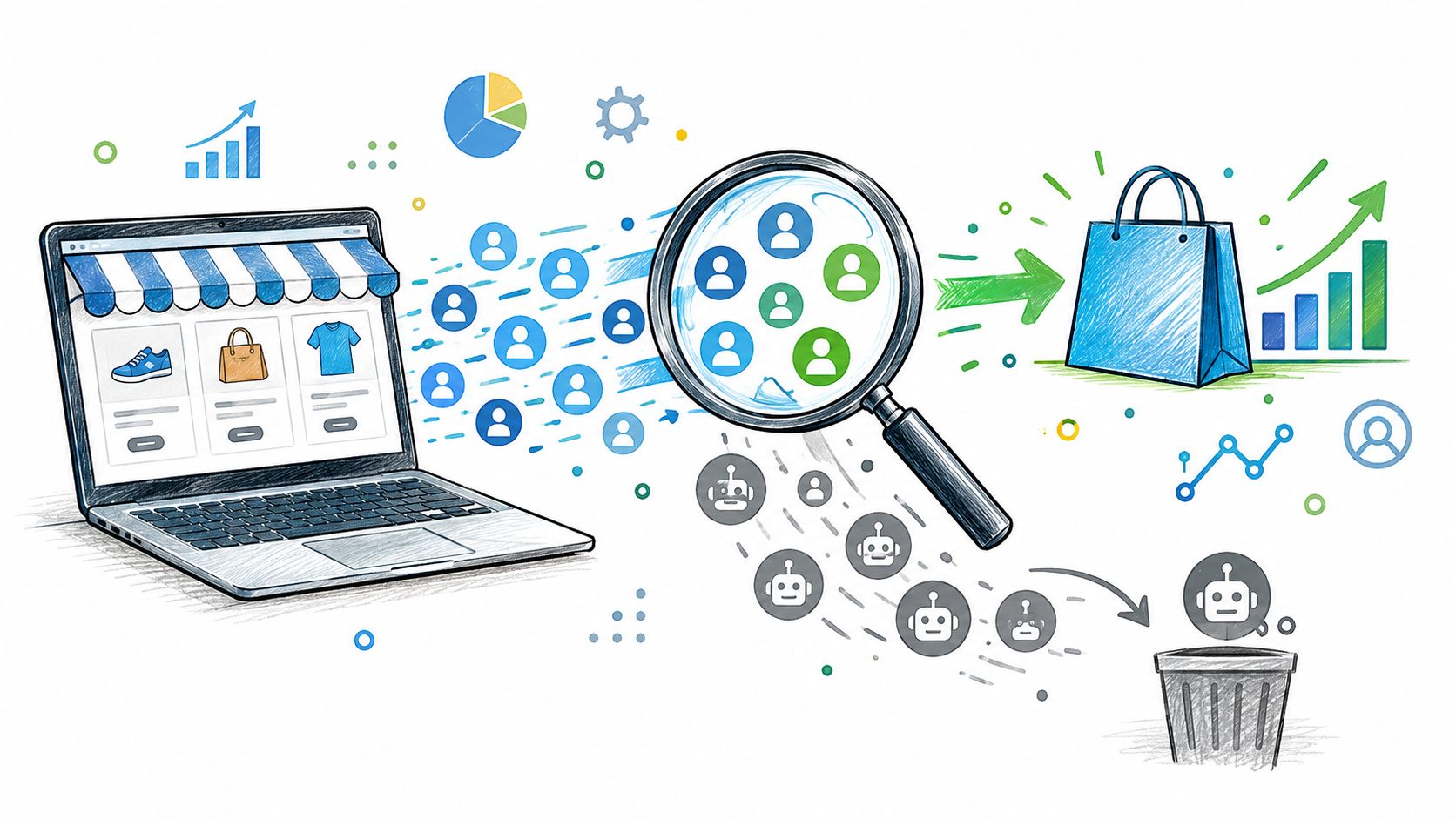
Sessions are climbing, but revenue isn't moving. Your acquisition report looks busy, your conversion rate looks worse, and someone wants to change the product page. Before you rewrite the offer or cut a campaign, check whether those extra visits came from shoppers at all.
Traffic quality starts with separating genuine visitors from automation and suspicious activity. For a Shopify store, that means cleaning up the measurement upstream while keeping order-level fraud review in place downstream.
Table of Contents
- What Traffic Quality Means for a Shopify Store
- The Three Categories of Storefront Sessions
- How Bot Sessions Distort Conversion and Attribution
- Where Shopify Fraud Analysis Fits in the Stack
- Traffic Signals Worth Combining
- Building a Traffic Quality Reporting Workflow
- Connecting Traffic Quality to Manual Review and Chargebacks
- Where Securify fits
- Frequently Asked Questions
What Traffic Quality Means for a Shopify Store
A traffic spike can look like a merchandising problem when it's a measurement problem. Consider a store receiving repeated product-page visits with little onward browsing and no corresponding increase in orders. The merchant could discount products to improve conversion, but that won't help if the additional sessions aren't shoppers.
Traffic quality is the share of storefront sessions coming from genuine, addressable humans rather than automated or abusive sources. Purchase intent matters, but don't confuse a human who doesn't buy with a bot. Someone comparing sizes, checking shipping, or researching a gift can still be a legitimate visitor.
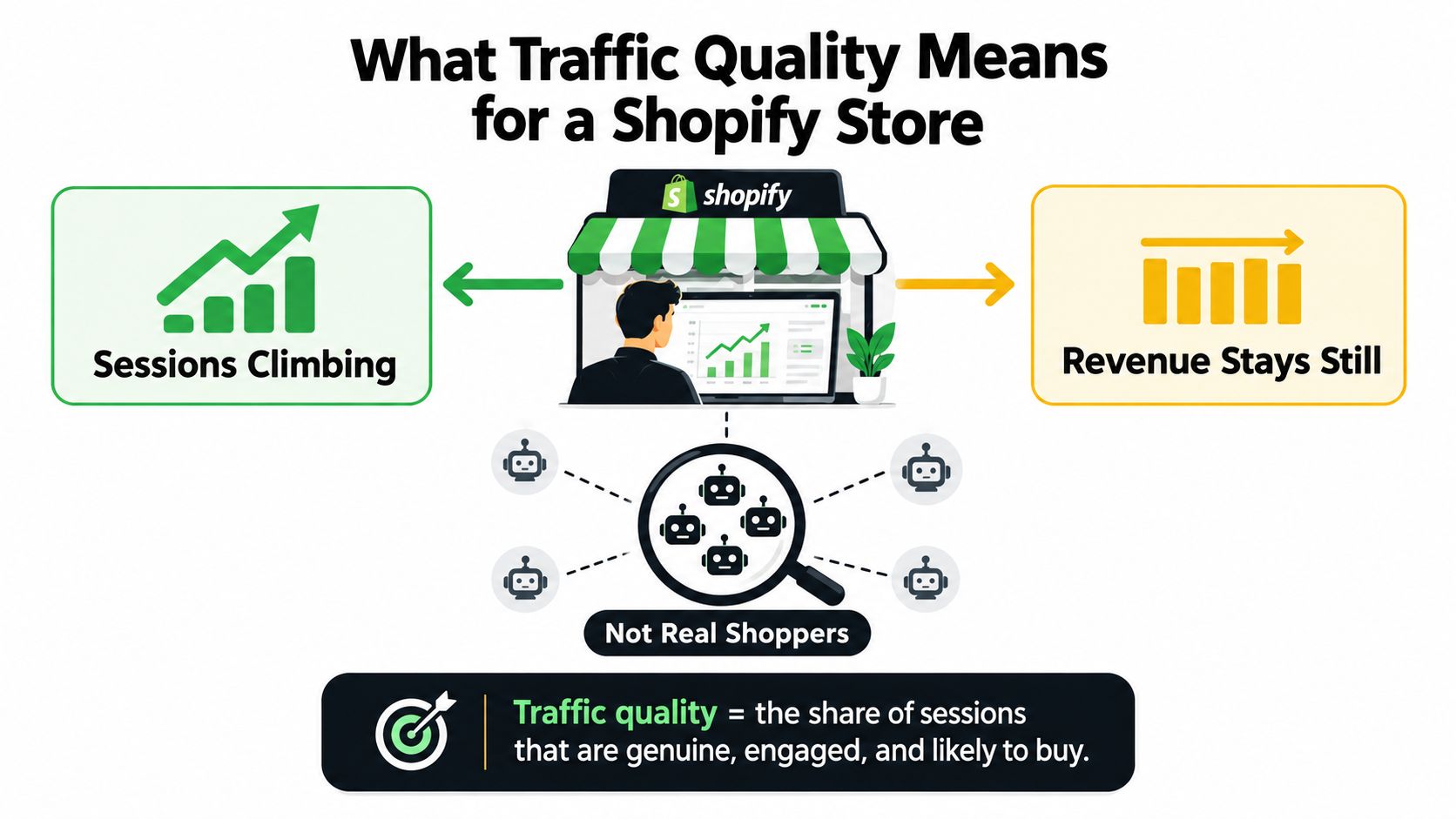
Separate measurement from fraud decisions
Storefront classification asks whether a visit belongs in your shopper analysis. Order-risk review asks whether an actual purchase needs investigation before fulfillment. They're related decisions, not interchangeable ones.
The scale of automation makes that distinction worth taking seriously. In traffic observed across its network, Imperva found that bots generated 51% of web traffic in 2024, including 37% bad-bot traffic, while humans generated 49%, according to its 2025 Bad Bot Report. That's a broad benchmark, not an estimate of your store's traffic mix.
Use your own classified sessions to decide whether an apparent demand increase deserves action:
- Acquisition decisions: Check whether a source brings addressable visitors before changing spend.
- Merchandising decisions: Compare product interest among likely humans rather than treating every page request as interest.
- Optimization decisions: Confirm that the events you use to evaluate campaigns represent meaningful shopper behavior.
For the budget side, Alpha Omega Digital's resource on cutting your CAC with proven tactics is useful alongside this measurement work. Start with trustworthy acquisition inputs before deciding which tactics deserve more investment.
Practical rule: A session increase is a reason to investigate, not evidence that demand increased.
The useful outcome isn't a cleaner-looking dashboard. It's a defensible way to classify sessions, expose uncertainty, and give the order-review team relevant context without replacing Shopify's risk assessment.
The Three Categories of Storefront Sessions
Use real visitors, suspicious sessions, and bot sessions as working categories. Keep the suspicious category visible. Forcing every uncertain visit into either human or bot creates confidence your evidence may not support.
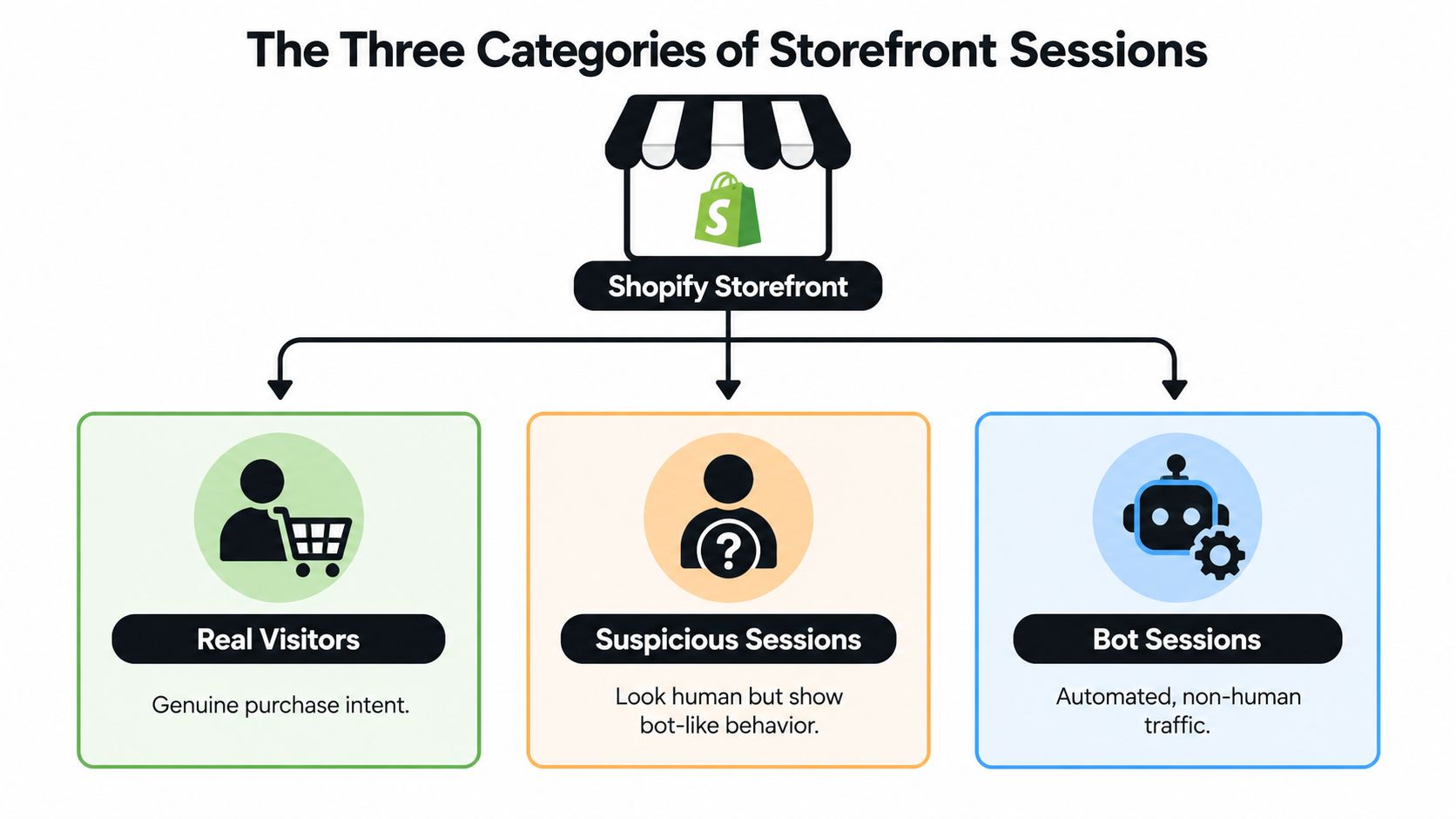
Real visitors show plausible shopping behavior
Look for coherent browsing rather than a rigid engagement requirement. A shopper might move from a collection to a product, check delivery information, and return later. Another might land directly on the right product and purchase quickly.
Session duration, bounce patterns, and page transitions help establish context. None should decide the classification alone. A short visit can be human, and a long visit isn't proof of purchase intent.
Suspicious sessions need corroboration
A proxy indicator, unexpected location, or datacenter network should trigger a closer look, not an automatic fraud verdict. Combine that context with what the session does.
For example, investigate repeated product visits with no recorded scrolling, an unusually regular cadence, or inconsistent browser headers. First confirm that your tracking works. Missing scroll events can reflect an instrumentation problem rather than suspicious behavior.
Bot sessions show stronger automation evidence
Scripted activity may appear as request bursts, repetitive paths, or repeated requests without the continuity expected from a browsing session. Classification should combine request frequency, JavaScript execution, cookie continuity, IP and ASN reputation, header consistency, and page transitions, rather than relying on user-agent strings alone, as described in the 2024 Imperva Bad Bot Report.
Match the investigation to the evidence you can access:
- Storefront analytics: Examine source, landing page, geography, and engagement patterns.
- Event reporting: Check whether page transitions and interaction events form a plausible sequence.
- Request-level telemetry: Ask your technical team or protection provider for network, header, and request-frequency evidence where available.
Don't assume Shopify's standard reports expose every technical signal. Analytics can identify a segment worth investigating without proving exactly what generated it.
Classify before you aggregate. Otherwise, the same uncertain sessions enter every downstream funnel calculation.
How Bot Sessions Distort Conversion and Attribution
Conversion rate is commonly calculated as orders divided by sessions. Add non-purchasing bot sessions to the denominator while genuine orders remain unchanged, and the reported rate falls. Nothing about the shoppers needs to change.
That distinction matters operationally. A merchant looking only at the blended rate might lower prices or commission new creative when the immediate problem is an inflated session count.
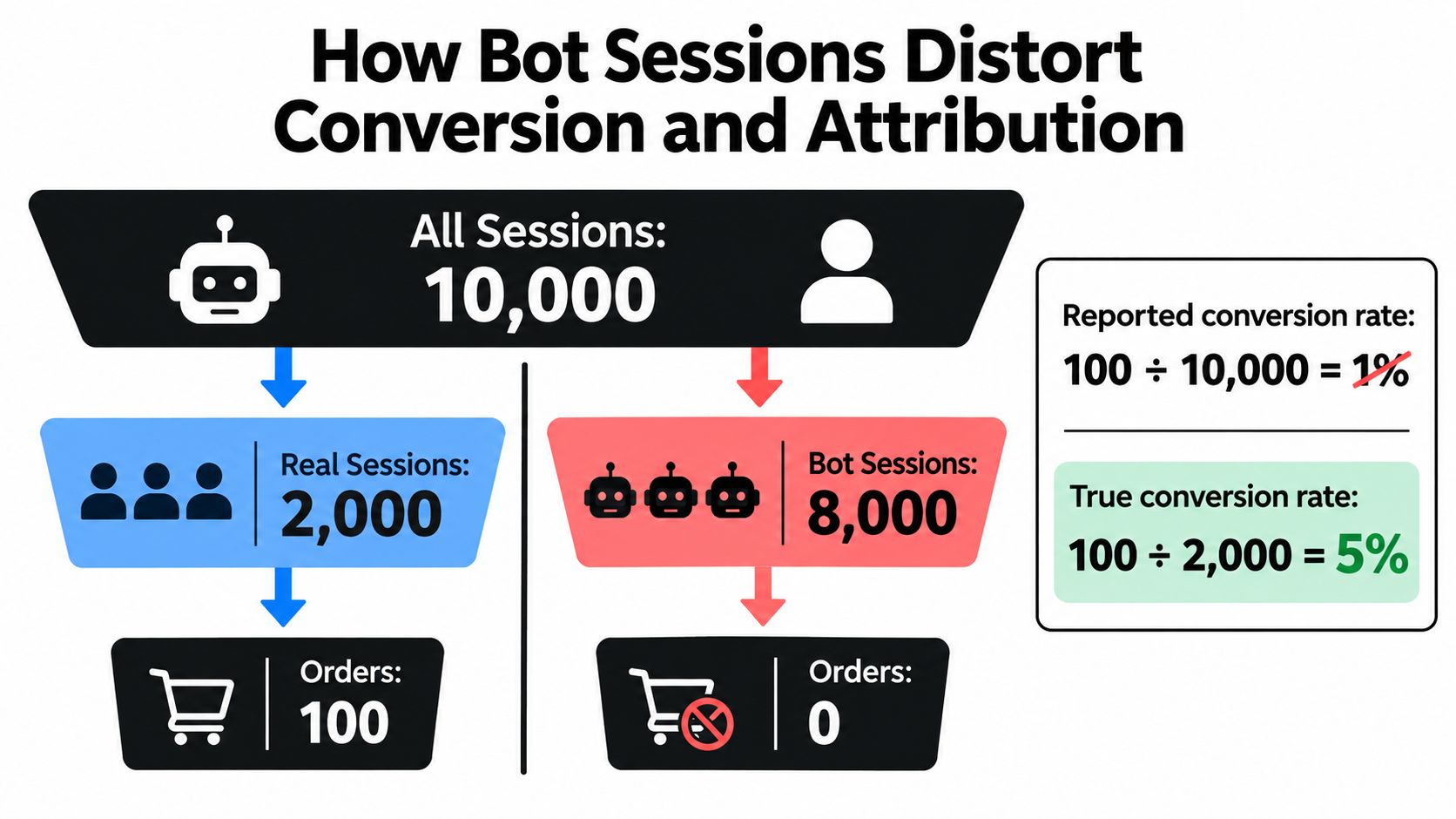
Treat the illustration as a demonstration of denominator contamination, not a benchmark for your store. Your calculation needs your own session classifications and a matching set of orders.
Attribution needs matching evidence
A session carrying a campaign label doesn't establish that an addressable shopper considered buying. Before cutting a source for poor conversion, compare its likely-human engagement and purchase activity with its total reported traffic.
The opposite mistake is rewarding a campaign for producing impressive event volume. Product views and cart events aren't useful optimization inputs if you can't distinguish genuine browsing from automated activity.
The same issue extends beyond acquisition reporting:
- Email capture: Don't treat every submitted address as evidence of a qualified subscriber.
- Remarketing: Avoid building audiences around suspicious sessions because they reached a product page.
- Cohort analysis: Check that the people entering a cohort meet the same classification rules across reporting periods.
A channel shouldn't get credit for volume you wouldn't trust when making a fulfillment decision.
Preserve the original view
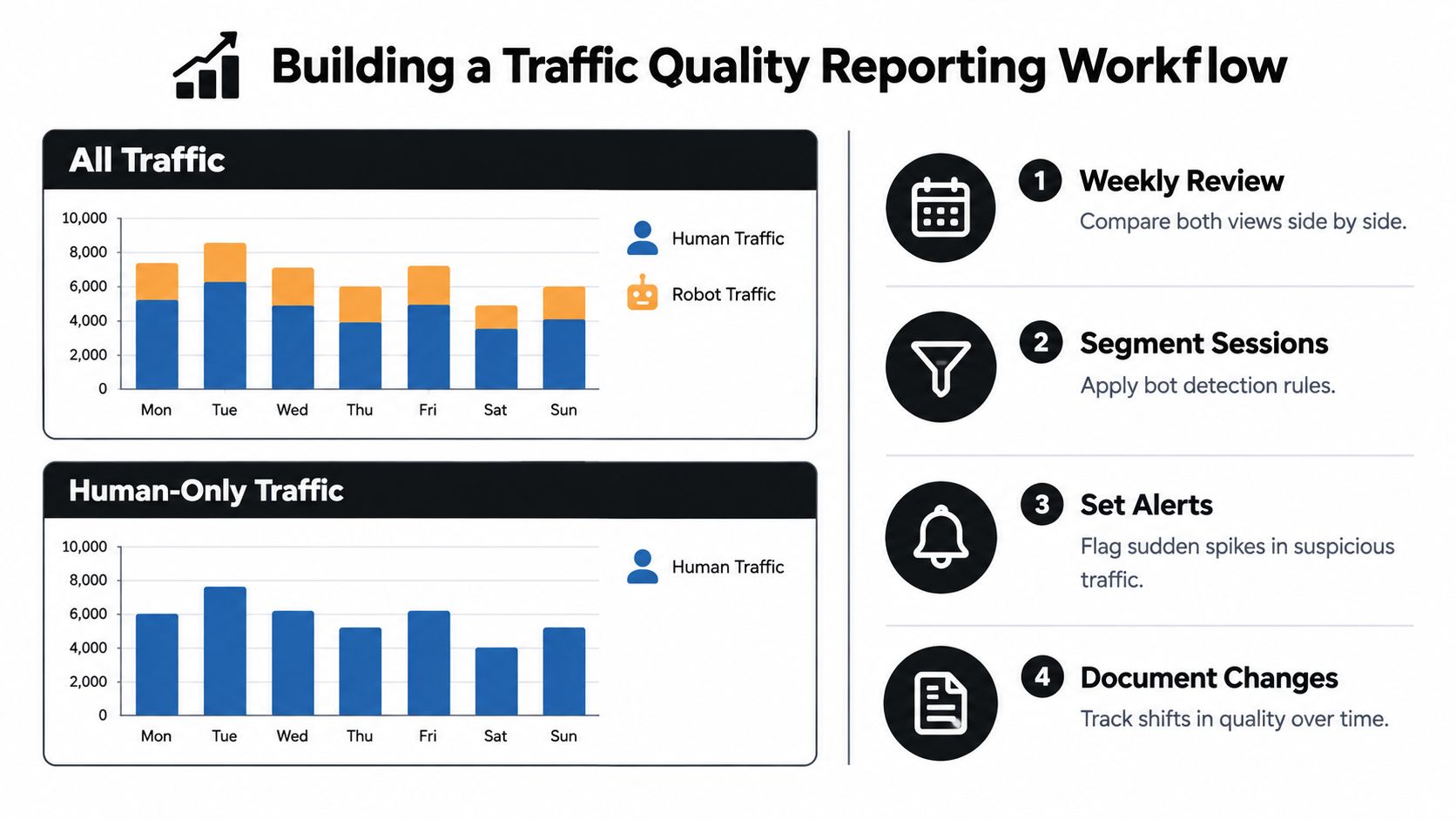
Maintain an all-traffic view alongside your classified-human view. The first preserves visibility into incoming activity. The second supports shopper analysis.
Call the second view an estimate based on your rules, not an unquestionable record of true behavior. If ambiguous sessions remain, disclose them separately rather than labeling them human.
For a deeper operational treatment, use the guide to Shopify bot traffic and analytics noise. The key discipline is consistent treatment: don't exclude suspicious sessions from conversion reporting while continuing to count their events as qualified audience growth.
Where Shopify Fraud Analysis Fits in the Stack
Shopify fraud analysis evaluates eligible online credit-card orders, not every storefront visit. It assigns low, medium, or high chargeback-fraud risk, and medium- and high-risk orders receive a warning symbol beside the order number on the Orders page.
Shopify lists indicators including Address Verification System checks, card verification value results, IP-address details, and unusual purchase patterns. For high-risk orders, it recommends verification, cancellation, or a refund rather than automatic fulfillment; fulfilling them can increase chargebacks and create payment-processing problems, as explained in Shopify's fraud analysis documentation.
Keep the fulfillment decision separate
Traffic classification supplies context. It doesn't validate a payment or guarantee that an order is legitimate.
A plausible human session can still produce a risky order. Conversely, a shopper using a privacy tool isn't automatically committing fraud. Give reviewers the relevant session evidence, but keep Shopify's order assessment and your verification process in the decision.
Use a short review record:
- Order assessment: Record Shopify's risk classification and relevant indicators.
- Session context: Add the traffic classification and the specific evidence behind it.
- Disposition: Document whether the order was verified, held, canceled, refunded, or fulfilled.
The practical guide to Shopify fraud analysis can help keep those responsibilities distinct.
Automate after the assessment finishes
For risk-based workflows, use Shopify Flow's Order risk analyzed trigger rather than assuming the result exists when an order is created. Shopify says the trigger runs after its analysis completes and applies to Shopify assessments, not third-party assessments, in its Order risk analyzed trigger documentation.
That timing prevents a workflow from routing an order before the relevant risk result is available.
For reporting, Shopify's High risk orders rate is the percentage of total orders flagged high risk. Find fraud reports under Analytics → Reports, then filter the category to Fraud, according to Shopify's fraud reports documentation. Treat this as a risk-classification metric, not proof that every flagged order is fraudulent.
Traffic Signals Worth Combining
A strong traffic-quality process combines independent evidence. Network context tells you where a request appears to originate. Behavior tells you what happened. Browser and request consistency help you judge whether those observations fit together.
No individual signal deserves unlimited authority. A rule that blocks every unfamiliar network may remove legitimate shoppers, while a rule based only on engagement can miss automation designed to imitate browsing.
Traffic signals matched to session categories
| Signal | Catches bots | Catches suspicious | Notes for Shopify merchants |
|---|---|---|---|
| IP reputation and geolocation | Helps identify known abusive sources | Adds location and reputation context | An unexpected country isn't proof of abuse |
| ASN, datacenter, and proxy indicators | Helps surface automated infrastructure | Identifies masked or unusual access | Review alongside behavior before blocking |
| Request frequency and bursts | Useful for repetitive, high-cadence activity | Reveals patterns needing investigation | Compare against legitimate campaign activity |
| Page transitions and engagement | Helps identify scripted paths | Exposes unusual browsing sequences | Missing events may reflect tracking failures |
| Header and TLS consistency | Can support technical investigation | Highlights combinations worth reviewing | Requires telemetry beyond standard merchant reports |
| JavaScript and cookie continuity | Helps distinguish client behavior | Adds context to incomplete sessions | Neither execution nor continuity proves humanity |
| User-agent string | Provides a claimed client identity | Offers limited standalone evidence | Don't use it as the deciding signal |
Match the response to confidence
Start with the category you can defend, then choose a proportionate action. A suspicious session may warrant observation or an additional check rather than a permanent block.
An automated session also needs an intent assessment. Product discovery, catalog extraction, and repeated checkout probing shouldn't receive the same treatment merely because all are automated.
Consider the requested surface:
- Public product pages: Evaluate whether automated access supports discovery or imposes unwanted extraction.
- Forms and account pages: Examine repeated submissions and access patterns more closely.
- Checkout: Escalate behavior that could create operational or order-review pressure.
For the connection between session evidence and purchase decisions, use customer risk assessment as a separate operational reference. Keep the evidence attached to the classification so reviewers understand why a session was flagged.
The resulting model should still support the original categories: likely real, suspicious, and automated. More technical data is useful only if it changes a decision you can explain.
Building a Traffic Quality Reporting Workflow
Build parallel reports with the same date range, attribution rules, and order scope. One shows all observed sessions. Another shows sessions classified as human. Keep suspicious and automated activity available as separate segments so exclusions remain inspectable.
Shopify distinguishes bot sessions from human sessions and recommends monitoring traffic spikes in Shopify Analytics or Google Analytics alongside order-risk evaluation in its guidance on bots.
Make exclusions auditable
Report the exclusion rate, the share of observed sessions removed from the human analysis under your classification rules. Separate confirmed automation from uncertain activity so a stricter rule doesn't masquerade as a change in customer demand.
Record each classification change with its effective date, affected segment, and reason. Preserve the previous view where practical. Otherwise, your team may compare periods calculated under different rules without realizing it.
Reporting safeguard: When a metric changes, check whether shopper behavior changed, incoming traffic changed, or your classification changed.
Set investigation thresholds relative to your store's normal patterns rather than borrowing a universal cutoff. Compare similar campaign conditions, weekdays, and shipping markets. An alert should open an investigation, not automatically pause marketing.
Use a manageable review rhythm
- Weekly review: Compare all-traffic and human views by source, landing page, and geography. Inspect the largest changes in exclusions.
- Monthly review: Revisit classification rules, sample uncertain sessions, and check whether event collection still works.
- Campaign-launch review: Check after launch and after major targeting or tracking changes. During active disruption, increase the review cadence until you understand the cause.
- Change log: Record rule updates alongside campaign launches, storefront changes, and analytics-tag changes.
Assign an owner for the report and another person who can challenge exclusions. That's especially useful when marketing and operations interpret the same spike differently.
A usable workflow should answer what changed, what evidence supports the classification, and whether anyone needs to act. If it only produces another dashboard nobody reviews, simplify it.
Connecting Traffic Quality to Manual Review and Chargebacks
Upstream controls can reduce manual review pressure when they stop abusive activity before it creates orders. Removing sessions from a report alone doesn't prevent checkout abuse. Distinguish measurement cleanup from actual access controls when evaluating results.
For operations, the useful question is whether reviewers spend less time on preventable abuse without delaying legitimate buyers. Track the reasons orders enter review, the evidence reviewers use, and the outcomes of those decisions.
Close the operational loop
Have reviewers return useful findings to whoever manages traffic rules:
- Confirmed abuse patterns: Identify repeated request behavior or sources associated with investigated orders.
- False positives: Flag legitimate shoppers affected by overly broad controls.
- Verification gaps: Record where session evidence was missing or too vague to help.
Don't convert a single disputed order into a blanket rule against an entire region or network. Look for corroborating patterns and preserve a path for legitimate customers.
The guide to Shopify chargeback costs and early traffic control connects upstream decisions with downstream exposure. The companion resource on manual fraud review burden is useful when defining reviewer responsibilities.
Measure operational value, not just blocked volume
A larger blocked-session count isn't automatically a better result. Your team should care whether the controls remove unwanted activity while preserving legitimate access and usable reporting.
Keep chargeback exposure as low as possible, but don't promise that traffic filtering will eliminate it. The order-level checks described earlier remain necessary.
The operating loop is straightforward: classify incoming activity, apply proportionate controls, review orders using Shopify's assessment, and use verified outcomes to refine the rules. During promotions, the peak-season bot and fraud pressure guide can support planning around heavier operational demand.
Where Securify fits
Securify is a Shopify app for merchants who need storefront traffic classification and access controls alongside their reporting process. It distinguishes real visitors, suspicious sessions, and bad bots, flags VPN and proxy traffic, and supports geo-blocking rules.
Its Store X-Ray scan provides an initial traffic-quality reading without signup. Native connections with Shopify, Klaviyo, Gorgias, and Judge.me support controls intended to keep non-genuine activity out of storefront reporting, email lists, support tickets, and review workflows.
Use it before or alongside Shopify Fraud Analysis, not as a replacement for Shopify's order assessment. Start with a baseline, inspect what gets classified, and apply targeted rules rather than broad restrictions you can't justify.
The app is listed as Country Blocker Fraud Securify, with an available free plan, through Securify on the Shopify App Store. Evaluate it against your actual sources of contamination and your team's ability to review exclusions, not the volume of activity it flags.
Frequently Asked Questions
How can I tell whether my Shopify traffic contains bots using native tools?
Start with Shopify Analytics and compare unusual session increases with orders, sources, landing pages, and geography. Check whether the change corresponds with a campaign or storefront update. Review order-risk patterns separately rather than assuming every suspicious visit produces a risky order. Native reports can identify a problem worth investigating, but they may not provide the request-level evidence needed to classify every session confidently.
Should I block all AI crawlers from my Shopify store?
Not automatically. Distinguish training crawlers, real-time retrieval, shopping agents, and automated browsers by their behavior and the pages they access. DataDome's Global Bot Security Report describes AI automation reaching forms, login pages, and checkout, not just public content. Review discovery value separately from unwanted extraction or sensitive-page activity, and make sure your crawling permissions match your commercial objectives.
What is a reasonable human-only traffic baseline for a small DTC store?
There's no universal percentage that establishes healthy traffic for every store. Build your baseline from comparable periods using consistent classification rules, then separate likely humans, uncertain sessions, and confirmed automation. Note changes in campaigns, shipping markets, and tracking before interpreting differences. A stable, explainable baseline is more useful than matching a broad internet benchmark.
How often should I review traffic quality during a product launch or sale?
Review the baseline before launch, check again after traffic begins, and revisit it after major campaign or tracking changes. If exclusions, checkout behavior, or risky-order volume changes unexpectedly, review more frequently until someone identifies the cause. Assign an owner who can coordinate with marketing and fulfillment rather than letting each team react independently. Return to the normal review rhythm once the patterns are understood.
Securify offers traffic classification, bot controls, and a no-signup Store X-Ray scan to help establish your storefront's traffic-quality baseline. Visit Securify to inspect your incoming traffic, then use the findings to choose targeted controls while keeping Shopify's order-risk review in place.