
Shopify Cash on Delivery: Setup, Costs and Fake Orders
Shopify Cash on Delivery: enable COD, check what it costs, limit it by country, and stop fake COD orders with a phone code before you ship.
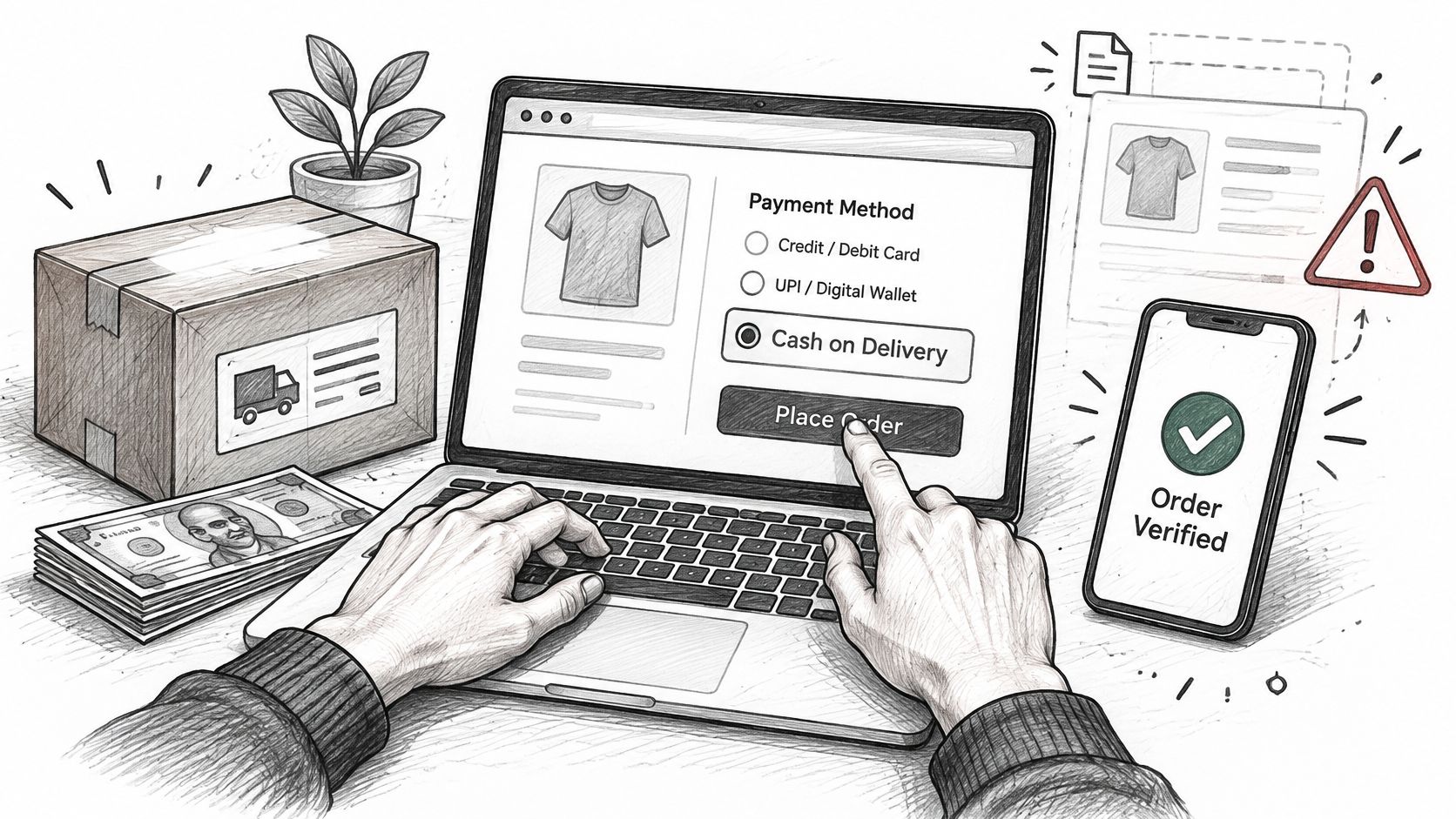
Orders are landing, the courier is booked, and then a run of cash on delivery orders goes nowhere. Wrong number. Nobody home. The parcel comes back to the warehouse with a return charge attached and the stock sits unsold for a week. COD is the payment method most buyers in India reach for first, and it's also the one that leaves you holding every bit of the risk. Shopify builds it in as a manual payment method, so switching it on takes about five minutes. Everything else, from what it costs to how you stop fake orders from shipping, is your job.
Table of Contents
- How to Enable Cash on Delivery on Shopify
- What Cash on Delivery Costs on Shopify
- How to Limit Cash on Delivery on Shopify
- How to Stop Fake COD Orders on Shopify
- Where Securify and OTP+ fit
- Shopify COD Questions Merchants Ask
How to Enable Cash on Delivery on Shopify
Shopify treats cash on delivery as a manual payment method, not a processed transaction. That design choice explains everything downstream. Shopify gives you fields for the instructions a buyer reads, parks the order in Payment pending, and leaves collection to your courier and your staff (Shopify's manual payment methods documentation).
The setup itself is five steps, and each one has a reason.
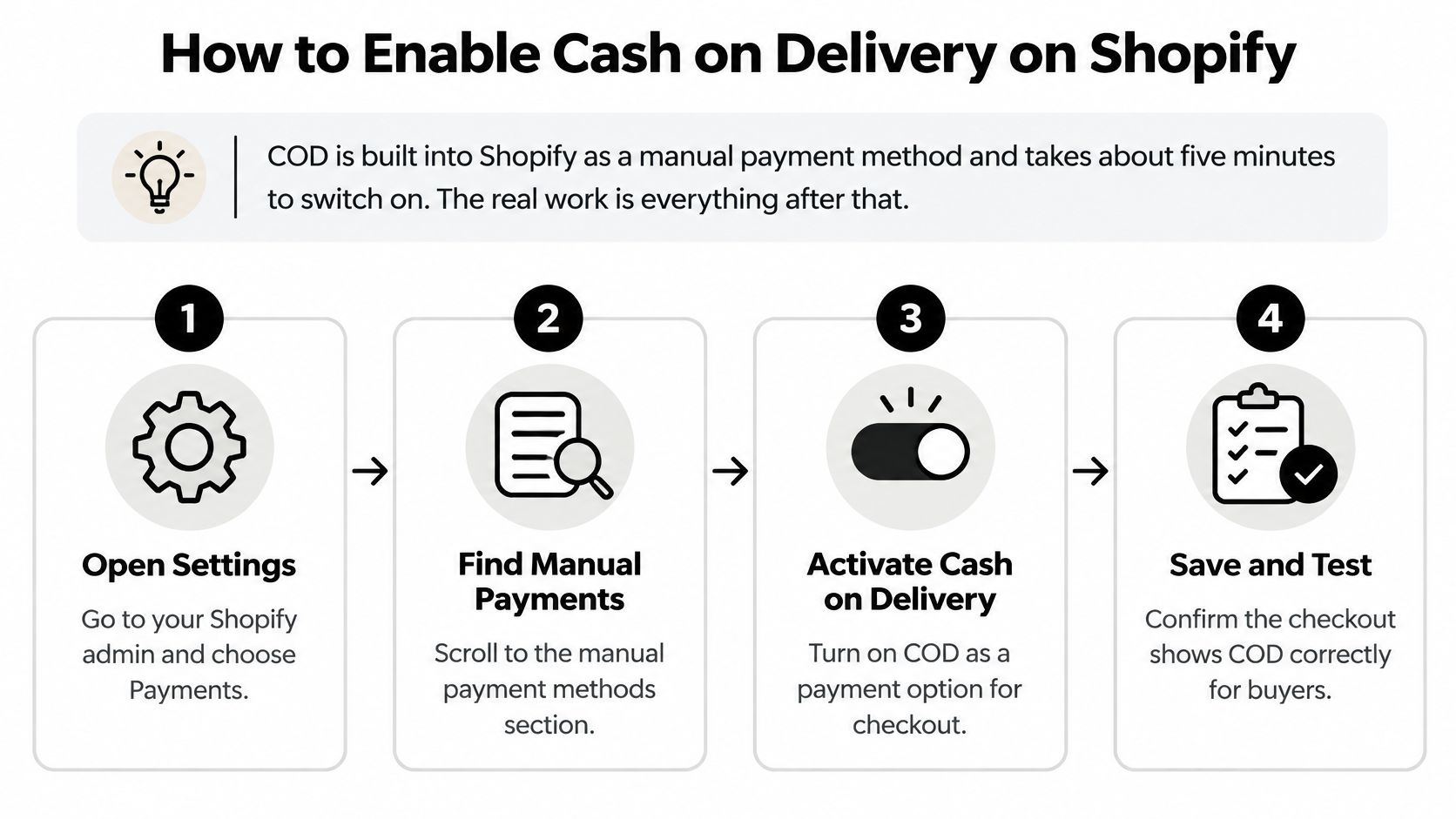
- Open Settings › Payments. Suggested manual methods sit in the Payment providers section; custom ones are created under Manual payment methods.
- Take the suggested method or build a custom one. Shopify offers Cash on Delivery (COD) as a suggested manual method. If you want your own wording, choose Create custom payment method instead.
- Fill in Additional details. This line appears next to the method at checkout. Put the courier name here and say plainly that payment happens on delivery. It's the sentence a hesitant buyer reads before deciding to trust the order.
- Fill in Payment instructions. This appears on the order confirmation page. Tell the buyer what cash to keep ready and who to call if the parcel runs late. For some customers it's the only message they'll read.
- Click Activate. Shopify advises confirming the exact collection procedure with your bank or delivery partner before you promise it to customers.
Reserved name: Cash on Delivery (COD) belongs to Shopify's suggested method, so a custom method can't reuse it. Name yours something like COD – Courier and keep the words "COD" or "Cash on Delivery" inside that name.
Those words matter beyond cosmetics. COD apps identify an order by the payment method name, and OTP+ is one of them, which the install and set up OTP+ guide walks through. Rename the method to something like "Pay at door" and your verification flow stops matching.
Two more settings before you test anything. Under Settings › Checkout, set the shipping address phone number to Required and the customer contact method to Phone number or email. Without a phone number you can't confirm an order later, and confirmation is the whole defense.
Then place a test order on a phone rather than a desktop. Confirm the method appears at checkout and that your instructions survive onto the confirmation page. The order arrives as Payment pending. Mark it paid only after the courier remits, because creating a COD order has never meant money was collected.
What Cash on Delivery Costs on Shopify
Shopify settles the fee question itself: "Transaction fees don't apply for POS orders or for manual payment methods, which include cash on delivery (COD)" (Shopify on third-party transaction fees).
Read that in context. Shopify Payments isn't offered in India, so your plan's third-party transaction fee lands on gateway orders, meaning the prepaid card and wallet ones. It doesn't land on COD, because no gateway sits in that flow. Shopify also has no native COD fee at checkout. A handling charge or a prepaid discount isn't a setting you can toggle; it takes an app.
So the money leaves in four places, and none of them is Shopify's invoice:
- The courier's COD handling fee. Your delivery partner charges to collect cash and remit it. It's a per-parcel line on the courier invoice, and it never appears at checkout unless you add it.
- The return-to-origin charge. When nobody pays, the parcel travels back and the reverse leg gets billed too. This is the cost merchants forget to model when they price a COD order at the same margin as a prepaid one.
- The double hit of one refusal. A refused parcel costs outbound freight, return freight, and the days the stock sat unsellable in a hub. Prepaid orders don't produce that failure mode.
- A COD fee you set through an app. That's your own pricing decision, and it has to stay low enough that the buyer doesn't abandon or switch to prepaid.
If you're weighing the total cost of taking money online against cash at the door, compare merchant processing costs first, because gateway pricing varies more than most operators assume.
Before you publish a price, get the courier's COD handling fee and return charge in writing and set it against the margin on your average COD order. Then work out what RTO costs in ecommerce once a few parcels come back. Most stores discover the handling fee is small and the return charge is the number that decides whether COD is worth offering at all.
How to Limit Cash on Delivery on Shopify
A blanket COD rollout usually fails at the pin-code edge. The order looks valid, checkout completes, then the courier rejects the lane or the buyer refuses the parcel, and the limit you needed should have been applied before fulfilment.
Use Shopify's native controls for the broad shape first. In Settings → Payments, COD sits under Manual payment methods, with Payment instructions for the thank-you page. Checkout settings can require a phone number, and shipping zones plus Markets decide the countries or regions where an order can ship at all. A country you do not serve should not reach COD as a live option.
The finer rules are commercial controls, not checkout basics. Hiding COD by cart value, state, first-time buyer or collection is a payment-method customization on the Basic plan or higher; Shopify Plus can cover part of it with Checkout Blocks, while other plans use an app. Pin-code serviceability stays outside Shopify, so treat the courier's serviceable pin list as the source of truth and expect it to change.
Say a store ships only to metro cities. It sets shipping zones to those cities, checks each new pin code against the courier list, then opens COD one region at a time. Delivered and returned counts get reviewed before the next region goes live. That is slower than switching COD on nationally, and cheaper than learning about bad lanes from return invoices.
| COD setup step | Native Shopify | Needs an app |
|---|---|---|
| Turn COD on or off | Yes, under Manual payment methods | No |
| Show instructions on the thank-you page | Yes, Payment instructions field | No |
| Require a phone number | Yes, Checkout settings | No |
| Limit COD to countries you ship to | Partly, through shipping zones and Markets | Yes for COD-by-market rules |
| Hide COD by cart value, state or first-time buyer | No | Yes |
| Check pin-code serviceability | No | Courier serviceable pin list or app |
| Set a COD fee or steer buyers to prepaid | No | Yes |
| Verify a COD order before dispatch | No | Phone-code or risk-check app |
The decision rule stays simple. Use native controls for everything they cover, add an app only for the control Shopify cannot set, and review COD monthly by delivered and returned counts rather than conversion. Payment-method rules and Shopify order risk signals are separate controls, and tightening one does not fix the other.
How to Stop Fake COD Orders on Shopify
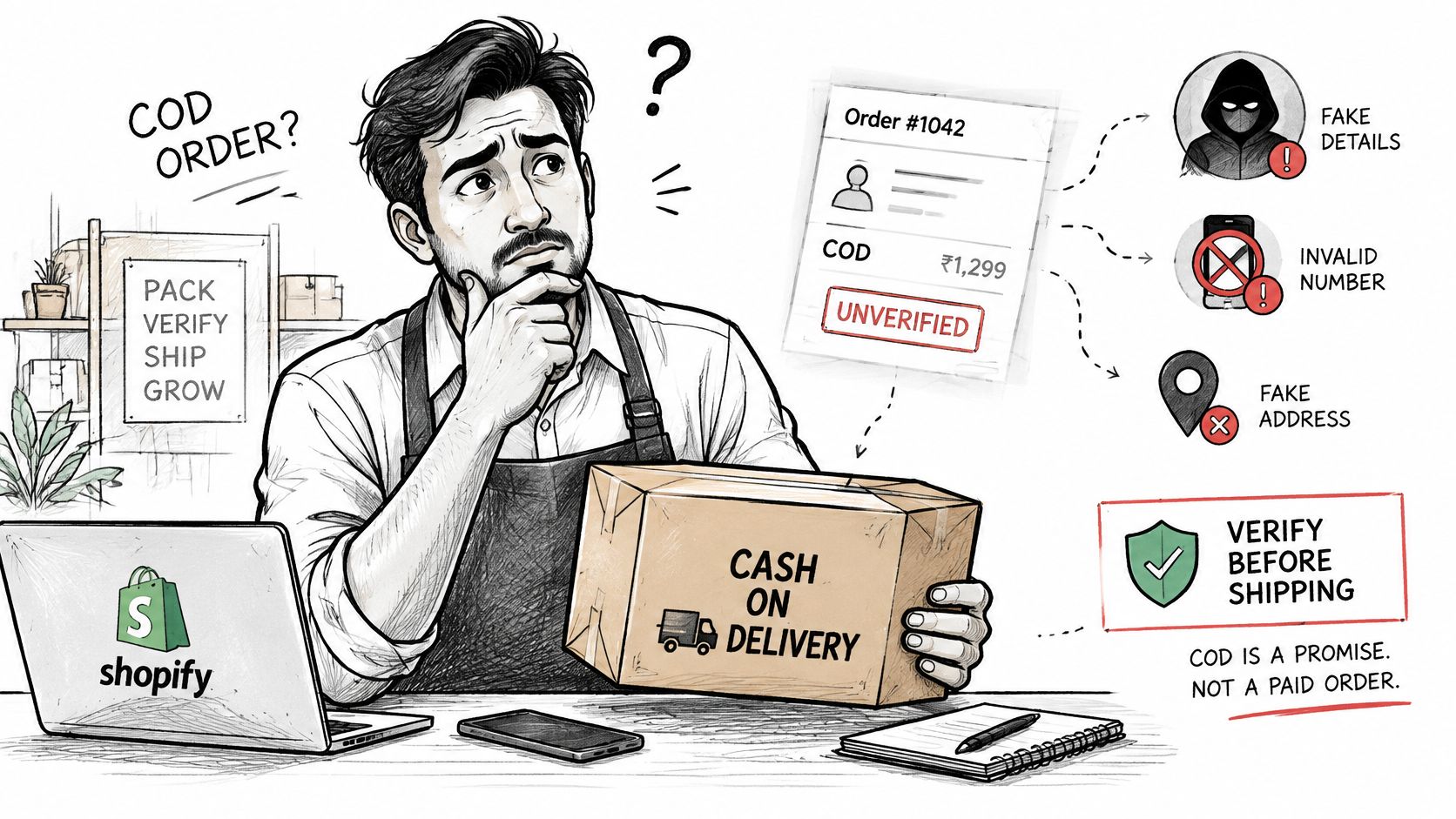
A COD order is a promise, not a payment. The buyer hasn't paid, hasn't entered a card, and can refuse the parcel at the door at no cost to themselves. Shopify's built-in screening doesn't cover this, because Shopify's fraud analysis applies to eligible card orders, scoring their chargeback risk as low, medium or high. There's no card in a COD order for it to score. The screening has to be yours.
Here's the gap in practice.
Confirm Every COD Order by Phone Before It Ships
The cheapest control is a phone code. With OTP+ installed, the thank-you page shows Confirm your Cash-on-Delivery order. The buyer taps Send confirmation code, receives a 6-digit SMS code, enters it and sees Order confirmed. Someone who closes the tab can confirm later from the Order status page, so the step never has to block them.
In OTP+ Settings › Access control, choose Hold fulfillment (recommended). Nothing ships until the buyer confirms, and the order releases automatically with the tag otp-cod-verified. Choose Tag only if you'd rather keep fulfillment manual. Orders nobody confirms pick up otp-cod-unverified after a window you set between 1 and 30 days, default 3.
OTP+ never cancels an order on its own. Install its free Shopify Flow template, "Cancel unverified COD orders", which waits, rechecks the tag and cancels with restock, or let Flow email you so a person makes the call. Two requirements decide whether this works at all: the payment method name must contain COD or Cash on Delivery, and the OTP+ block must sit on both the Thank you and Order status pages. It works with classic and new customer accounts.
What this buys you: you stop spending pick-pack labor and outbound freight on orders that were never going to be accepted.
Keep the Traffic You Cannot Serve Away From Checkout
Three controls handle most of the rest. Allow only the countries you ship to, so checkout isn't open to buyers you'd have to refund. Block bot, datacenter, VPN and proxy traffic before it reaches checkout, because a script that fills a COD form doesn't need a working phone. And reject risky email addresses at checkout, so the order is never created in the first place.
Fake COD orders are one of six fake-order patterns worth knowing, and how to stop fake orders on Shopify breaks down the other five. Once the obvious junk is gone, measure refusals by region and courier and act on the worst segments with how to reduce RTO. Fewer fake orders is the goal; fewer returned parcels is the result.
Where Securify and OTP+ fit
Two tools, two different moments in the order.
Securify covers the traffic side, before a COD form is ever filled, and acts before or alongside Shopify's fraud analysis. It blocks countries and IP ranges, with a whitelist, stops bots, scrapers, VPN and proxy visits, and blocks fraudulent emails at checkout so the fake order is never placed. Each high-risk order gets a fraud alert you can hold or cancel from the email, and a live visitor log shows who is browsing. All of it is on the Free plan, the plan the App Store listing shows, and the app is rated 4.6 from 103 reviews.
OTP+ Phone, SMS & Social Login, rated 4.9 from 39 reviews, works after the order exists. A COD order is an unverified promise until the buyer answers, so OTP+ confirms each one by phone code and holds fulfillment until they do. It never cancels an order on its own, and COD verification is free.
If fake sessions are generating the orders, start with the traffic filter. If real buyers are ordering and then refusing, add the phone check.
The three places to start: Securify on the Shopify App Store, OTP+ on the Shopify App Store, and the COD order verification guide.
Shopify COD Questions Merchants Ask
How do I enable cash on delivery on Shopify? Go to Settings › Payments, open Manual payment methods and choose Cash on Delivery (COD). Add your Additional details and Payment instructions, then click Activate. The method shows at checkout immediately, and orders arrive as Payment pending.
Does Shopify charge a fee on cash on delivery orders? No Shopify transaction fee. Budget for courier COD handling and return-to-origin instead.
Can I offer COD only in some pin codes or below a cart value? Not natively. Shipping zones work by country or region; hiding COD by cart value, state or customer needs a payment customization app (Basic plan or higher). Check pin-code serviceability against your courier's list.
Why does the COD option disappear when a customer enters a pin code? Usually the address falls outside your shipping zones, so checkout has no shipping rate to attach the method to. Check Settings › Shipping and delivery for the zone that covers that address before you blame the app.
Should I ship before the buyer confirms the order? Hold fulfilment until the phone code is confirmed. A COD order is only a promise until the buyer answers, and sending it early turns a weak address into a return-to-origin cost.
How do I stop fake COD orders on Shopify? Require a phone number at checkout, confirm each order by SMS code before fulfillment with OTP+ (free), and let a Flow workflow cancel unconfirmed orders after a grace period. Then block the countries and bots you don't serve.
Is there a Shopify COD app for India? COD is built into Shopify and needs no app. OTP+ confirms COD orders by SMS code for free, and Shopify's own Advanced Cash on Delivery app is no longer listed on the App Store.