
Address Verification System (AVS): What It Checks on a Shopify Order, and What It Misses
The address verification system checks only the billing street number and ZIP. Learn what each AVS code means on Shopify and what to do about a mismatch.
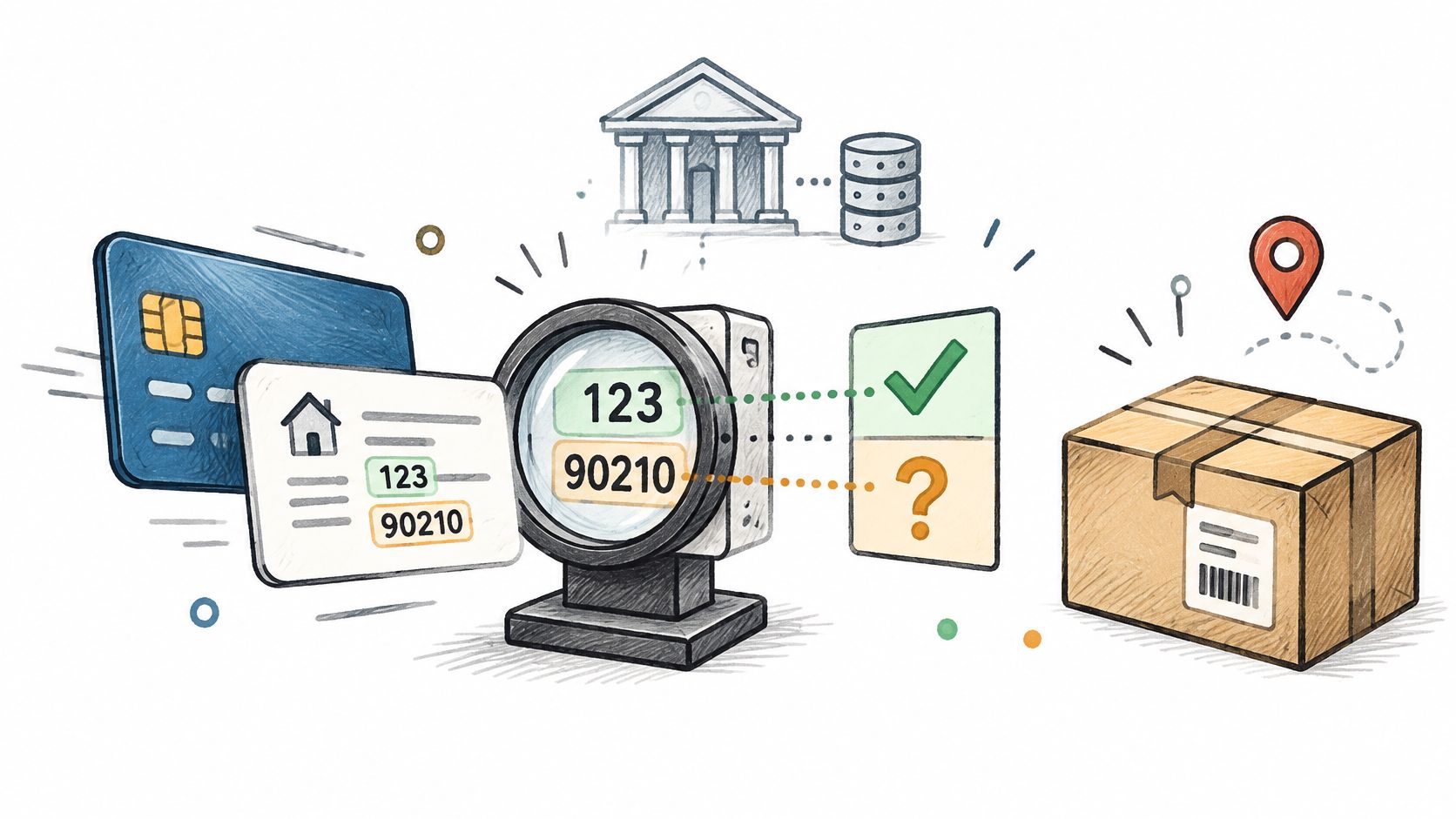
AVS compares the numeric parts of the buyer's billing address, the street number and ZIP or postal code, with the card issuer's record and returns a match result.
If you're staring at an AVS mismatch on a paid Shopify order, that result alone doesn't tell you whether to ship. Merchants encounter it in Fraud Analysis and in optional payment-decline controls, which serve different purposes. The useful distinction is between a confirmed mismatch, an unavailable check, and an order with other reasons for concern.
Table of Contents
- What the Address Verification System Checks on a Payment
- What AVS Cannot Check on an Order
- AVS Codes and What Each Result Means
- Where AVS Appears in Shopify Orders
- AVS Mismatch Cases That Are Usually a False Alarm
- What to Do When an AVS Mismatch Hits a Real Order
- Where Securify fits
- Common Questions About AVS on Shopify
What the Address Verification System Checks on a Payment
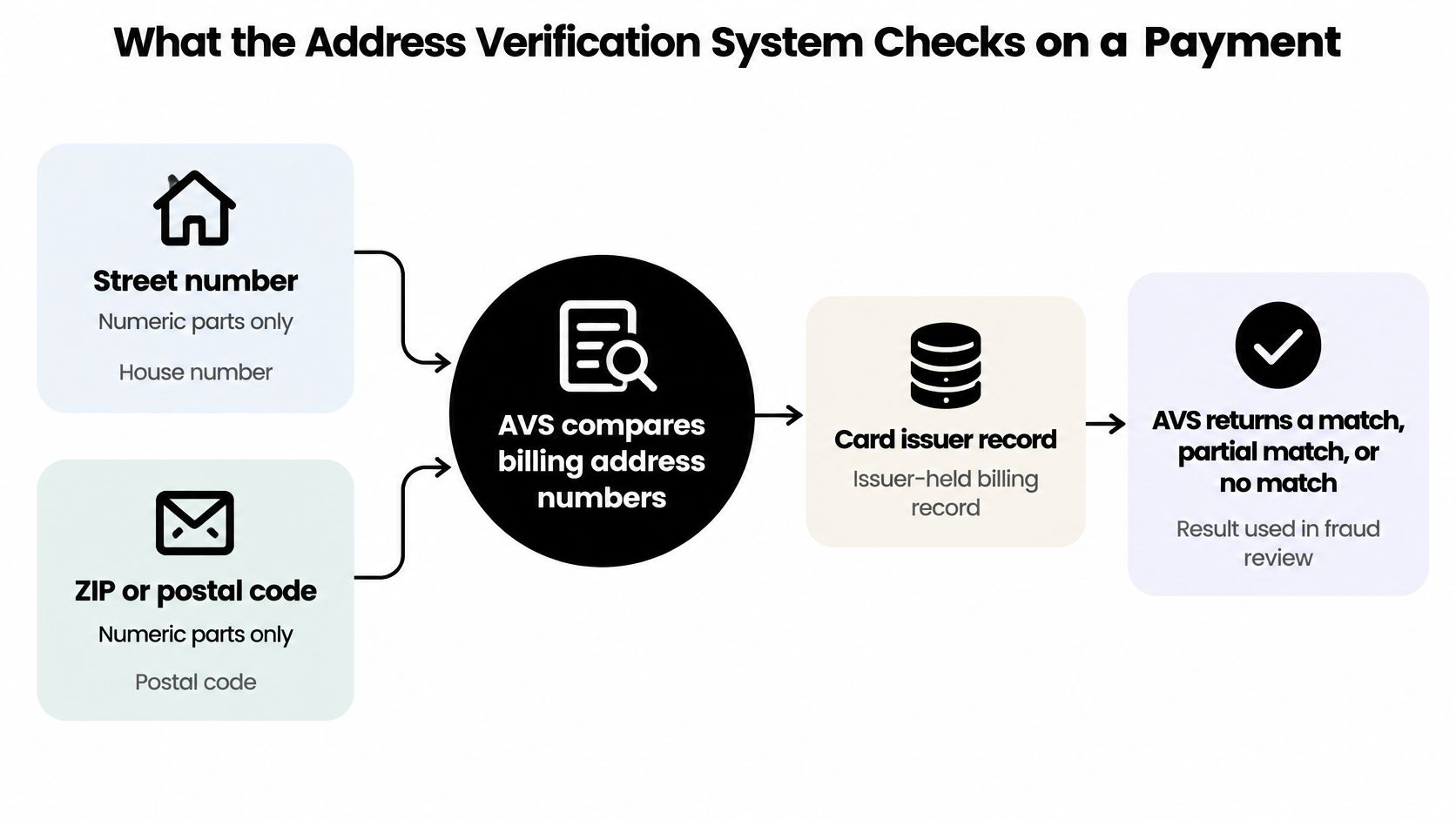
The Address Verification System checks billing information during card authorization. The issuer compares the submitted address elements with its records and returns a code through the payment processor, as described in Authorize.net's AVS response documentation.
The comparison concerns numbers, not the full written address. It isn't a check that the street name sounds right, the apartment building exists, or the recipient lives there.
Visa, Mastercard, Discover, and American Express support AVS responses, but issuer participation and response meanings aren't uniform. Support exists in the US, Canada, the UK, and parts of Europe; don't assume every foreign-issued card can return the same information.
By the time you inspect the result on a Shopify order, authorization has already been attempted. That's why an AVS warning can sit beside an approved payment rather than prevent the order from appearing.
Practical rule: A match is information about the card's billing record, not a verdict on the person placing the order.
What AVS Cannot Check on an Order
AVS can't answer most of the questions an operations lead asks before releasing a suspicious shipment. Its scope is narrower than its name suggests.
- Shipping destination: It doesn't compare shipping with billing or confirm parcel delivery.
- Physical existence or occupancy: Postal matching requires separate address verification on Shopify. Even a postal match doesn't establish who lives there.
- Cardholder identity: The standard street-and-postal comparison doesn't authenticate the name. Some American Express checks have additional name-related responses, which aren't universal AVS behavior.
- Unsupported cards: An issuer that doesn't perform the check hasn't reported an address mismatch.
- CVV: The card security-code check is separate.
- Traffic quality: AVS doesn't identify bots, VPNs, datacenter visitors, or who's using the keyboard.
For example, a complete shipping address and a matching billing record still leave questions about account behavior and fulfillment risk. Those belong in broader ecommerce fraud detection, not in an address-only rule.
AVS blocks nothing by itself. The merchant, processor, or payment setting determines what happens after a result comes back.
AVS Codes and What Each Result Means
| AVS result | Meaning | Typical cause | What to do |
|---|---|---|---|
| Y | Street and five-digit ZIP match | Normal order | Ship unless other indicators object |
| X | Street and nine-digit ZIP match | Normal order | Same as Y |
| A | Street matches, ZIP does not | ZIP typo; recent move | Low concern alone; confirm ZIP if high-value |
| Z | Five-digit ZIP matches, street does not | Unit format; PO-box billing; recent move | Low concern alone; check name, email, phone |
| W | Nine-digit ZIP matches, street does not | Same as Z | Same as Z |
| N | Neither matches | Incorrect address; possible unauthorized card use | Hold; confirm with the buyer first |
| U / S / R | Unavailable; unsupported; retry because of system issue | Missing records; unsupported bank; outage | Use other indicators; distinguish unavailable from mismatch |
| G / I | International address not verified | Issuer doesn't support the applicable check | Use other indicators; don't treat as mismatch |
These are Visa-style AVS codes, identified in Visa Acceptance article 000003111, not universal definitions across card networks. Mastercard largely follows similar conventions, while American Express and Discover can assign different meanings to letters. Your processor's response dictionary controls unfamiliar codes.
Shopify generally presents understandable street and postal-code results rather than requiring merchants to interpret raw letters.
Y and X indicate both parts matched. A, Z, and W isolate a field needing attention; they don't explain why it failed. N warrants confirmation before fulfillment.
An unavailable check isn't a failed comparison. Treating them alike creates avoidable declines.
Don't read U, S, R, G, or I as proof that the buyer entered incorrect information. Some describe unsupported checks; others describe temporary processing problems.
Where AVS Appears in Shopify Orders
You'll encounter AVS in an order review and in payment controls. Don't confuse information shown after ordering with a rule that rejects a charge.
AVS Inside Fraud Analysis
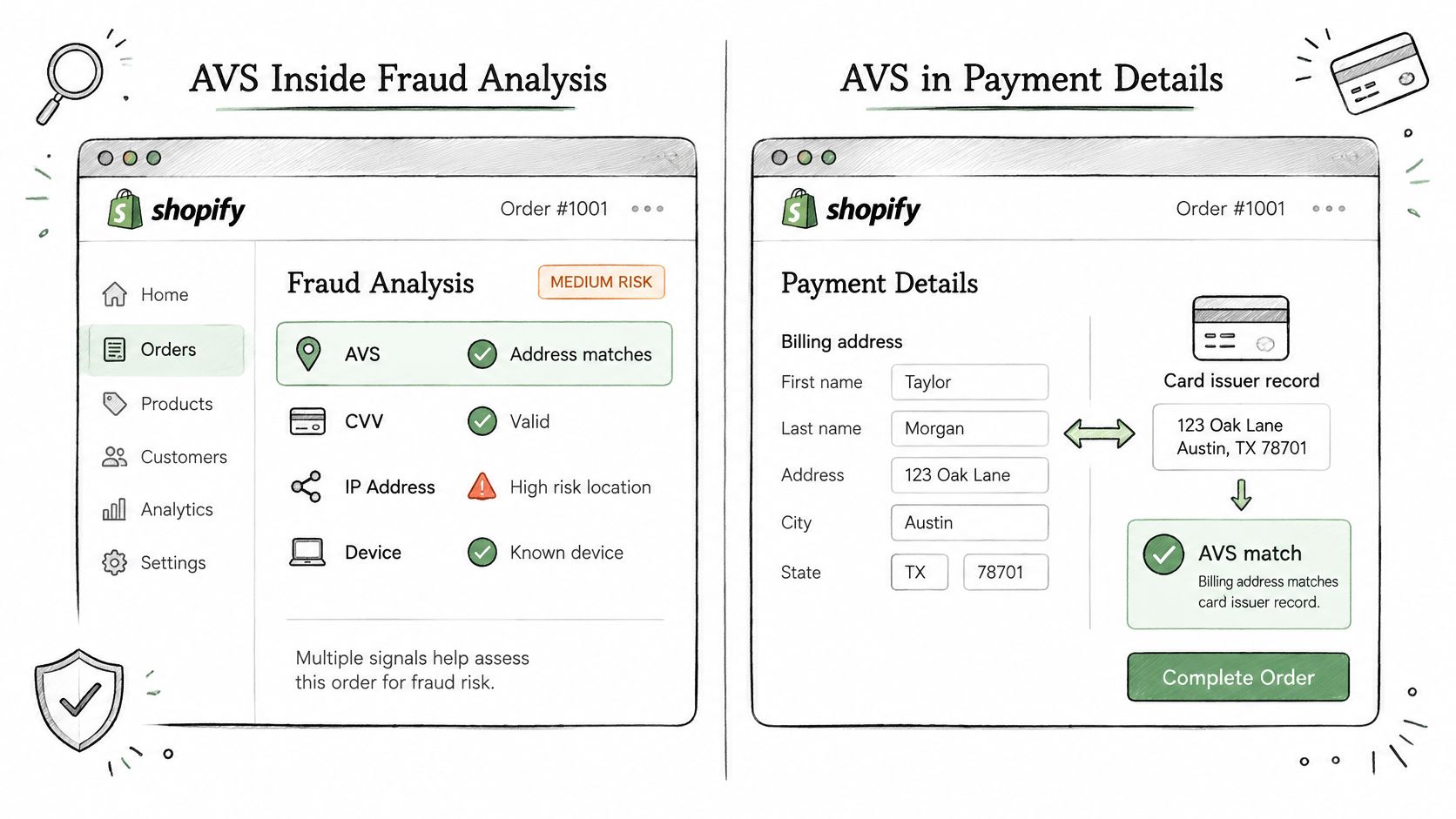
Shopify's fraud-analysis guidance treats AVS as an indicator alongside CVV, whether the customer's location matches the payment method, unusual device or network activity, and whether the customer tried more than one credit card. Shopify says individual indicators don't represent the order's overall risk level, so review the fraud recommendation rather than deciding from one indicator.
A single warning doesn't establish the order's overall risk. For interpretation beyond the address result, use how Shopify Fraud Analysis rates an order.
AVS as a Payments Decline Setting
According to Shopify Payments configuration guidance, AVS is deactivated by default as a payment control, while Shopify uses AVS information in additional post-order fraud analysis.
That doesn't mean Shopify ignores billing verification. It means collecting a signal and automatically declining a payment are different decisions.
Shopify Payments offers an optional postal-code AVS decline control. Its scope is the postal-code result, not a requirement that every billing-address element match. Consider the trade-off before enabling stricter rejection: preventing a questionable authorization can also prevent a legitimate sale.
If the bank doesn't support AVS or CVV, the order can still process without that unsupported check appearing as a risk indicator. A missing indicator isn't a clean pass. Keep these limits in mind when configuring Shopify's built-in fraud protection.
AVS Mismatch Cases That Are Usually a False Alarm
A customer moves, updates their shipping address, and forgets to update their card issuer. Their new address may be perfectly usable while failing the billing comparison. Payment verification documentation identifies both outdated issuer records and entry errors as legitimate mismatch causes.
Routine explanations include:
- Recent moves: A, Z, W, or N can reflect an old billing record, depending on what changed.
- PO-box billing: The buyer enters their home street when the issuer holds a box address.
- Apartment formatting: Placement of unit information can affect how submitted numbers are interpreted.
- ZIP formatting: Five-digit and extended ZIP handling can produce partial results that need processor-specific interpretation.
- Prepaid or gift cards: A missing usable billing record may return U rather than a meaningful comparison.
- International support gaps: G or I, and sometimes S or U, can indicate an unperformed check.
- Typing mistakes: A transposed house number or postal digit can explain the warning.
Virtual-mailbox rejection is another issue merchants sometimes confuse with payment AVS. Cloud Residents on CMRA rejections provides context for that separate address-acceptance problem.
Different shipping and billing addresses aren't an AVS mismatch. A gift recipient's location isn't the billing input being checked.
The right response to a plausible false alarm is to check the buyer's details, not automatically cancel.
What to Do When an AVS Mismatch Hits a Real Order
Review before fulfillment. Shopify's fraud-prevention guidance notes that bad actors can give a shipping address that doesn't match the billing address, and flags substantial billing-to-shipping distance as a reason for investigation.
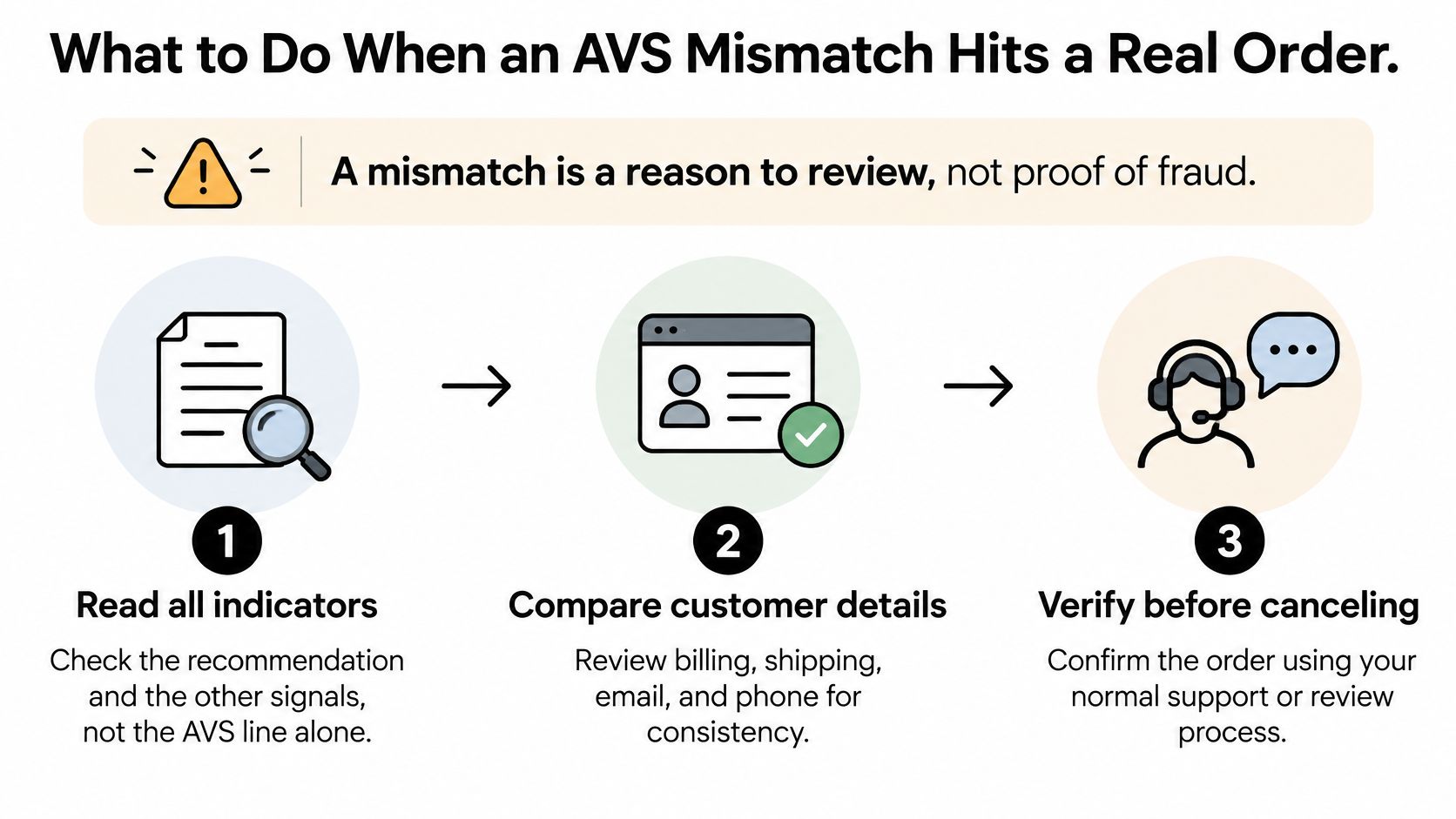
- Read the recommendation. Review the other listed indicators instead of letting the address warning decide everything.
- Compare customer details. Check billing, shipping, email, and phone for consistency. Addresses on different continents deserve more scrutiny than an isolated ZIP typo.
- Request confirmation. Use the order's customer-contact option or phone confirmation of risky orders. OTP+ supports phone verification gates, but doesn't cancel orders itself; confirming phone access also doesn't prove card ownership.
- Keep fulfillment on hold. Set an internal response deadline. If uncertainty remains or the buyer doesn't respond, cancel and refund rather than release inventory.
If you're collecting corrected fulfillment details for a batch shipment, a backer address verification form illustrates a structured collection process. It doesn't replace payment review.
Use a consistent escalation policy for what to do with high-risk orders on Shopify, and record why the reviewer released or canceled the order.
Where Securify fits
AVS runs at authorization. Someone using the cardholder's real billing details can receive a match, while a bot, a VPN user or a visitor from a blocked country is never asked.
Securify works before or alongside payment controls, not instead of them. Country, IP, and IP-range rules restrict storefront access, and bots, VPN and proxy visits are blocked before checkout. Risky emails are blocked at checkout, which can prevent an order from being created.
High-risk order alerts let you hold or cancel the order. All of this is on Securify's Free plan, rated 4.6 from 105 reviews. These controls address traffic and order-handling problems that billing-address comparison doesn't cover.
Our approach is to stop it before it becomes an order. Apply restrictions to clear abuse patterns rather than assuming every masked connection represents fraud.
Securify doesn't run AVS, validate postal addresses, or verify phones. Review the available controls and plan details through Securify on the Shopify App Store.
Common Questions About AVS on Shopify
What is AVS in payments?
AVS is an issuer-side billing-address comparison returned during card authorization. It helps assess a payment, but doesn't authenticate the buyer.
What does an AVS mismatch mean?
The submitted street number, postal code, or both didn't match the issuer's record. An unsupported or unavailable check is a different result, even if a payment interface groups it with verification warnings.
Does AVS verify the shipping address?
No. Postal validation checks delivery information, while phone or email confirmation establishes access to a contact channel; neither alone proves the buyer owns the card.
Does Shopify use AVS?
Yes, Shopify uses AVS information in Fraud Analysis. Shopify Payments also offers an optional postal-code AVS decline control, which is off by default.
Should I turn on AVS declines in Shopify Payments?
Consider it when the fraud you're trying to prevent justifies the legitimate transactions you could lose. The postal-code control isn't a full-address check, so review the actual mismatch patterns before changing your policy.