
· block customer Shopify · Shopify fraud prevention · block IP Shopify · Shopify checkout rules · stop fake orders
Block Customer Shopify Guide: Stop Abusive Buyers
Block Customer Shopify. Learn how to block a customer on Shopify using native settings, checkout rules, IP and country blocks, and apps
A repeat buyer keeps changing email addresses, a stream of fake checkouts is drowning out real abandoned carts, or a customer is threatening another chargeback. You open Shopify expecting a clear ban customer button and find separate controls for accounts, checkout rules, payments, and orders instead.
The answer is that Shopify doesn't treat “blocking a customer” as one action. You need to choose where the abusive behavior should stop: before the visitor reaches the storefront, during checkout, before payment is captured, or after an order exists. The right intervention depends on the damage you're trying to prevent.
Table of Contents
- What Blocking a Customer on Shopify Actually Means
- Blocking Customers With Shopify's Native Settings
- Blocking by IP, Country, and VPN Traffic
- Avoiding False Positives and Privacy Pitfalls
- Measuring Whether Your Blocks Actually Work
- Where Securify fits
- Frequently Asked Questions About Blocking Customers on Shopify
What Blocking a Customer on Shopify Actually Means
A customer account and a customer's identity aren't the same thing. Disabling an account prevents that person from logging in, but it doesn't stop guest checkout. Shopify's native fraud tools generally flag or manage orders rather than create a universal storefront ban, so an email blocklist isn't a complete identity control. A determined shopper can change the email address, use a different billing address, check out as a guest, or mask the network they're using. Shopify community guidance reflects that limitation.
That distinction matters operationally. If the problem is a fake order, a post-order workflow may be enough to stop fulfillment. If the problem is abandoned-checkout spam, payment testing, inventory reservation, or analytics pollution, waiting for an order means the abusive session has already created work.
The practical way to think about blocking a customer on Shopify is to separate four intervention points.
| Intervention point | What it stops | Main limitation | Operational cost |
|---|---|---|---|
| Storefront or session | Visits, bots, suspicious traffic, and some abusive sessions before checkout | IPs, devices, and networks can change; broad rules can block real shoppers | Lower downstream workload, but requires careful traffic review |
| Checkout | Checkouts matching an email, IP, address, ZIP code, or other configured condition | It only acts when the configured condition matches, and guest checkout weakens account-based controls | Reduces some checkout abuse, but false positives need monitoring |
| Payment capture | High-risk orders before funds are collected or fulfillment begins | Review still consumes time, and risk signals are not absolute proof | Moderate manual effort, with stronger control over shipment risk |
| Post-order cancellation | Orders already created that match fraud or block-list logic | Inventory, notifications, customer support, and review work may already have occurred | Highest operational cost when abusive activity is frequent |
Start by identifying the failure you're seeing. A repeat fraudster placing orders belongs in the checkout, payment, and post-order controls. A bot generating abandoned checkouts belongs earlier, at the storefront or session layer. A shopper from a location you don't serve may justify a country rule, but only after checking whether legitimate customers travel or use shared networks.
The detailed difference between account disabling and storefront controls is covered in this guide to blocking a customer on Shopify. For broader traffic problems, use the Shopify fraud and bad traffic guide to separate fake sessions from order-level fraud.
Practical rule: Block the behavior at the earliest layer that can stop it without excluding legitimate demand.
Blocking Customers With Shopify's Native Settings
Shopify's native controls stop abuse at specific points, not through one universal storefront ban. Match the setting to the intervention point: storefront traffic, checkout, payment capture, or post-order handling. An email address may disappear quickly, while billing details, delivery patterns, IP history, or repeated order behavior can still connect related attempts.
Start with the narrowest checkout rule
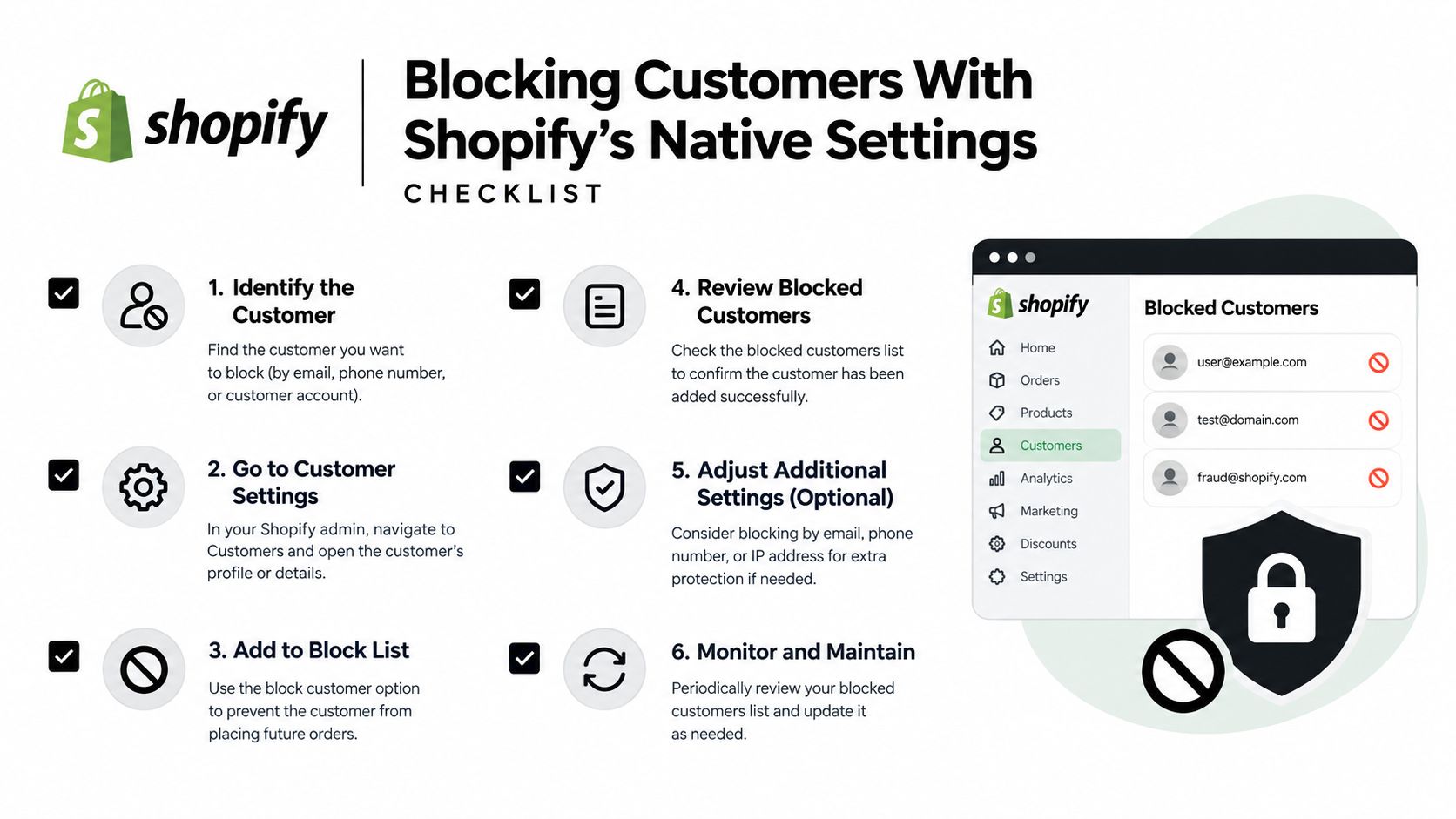
For merchants using Shopify Payments, Fraud Control rules are available in Shopify Admin under Apps > Fraud Control > Rules > Create rule. Conditions can include an email address, IP address, billing address, or ZIP code. Saving the rule activates it automatically. Shopify's Fraud Control documentation also states the practical limit: the system does not guarantee that every fraudulent order will be stopped because it acts only when checkout activity matches a rule created by the merchant.
Use a specific identifier first. If abusive checkouts repeatedly share an IP and ZIP code, combine those conditions instead of blocking every shopper from a region. Check Orders > Abandoned checkouts after activation. That review shows whether the rule is catching legitimate buyers as well as the intended abuse.
Deploy the rule in a controlled sequence:
- Record the evidence. Save the suspicious email, IP, billing details, order behavior, and fraud indicators.
- Create a high-confidence rule. Use one reliable identifier or a combination that has appeared across related attempts.
- Monitor blocked checkouts. Review abandoned checkouts and customer questions after the rule goes live.
- Check false positives. Identify genuine buyers who were blocked or pushed into an avoidable recovery process.
- Widen slowly. Add conditions only after the original pattern repeats consistently.
Use payment capture to slow down fulfillment risk
Manual payment capture gives an operator time to inspect a high-risk order before collecting funds. It suits orders that may be legitimate but would create substantial loss if shipped fraudulently.
Review billing and shipping information, payment checks, IP details, device or network activity, and purchase behavior together. One warning signal is not a final decision. A location mismatch may indicate abuse, a gift, travel, or a legitimate address change.
Shopify Flow can flag, hold, or cancel orders with allow-list and block-list logic. Its timing matters: cancellation occurs after an order exists, so inventory, notifications, customer-service work, and fraud review may already have been triggered. For broader context, see Shopify fraud protection, Shopify fraud analysis, and this guide to Shopify high-risk orders. Native settings work best when checkout rules reduce payment and fulfillment exposure, while earlier controls address abusive sessions.
Blocking by IP, Country, and VPN Traffic
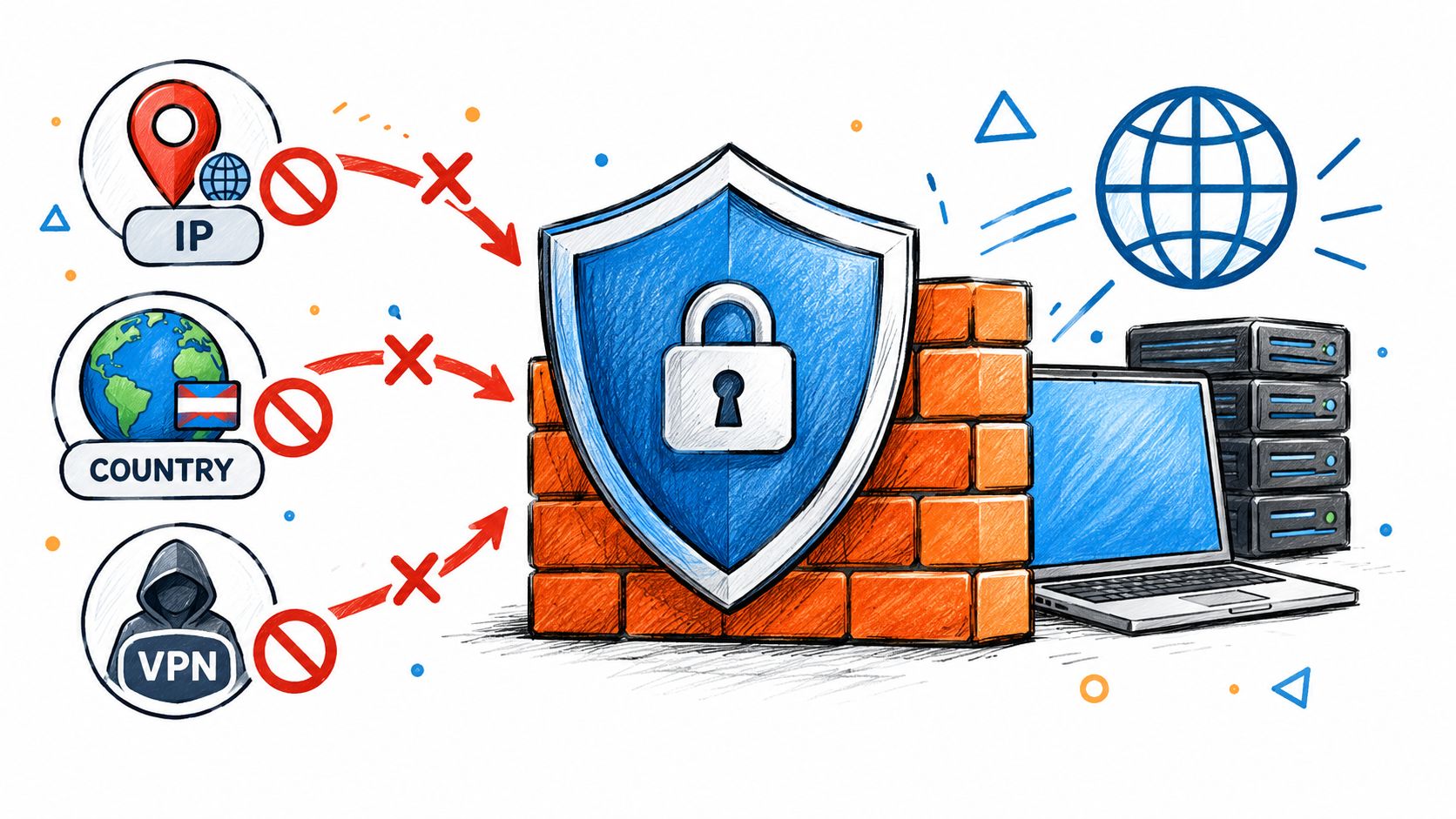
Traffic-level blocking is the right place to act when the problem starts before checkout. An IP rule can prevent requests from a known network from reaching the storefront. A country rule can restrict access from locations you don't serve. VPN and proxy detection can identify masked connections that deserve closer inspection.
None of these signals proves fraud by itself.
A US-only DTC store that has never shipped internationally may reasonably review repeated checkout attempts from unserved regions. A merchant facing card testing from a small set of networks may also benefit from blocking those networks before they generate more payment attempts. But a country-wide block can exclude a genuine customer traveling abroad, a corporate buyer on a shared connection, or a privacy-conscious shopper using a VPN.
The traffic problem is large enough to affect basic reporting. Imperva's 2025 Bad Bot Report found that bad bots accounted for 33% of retail website traffic in 2024, up from 26% in 2023. It identified retail as the second most attacked industry, with activity including price scraping, inventory scalping, credential stuffing, and gift-card fraud.
That means raw sessions aren't automatically customer demand. Automated visits can inflate acquisition metrics, distort conversion rates, consume support attention, and create fake checkout activity before a payment rule ever evaluates the session.
Choose the intervention based on the abuse
Use a storefront block when the visitor itself creates damage. That includes repeated bot requests, scraping, fake sessions, or traffic from countries outside your shipping footprint. Stopping the request early avoids the downstream chain of abandoned carts, email notifications, inventory checks, support tickets, and manual order reviews.
Use a softer response when the signal is uncertain. You might allow the visitor to browse but require additional verification at checkout, or send the order to manual review rather than rejecting it immediately. The correct action depends on the combination of signals and the cost of a false positive.
If you manage experiments or need reporting to exclude internal or known traffic, you can also configure excluded IP addresses in your testing workflow. That won't replace fraud controls, but it helps prevent known operational traffic from contaminating measurement.
Shopify's own proxy detection and related fraud controls depend on Shopify Payments eligibility. Merchants should therefore treat upstream traffic controls and native checkout controls as complementary rather than assuming every store has the same coverage. The practical country-specific workflow is outlined in this guide to blocking a country on Shopify.
Avoiding False Positives and Privacy Pitfalls
Aggressive blocking feels productive after a fraud incident. It often creates a second problem by treating an uncertain signal as proof.
A VPN user may be a traveler, a remote employee, or a privacy-conscious buyer. A shared network may serve many legitimate shoppers. A location mismatch may reflect a gift purchase or a shipping arrangement rather than abuse. Broad IP and country rules can remove genuine buyers while attackers rotate networks and continue.
Use several signals before applying a hard block:
- Velocity: Repeated checkout attempts in a short period are more meaningful than one attempt.
- Checkout consistency: Compare billing and shipping details, payment information, and customer history.
- Network context: Treat proxy or VPN status as a signal, not a verdict.
- Device behavior: Look for unusual navigation, repeated form submissions, or automated interaction patterns.
- Order value and contents: A high-value order, scarce inventory, or gift cards may justify additional review.
A simple decision model works better than a universal deny rule. A strong, repeated abuse pattern can trigger a hard block. An uncertain proxy signal may justify a soft challenge or manual review. A single location mismatch may require no action at all.
A proxy flag tells you how a connection appears. It doesn't tell you why the person is using it.
Privacy needs the same care. Shopify states that merchant personal data may be processed to prevent risk and fraud. Merchants serving customers in the EU or UK must clearly explain what data they collect, why they use it, and how it's stored. Your privacy notice and internal retention practices should match the signals your team uses.
Recovery matters too. Shopify says temporary payment blocks may clear automatically after roughly 6 to 24 hours, depending on the situation. A legitimate buyer who was caught can often be recovered through a draft order and invoice instead of disabling the protection rule for everyone. Shopify's fraud-prevention guidance recommends combining automated controls with payment capture and human review.
Measuring Whether Your Blocks Actually Work
A high block count doesn't prove that your controls are effective. It may mean the rule is catching real abuse, or it may mean the rule is blocking buyers and pushing recovery work into customer support.
Track four rates separately:
- Blocked checkout rate, the share of checkout attempts stopped by a rule.
- High-risk-order rate, the share of created orders receiving a high-risk recommendation.
- Confirmed-fraud rate, the share of reviewed activity that your team confirms as fraudulent.
- Legitimate-customer recovery rate, the share of blocked or held buyers who are later verified and successfully recovered.
The fourth measure exposes damage that a simple block report hides. If blocked activity rises while legitimate-customer recovery also rises, the rule may be too broad. If manual review hours fall without a deterioration in approval or conversion, the earlier intervention is probably doing useful work.
Shopify's fraud analysis provides an overall low, medium, or high risk recommendation for eligible online credit-card orders. Review that recommendation alongside the supporting information instead of counting warning indicators. Shopify's documentation says that fulfilling high-risk orders without review can result in chargebacks, payment-processing problems, or removal from Shopify Payments. The order-protection documentation also says that a high-risk workflow should use the “Order risk analyzed” trigger, not the earlier “Order created” trigger.
Merchants using Shopify Payments can configure AVS and CVV filters. Those settings should support a review process, not replace it. A card can pass one check and still appear in a wider pattern of suspicious activity.
Compare every rule change against a baseline
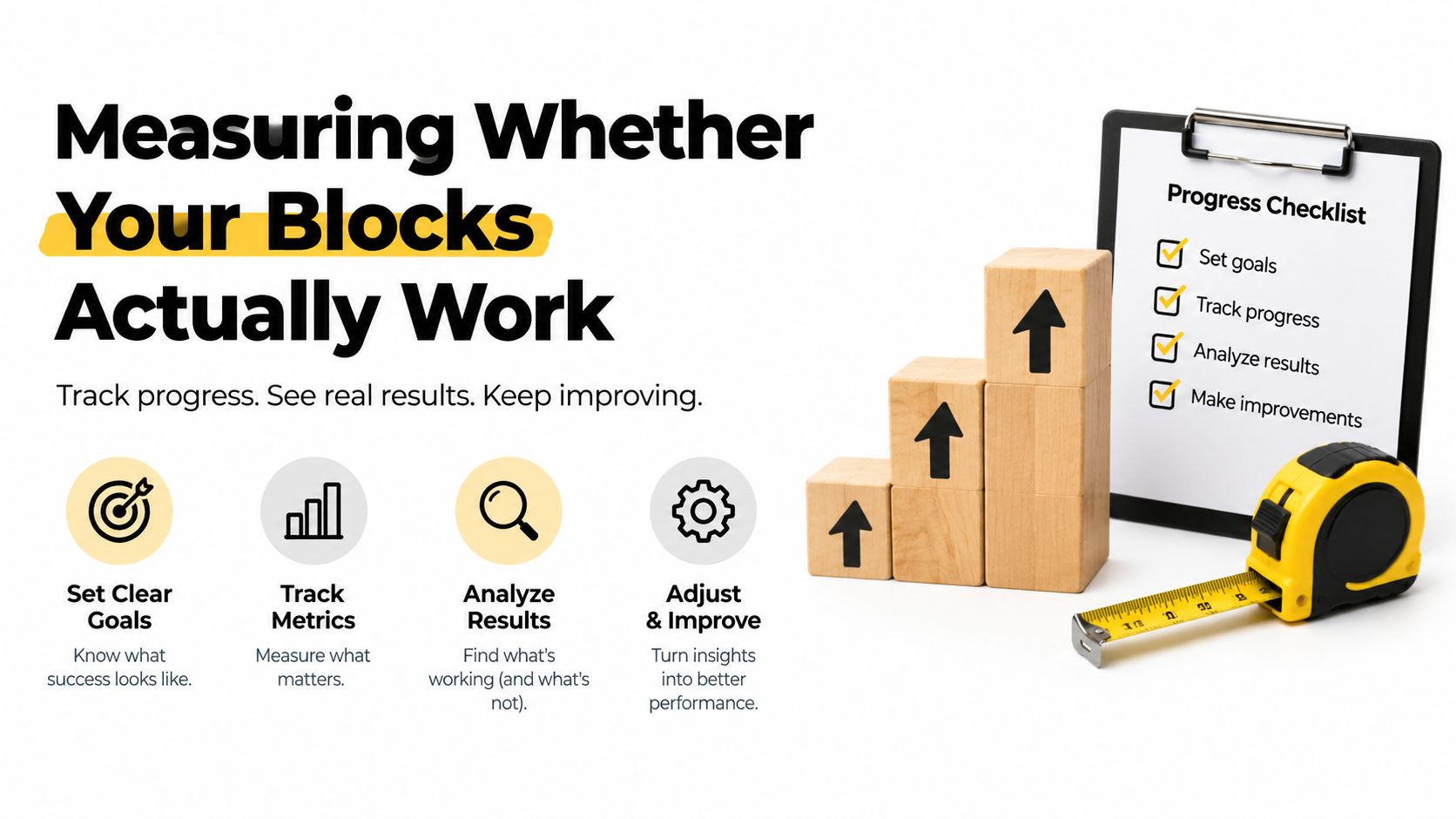
Before changing a rule, record your current approval rate, conversion, chargebacks, manual-review hours, and legitimate-customer complaints. After the change, compare the same measures over a consistent operating period. Card networks and Shopify monitor chargeback rates, so keep yours as low as possible without sacrificing legitimate orders.
Watch for effects outside the order screen. A storefront block can reduce fake sessions and abandoned-checkout noise. A checkout rule can reduce certain payment attempts but still leave bots visiting product pages. A post-order workflow may protect fulfillment while adding cancellation and support work.
The Shopify bot traffic analytics guide covers the measurement problem created when automated sessions mix with real visitors. Your dashboard should make that distinction visible before you judge marketing performance or change a fraud rule.
Where Securify fits
Shopify's native controls are strongest at checkout, payment review, and order handling. They don't automatically stop every bot, VPN session, proxy connection, or visitor from a country you don't serve before that traffic reaches your storefront and analytics.
Country Blocker Fraud Securify provides an upstream layer with bot blocking, VPN and proxy detection, country rules, and traffic classification for bad bots, suspicious sessions, and real visitors. That can help keep abusive traffic away from storefront activity before it creates downstream checkout, email, support, or review work. It also offers a no-signup Store X-Ray scan, a free plan, and a 4.4/5 App Store rating. You can review Securify on the Shopify App Store and use it before or alongside Shopify's native fraud review controls.
Frequently Asked Questions About Blocking Customers on Shopify
Can I permanently ban a customer from my Shopify store?
Not with a customer-account setting alone. Disabling the account prevents login, but the person may still use guest checkout, a new email address, a different address, or another network. A fuller storefront restriction requires traffic controls, checkout rules, and payment or order review working together.
How do I unblock a customer I blocked by mistake?
First identify whether the block came from a customer account, a Fraud Control rule, a payment restriction, or an order workflow. Edit or delete the matching Fraud Control rule under Apps > Fraud Control > Rules, then confirm that the customer's details no longer match another rule.
If the issue is a temporary payment block, it may clear automatically after roughly 6 to 24 hours. For an urgent legitimate purchase, create a draft order and send an invoice after verifying the buyer rather than weakening a rule that protects other checkouts.
Do blocked checkout attempts show up as orders?
No. Shopify notes that some blocked attempts never become orders, so they won't have an order-level fraud recommendation. Check Orders > Abandoned checkouts when investigating blocked activity, and don't judge a rule only by the number of orders it prevented.
Securify gives Shopify merchants an upstream way to classify and block bots, VPN and proxy traffic, suspicious sessions, and visitors from unserved countries before checkout. Visit Securify to scan your store's traffic quality and evaluate whether earlier blocking can reduce fraud and operational noise.