
· shopify chargeback protection · shopify protect · chargeback fraud · shopify fraud · dispute management
Shopify Chargeback Protection That Actually Works
Shopify chargeback protection explained: what Shopify Protect covers, where it falls short, and how to layer traffic controls and evidence workflows that reduce
A suspicious-order alert lands before breakfast. The customer's name looks real, the payment went through, and the shipping address is domestic. Then the risk queue fills with similar orders, support tickets multiply, and you're left wondering whether Shopify will absorb the loss or whether your team will have to fight every dispute.
Shopify chargeback protection is not a single setting. It's a layered operating system made up of Shopify Protect for eligible disputes, Shopify's order-level fraud analysis before fulfillment, and storefront controls that keep bots, VPNs, proxies, and mismatched sessions away from checkout.
The mistake is treating the chargeback as the starting point. By the time a dispute arrives, you've already spent money on acquisition, support time, fulfillment labor, and sometimes inventory. The cheapest chargeback is the one that never reaches Shopify.
Table of Contents
- What Shopify Chargeback Protection Actually Means
- What Shopify Protect Covers and What It Does Not
- Reading Shopify Fraud Analysis Before You Fulfill
- Chargeback Categories Side by Side
- Building an Evidence Package That Wins Disputes
- Why Upstream Traffic Quality Is the Missing Layer
- Where Securify fits
- Frequently Asked Questions
What Shopify Chargeback Protection Actually Means
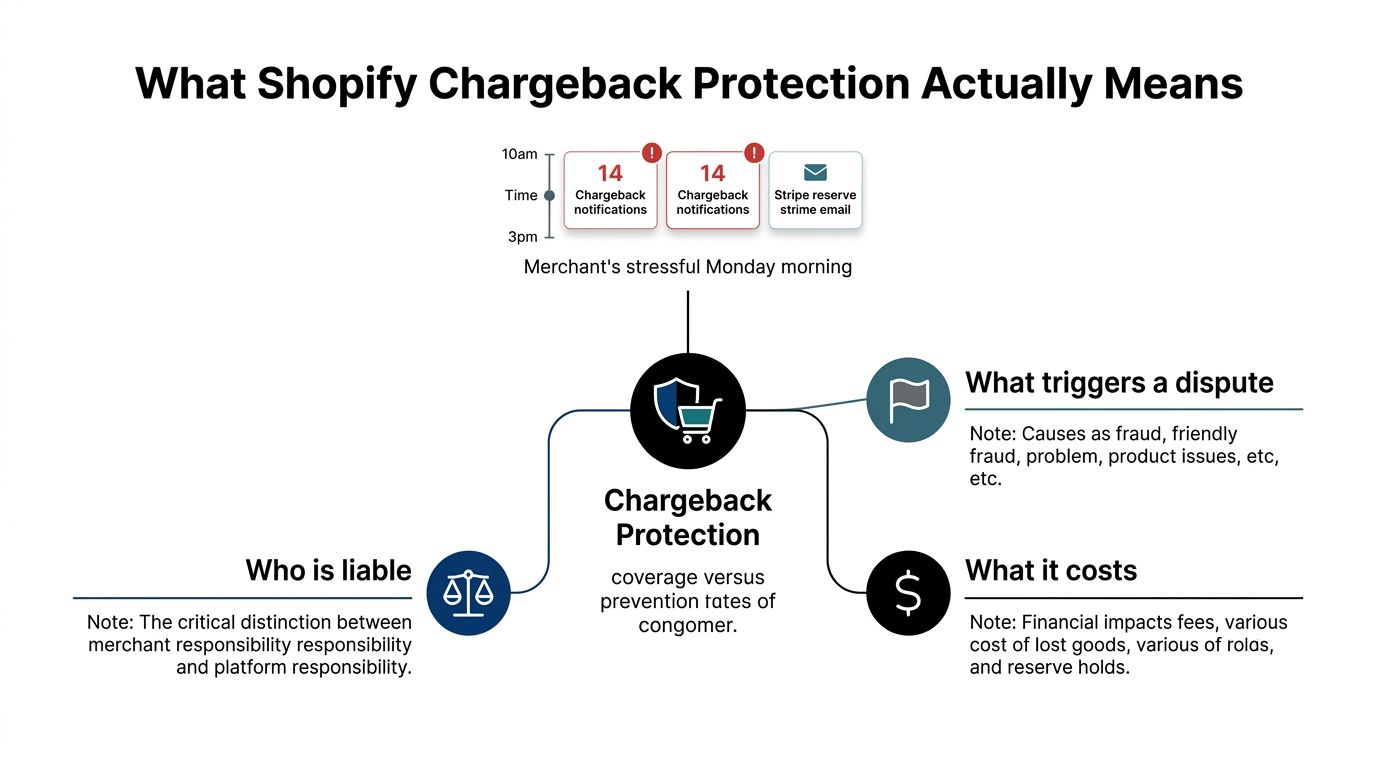
A risky visitor can cost you before any dispute appears. Bots, VPNs, proxies, and mismatched sessions can create fraudulent orders, inflate acquisition data, trigger support work, and leave your team deciding whether to fulfill. Shopify chargeback protection must therefore be managed as a layered system, not a promise that Shopify will absorb every loss.
Shopify Protect can cover qualifying fraud-based chargebacks for eligible merchants at no additional cost. Shopify says it reimburses the order-related amount and chargeback fee while managing the dispute process, but eligibility depends on the merchant, payment method, product, geography, fulfillment, carrier, and tracking requirements. Shopify's Shopify Protect documentation sets those limits clearly.
Protection starts after an eligible transaction exists and a covered dispute is filed. Fraud analysis works before fulfillment, giving your team a risk signal at order level. Traffic-quality controls work earlier, blocking suspicious sessions before they create orders, join an email list, open support tickets, or corrupt conversion data.
Operating rule: Treat chargeback protection as financial coverage for a narrow class of disputes, not permission to accept every risky order.
Manage three cost lines:
- Covered-order exposure: Shopify Protect can shift the financial and administrative burden for qualifying fraud-based disputes, but it does not cover every order or dispute category.
- Uncovered dispute costs: A chargeback can remove the disputed amount and fee from your account while the case is reviewed. Shopify also counts every chargeback toward the merchant's monthly chargeback rate, whether the merchant wins or loses. Shopify's chargeback process guidance explains why winning representment does not erase the event from account-risk calculations.
- Operational waste: Suspicious sessions produce manual reviews, fulfillment exceptions, support tickets, and unreliable marketing data before a customer disputes the payment.
Fraud makes upstream traffic control worth prioritizing. The Federal Reserve Bank of Kansas City reports that fraud accounts for approximately 50% of total chargebacks. Its chargeback analysis supports a direct operating conclusion: fewer risky orders reduce disputed principal and downstream work.
Filter bad traffic first, review suspicious orders second, fulfill eligible orders correctly, and preserve evidence throughout. Shopify Protect is one layer in that chain, not the entire control system.
What Shopify Protect Covers and What It Does Not
A qualifying order can still lose protection through late fulfillment or weak tracking. Shopify Protect is narrow by design. It applies to US-based stores using Shopify Payments and Shop Pay, and the order must involve eligible physical goods. It does not protect every payment, product, country, or dispute category.
Eligibility depends on execution. The merchant must fulfill the order within 7 days of placement, use a supported carrier, and provide valid tracking. The carrier must also mark the shipment as in transit within 10 days of the order date. A qualifying transaction stays within the protection window for 365 days. These conditions make Shopify Protect fulfillment-contingent. It is a defined program for qualifying transactions, not coverage that remains available regardless of what happens after checkout. Shopify's merchant-facing explanation of Shopify Protect documents these coverage conditions.
The workflow merchants need to run
Run the order through these checks before treating the protection as available:
- Confirm the transaction is eligible. Check the store's US status, Shopify Payments usage, Shop Pay involvement, and physical-goods requirements.
- Fulfill inside the deadline. A late shipment can remove protection that appeared available at checkout.
- Use supported tracking. A tracking number is only useful when it produces valid movement from a supported carrier.
- Verify the protection status in the order record. Payment approval does not automatically confirm that the order is protected.
- Keep evidence anyway. Shopify Protect excludes some reason categories, and the cardholder's bank makes the final decision on a dispute.
The practical coverage boundary is fraud-based and unrecognized disputes connected to qualifying transactions. Product-quality complaints, refund-related claims, subscription disputes, and other excluded categories still require a merchant response. Shopify also does not accept general liability for chargebacks, so your team needs a separate process for orders outside the program.
| Origin Code | Covers Order and Fee | Merchant Disputes |
|---|---|---|
| Eligible fraud-based or unrecognized claim | Shopify Protect may cover the qualifying order-related amount and chargeback fee | Shopify manages the covered dispute process, subject to eligibility and timing requirements |
| Non-covered dispute category | No Shopify Protect coverage should be assumed | Merchant reviews the reason, assembles evidence, and submits through the dispute workflow |
| Ineligible transaction | The program provides no protection | Merchant carries the response and financial exposure |
| Fulfillment or tracking failure | Protection can be lost even when the order otherwise appears eligible | Merchant handles the dispute with the evidence available |
Read the Shopify Protect eligibility guide before changing fulfillment rules or telling customers that a dispute will be covered. Keep the upstream controls in place as well: filter poor-quality traffic, review suspicious orders, fulfill eligible orders correctly, and retain evidence. Shopify Protect covers a qualifying slice of fraud exposure. Your evidence workflow owns the gaps.
Reading Shopify Fraud Analysis Before You Fulfill
The risk badge isn't a verdict. It's a prompt to inspect the evidence around the order.
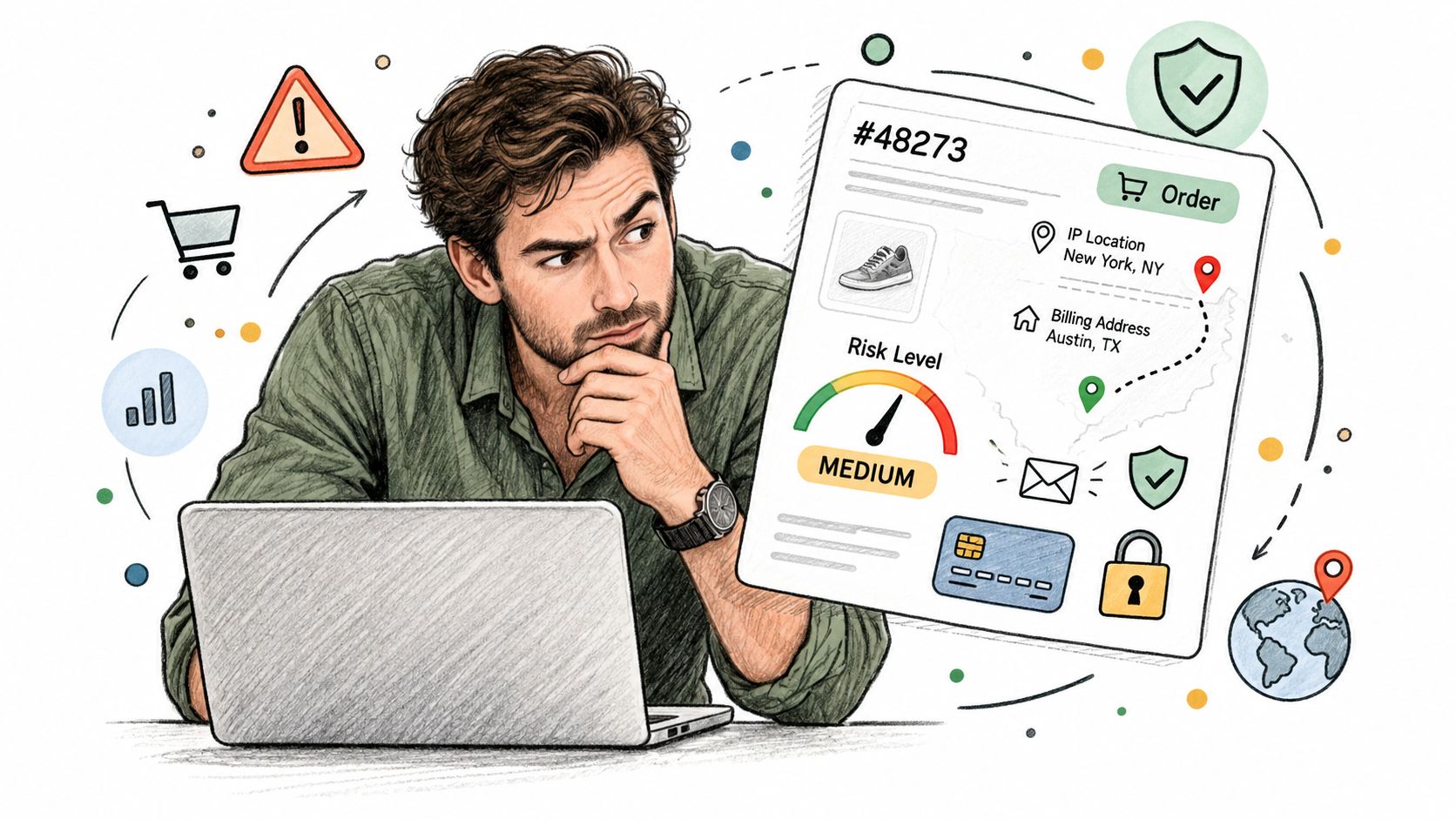
Shopify's fraud analysis can show whether the card passed AVS checks, whether the customer entered the correct CVV, whether the location aligns with the payment method, whether the device or network shows unusual activity, and whether the buyer tried more than one card. For eligible online credit-card orders, Shopify assigns a low-, medium-, or high-risk recommendation for a potential fraud-related chargeback. Shopify's fraud analysis documentation explains how merchants can verify, cancel, or refund a high-risk order before shipment.
Read signals as combinations
An AVS match means the billing address information aligns with the issuer's records. A CVV match supports the payment credential, but neither signal proves that the person placing the order is the legitimate cardholder.
IP and country context can expose a mismatch between the visitor's apparent location and the billing or shipping information. Device and network patterns can show repeated activity across accounts or payment cards. A single unusual signal deserves attention. Several correlated signals deserve a hold.
For example, a medium-risk order with matching AVS and CVV, consistent geography, and no repeated-card pattern may be reasonable to fulfill after ordinary checks. A low-risk badge paired with a foreign network location, mismatched billing information, and several cards used from one device needs review. Act on the combination, not the badge.
Set a consistent review path
Use different actions for different levels of confidence:
- Low concern: Fulfill while preserving the order, payment, and delivery record.
- Mixed signals: Hold briefly for manual verification or customer contact.
- Strong correlation: Cancel or refund before fulfillment rather than shipping into a likely dispute.
Teams that work with external web data API resources can enrich their broader research and validation workflows, but the order decision still needs transaction-specific evidence. Keep the review record tied to the order, not scattered across chat messages and personal notes.
For a practical explanation of the signals, use this Shopify fraud analysis guide. Every medium- and high-risk order should also trigger evidence capture, even when you decide to fulfill it. If the dispute arrives later, you'll have the original context instead of a reconstructed guess.
Chargeback Categories Side by Side
Shopify Protect doesn't solve the whole customer-dispute problem because different reason categories describe different failures. A cardholder who says they didn't authorize a payment creates a different evidence task from a customer who says the item never arrived or wasn't as described.
Shopify's own guidance distinguishes fraud and unrecognized claims from delivery, product, duplicate, subscription, and refund-related disputes. The merchant's first job is to read the reason, then gather proof that answers that reason directly. Shopify's chargeback reason guidance recommends transaction-specific evidence rather than generic policy screenshots.
| Chargeback Category | Typical Reason Code | Shopify Protect Covers | Merchant Action Required | Strongest Evidence |
|---|---|---|---|---|
| Fraud or unrecognized | Cardholder denies making or recognizing the payment | May cover the claim when the transaction meets Shopify Protect requirements | Confirm eligibility and preserve the order evidence | AVS and CVV results, IP and country context, customer communications, fulfillment records |
| Product not received | Customer says the order did not arrive | Coverage should not be assumed | Submit a delivery-focused response | Carrier tracking, delivery confirmation, shipping address match |
| Product not as described | Customer disputes the product or its condition | Coverage should not be assumed | Respond with product and customer-service evidence | Product page, accepted policies, order details, messages, return records |
| Duplicate charge | Customer says the same transaction was charged more than once | Coverage should not be assumed | Reconcile payment and order records | Transaction log, receipt, refund or void record |
| Refund-related | Customer says an expected credit was not processed | Coverage should not be assumed | Show the refund decision and processing history | Timestamped refund record, customer communication, payment record |
The asymmetry matters. Shopify Protect is a fraud-liability program, not a customer-experience program. It doesn't fix unclear product descriptions, slow support, failed refunds, or duplicate payment logic.
Treat every category as a separate operational queue. Fraud claims need payment and identity context. Delivery claims need carrier proof. Product claims need the listing and customer-service history. Refund claims need a precise money trail.
A merchant that only measures protected fraud losses will miss the categories that consume the most staff time. Review the reasons by order type, fulfillment path, product, and customer-service history. Then fix the upstream failure instead of treating representment as the primary control.
Building an Evidence Package That Wins Disputes
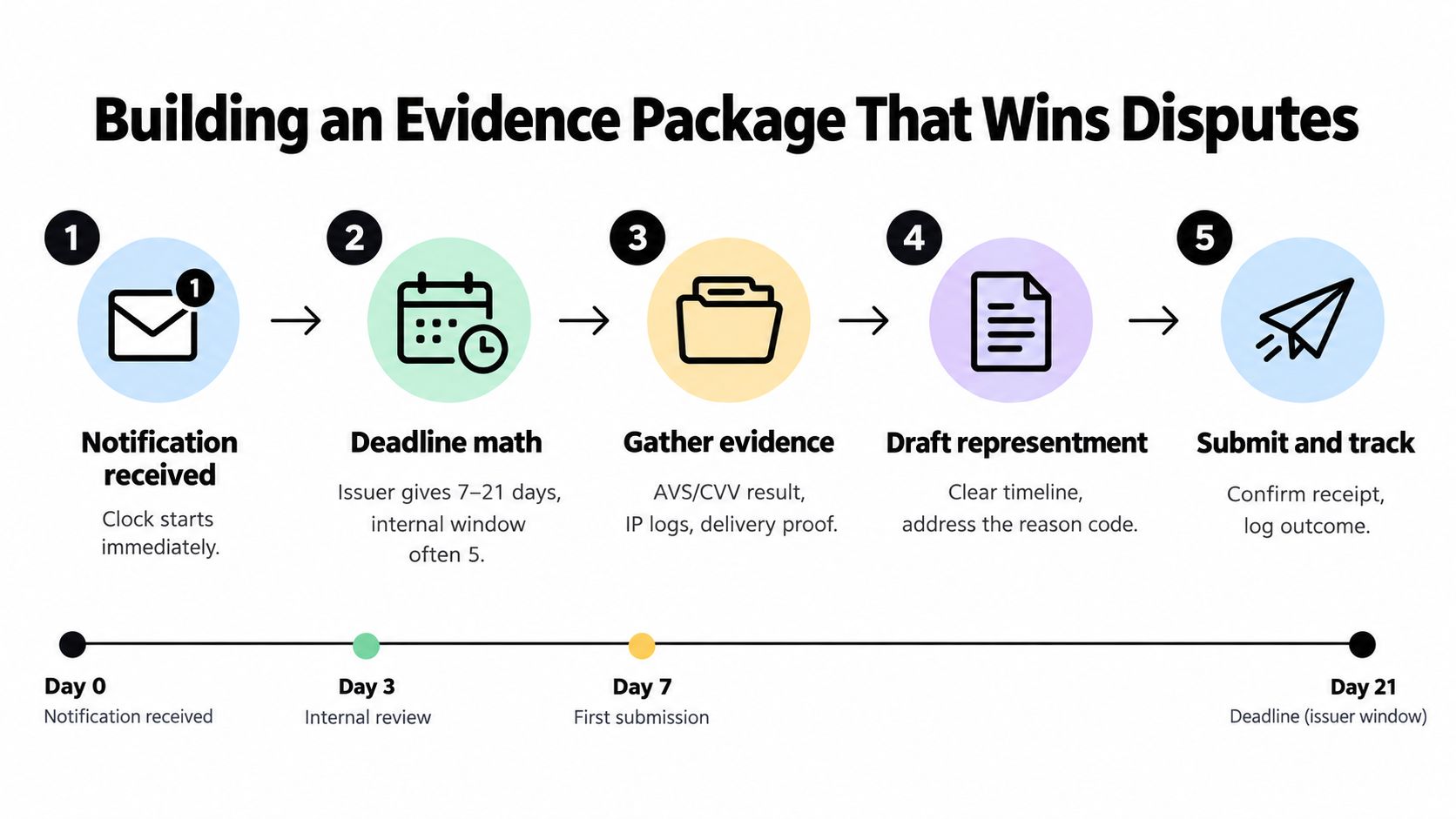
The moment a chargeback appears, the clock is already running. Shopify says the submission window is typically 7 to 21 days after filing, and a response generally can't be changed after submission or appealed after the bank makes its final decision. Shopify's chargeback response guidance makes the deadline constraint explicit.
Start with direct proof
Shopify's recommended evidence order puts transaction-specific proof first, customer acknowledgment next, policy documentation after that, and supporting context last. Use that order because a direct connection between the disputed order and its fulfillment is stronger than a general store policy.
Build the package in this sequence:
- Order record: Capture the order number, items, amount, payment details available to you, billing information, shipping address, and accepted checkout policies.
- Payment and session context: Preserve AVS and CVV results, IP and country information, device or network indicators, and any relevant risk notes.
- Fulfillment evidence: Add the carrier record, shipment date, tracking activity, destination, and delivery confirmation.
- Customer history: Include messages, refund conversations, delivery acknowledgments, and any customer statement that connects the buyer to the order.
- Reason-specific explanation: Write a short timeline that answers the exact dispute category. Don't bury delivery proof beneath unrelated screenshots.
Capture evidence before the dispute
Reconstructing an order under deadline pressure creates missing timestamps, unreadable screenshots, and contradictory notes. Generate compact evidence records at authorization, fulfillment, delivery, refund, and customer-contact events.
Shopify accepts PDF, JPEG, and PNG files. Each file must be under 2 MB, combined evidence must be under 4 MB, and external links, audio, and video aren't accepted. Keep filenames descriptive, such as order-payment-context.pdf or order-delivery-confirmation.png, and make sure every file can stand alone when read by someone who doesn't know your internal systems.
Practical rule: If a fact matters to a future dispute, store it when the event happens. Don't rely on an analyst remembering where the record lives weeks later.
Common failures aren't always factual. Merchants lose clarity when they submit a policy page without proving the customer accepted it, attach tracking without tying it to the shipping address, or upload a large collage that makes the relevant detail impossible to find. A concise timeline with direct proof gives the reviewer a reason to connect the order to the claim.
Why Upstream Traffic Quality Is the Missing Layer
Most chargeback playbooks begin at the dispute notification. That's too late to control the full cost.
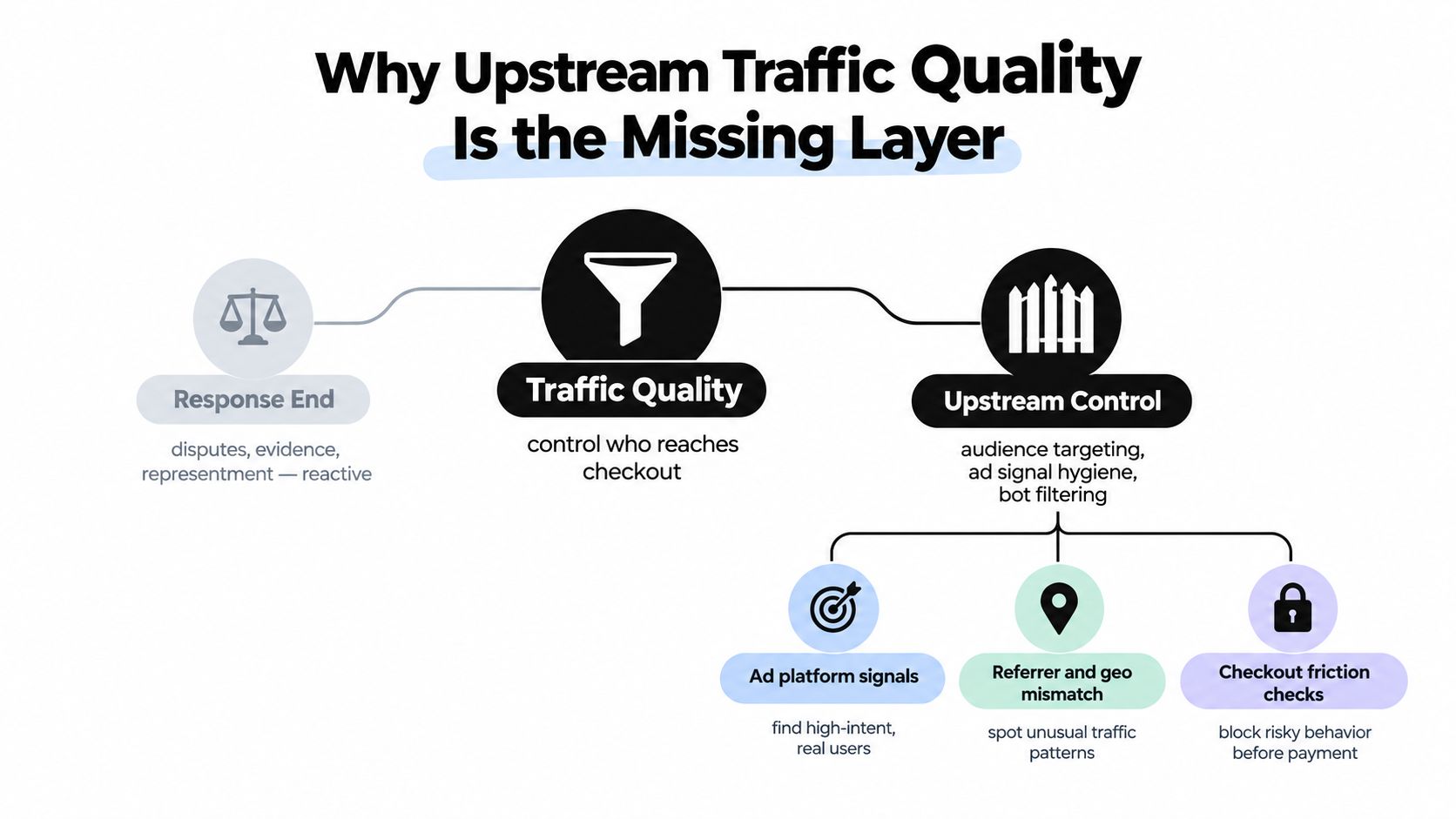
Upstream traffic quality means deciding who reaches checkout and how much confidence that visitor deserves. Bots can create fake sessions and false funnel activity. VPNs and proxies can mask location and connect activity that would otherwise look related. Geo-mismatched sessions can create friction between the visitor's apparent country, billing information, shipping destination, and fulfillment rules.
The causal chain is straightforward:
- Bad traffic inflates sessions and weakens conversion reporting.
- Suspicious behavior makes order-level fraud signals noisier.
- Noisier signals push more orders into manual review.
- Review queues delay good orders and still miss some abusive sessions.
- Orders that slip through create fulfillment cost, support work, and eventual disputes.
Filter before the payment decision
A VPN alone doesn't prove fraud. A proxy alone doesn't prove fraud either. But a masked network combined with unusual checkout velocity, repeated payment attempts, inconsistent geography, or repeat-device behavior should change the action you take.
Use layered responses instead of blanket rejection:
- Allow: Consistent customer, payment, device, and fulfillment context.
- Challenge or hold: One or more meaningful mismatches that require verification.
- Block: Repeated or strongly correlated abuse patterns with no credible customer explanation.
This approach protects legitimate international shoppers while reducing the population most likely to produce fraudulent orders and weak evidence trails. It also keeps bad sessions from polluting email signups, reviews, support queues, and campaign attribution.
Teams that need a broader framework for identifying unknown organizations and suspicious visitors can review guidance on B2B website visitor identification. The same principle applies here, classify the visitor before the order becomes a financial liability.
Traffic screening isn't just a security feature or analytics cleanup. It's a chargeback lever. The guide to chargeback costs and early traffic control frames the decision correctly: compare the cost of filtering suspicious traffic with the larger operational cost of letting false conversions proceed through the funnel.
Where Securify fits
Securify sits at the storefront traffic-quality layer. It can identify non-human sessions, flag VPN and proxy traffic, apply geographic consistency controls, and surface repeat-device anomalies so merchants can block or hold suspicious visitors before they become payment events.
That timing matters. Traffic screening happens at the storefront edge. Shopify fraud analysis evaluates risk after an order is created, while Shopify Protect addresses only qualifying disputes after they're filed. Securify doesn't replace either Shopify tool, and it doesn't provide chargeback guarantees, reimbursement, insurance, or dispute handling.
Use it as one option in a layered defense. The relevant measure isn't a cleaner dashboard by itself. It's whether fewer suspicious sessions become risky orders, manual reviews, support tickets, and disputed transactions. Review Securify on the Shopify App Store if you need storefront controls for bots, masked traffic, and geographic risk signals.
Frequently Asked Questions
Who is eligible for Shopify Protect?
Shopify Protect applies to US-based stores using Shopify Payments and Shop Pay. The order must involve eligible physical goods, and the merchant must fulfill it within 7 days using a supported carrier and valid tracking. The carrier must also mark the shipment in transit within 10 days of the order date. Shopify's program terms define these eligibility requirements and the 365-day protection window.
Shop Pay usage alone does not confirm coverage. Product type, merchant location, fulfillment timing, carrier support, and tracking quality all affect eligibility. Check the protection status on each order, then retain that status with the order, fulfillment, delivery, and customer-service records.
What does Shopify Protect pay back?
For a qualifying covered dispute, Shopify states that it reimburses the order-related amount and the chargeback fee while managing the dispute process. The transaction must satisfy the program requirements, and the dispute category must fall within the covered scope. Product, subscription, refund, and other non-covered disputes do not automatically qualify.
The cardholder's bank and card network still make the final chargeback decision. Shopify Protect changes who carries the covered financial and administrative burden. It does not guarantee that every disputed order will be decided in the merchant's favor.
What should I do when a chargeback falls outside Shopify Protect?
Open the dispute in Shopify and read the reason code before collecting documents. Build a focused representment package that connects the order to payment authorization, fulfillment, delivery, customer communication, or refund processing, based on the customer's claim.
Submit the package within the platform's stated deadline, typically 7 to 21 days after filing. Use accepted PDF, JPEG, or PNG files. Keep each file under 2 MB and the combined submission under 4 MB. Do not rely on external links, audio, or video because Shopify does not accept those formats in the evidence package.
Keep the customer's longer dispute window in mind. For US credit-card holders, the Fair Credit Billing Act generally allows a billing error to be disputed in writing within 60 days of the first statement containing the error. The issuer must acknowledge the written dispute within 30 days unless it has already resolved it, and it must resolve the dispute within two billing cycles, but no more than 90 days after receiving the letter. The Federal Trade Commission's billing-error guidance explains why merchants should retain delivery, refund, order, and support records beyond Shopify's shorter response window.
Is Shopify chargeback protection worth the cost at lower order volumes?
Judge the program by product category and dispute exposure, not store size alone. Compare eligible coverage with the likely order-related loss, chargeback fees, fulfillment cost, support labor, and inventory exposure associated with a disputed order.
Protection provides more value when your catalog ships physical goods, orders qualify consistently, and the fulfillment team can meet every deadline. It provides less value when disputes mainly involve subscriptions, services, product quality, refunds, or other categories outside the program.
A covered claim still affects your chargeback rate. Shopify counts chargebacks whether the merchant wins or loses, and an attack that causes a surge in declined transactions can reduce legitimate customer conversion. Use protection as a financial backstop, then improve the upstream controls that stop risky sessions from reaching checkout.
That upstream layer includes fraud analysis before fulfillment and storefront controls for bots, VPNs, proxies, geographic mismatches, and repeat-device activity. A dispute program handles qualifying losses after payment. Traffic and order controls reduce the number of suspicious payment events that reach that stage.
| Question | Short Answer |
|---|---|
| Who can use Shopify Protect? | US-based stores using Shopify Payments and Shop Pay for eligible physical-goods orders |
| What must the merchant do? | Fulfill within 7 days, use a supported carrier, provide valid tracking, and meet the in-transit requirement |
| What does coverage include? | The qualifying order-related amount and chargeback fee for covered disputes |
| Does it cover every chargeback? | No. Eligibility and dispute category determine whether protection applies |
| What happens outside coverage? | Review the reason, submit evidence, and meet the platform deadline |
| Does a covered chargeback disappear from the rate? | No. Shopify says every chargeback counts toward the chargeback rate |
Securify gives Shopify merchants an upstream way to identify bots, VPNs, proxies, geographic mismatches, and repeat-device anomalies before suspicious visitors become disputed orders. Visit Securify to assess whether storefront traffic controls belong in your chargeback prevention workflow.