
Shopify Protect Explained and How to Cover the Gaps
Shopify Protect only reimburses fraud chargebacks on eligible Shop Pay orders. See the full exclusion list and how to protect the orders it skips.
Shopify Protect is free reimbursement for fraudulent and unrecognized chargebacks on eligible Shop Pay orders processed through Shopify Payments. Shopify handles the dispute and covers the total order cost plus the chargeback fee on protected orders, but it doesn't prevent the bad order from happening and it doesn't cover other payment methods or other dispute reasons.
If you're here after seeing Not protected by Shopify Protect, that's the right question to ask. Keep Protect on. It's useful. But don't confuse it with broad Shopify chargeback protection. The gap is real, and most stores need to measure that gap instead of assuming Shop Pay means covered. For the official product page, see Shopify Protect, and for the help docs, start with Shopify's Shop Pay Protect help content.
Rules last verified September 2026
Table of Contents
- Introduction What Shopify Protect Actually Does
- What Shopify Protect Is and Is Not
- Eligibility Rules That Decide If an Order Is Protected
- Which Chargebacks Are Covered and Which Are Not
- How to Check an Order and Measure Your Uncovered Slice
- Why Reimbursed Is Not Prevented and How to Prevent the Rest
- Where Securify Fits for Orders Shopify Protect Skips
- Frequently Asked Questions About Shopify Protect
Introduction What Shopify Protect Actually Does
Shopify launched Shopify Protect on April 27, 2022 as free fraud protection for eligible U.S.-based stores using Shop Pay, and Shopify says it applies at no extra cost to eligible Shop Pay transactions authorized through Shopify Payments (Shopify launch post).
That sounds broader than it is. In practice, Shopify Protect is a warranty-style reimbursement layer for certain orders and certain chargeback reasons. It's not a blanket promise across your whole store.
Practical rule: Treat Shopify Protect as a useful backstop for one slice of fraud, not as your full chargeback plan.
Shopify says its free chargeback protection has already covered more than $13 billion in transaction volume and that if a fraudulent or unrecognized chargeback is made on a protected order, the merchant doesn't need to take any action (Shopify fraud solutions). Good. Keep it on. But you still need to know what it skips.
What Shopify Protect Is and Is Not
Shopify Protect is reimbursement after a fraud chargeback, not prevention before fulfillment. That distinction matters more than most product pages make clear.
If an order qualifies, Shopify covers the total order cost and the chargeback fee, and Shopify manages the dispute process (Shopify Protect details). That helps cash flow. It removes admin work on those covered disputes. It does not stop the package from leaving your warehouse, and it does not mean every Shop Pay order is protected.
Think of Shopify Protect like a limited warranty
A warranty doesn't apply to every receipt, every failure, and every misuse. Shopify Protect works the same way.
Three things are true at once:
- Shopify decides per order. A Shop Pay order can still end up not protected.
- Coverage is narrow. It applies to specific fraud-related chargebacks, not all disputes.
- The order already happened. Your team still accepted, packed, and shipped it.
Shopify's own help content makes the line pretty clear. Protected fraudulent chargebacks are credited back automatically, but the disputed amount and fee are first debited, and coverage is limited to eligible Shop Pay orders (Shopify Protect help). That's why I tell merchants this is mostly a cash-flow tool, not a fraud prevention system.
You're not buying prevention here. You're getting reimbursement on a narrow class of losses after Shopify says the order qualified.
Eligibility Rules That Decide If an Order Is Protected
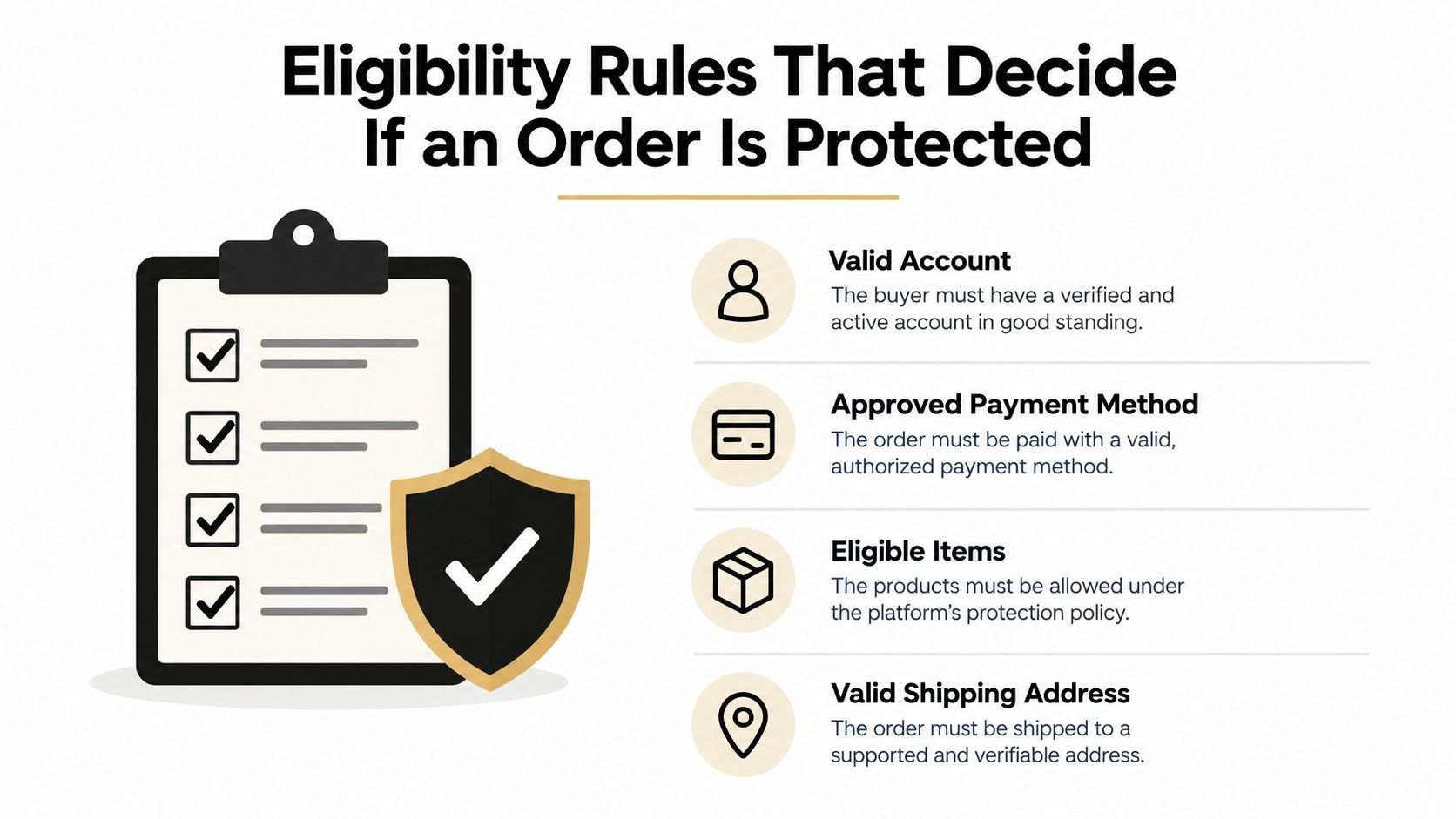
Getting Shopify Protect status is not one rule. It's a stack of rules. Miss one and the order falls out.
Gate one is store and payment eligibility
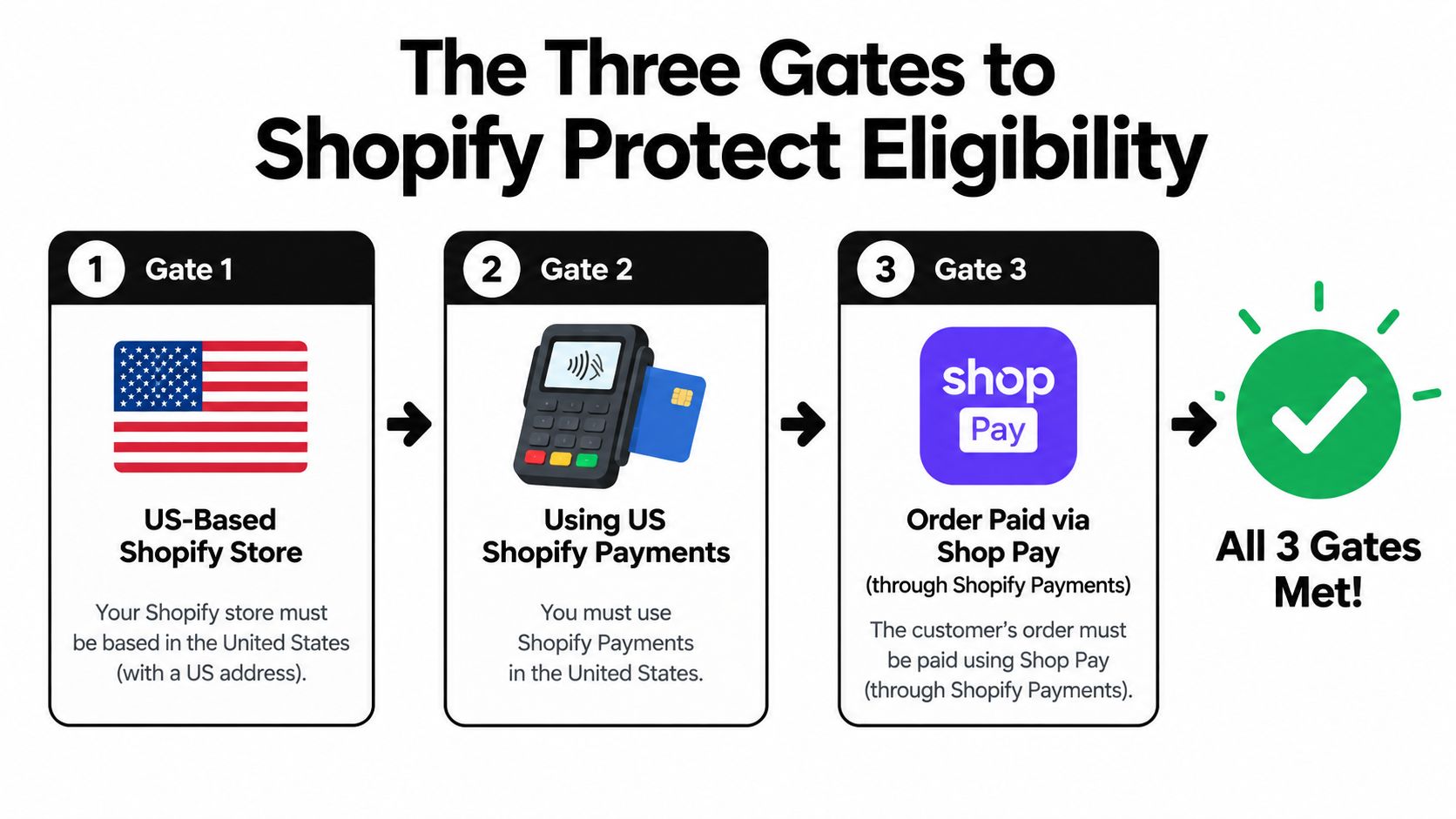
Shopify Protect is available only to U.S. stores using Shopify Payments, and Shopify's preventive tools page also says Shopify Protect is available only to US stores that use Shop Pay (Shopify fraud prevention tools).
That means all three have to line up:
- Your store is in the US
- You use Shopify Payments
- The order is paid through Shop Pay
Shopify also says eligible Shop Pay transactions can include Shop Pay orders through channels like Facebook, Instagram, and Google when they run through Shopify Payments, but the coverage is still tied to Shop Pay and eligibility. Don't assume other wallets or gateways count just because the customer paid online.
Gate two is order type and fulfillment discipline
Shopify Protect is for eligible orders classified as protected, and eligibility requires fulfillment within 7 days plus a supported tracking number, with carrier transit status recorded within 10 days of purchase (Shopify Protect overview).
The operational takeaway is simple. Your team has to ship cleanly and quickly.
Watch for these practical deal-breakers:
- Physical shipped items only
- All non-refunded items fulfilled
- Tracking added on time
- Carrier scan recorded on time
- Address stays the same after checkout
If your team edits the shipping address after the order, you should assume coverage is at risk. If tracking goes in late, don't assume Shopify will make an exception.
Supported carrier coverage is not universal. The approved list referenced in Shopify materials includes SFN, USPS, UPS, Canada Post, DHL Express, FedEx, TForce, Lone Star Overnight, UDS, CDL, LaserShip, GLS, and OnTrac. If your ops stack uses something outside that set, verify each workflow before relying on Protect.
Shopify's built-in review tools are still useful here. Shopify Fraud Analysis helps merchants review orders before fulfillment and shows fraud indicators plus a recommendation of low, medium, or high risk of a chargeback due to fraud, which is exactly the checkpoint you should use before shipping a marginal order.
Gate three is Shopify's order status decision
This part catches merchants off guard. You don't opt an order into coverage. Shopify assigns the protection status.
That means a Shop Pay order can be eligible in theory and still never become protected in practice. Shopify's own terms and product framing make clear that this is a program with defined rules and order-level status, not a guarantee across all Shop Pay traffic.
A few extra boundaries matter:
- Subscriptions are limited to the first order only
- Managed Markets orders are treated differently and can be auto-protected under Shopify's rules
- Chargebacks must happen within 12 months of the order, per Shopify's Protect terms
- Proof of delivery to the order address matters
- Shopify may claw back reimbursement if the dispute is later won
- Program access can be affected if a merchant is in a monitoring program
Which Chargebacks Are Covered and Which Are Not
The easiest way to think about Shopify Protect is this: it covers reason codes about unauthorized use, not disputes about delivery, product quality, refunds, or billing problems.
Shopify's help and product pages consistently frame coverage around fraudulent and unrecognized chargebacks on protected orders. That's the lane.
Covered reasons are narrow
If the order is protected and the dispute reason is one of these, Shopify Protect can apply:
- Fraudulent
- Unrecognized
Everything else goes through the normal dispute process.
Most painful merchant disputes are outside that lane
These are the kinds of dispute reasons merchants regularly expect Protect to cover, but it doesn't:
- Item not received
- Not as described or defective
- Duplicate
- Subscription canceled
- Credit not processed
- General
That's the core gap in Shopify chargeback protection. A customer can use Shop Pay, your team can ship the order, and you can still be fully exposed if the dispute reason is outside fraud or unrecognized use.
A protected payment method doesn't mean a protected dispute reason.
Community discussion makes this concrete. In an August 2024 Shopify Community thread, a merchant described a $500 item-not-received dispute that was denied despite delivery scan evidence (Shopify Community discussion). That's not proof of a platform-wide outcome. It is a fair example of the exact misunderstanding merchants keep having: proof of delivery can help you fight a dispute, but it doesn't turn a non-covered dispute reason into a Shopify Protect reimbursement.
Shopify Protect Covered vs Not Covered
| Dimension | Covered by Shopify Protect | Not Covered |
|---|---|---|
| Payment | Shop Pay via Shopify Payments, including eligible Shop Pay orders on Facebook, Instagram, and Google; Managed Markets under Shopify's rules | Card checkout, PayPal, Apple Pay, Google Pay outside Shop Pay, Installments, third-party gateways, draft orders, POS |
| Region | US store using US Shopify Payments | Non-US stores, or US stores using another gateway |
| Order type | Physical goods that are shipped, fulfilled, and meet the tracking rules; first subscription order only | Orders with any digital or pickup item, renewals, unsupported carrier use, late fulfillment, changed address |
| Dispute reason | Fraudulent, unrecognized | Item not received, not as described, duplicate, subscription canceled, credit not processed, general |
| Status | Order shows Shopify Protect status and becomes Protected | Order never marked protected, or shows Not protected |
| Outcome | Order amount plus chargeback fee credited, Shopify handles the dispute | Standard dispute flow, and you're responsible for the outcome |
How to Check an Order and Measure Your Uncovered Slice
Most merchants don't need another fraud theory. They need a five-minute check.
Check the order status first
In Shopify admin, go to Orders, open Filter, and use the Shopify Protect filter to view the order's protection state. The status labels are:
- Protection active. The order can still qualify, but all requirements haven't been completed yet.
- Protected. Shopify Protect applies if the order later gets a covered fraud dispute.
- Not protected. The order doesn't qualify for coverage.
That status framework comes from Shopify's help flow for filtering orders by protection status. If you see Not protected, don't argue with the label. Work backward through payment method, item type, shipping timing, tracking, and address handling.
Run the five-minute self-check
Use your own order mix. That's more useful than general advice.
- Pull total orders for the last 90 days.
- Apply the Protected filter and note how many orders became protected.
- Calculate your protectable share by comparing protected orders to total orders.
- Review your Shopify Payments disputes over the last 12 months and separate fraud-style disputes from the rest.
- Calculate your covered dispute share by asking how many of your real disputes would have fit the fraudulent or unrecognized bucket on protected orders.
If either share is small, Shopify Protect is still worth having. It's just not carrying much of your fraud burden.
Shopify gives you a related benchmark elsewhere in admin: the Fraud Control app defines acceptance rate as the share of orders marked low-risk or medium-risk (Fraud Control app help).
If your disputed orders were already showing medium or high risk before shipment, your problem wasn't reimbursement. Your problem was that the order got out the door.
Why Reimbursed Is Not Prevented and How to Prevent the Rest
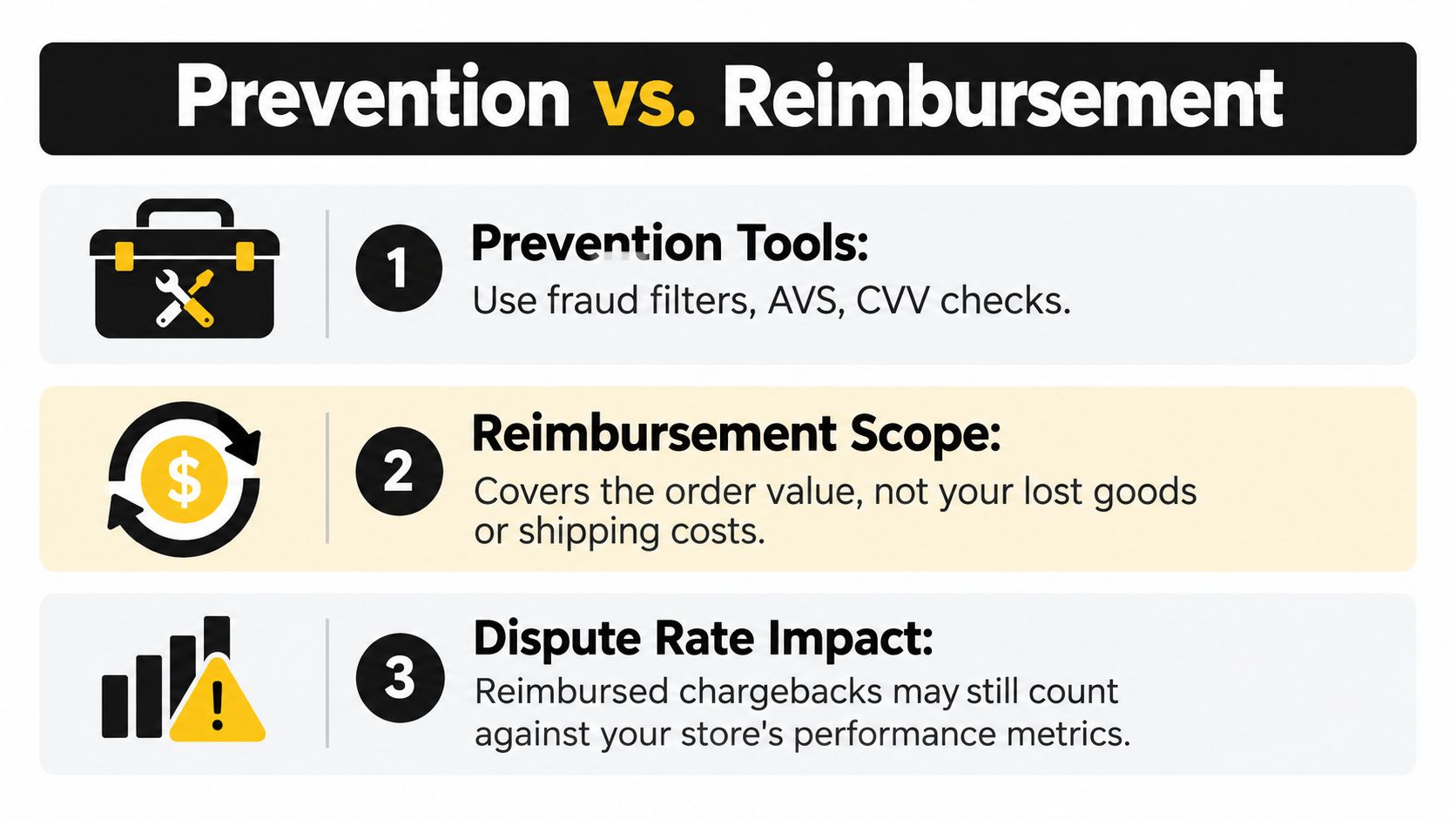
A reimbursed fraud chargeback still means the goods shipped. Your team still paid pick, pack, and postage. Customer support still touched the order. None of that gets undone.
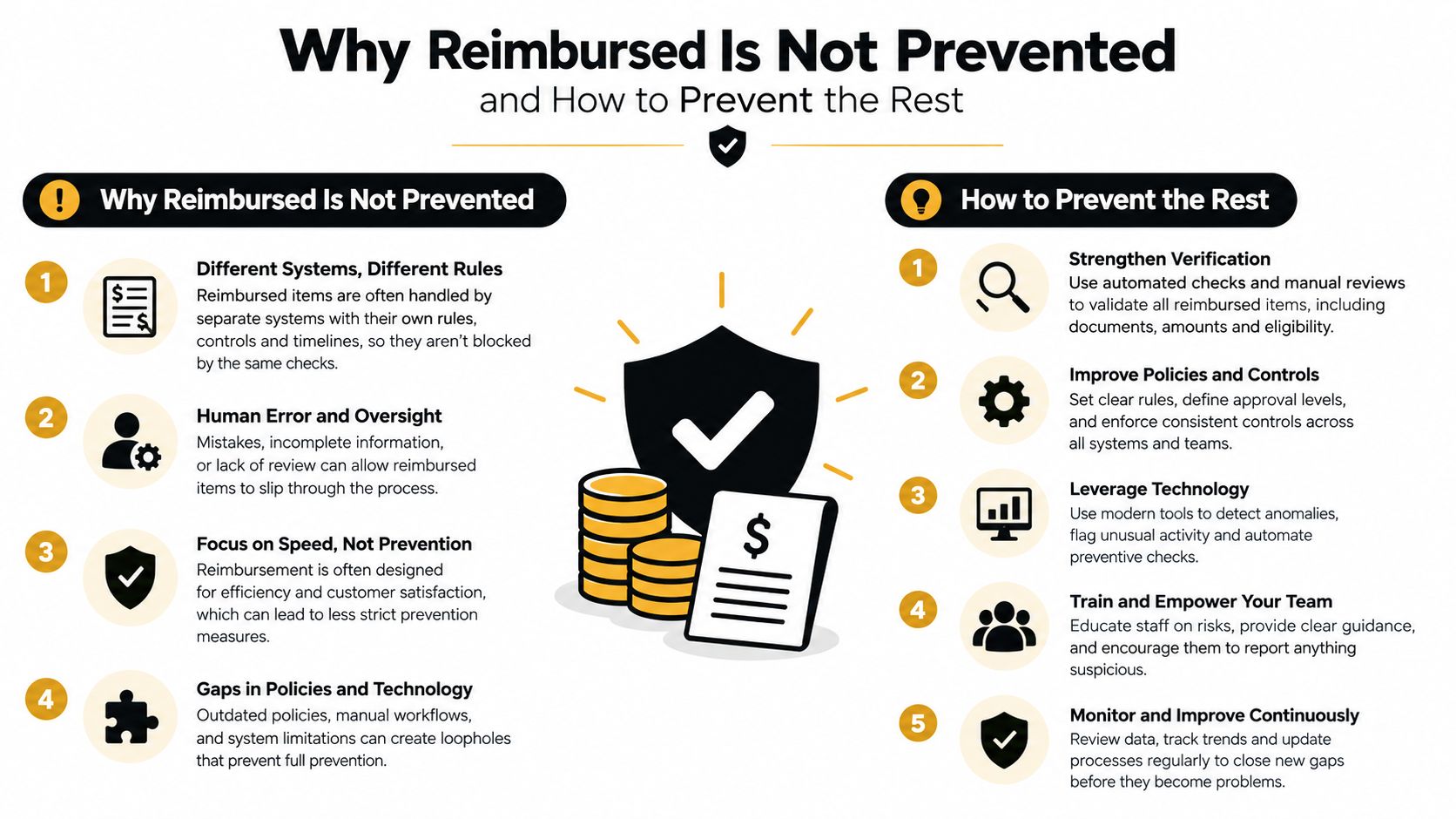
Reimbursement solves one problem
The good part is obvious. On a protected order with a covered fraud dispute, Shopify says the merchant doesn't need to take any action and the credited protection covers the order amount and fee.
The bad part is operational. The fraud already happened in your order queue.
Independent 2026 coverage has also pointed out that reimbursed chargebacks can still count toward a merchant's chargeback ratio and network monitoring thresholds, while Shopify's own help content doesn't claim otherwise. So even when Protect saves cash flow, it may not solve dispute-metric pressure.
For the broader operational hit, read what a chargeback really costs a Shopify store. The admin fee isn't the whole story.
Prevention starts with native process control
The first fixes are boring. They also work.
- Keep more orders eligible. Leave Shop Pay on. Ship inside the required window. Use supported carriers. Don't edit shipping addresses after checkout. Don't mix non-shippable items into orders you expect to qualify.
- Use order review before fulfillment. Shopify's Fraud Analysis is built to help merchants review orders before shipping, with fraud indicators and a low, medium, or high recommendation in the Order risk section (Fraud Analysis help).
- Stop high-risk orders from shipping. If your team sees repeated medium or high-risk losses, automate hold, cancel, or manual review steps. Chargeback fraud prevention for Shopify starts with fewer bad fulfillments, not better excuses after the fact.
Then move upstream before checkout
Fraud usually starts before the order exists. Bad traffic, masked location, repeat card testing patterns, and fake identity signals show up before your warehouse ever sees the order.
That's why I also recommend reading Shopify fraud usually starts before checkout. If your store waits until post-purchase to deal with risk, you're accepting too much avoidable mess.
Where Securify Fits for Orders Shopify Protect Skips
For the uncovered slice, the job is simple. Reduce how many risky orders get placed in the first place.
Securify's Shopify app acts before the order exists. It can block bots, datacenter traffic, VPNs, proxies, and Tor before checkout. It also gives you country and IP rules with schedules and redirects, which is useful if you only serve certain regions or keep seeing abuse from traffic you never intend to fulfill.
On checkout, it can block risky email, phone, and name patterns through checkout validation so no order is created. On higher plans, it can also see Shopify Payments disputes, auto-hold or cancel fraudulent orders, flag risky orders with dollar exposure, and apply one-click tagging. If you're dealing with repeated medium or high-risk reviews, start with how to handle Shopify high risk orders.
That's the right role for a tool like this. Shopify Protect reimburses some chargebacks after the fact. Securify helps cut down risky orders across payment methods before they hit ops.
Frequently Asked Questions About Shopify Protect
Is Shopify Protect free
Yes. Shopify says it's available at no extra cost for eligible Shop Pay transactions authorized through Shopify Payments for eligible US stores.
Does it cover item not received
No. Shopify Protect covers fraudulent and unrecognized chargebacks, not item-not-received disputes.
Does it work with PayPal or card checkout
No. It's limited to eligible Shop Pay orders through Shopify Payments.
Why does an order say Not protected by Shopify Protect
Common causes are missing the shipping or transit window, changing the address, using a non-covered order type, or the order never qualifying for protected status.
How do I prevent chargebacks on uncovered orders
Don't fulfill high-risk orders blindly. Use tracking and signature where appropriate, keep your billing descriptor clear, and block risky traffic and checkouts before an order exists.
Keep Shopify Protect on. Ship inside the window. Then do the part Shopify Protect doesn't do for you. Measure how much of your order volume and dispute volume sits outside coverage, and fix that upstream before your team fulfills another bad order.