
· shopify traffic checker · bot detection · shopify fraud · traffic quality · analytics accuracy
Shopify Traffic Checker Tools and What They Actually Show
Compare the best Shopify traffic checker tools for spotting bots, VPN abuse, and fake sessions, with pricing notes and which jobs each one handles.
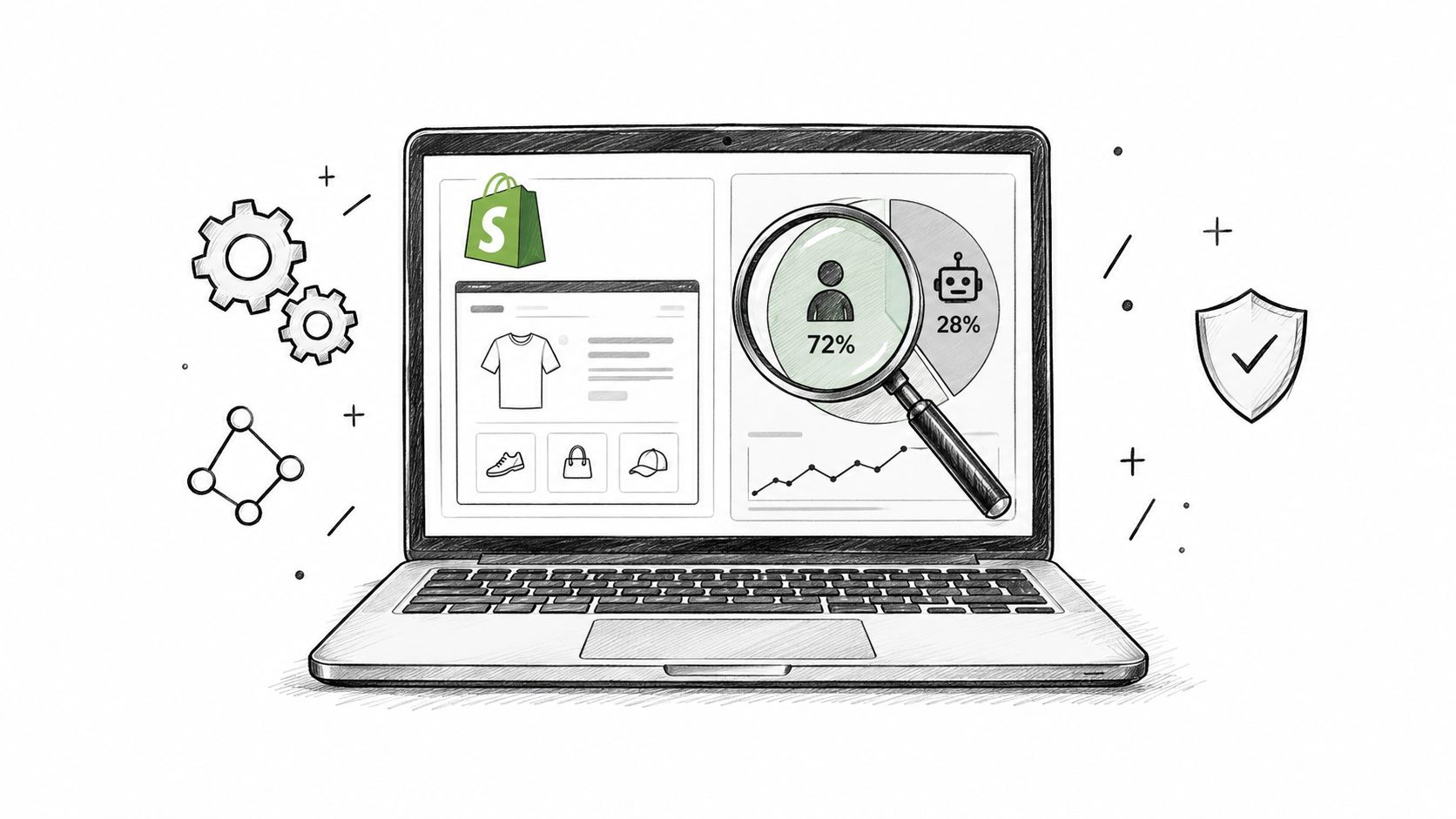
You know the moment. The traffic graph looks busy, the ad spend is moving, and the dashboard says sessions are up. Then you dig into orders and see the problem, the store is getting hit by activity that doesn't buy, doesn't stay, and doesn't belong in your conversion math.
A shopify traffic checker is useful when it tells you what's human, what's automated, and what's poisoning your reporting. If it just counts visits, it's not helping you run the store. It's helping you lie to yourself with cleaner-looking charts.
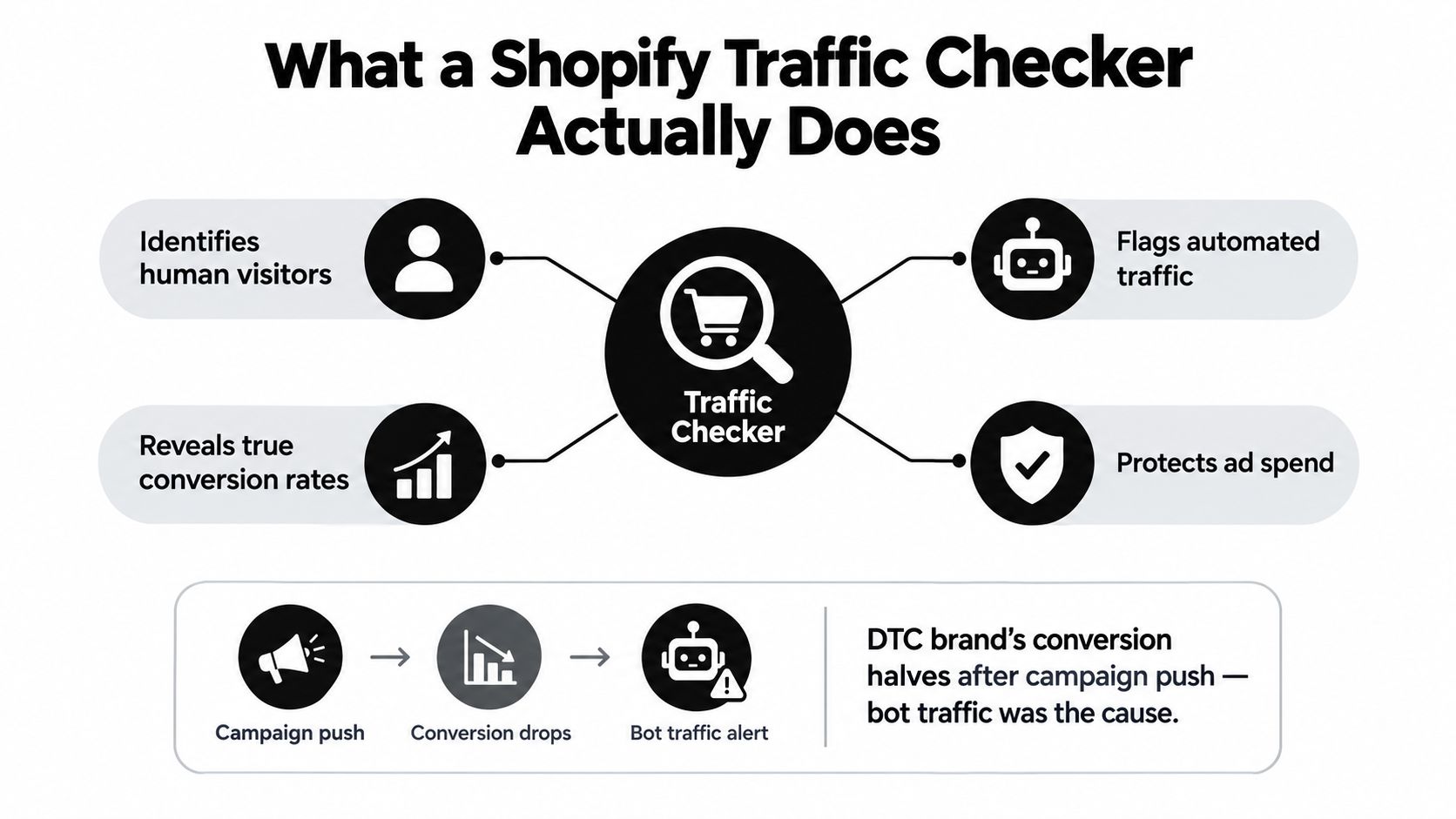
Table of Contents
- What a Shopify Traffic Checker Actually Does
- The Four Jobs a Traffic Checker Must Perform
- Running a Shopify Traffic Audit in One Afternoon
- Comparing the Main Shopify Traffic Checker Options
- How to Read a Traffic Checker Report Without Fooling Yourself
- Two Store Scenarios That Change the Call
- Shopify Traffic Checker Questions Merchants Actually Search
What a Shopify Traffic Checker Actually Does
A merchant usually sees the problem after a campaign push. Sessions climb, revenue does not, and the funnel starts to lie by the hour. By the time someone notices, inflated visits have already pushed the denominator around and made the store look weaker than it is.
A real shopify traffic checker classifies incoming sessions into human visitors, legitimate crawlers, suspicious automation, and malicious bots. That is measurement control, not a security checkbox. Shopify's own Shopify bot filtering guidance makes the point clear. Session classification depends on signals across the full visit, not one shallow clue like user agent or IP country.
A tool that cannot separate useful automation from harmful automation is not helping you run the store. It is just counting noise.
The point is to protect the numbers that drive decisions. A scraper that hits your catalog also inflates sessions, distorts conversion rate, and muddies attribution. Once that happens, conversion, geo, and channel reports stop telling the truth. Traffic validation belongs upstream of reporting, not after the fact.
For teams doing a close look at traffic quality, traffic estimation tools provide useful context. They help frame volume, but they do not tell you whether the traffic deserves to be trusted.
Industry reporting puts automated traffic at roughly half of all web traffic in 2024, with retail among the most attacked sectors. That is enough to treat traffic checking as an ops discipline, not a niche security add-on. If the checker does not help you separate real demand from automated noise, it is not doing the job.
The Four Jobs a Traffic Checker Must Perform
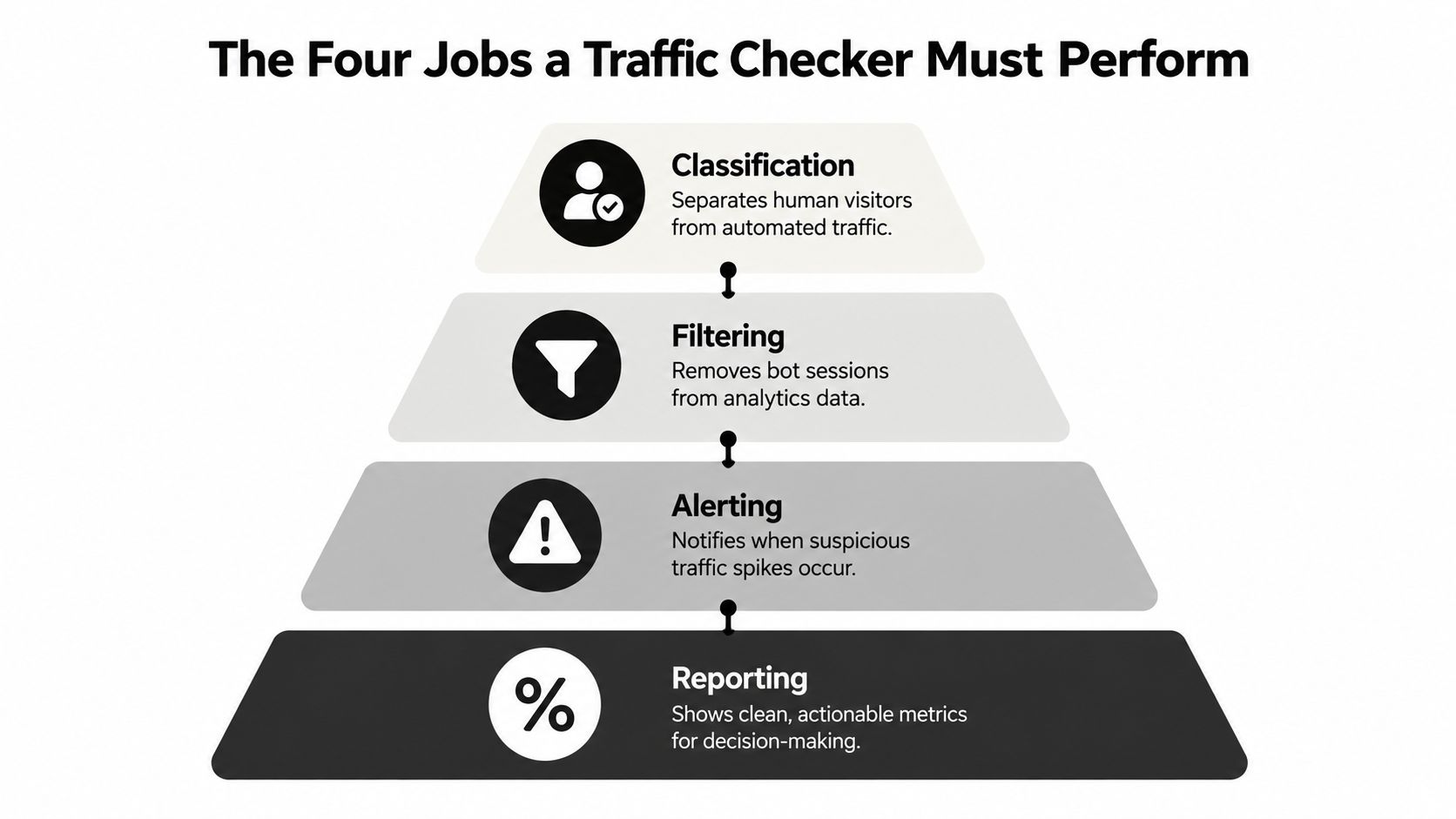
A traffic checker that rolls everything into one number is hiding the problem. You need four separate jobs, and if one is missing, the funnel is still polluted.
Classification and filtering
The first job is classification. Human, suspicious, automated, malicious. If a tool cannot separate those classes, every report built on top of it is compromised.
The second job is filtering. A checker should not treat every bot the same way. Shopify's guidance on bot activity points to sudden session spikes, spikes concentrated in one device type, unusual clusters of landing-page URLs, and sessions tied to cloud data-center locations as signals worth investigating. Shopify bot activity indicators
A tool that says “38% bot traffic” without showing what kind of traffic it is leaves you blind. Scrapers, monitoring tools, and noisy automation call for different responses.
Alerting and reporting
The third job is alerting. A campaign launch, product drop, or pricing change can trigger a weird surge from one geography or one device type. That needs to surface fast, before the bad read spreads through the rest of the report.
The fourth job is reporting. Reporting means more than a visit total. It means showing the share of traffic by class, the acquisition source that is polluted, and the business effect after exclusion. In retail, bot-heavy traffic can be a real share of sessions, which makes a raw count misleading.
A checker that can't connect traffic class to business impact is just a dashboard with opinions.
Running a Shopify Traffic Audit in One Afternoon
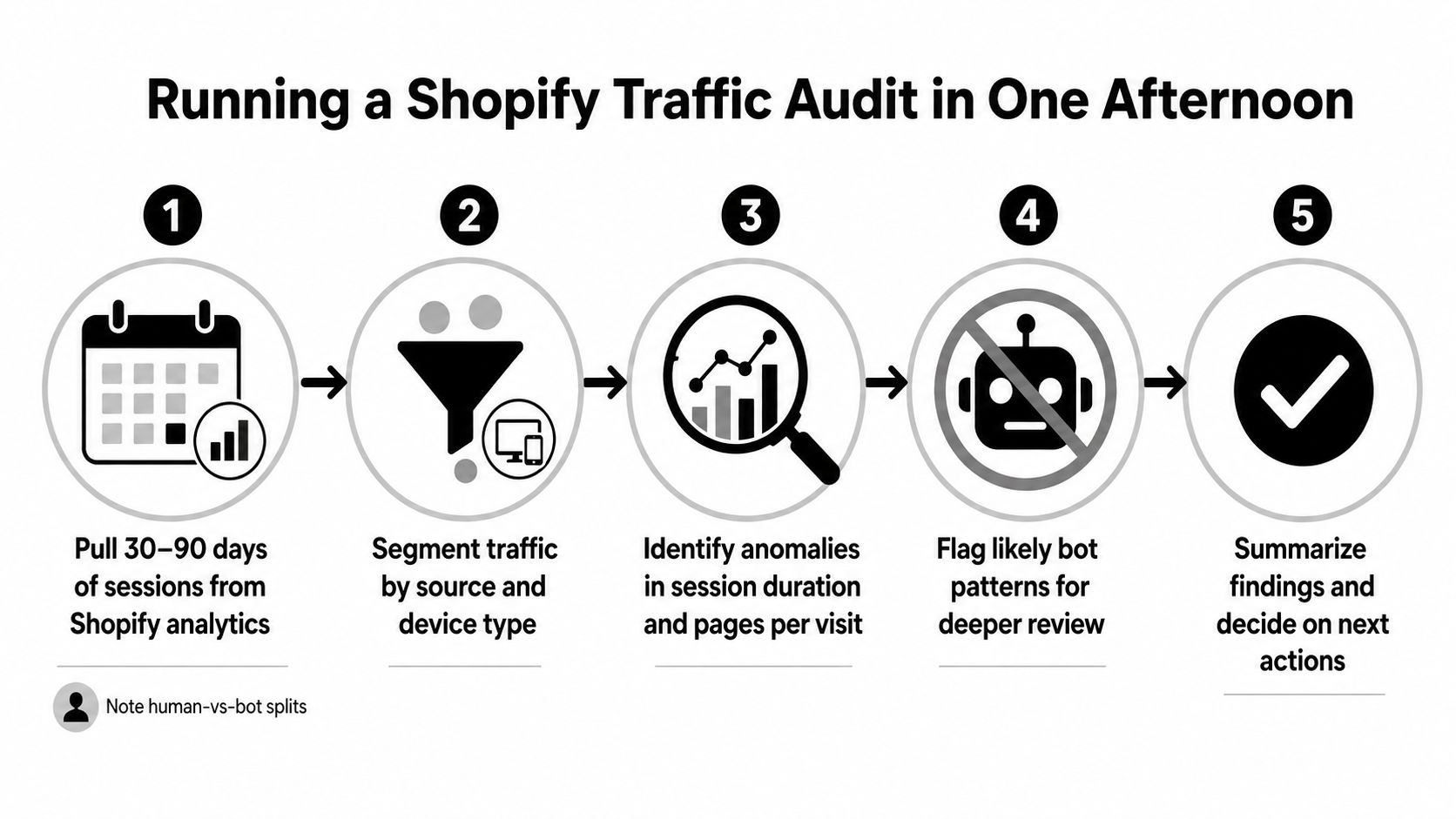
Start with the store you already have. Pull the numbers, mark the distortion, and decide whether a tool is justified.
Use a short window and a clean comparison
Pull 30 to 90 days of sessions in Shopify analytics and compare periods with similar marketing activity. Use a window that lets you separate a real campaign effect from automated noise.
Then compare conversion before and after excluding automated sessions. Do it by channel, not just in aggregate. Direct, organic, paid, and referral can tell very different stories once polluted traffic is removed.
A Shopify-focused analysis of 10 stores found that bot sessions could make up a meaningful share of traffic while converting far worse than human sessions, and direct traffic could be much more polluted than Google traffic. Treat those patterns as a warning, not a verdict. Shopify session classification analysis
Look for where the pollution lives
Next, isolate geographies and device patterns. Sessions clustered around cloud data-center locations like Ashburn, Virginia, and Los Angeles, California, deserve a closer look, especially if one device type suddenly dominates.
Before you touch a tool, review why a store gets traffic but no sales: why traffic without sales happens. Then check what changed around launches, discounts, or pricing updates. A spike tied to one campaign is a different problem from broad growth across several channels. Write down the distortion channel by channel before you make any cleanup decision.
If you can't describe the pollution, you can't prove the fix.
Keep the raw numbers. If you do not save the before state, you will not know whether a checker improved the funnel or only made the dashboard look cleaner.
Comparing the Main Shopify Traffic Checker Options
Treat this as a control choice, not a logo choice. The right checker needs to fit how your store runs, separate real shoppers from junk fast, and give you a read you can act on without a cleanup project.
| Capability tier | Shopify-native | Classification depth | Channel-level distortion | Integrations | Time to first scan | Pricing posture |
|---|---|---|---|---|---|---|
| Platform-native filtering | Yes | Baseline classification | Limited | Native reporting only | Immediate | Included with the platform |
| External analytics stack | No | Moderate, outside Shopify sessions | Good for pattern review, weaker on storefront context | Depends on setup | Slower | Usually included in analytics stack |
| Dedicated Shopify traffic-quality app | Usually yes | Stronger on storefront session quality | Better suited to merchant workflows | Often store-focused | Fast | App-style pricing |
| Securify | Yes | Traffic classification, bot blocking, VPN and proxy controls, geo-blocking rules | Built for polluted storefront traffic | Shopify, Klaviyo, Gorgias, Judge.me | Store X-Ray scan with no signup | Free plan available |
Platform-native filtering gives you a floor, not a decision system. It cleans up reports, but it does not tell you enough about session quality, source distortion, or where the funnel is getting polluted.
External analytics stacks can help you validate patterns across sources, but they are still detached from storefront behavior. That gap matters when you need to separate real traffic from noisy traffic and then decide whether the problem is acquisition, geography, or session quality.
A dedicated Shopify traffic-quality app is the practical middle ground for merchants who need faster reads and store-specific controls. If you want to understand where app-style tools stop and why interpretation still matters, the technical SEO app limitations explained piece is a useful parallel.
Securify is the concrete example in this tier, with traffic classification, bot blocking, VPN and proxy controls, geo-blocking rules, and a Store X-Ray scan with no signup. If security and traffic quality are both in play, read Shopify security app considerations alongside your decision, because the wrong setup makes the report look clean while the funnel stays polluted.
How to Read a Traffic Checker Report Without Fooling Yourself
The worst mistake is celebrating a higher conversion rate after filtering. Sometimes that number improved. Sometimes you just removed bad sessions from the denominator and made the math prettier.
Watch the denominator trap
A filtered report can lift conversion without any real marketing gain. That's not a win by itself. It can just mean your traffic was polluted and now it isn't.
Use a bot-adjusted conversion rate and keep the raw rate too. If the raw rate is low and the filtered rate jumps, that tells you the store had contamination. It doesn't tell you whether the campaign got better.
The same is true for revenue per human session. That metric is more honest than total revenue divided by total sessions when bots are present. It lets you compare actual shopper value, not a blended mess of buyers and machines.
Read channel distortion, not just totals
Direct traffic is often the place where bot share looks worst. That was true in the Shopify-focused 10-store analysis, where direct carried a much higher bot share than Google. If you don't break traffic apart by source, direct looks “strong,” organic looks “weak,” and paid looks more expensive than it really is.
Use a simple workflow:
- Compare raw vs filtered conversion: If the gap is large, the store has contamination.
- Check revenue per human session: This tells you what real visitors are worth.
- Review checkout attempts by source: Sudden spikes without matching revenue are a problem.
- Track the same timeframe consistently: Don't compare a launch week to a dead week and call it insight.
A higher post-filter conversion rate is not proof of better marketing. It may just mean the math finally stopped including garbage traffic.
If you need a way to keep post-click measurement cleaner while the rest of the stack is still messy, track post-click journeys despite blockers is relevant reading.
For a deeper operational view of bot and proxy patterns, bots and proxies in Shopify traffic covers the kind of traffic that distorts reports without announcing itself.
Two Store Scenarios That Change the Call
A checker matters only if it changes what the operator does next. Two stores can both say “we have traffic trouble” and still need very different fixes.
Mid-sized apparel brand with a direct-channel spike
A mid-sized DTC apparel brand saw paid social stay steady while conversion softened. The team blamed stale creative. The audit showed the distortion sitting in direct traffic, not paid. That pointed away from ads and toward automated sessions that inflated visits without adding buyers.
The useful signal was not just raw bot share. Direct traffic was carrying the distortion, and checkout behavior did not match real shopper intent. In a case like that, the checker's job is to stop you from fixing the wrong channel. The classification is the point.
The response was straightforward. Tighten the traffic-classification layer upstream, keep human sessions clean in reporting, and stop blaming the ad team for junk they did not create.
Peak-season home goods launch with scraper noise
A home goods store launched into peak season with a TikTok push and a competitor scraper hammering product pages at the same time. That is the messy version of a traffic problem, because legitimate attention and noisy collection hit in the same week.
The strongest signals were the concentration of requests on product and pricing pages, the geography pattern, and the timing against the launch. Shopify's bot indicators fit that setup well, because a short-lived surge from one device type or one hosting-provider location is more suspicious than a healthy campaign lift spread across normal channels.
In this kind of stack, an upstream classification layer earns its keep by classifying sessions before they reach order review. It filters automated traffic and sends cleaner signals into downstream systems. A traffic-quality layer does that work without waiting for the funnel to turn noisy enough to be obvious.
If you need the practical version, Securify, listed as Country Blocker Fraud Securify on the Shopify App Store, is built around traffic classification, bot blocking, VPN and proxy controls, geo-blocking rules, price protection, and a Store X-Ray scan with no signup. It also lists native integrations with Klaviyo, Gorgias, and Judge.me, a resource library, a 4.4 out of 5 App Store rating, and a free plan.
Shopify Traffic Checker Questions Merchants Actually Search
Is Shopify's built-in bot filtering enough on its own?
No. It's a baseline, not a complete operating model. It helps with report hygiene, but you still need a way to see where the polluted traffic came from, how it affected conversion, and whether the problem is malicious or noisy automation.
How often should I run a traffic audit?
Run one whenever conversion moves without a clear business reason, and also on a regular cadence. Monthly is a sane default for active stores, and after any launch, promo, or pricing change is essential.
What if my checker disagrees with Shopify's human-versus-bot classification?
Treat it as a signal to review methodology, not a reason to trust one system blindly. Check the same timeframe, look at channel mix, and inspect whether the disagreement is coming from session-level signals, device patterns, or geography. Don't delete the data, compare it.
Will blocking all bots hurt SEO?
Yes, if you do it stupidly. You don't want to block useful crawlers that help shoppers find your products. You want to block harmful automation and leave legitimate indexing behavior alone.
If your funnel feels dirty, stop guessing at the cause and clean up the traffic layer first. Securify gives Shopify merchants a way to classify sessions, block bad traffic, and keep polluted visits out of the analytics that drive spend and merchandising. If you want a traffic-quality layer that sits upstream of review and reporting, visit Securify.