
· facebook ads cloaking · shopify fraud prevention · ad traffic quality · ecommerce risk
Facebook Ads Cloaking and Store Risk
Learn how facebook ads cloaking impacts Shopify stores. Discover detection methods, analytics risks, and compliance strategies to protect your DTC brand.
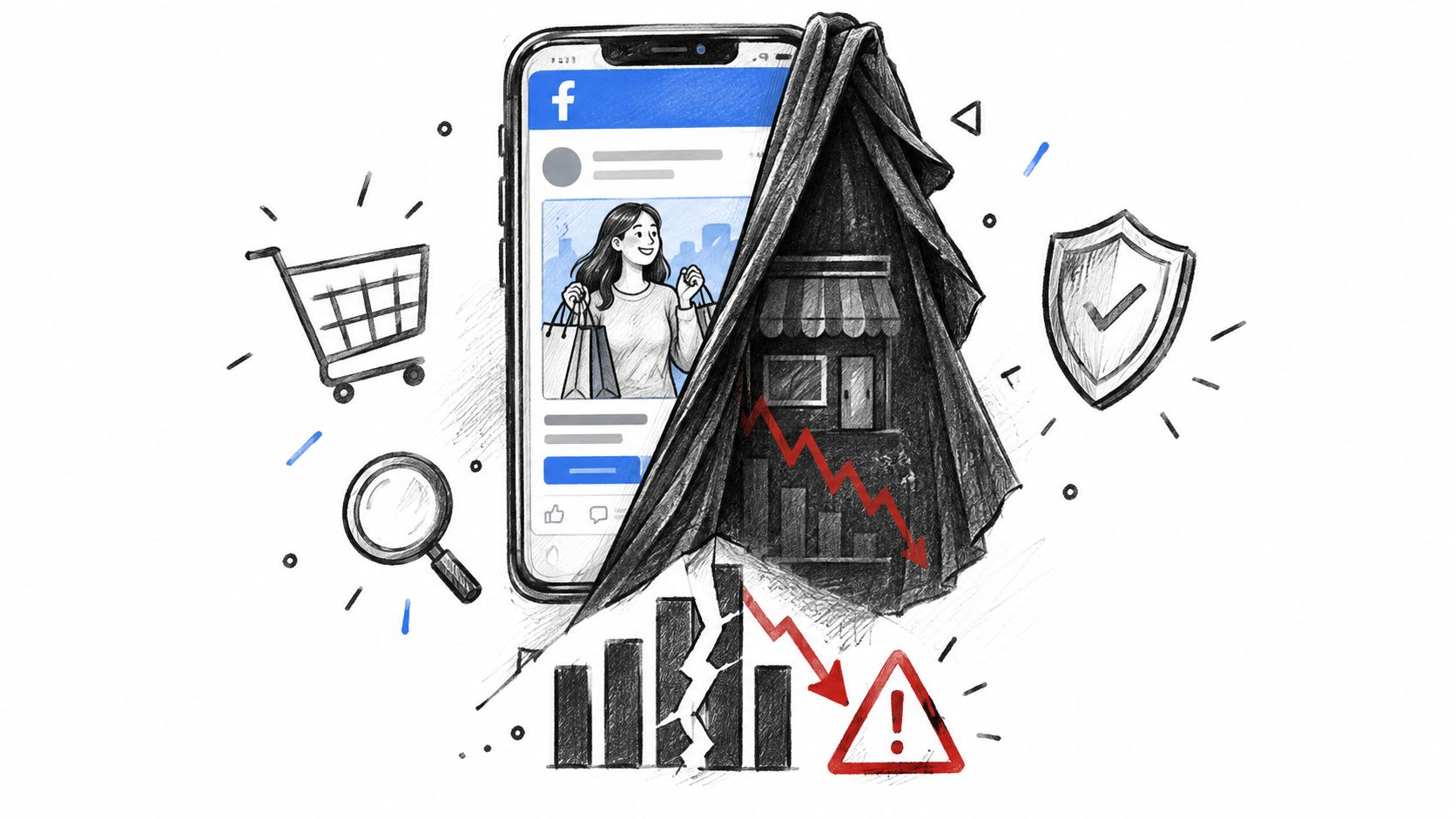
A Facebook ad can be approved, spend normally, and still send real shoppers into a funnel that has little relationship to what reviewers saw. That's the operational risk of Facebook ads cloaking. The damage may appear first as poor attribution or strange traffic, then surface later as fake leads, risky orders, support work, refunds, or chargebacks.
For a Shopify merchant, ad approval isn't proof that visitors are genuine. Treat the ad, redirect path, storefront session, and checkout order as separate evidence. That approach helps you identify whether a campaign is acquiring customers or just creating noise that your team may optimize against.
Table of Contents
- Understanding Facebook Ads Cloaking Mechanics
- The Scale of Review Evasion and Enforcement
- How Cloaked Traffic Pollutes Shopify Analytics
- Detecting Suspicious Ad Traffic and Mismatches
- Mitigation and Order Review Strategies
- Where Securify fits
- Common Questions About Ad Traffic and Fraud
Understanding Facebook Ads Cloaking Mechanics
Facebook ads cloaking is a deliberate review-evasion technique. An advertiser presents one landing-page version to Meta's automated or human reviewers, then shows a materially different destination to real users. The approved ad can look ordinary while the shopper receives another offer, redirect, or page experience after clicking.
That differs from normal personalization or a compliant A/B test. Personalization changes an experience within the disclosed campaign and policy boundaries. Cloaking hides the actual destination from the review process. Meta's policy prohibits tactics that disguise an ad's content or landing page so every part of the ad remains available for review, as described in the policy guidance linked from Shopify's fraud analysis documentation.
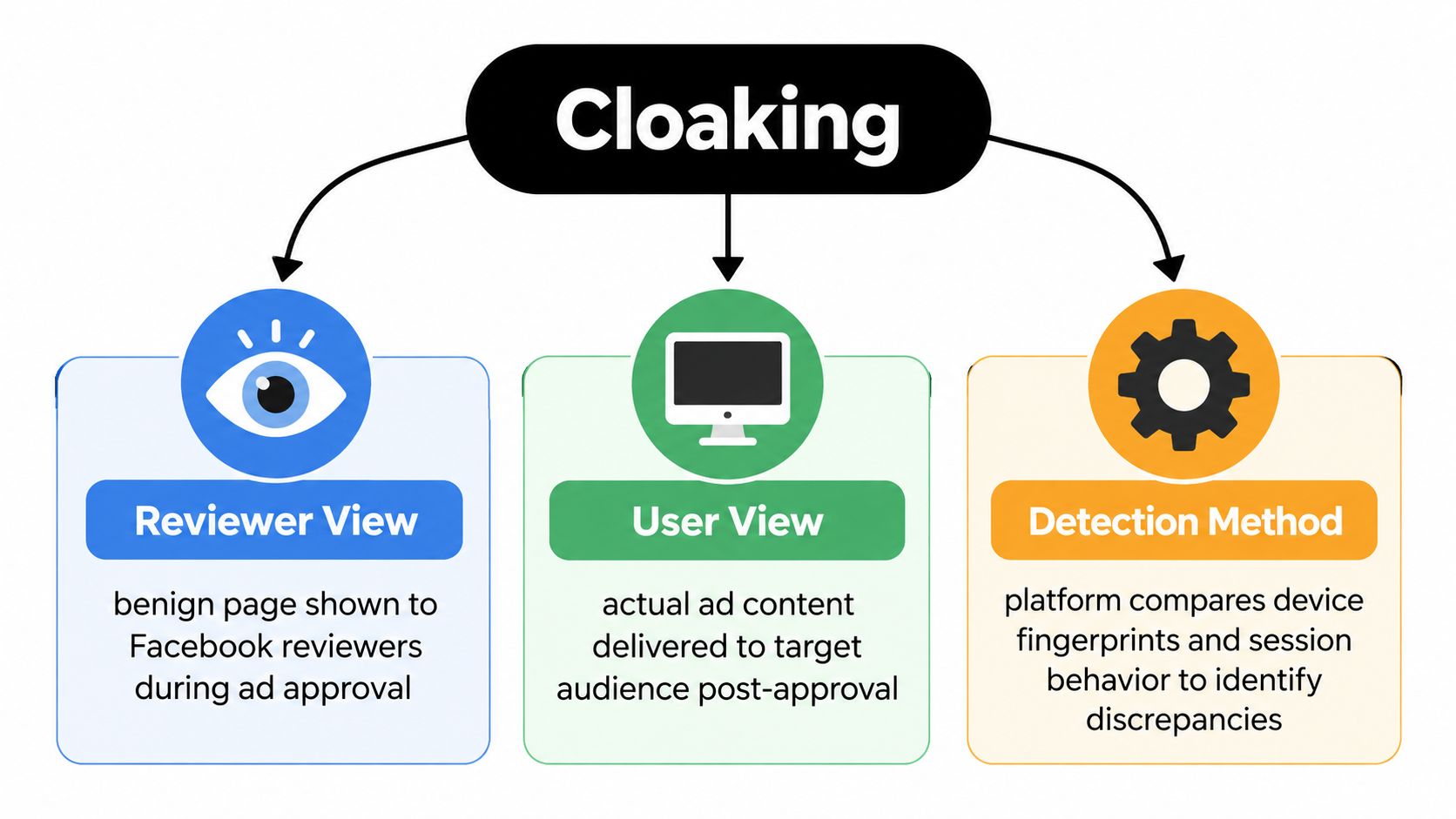
How the routing differs
The cloaking layer can inspect request and session signals, then choose which experience to serve. Common patterns include:
- Conditional delivery: A reviewer receives a benign product page, while a normal shopper receives a different offer.
- Delayed redirects: The first page appears compliant, then redirects after a timer, interaction, or later visit.
- Cookie-triggered swaps: The initial session looks clean, but a stored cookie changes the destination for a returning user.
- Campaign-parameter branching: The page responds differently to paid-social parameters or referral context.
The exact implementation matters less than the outcome. If Meta sees one destination and customers receive another, the campaign creates both a policy exposure and a measurement problem. A merchant investigating Shopify bot, VPN, and abusive traffic should compare the approved experience with the page real shoppers load.
Practical rule: Keep the ad creative, final URL, redirect chain, page HTML, rendered page, and checkout path consistent for reviewers and customers.
The Scale of Review Evasion and Enforcement
Cloaking creates more than a policy problem. For a Shopify merchant, it can leave you with suspended ad assets, unreliable performance data, messy attribution, and a fraud-review backlog that keeps burning time after the campaign is gone.
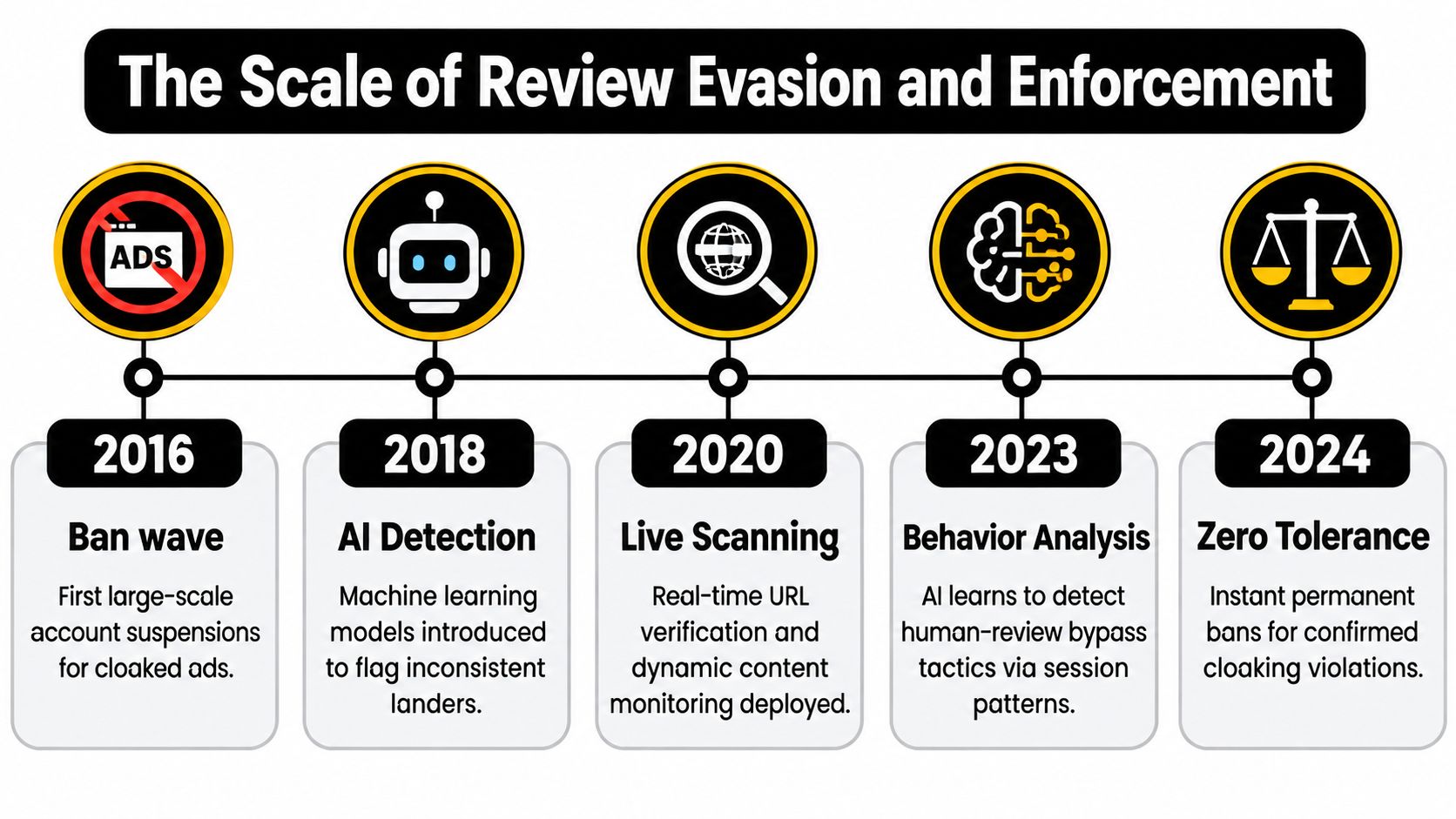
Meta has treated cloaking as a review-evasion violation for years. Its policy bars advertisers from disguising ad content or destinations to get around review, and later enforcement moved beyond policy language into legal action against operators and services tied to deceptive ad delivery. That matters operationally. If a merchant runs traffic through a cloaked funnel, the account risk does not stay with the service provider. It lands on the ad account, the business assets, and the store team trying to explain sudden performance shifts or access loss. The enforcement history is summarized in Meta's policy on circumventing systems.
Approval is only one observation
Approval does not prove the traffic is clean. Meta has described detection as an AI-assisted comparison problem. One system may see a compliant page while actual users are sent somewhere else, including through redirects or post-approval changes. Meta also says ads and business assets can be reviewed again after launch, which means a campaign can clear one check and still create exposure later if delivery changes. That description appears in Meta's account of legal action against scam advertisers.
A better lesson for merchants comes from commercial enforcement, not political advertising examples. Meta's action against LeadCloak showed that review-evasion services themselves can become enforcement targets. If your store depends on that setup, you inherit the blast radius. Losing campaigns is only the visible part. Teams also end up reconciling mismatched landing-page evidence, disputing traffic quality, checking suspect orders, and trying to separate real customer demand from manipulated visit patterns.
That is why platform approval should be treated as one checkpoint, not a sign-off on traffic quality. Merchants need their own records of what shoppers received, especially when paid sessions behave differently from the page reviewers approved. For teams tightening process across social channels, Politico's coverage of stealth political ads is less relevant here than day-to-day governance guidance such as Captapi social media compliance. The practical goal is simple: keep delivery consistent enough that your ad account, analytics, and order-review workflow are all working from the same reality.
How Cloaked Traffic Pollutes Shopify Analytics
The hidden cost of cloaking is often not the rejected ad. It's the false signal inside your operating system.
A cloaked campaign can make low-quality visits look like legitimate acquisition. Those sessions may inflate paid traffic, trigger email capture, create support contacts, generate product views, or produce partial checkout activity. If the campaign later records a few orders, the apparent conversion rate can encourage a team to increase spend even though the traffic doesn't represent repeatable customer demand.
Meta's own description of cloaking as a comparison problem confirms the underlying risk: reviewers may see one page while users see another, particularly when a funnel changes after approval. That means a clean approval event doesn't validate the campaign's full delivery history.
Where the distortion spreads
Analytics pollution rarely stays inside one dashboard. It can affect:
- Attribution: Paid social receives credit for sessions that don't behave like prospective customers.
- Email capture: Disposable or low-intent addresses enter lifecycle flows and distort list quality.
- Support queues: Confused visitors ask about offers, deliveries, or pages your team doesn't recognize.
- Inventory planning: Artificial demand signals can influence replenishment and merchandising decisions.
- Reviews and reputation: Suspicious orders or poor experiences can produce complaints and low-quality feedback.
- Finance and risk: Orders from the campaign may carry a different refund, cancellation, or chargeback profile.
Use an incident record rather than immediately editing targeting. Preserve the ad creative, approval URL, redirect sequence, screenshots, loaded scripts, timestamps, and checkout behavior. Then segment sessions by source, geography, device, network indicators, landing-page version, and order outcome.
For a practical framework on reconciling inconsistent store and advertising data, see this guide to ecommerce data reconciliation with AI. The objective isn't to force every system to report the same number. It's to explain why the numbers differ and isolate traffic that shouldn't influence budget decisions.
A focused Shopify guide to bot traffic analytics noise can help teams separate reporting problems from genuine demand. Don't delete suspicious data before preserving evidence. Removing the symptoms too early can make it harder to identify the campaign, redirect, or audience condition responsible.
Detecting Suspicious Ad Traffic and Mismatches
An ad click proves that someone, or something, followed a link. It doesn't prove that the session is a genuine shopping visit, and it certainly doesn't prove that a resulting order should ship.
Start by comparing what the campaign promises with what the storefront delivers. Load the final URL using ordinary customer conditions, review the redirect path, check the page on more than one device, and compare the experience with the approved creative. Then match campaign data against Shopify session and order behavior.
Traffic Signal Comparison
| Normal Campaign Traffic | Suspicious or Cloaked Traffic |
|---|---|
| Landing page matches the ad's offer and destination | Landing page changes materially after the click |
| Visitors show varied but understandable engagement | Sessions cluster around masked geographies, VPNs, proxies, or automated infrastructure |
| Campaign and storefront reports differ for explainable attribution reasons | Source, landing page, device, and order records contradict one another |
| Checkout behavior resembles the product and audience | Many sessions view pages but show little credible shopping intent |
| Orders contain consistent customer, payment, and location signals | Orders show unusual network activity or location and payment mismatches |
What to check first
Capture the customer path. Record the URL from the ad, each redirect, the final page, and the checkout sequence. Check whether behavior changes after a delay, on a return visit, or when campaign parameters are present.
Segment before blocking. Separate automated sessions, masked network traffic, unusual geographies, and ordinary shoppers. A high bounce rate alone doesn't establish cloaking. A repeated mismatch between the approved page and the customer page is more meaningful.
Compare outcomes, not just clicks. Review add-to-cart activity, email quality, checkout completion, cancellations, refunds, and order-risk signals by campaign. A campaign with strong click volume but weak customer behavior deserves investigation before receiving more budget.
Audit the account and assets. A structured audit of your Meta ad account can help you review active campaigns, destinations, permissions, and inconsistencies. Keep the audit evidence with the campaign record, especially if the destination changed after approval.
A traffic spike is a symptom, not a diagnosis. Check the destination and the order quality before assuming you've found a winning audience.
Mitigation and Order Review Strategies
Traffic control and order review solve different problems. Upstream controls reduce the number of suspicious sessions reaching your storefront. Downstream review determines whether a specific order is safe to fulfill. Neither replaces the other.
Shopify's fraud analysis evaluates online card orders with multiple order-level signals. These include whether the customer entered the correct Card Verification Value, whether the customer's location matches the payment method, and whether the device or network activity looks unusual. For eligible orders, Shopify assigns a low, medium, or high fraud-related chargeback risk, with warning symbols for medium- and high-risk orders, as documented in Shopify's fraud analysis guidance.
Use the layers for different decisions
Traffic layer: Investigate masked geography, abnormal session behavior, inconsistent page delivery, and automated access. This layer protects analytics and reduces wasted interactions with email, support, and storefront systems.
Order layer: Review the customer, payment details, billing and shipping consistency, device or network indicators, and purchasing pattern. Don't treat a paid-social referral as proof that the checkout is legitimate.
Fulfillment layer: Hold questionable orders until a person validates the evidence. If the signals remain unacceptable, cancel and refund according to your operating policy.
Shopify states that fulfilling high-risk orders without review can lead to chargebacks and payment-processing consequences. Its guidance recommends workflows that hold high-risk orders for manual review or cancel them according to defined fraud criteria, as explained in Shopify's fraud-prevention documentation.
A workable process might capture low- and medium-risk orders for the appropriate handling path while routing high-risk orders to review. The exact rule depends on your products, fulfillment cost, customer service capacity, and tolerance for false positives.
Order rule: Never let a campaign's reported conversion volume override a high-risk order signal.
The trade-off is straightforward. Aggressive traffic blocking can remove some legitimate visitors, especially from shared networks or privacy-focused users. No upstream filter can decide every transaction. Native order analysis can evaluate checkout evidence, but it can't repair polluted campaign attribution or stop every suspicious session before it reaches your storefront. Use both layers, and document why each decision was made.
Where Securify fits
Securify sits upstream of order review, where paid traffic can already be damaging reporting and operations before a customer ever reaches checkout. As a Shopify app, it helps filter bot traffic, VPN and proxy abuse, suspicious sessions, and unwanted geographic access before those visits skew attribution, inflate session counts, trigger noisy support workflows, or pass bad signals into retention tools.
That position matters. Native order analysis can judge the orders that make it through. It cannot clean up a campaign report after suspicious traffic has already touched the storefront.
Securify's controls include geo-blocking rules, traffic classification, and session-level filtering aimed at separating non-genuine visits from real shoppers earlier in the funnel. For merchants dealing with inconsistent paid-social performance, that makes it easier to protect analytics while pairing traffic controls with a broader ecommerce fraud prevention approach.
For implementation details, see Securify on the Shopify App Store.
Common Questions About Ad Traffic and Fraud
Is Facebook ads cloaking the same as ordinary personalization?
No. Personalization changes a compliant experience for a customer segment. Cloaking intentionally hides the actual ad destination from reviewers and shows users a materially different experience.
Does an approved ad guarantee safe traffic?
No. Approval reflects what the review system observed. Check redirects, landing-page consistency, session behavior, and order-risk signals after launch.
What should I do when paid traffic suddenly spikes?
Preserve the campaign and redirect evidence first. Segment sessions by source, geography, device, network indicators, landing-page behavior, and checkout outcomes before changing targeting or scaling spend.
Are Shopify's native fraud tools enough?
They're useful for order-level decisions, including payment, location, device, and network signals. They don't replace upstream traffic-quality monitoring or explain why campaign analytics and storefront behavior diverge.
Can a legitimate merchant be affected by cloaking?
Yes. Attackers can misuse a merchant's brand, domain, or connected advertising assets. Monitor destinations and customer behavior, then report suspected policy violations through the appropriate platform process.
Securify helps Shopify merchants identify and control bot traffic, VPN and proxy abuse, suspicious sessions, and unwanted geographic access before those visits pollute analytics or reach downstream workflows. Visit Securify to assess your store's traffic quality and add an upstream layer to your fraud controls.